Authenticator App ・

Authenticator App ・

Download on App Store
Logo of Authenticator App ・

Authenticator App ・: Professional 2FA Security for iPhone & Apple Watch

Protect your digital identity with encrypted, offline-ready verification. Secure your accounts with Face ID, private iCloud backups, and instant code access via iOS widgets and your wrist.

Download on App Store

Publisher

TEAM V GAMES OYUN YAZILIM VE PAZARLAMA ANONIM SIRKETI

Category

Utilities

Downloads

5K+

User Rating

4.5/5

Total Ratings

0

Locales

8

Security at a Glance

Discover the interface used by 5K+ users.
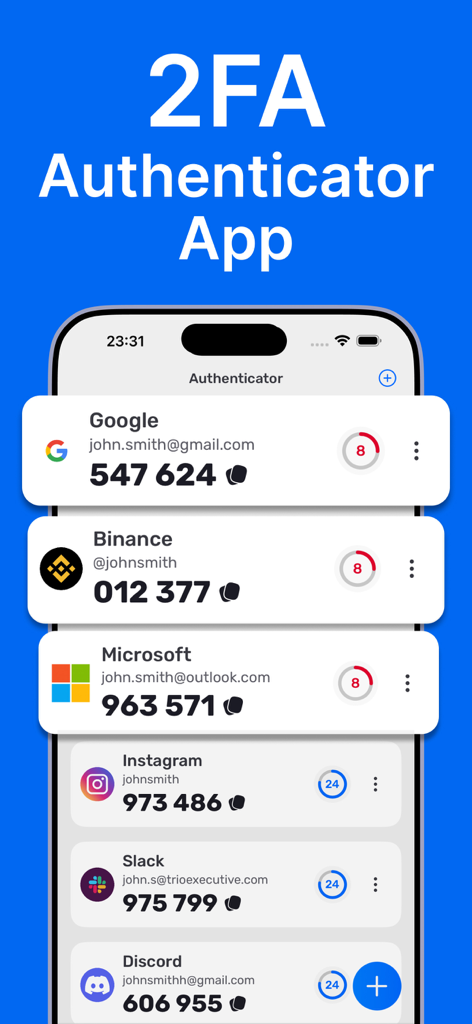
A list of 2FA authentication codes for various services on a clean iOS mobile interface

A list of 2FA authentication codes for various services on a clean iOS mobile interface

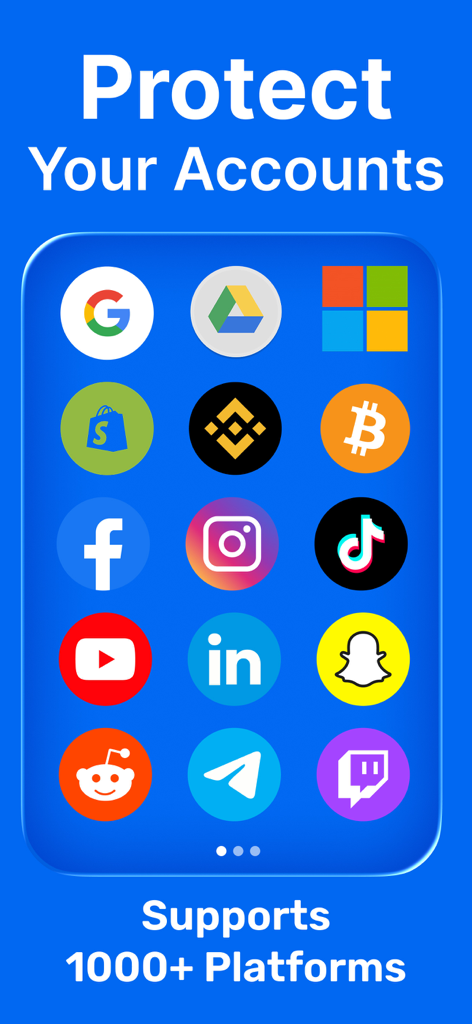
Authenticator app screen displaying various supported platforms for secure two-factor authentication

Authenticator app screen displaying various supported platforms for secure two-factor authentication

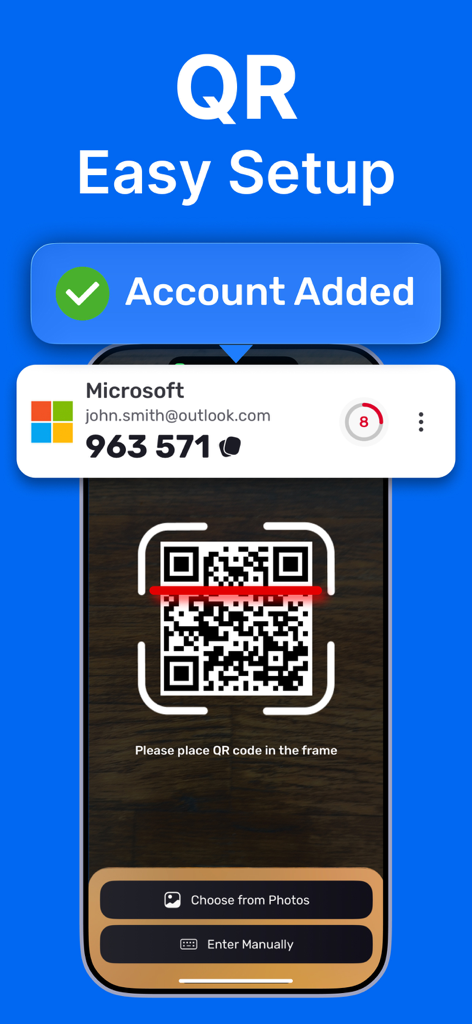
Authenticator app interface showing a smartphone scanning a QR code for easy account setup with a success notification.

Authenticator app interface showing a smartphone scanning a QR code for easy account setup with a success notification.

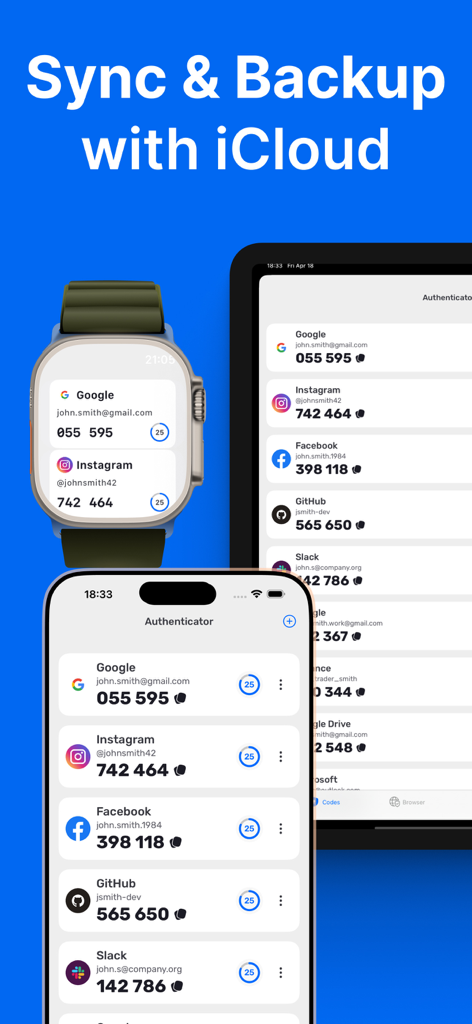
Authenticator app displaying 2FA codes synced across an iPhone Apple Watch and iPad via iCloud backup

Authenticator app displaying 2FA codes synced across an iPhone Apple Watch and iPad via iCloud backup

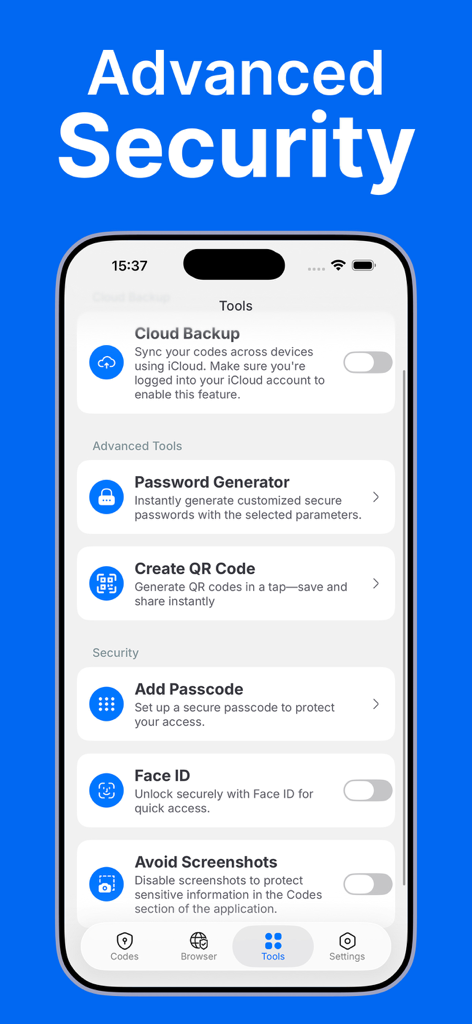
Interface of Authenticator App showing advanced security tools like Cloud Backup, Face ID, and Password Generator.

Interface of Authenticator App showing advanced security tools like Cloud Backup, Face ID, and Password Generator.

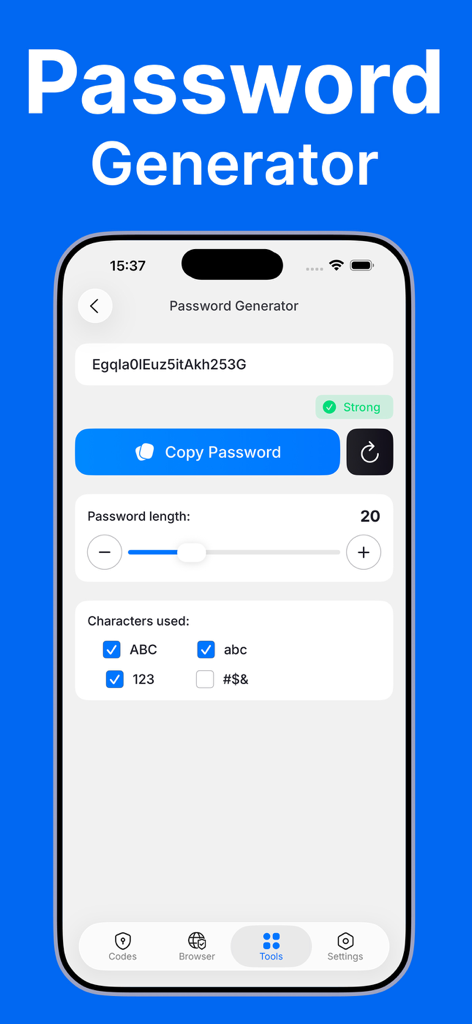
Interface of the password generator feature in the Authenticator App showing options to customize length and character types.

Interface of the password generator feature in the Authenticator App showing options to customize length and character types.

Fortify Your Digital Identity with Ease

The tools that make this app stand out, trusted by 5K+ users.

Wrist-First Authentication

Access your 2FA codes instantly on your Apple Watch or via Home Screen widgets. Authenticate your workspace or financial accounts without even reaching for your phone.

🛡️

Privacy-First Architecture

Your secrets stay yours. Benefit from encrypted iCloud backups and advanced shielding that automatically obscures codes from screenshots and screen recording attempts.

📶

Seamless Offline Reliability

Scan a QR code to set up in seconds. Generate secure time-based passwords anywhere in the world, even without an internet connection, so you are never locked out.

About the app

Everything you need to know about Authenticator App ・.

Description

# Authenticator App - Protect Your Accounts with Two-Factor Authentication Protect your accounts with a private, fast, and secure authenticator. Generate time-based one-time passwords (2FA/TOTP) for your favorite services and keep them encrypted on your device—ready when you need them, even offline. Features: - Effortless setup Scan a QR code or enter a setup key to add an account in seconds. Codes work offline, so you’re covered even without internet. - Secure. Encrypted. Your 2FA secrets are stored on your device with strong encryption. Access is protected by Face ID or Passcode. - iCloud Backup (Encrypted) Keep a secure, encrypted backup in iCloud so you can restore your codes on a new device when needed. - Apple Watch Support View and copy your verification codes right from your wrist for instant access on the go. - iOS Widgets Add widgets to your Home Screen or Lock Screen for quick code access when every second counts. - Extra Security Controls Face ID / Passcode lock, app-switcher privacy, and screenshot & screen-recording shielding that obscures codes when capture is detected. - Password Generator Create strong, unique passwords in seconds—no more guesswork. - Private Browser Open sign-in pages privately without unwanted tracking. - Works with your favorite services Supports thousands of sites that use TOTP, including Google, Microsoft, Facebook, Instagram, Gmail, Amazon, and many more. Built for Apple platforms: Optimized for iPhone and Apple Watch with smooth performance, accessibility, and native security features. This app is not connected to, endorsed by, or affiliated with any third-party platforms or services it is compatible with. Note: This app generates verification codes for services that support time-based one-time passwords (TOTP). Some services may require additional steps to enable 2FA. Privacy Policy: https://docs.google.com/document/d/17qlEq5t7IcmdIatX7B7uQCShzqPwYMO0mnQJgj6f0B8/edit?usp=sharing Terms & EULA: https://docs.google.com/document/d/1T5LjMl6bv6q7KaO36UxIwEsoZCllshymAqdLWKvHf5M/edit?usp=sharing

Latest Version

1.6

Size

51.1 MB

First Released

Aug 10, 2025

Secure Your Digital World in Seconds

Experience professional-grade protection with encrypted iCloud backups and instant Apple Watch access. Join thousands of digital professionals who trust us to secure their most valuable accounts.

Download on App Store
FAQ

Frequently Asked Questions

Everything you need to know about Authenticator App ・

What is the primary function of the Authenticator App?

The Authenticator App protects accounts by generating time-based one-time passwords (2FA/TOTP). It keeps these codes encrypted on the device, accessible even offline.

How does the Authenticator App secure my 2FA codes?

The Authenticator App stores 2FA secrets on your device with strong encryption. Access to these secrets is protected using Face ID or Passcode.

Does the Authenticator App support iCloud backup for 2FA codes?

Yes, the Authenticator App supports secure, encrypted iCloud Backup. Users can restore their codes on a new device from this backup.

Can I use the Authenticator App with my Apple Watch?

Yes, the Authenticator App offers Apple Watch support. Users can view and copy their verification codes directly from their wrist for instant access.

How do I set up an account in the Authenticator App?

The Authenticator App offers effortless setup. Users can add an account by scanning a QR code or entering a setup key manually in seconds.

Does the Authenticator App provide a password generator?

Yes, the Authenticator App includes a Password Generator. This feature allows users to create strong, unique passwords quickly and easily.

What security controls does the Authenticator App offer?

The Authenticator App provides extra security controls including Face ID/Passcode lock, app-switcher privacy, and screenshot & screen-recording shielding.

Does Authenticator App work offline?

Yes, the Authenticator App generates codes that work offline. This ensures continued access to your verification codes even without an internet connection.

Can I use widgets with the Authenticator App?

Yes, the Authenticator App supports iOS Widgets. Users can add widgets to their Home Screen or Lock Screen for quick access to codes.

Is the Authenticator App compatible with many online services?

Yes, the Authenticator App works with thousands of services that use TOTP, including Google, Microsoft, Facebook, Instagram, and Amazon.

App information, icons, screenshots, and descriptions displayed on this page are sourced from the Apple App Store and are the property of their respective developers. Download estimates and rankings are based on MWM's proprietary models and may not reflect actual figures. This page is provided for informational and analytical purposes only.

Believe this page infringes your intellectual property? File a dispute