Authenticator: Mobile 2FA, MFA

Authenticator: Mobile 2FA, MFA

Download on App Store
Logo of Authenticator: Mobile 2FA, MFA

Authenticator: Mobile 2FA, MFA - Ultimate Protection for Your Online Accounts

Upgrade your digital security with professional-grade two-factor authentication. Protect your banking, social media, and crypto accounts with biometric locking and secure cloud backup so you never lose access.

Download on App Store

Publisher

Zipo Apps Ltd.

Category

Utilities

Downloads

0

User Rating

4.5/5

Total Ratings

0

Locales

1

Your Security at a Glance

Discover the interface used by 0 users.
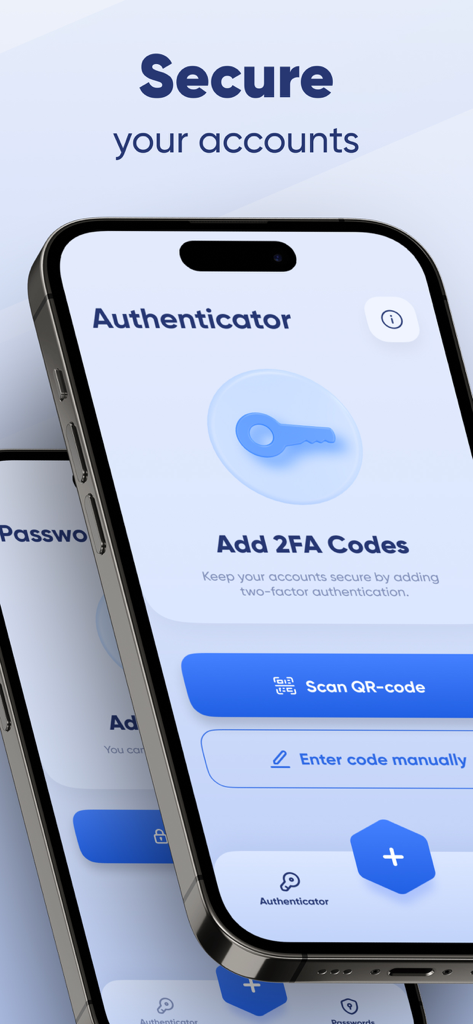
Mobile 2FA authenticator app interface showing options to scan QR code or enter codes manually.

Mobile 2FA authenticator app interface showing options to scan QR code or enter codes manually.

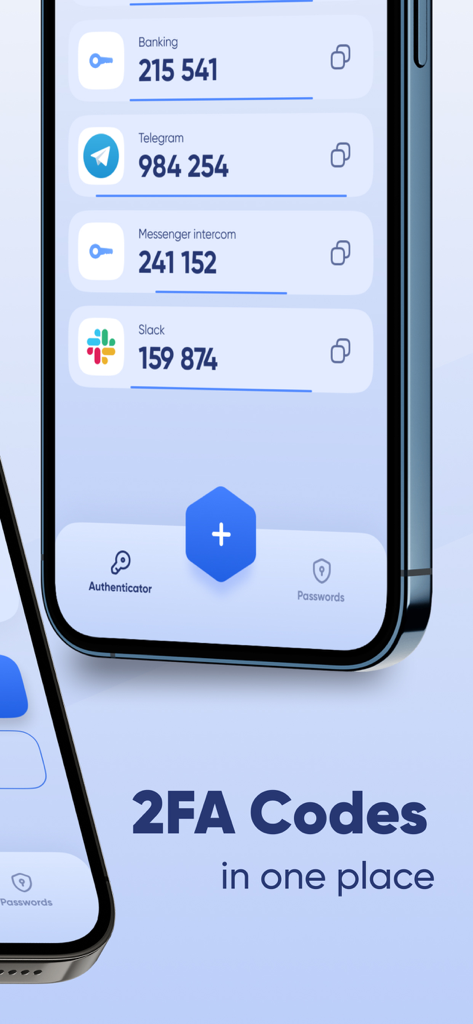
Interface of the Authenticator app showing a list of 2FA codes for various services like Banking and Slack

Interface of the Authenticator app showing a list of 2FA codes for various services like Banking and Slack

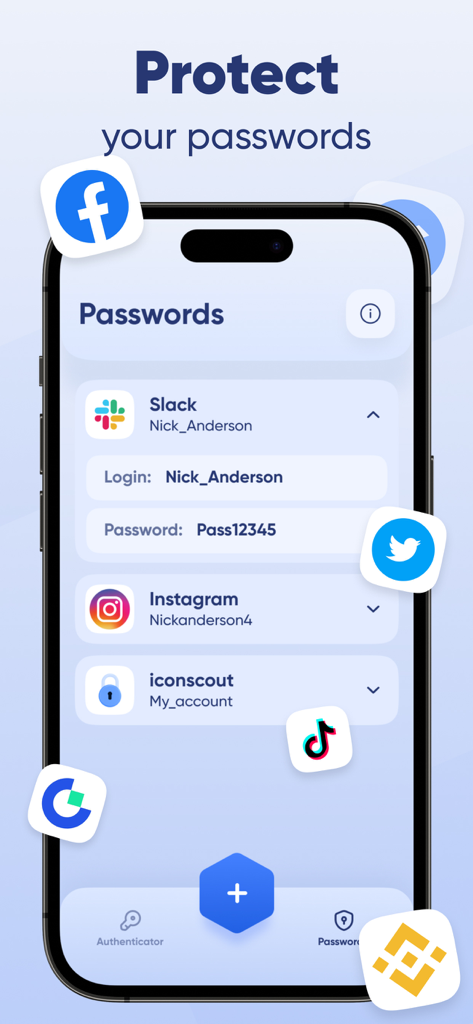
A mobile phone displaying a list of stored passwords in the Authenticator app for accounts like Slack and Instagram

A mobile phone displaying a list of stored passwords in the Authenticator app for accounts like Slack and Instagram

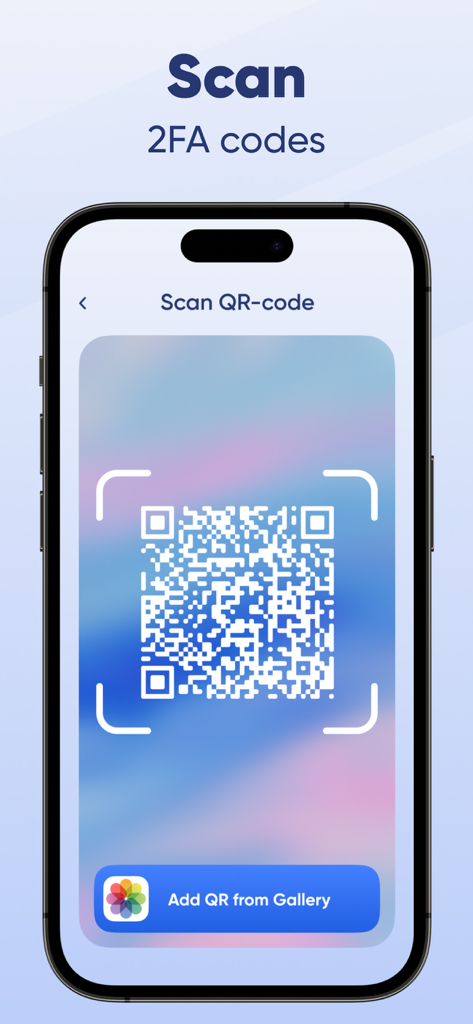
A smartphone interface showing the process of scanning a QR code to set up two-factor authentication codes

A smartphone interface showing the process of scanning a QR code to set up two-factor authentication codes

Ironclad Security Made Effortless

The tools that make this app stand out, trusted by 0 users.

☁️

Secure Cloud Backup

Never lose access to your accounts. Sync your encrypted codes across devices and restore them instantly when you upgrade your phone.

👤

One-Tap Biometrics

Access your codes in a blink. Use FaceID or TouchID for seamless, secure entry without the friction of typing master passwords.

🌐

Universal Offline Access

Generate secure TOTP codes anywhere, even without cell service. One app to protect your crypto, email, and corporate logins.

About the app

Everything you need to know about Authenticator: Mobile 2FA, MFA.

Description

In today’s digital world, passwords alone aren’t enough to keep your online accounts safe. That’s where Authenticator: Mobile 2FA, MFA comes in. This app adds an extra layer of security to your accounts by generating secure, time-based one-time passwords (TOTP), ensuring only you can access your data. Whether you're logging into your email, social media, banking apps, or work accounts, our two-factor authentication (2FA) and multi-factor authentication (MFA) solution makes account protection easier and more reliable than ever. Protect your data with our powerful authenticator app. This password app enhances security using two factor authentication codes that refresh every 30 secs. Store all accounts in one password app, backed by two factor authentication and offline access. The authenticator app is your go-to password app for secure two factor authentication. Download our authenticator app now for total peace of mind. Why Choose Our Authenticator App? Fast & Easy Setup Securing your accounts takes just a few seconds. Simply scan a QR code or enter your account details manually, and the app will instantly generate secure 6-digit codes for login authentication. No complicated setup—just instant protection. Secure Time-Based One-Time Passwords (TOTP) With 2FA and MFA, the app generates TOTP codes that refresh every 30 seconds, keeping your logins safe from hackers. Even if someone gets your password, they can’t access your account without the verification code. Store & Manage All Your Accounts in One Place Tired of juggling multiple authentication apps? Keep all your 2FA-protected accounts securely stored in one app—whether it’s email, social media, cryptocurrency wallets, or online banking. Works Completely Offline Unlike SMS-based authentication, our app doesn’t require an internet connection. Your one-time passwords are generated directly on your device, so you can log in securely anytime, anywhere. Secure Cloud Backup & Device Sync Never lose access to your 2FA codes again. With cloud backup and device syncing, you can restore your authentication data when switching to a new phone. Advanced Security Features Biometric & PIN protection – Lock the app using a fingerprint, Face ID, or a PIN for extra security. Auto-fill & Copy to Clipboard – Quickly enter your 2FA codes without hassle. Multiple device support – Access your authentication codes from different devices without losing security. How Does It Work? Install Authenticator: Mobile 2FA, MFA on your device. Scan a QR code or enter the secret key manually. Use the generated 6-digit codes to log in securely. That’s it. Your accounts are now protected with an extra security layer. Stay One Step Ahead of Hackers Cyber threats are increasing every day—don’t wait until it’s too late. Download Authenticator: Mobile 2FA, MFA now and take control of your online security. Privacy Policy - https://zipoapps.com/authenticatorios/privacy/ Terms & Conditions - https://zipoapps.com/authenticatorios/terms/

Latest Version

1.3.3

Size

158.8 MB

First Released

Jun 25, 2023

Secure Your Digital World in Seconds

Protect your banking, crypto, and work accounts with the most reliable 2FA app. Get total peace of mind with encrypted cloud backups and biometric security.

Download on App Store

App information, icons, screenshots, and descriptions displayed on this page are sourced from the Apple App Store and are the property of their respective developers. Download estimates and rankings are based on MWM's proprietary models and may not reflect actual figures. This page is provided for informational and analytical purposes only.

Believe this page infringes your intellectual property? File a dispute