Awesome Note 2 for iPad

Awesome Note 2 for iPad

Download on App Store
Logo of Awesome Note 2 for iPad

Awesome Note 2: The All-In-One Visual Life Planner for iPad

Elevate your productivity with a beautifully customizable space that integrates notes, schedules, and diaries. Seamlessly sync your calendar and reminders while capturing every creative thought in your own unique style.

Download on App Store

Publisher

BRID

Category

Productivity

Downloads

151K+

User Rating

3.9/5

Total Ratings

3K+

Locales

12

Elegance in Every Detail

Discover the interface used by 151K+ users.
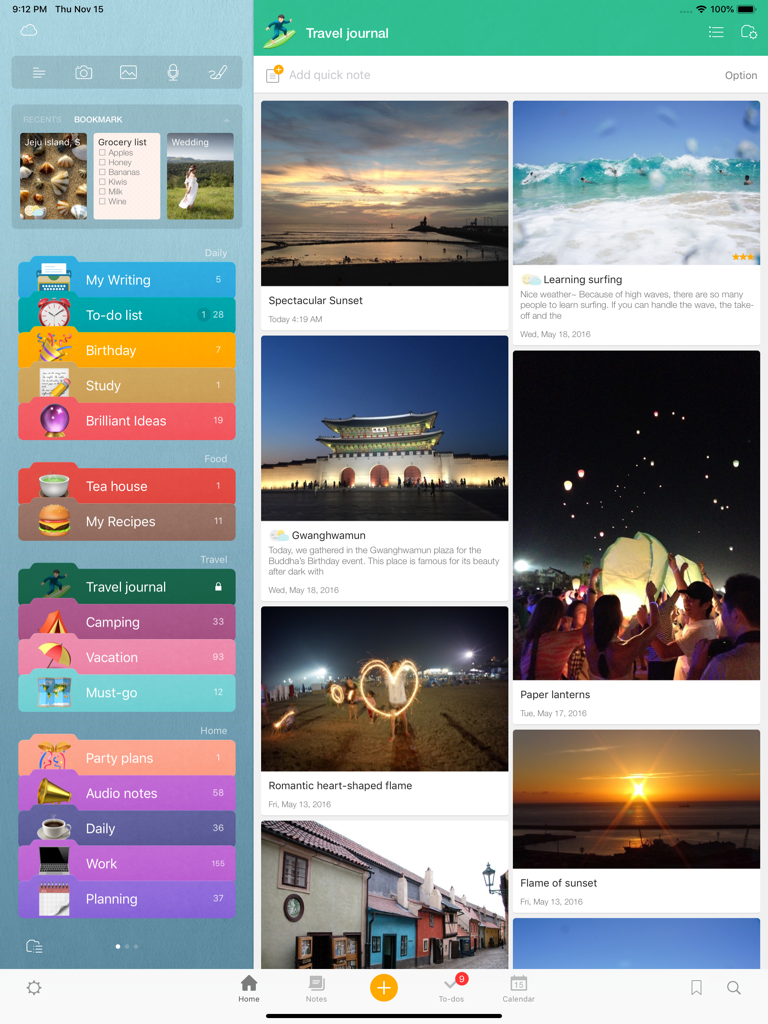
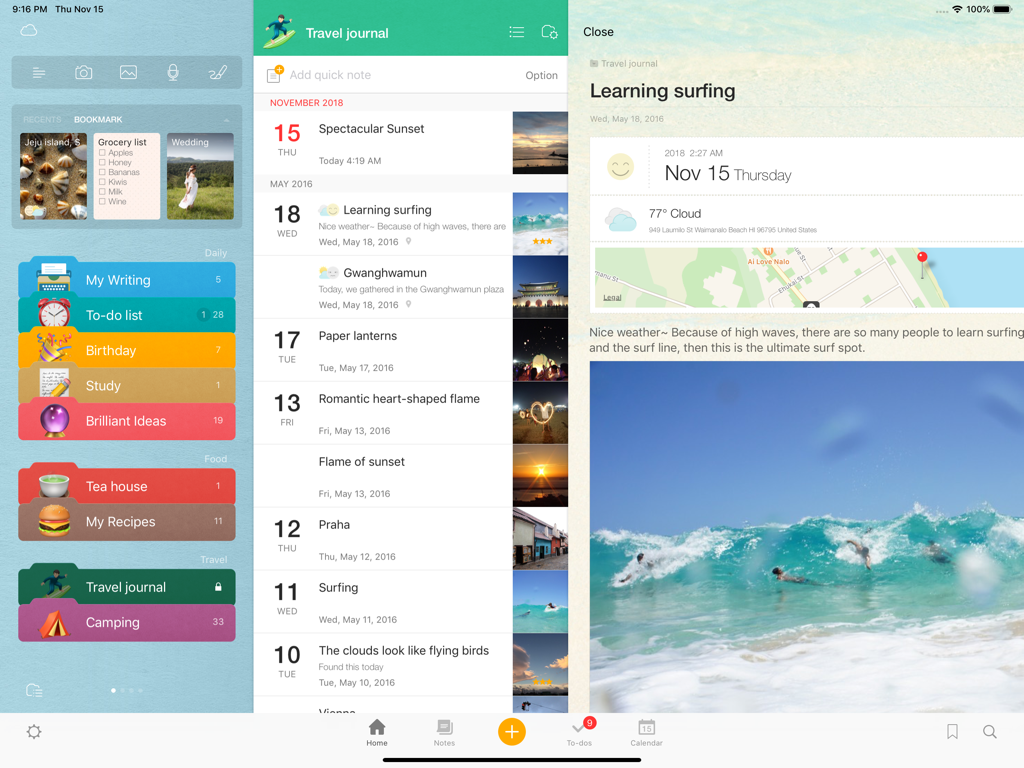
Awesome Note 2 iPad interface showing a visual travel journal and organized colorful folders

Awesome Note 2 iPad interface showing a visual travel journal and organized colorful folders

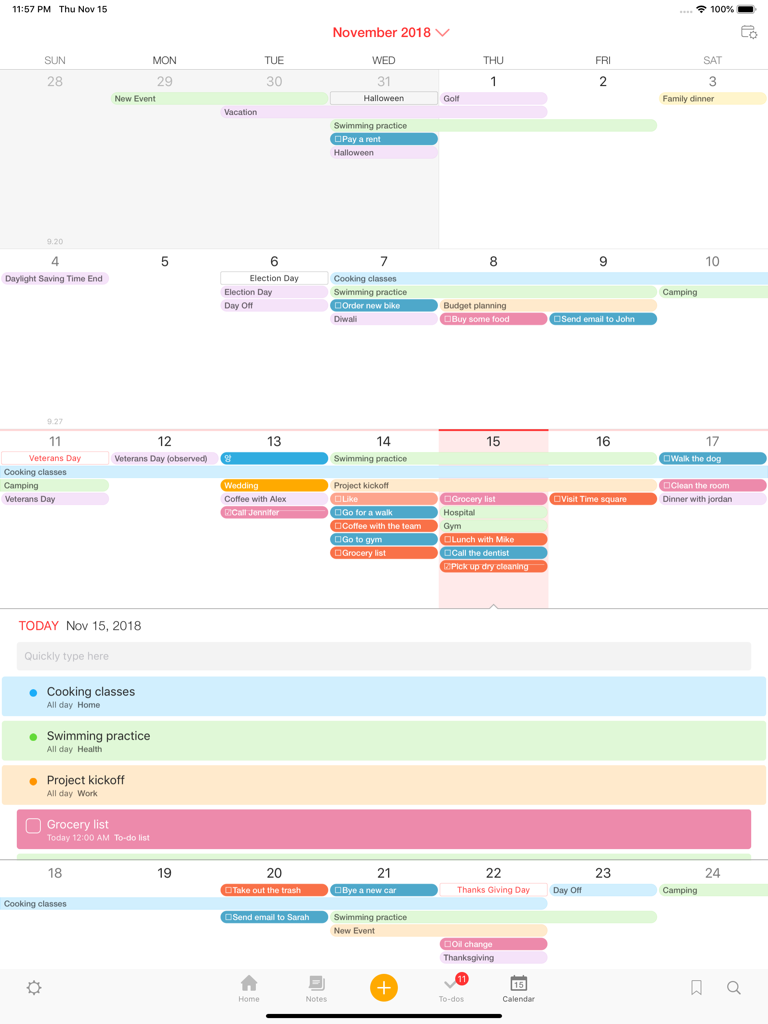
Colorful monthly calendar and daily schedule view in Awesome Note 2 for iPad

Colorful monthly calendar and daily schedule view in Awesome Note 2 for iPad

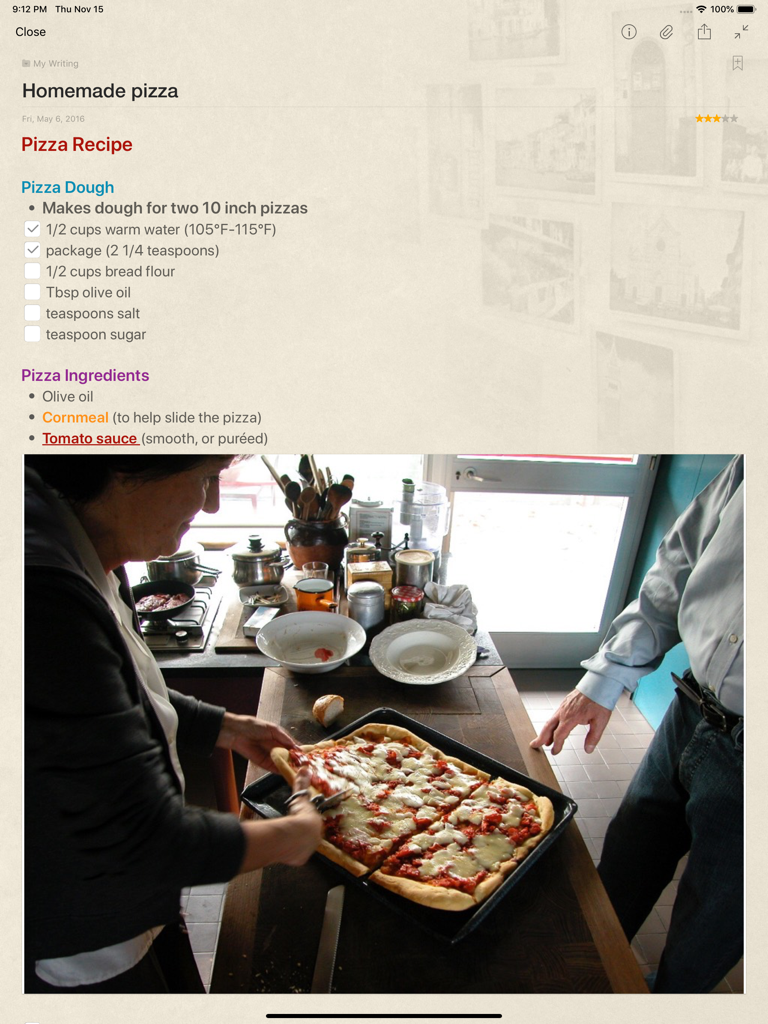
Awesome Note 2 for iPad screen showing a pizza recipe note with checkboxes and an attached photo of homemade pizza.

Awesome Note 2 for iPad screen showing a pizza recipe note with checkboxes and an attached photo of homemade pizza.

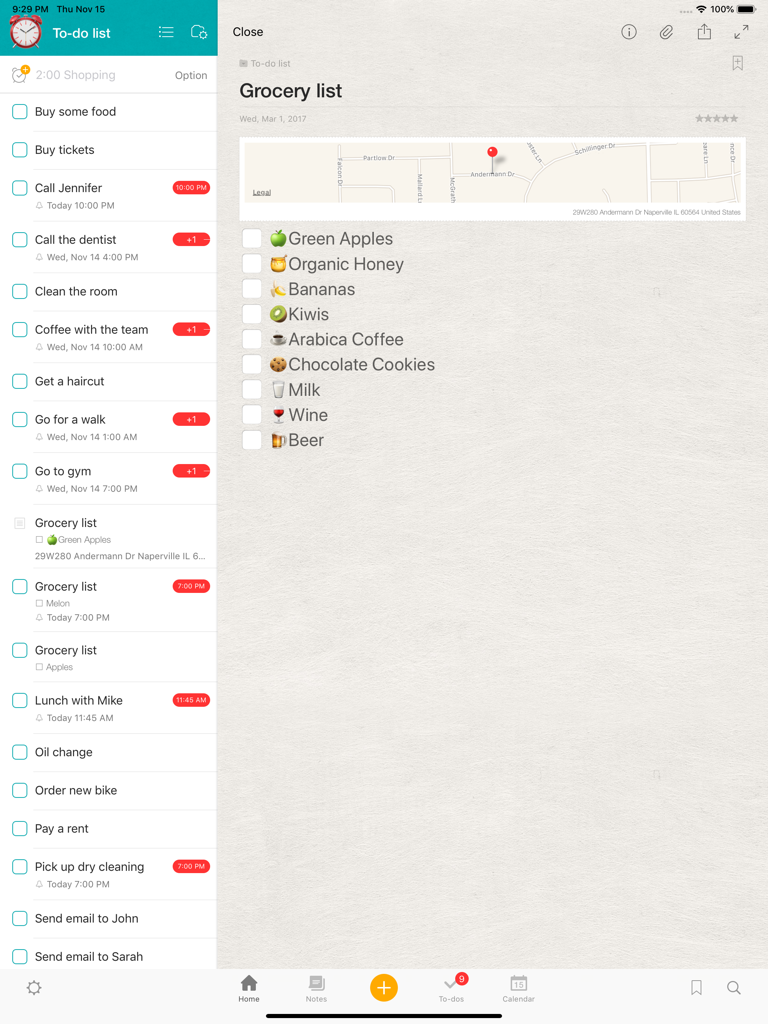
Awesome Note 2 for iPad interface displaying a to-do list sidebar and a detailed grocery checklist with emojis and a map.

Awesome Note 2 for iPad interface displaying a to-do list sidebar and a detailed grocery checklist with emojis and a map.

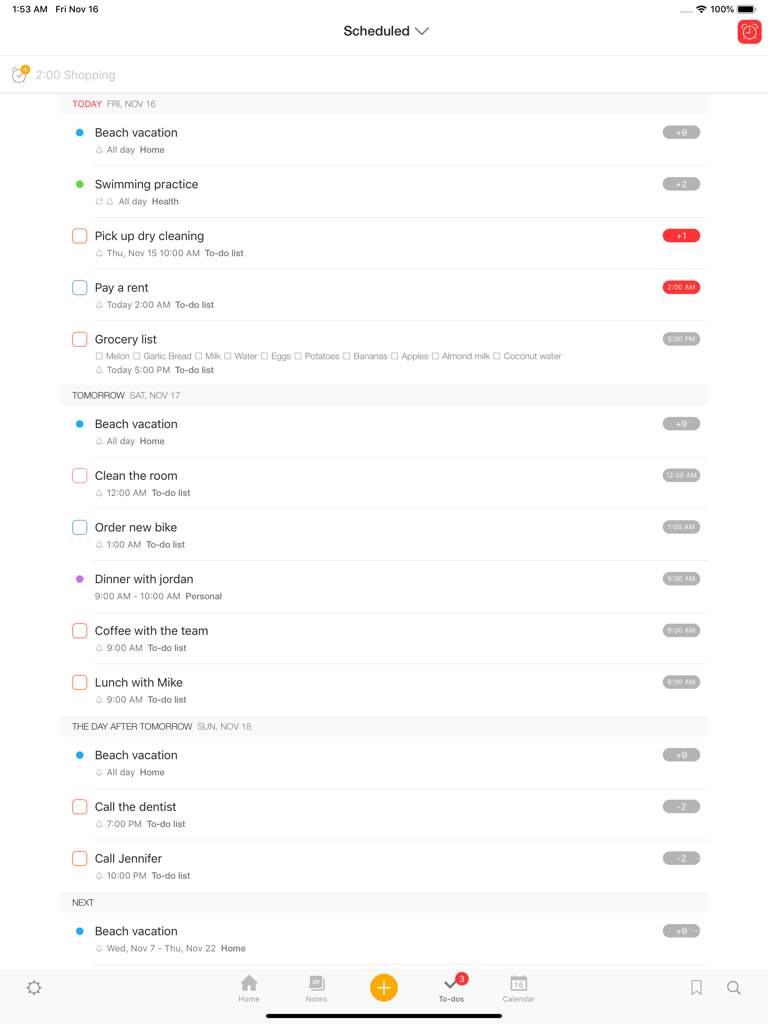
Awesome Note 2 iPad interface showing a list of scheduled tasks and to-do items organized by date.

Awesome Note 2 iPad interface showing a list of scheduled tasks and to-do items organized by date.

Interface of Awesome Note 2 for iPad showing colorful folders and a visual travel journal entry with photos and maps

Interface of Awesome Note 2 for iPad showing colorful folders and a visual travel journal entry with photos and maps

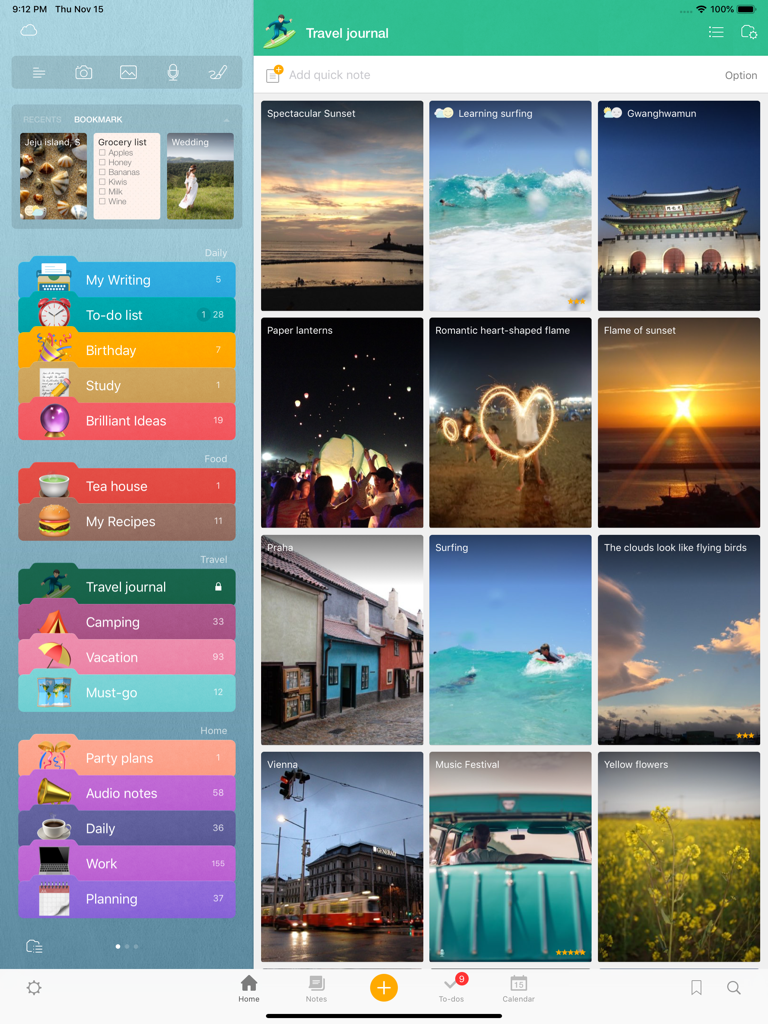
Awesome Note 2 iPad interface showing colorful note categories and a visual travel journal with photo entries

Awesome Note 2 iPad interface showing colorful note categories and a visual travel journal with photo entries

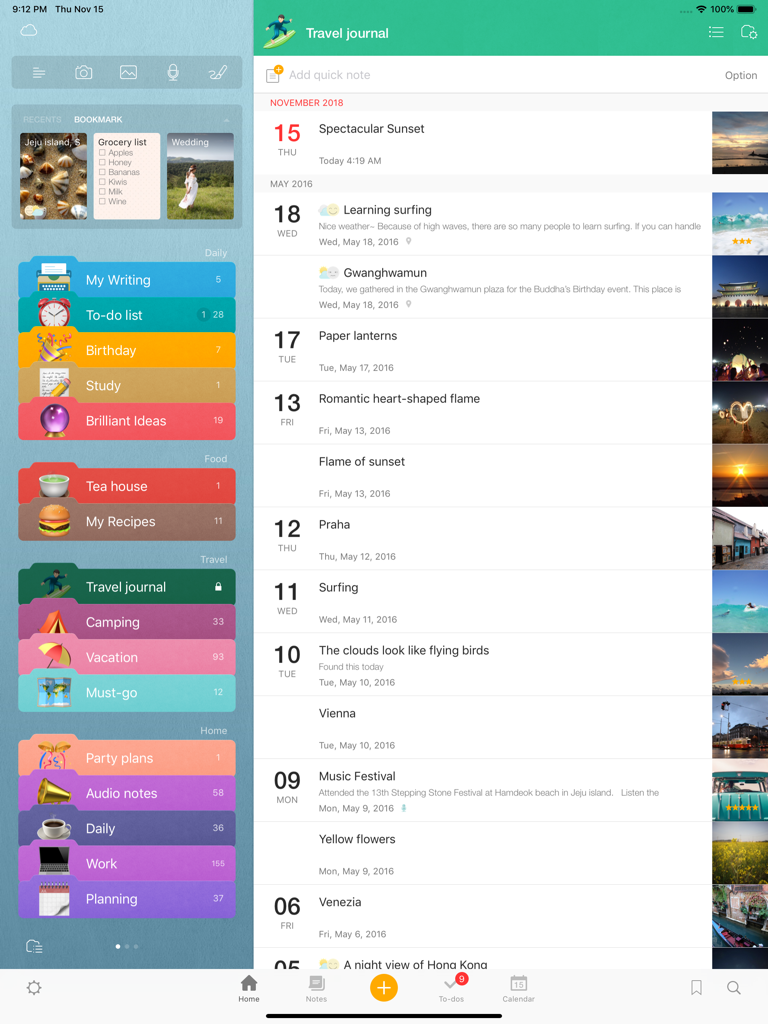
Interface of Awesome Note 2 on iPad showing colorful folder categories and a chronological travel journal with photo thumbnails.

Interface of Awesome Note 2 on iPad showing colorful folder categories and a chronological travel journal with photo thumbnails.

Your Entire Life, Beautifully Organized

The tools that make this app stand out, trusted by 151K+ users.

🗓️

Notes & Schedule in One

Sync your iOS Calendar and Reminders directly. Manage to-do lists and appointments alongside your personal journals without switching apps.

✨

Express Your Personal Style

Ditch the boring layouts. Customize every folder and note with unique icons, colors, and backgrounds to create your own aesthetic digital planner.

🎨

Capture Every Creative Idea

Go beyond text with rich formatting, voice recordings, hand-drawn sketches, and photos. Perfect for visual thinkers and digital journaling.

About the app

Everything you need to know about Awesome Note 2 for iPad.

Description

Fully renewed ‘Awesome Note 2’!  The new All-in-one Organizer, Awesome Note 2 is integrated with note and schedule management. And now it’s available!! WONDERFUL WRITING FEATURES · It can be used not only for simple notes, but also rich and wonderful writing tool. · Make notes even more powerful to add photos, voice recording and drawings. · Easily create diary notes to display feeling, weather or road map information. SIMPLE, FLEXIBLE, AND FRIENDLY ·  Broadly use as diary to record everyday life, travel notes to write anywhere, photo albums, shopping lists, and record for work or study in any theme.   NOTE AND SCHEDULING AS ONE · Manage your iOS Calendar and Reminders in one. · Check todo lists and manage all schedules with calendar · Receive notifications for important events and easily manage anniversaries such as birthdays.   NEAT AND STYLISH DESIGN · Create your own style with tastefully designed icons, folders and various note backgrounds.   Capture all the memorable moments, stories, and everything in you.    [General] - Note management by folder - Various type of list view (thumbnail, list, detail, diary, photo view) - Various type of note (regular, to-do, diary, anniversary note) - App and folder lock (Passcode and Touch-ID support) - A variety of folder colors and icons - Set your own photos as a home background - Notes and calendar search - Support landscape mode - Not required login/network connection while using the app    [Note] - Note editing feature to add various attachments - Rich text formatting - Photo, Drawing, Voice recording, Map attachment - Import current weather information - Checklist in a note - Various note backgrounds and fonts - Tags, Bookmarks   [Schedule Management] - Calendar View (with major holidays)  - To-do management view - Natural language processing support (Creating events with certain statements such as “3:00 meeting”) - Important notes notification support - Anniversary management - D-day management - Changing list orders   [Share/Sync] - iCloud sync - Evernote sync/export - Sync with iOS default Calendar and Reminders - Sharing notes through Airdrop We welcome your suggestions, improvement requests or other inquires.  Please send it to 1:1 customer support in Awesome Note Settings.  Thanks for helping us to make Awesome Note 2 better.

Latest Version

8.9.12

Size

54.1 MB

First Released

Dec 7, 2010

Your Life, Beautifully Organized

Join thousands of creative planners and transform your iPad into the ultimate all-in-one hub for your notes, schedules, and memories.

Download on App Store

App information, icons, screenshots, and descriptions displayed on this page are sourced from the Apple App Store and are the property of their respective developers. Download estimates and rankings are based on MWM's proprietary models and may not reflect actual figures. This page is provided for informational and analytical purposes only.

Believe this page infringes your intellectual property? File a dispute