
This page is not an official page of the app or its developer, but an independent editorial publication created for informational and commentary purposes. Unless expressly stated otherwise, neither the app nor its developer is affiliated with, endorsed by, sponsored by, authorized by, or otherwise officially connected with MWM, Apple, Google Play, the app publisher, or the app's developer, and nothing on this page implies that the app was developed using MWM's services. Any trademarks, logos, screenshots, and other content remain the property of their respective owners.

Todoist: To Do List & Calendar
Complexity dissolves. This app translates scattered thoughts into undeniable progress, empowering users to move from planning to impactful doing.
Downloads
12.5M+User Rating
Total Ratings
361.9KPublisher
Category
ProductivityLocales
19Latest Version
26.3.29Size
292.6 MBFirst Released
Nov 18, 2012Key Features of Todoist: To Do List & Calendar
An Analytical Overview of Core Productivity Enhancements
Universal Cross-Platform Sync & Integrations
It ensures seamless task access and workflow continuity across all major devices (mobile, desktop, web, wearables) and integrates with various services.
Natural Language Task Input & Quick Add
The app allows users to quickly add tasks using natural language, automatically setting due dates, projects, and labels from simple text or voice commands.
Collaboration & Task Assignment
It enables users to share projects, assign tasks to team members, and set deadlines, fostering clear responsibilities and streamlined teamwork.
Comprehensive Project Organization
This tool features robust organization capabilities, including sub-tasks, sections, labels, and customizable priorities, to manage complex projects with clarity.
Multiple Flexible Project Views
The app provides adaptable project views (List, Board, Calendar) that users can switch between instantly to suit their planning style and workflow needs.
Recurring Tasks Automation
It supports the creation of powerful recurring tasks, ensuring that routine commitments, habits, and repetitive actions are never missed.
Frequently Asked Questions
Everything you need to know about Todoist: To Do List & Calendar
What is Todoist?
Todoist is a task manager designed to bridge personal and professional productivity. It helps users organize work, life, and everything in between without unnecessary complexity, serving as a second brain.
Can I use natural language to add tasks in Todoist?
Yes, Todoist supports adding tasks using natural language. Users can speak to record tasks, and the app instantly structures them with correct projects and due dates. Quick Add also uses natural language parsing.
Does Todoist support recurring tasks?
Yes, Todoist allows users to create recurring tasks. This feature is useful for building habits and managing commitments like 'Pay rent on the 1st' or 'Team Sync every Monday,' ensuring nothing is missed.
Can I collaborate on projects with Todoist?
Yes, Todoist facilitates lightweight teamwork by allowing users to share projects, assign tasks, and set deadlines. It also supports real-time comments and file uploads to keep communication centralized.
What devices and platforms does Todoist sync with?
Todoist syncs instantly across various devices, including iPhone, iPad, Apple Watch, Mac, and other platforms. It also integrates with different browsers and email add-ons for comprehensive access.
Does Todoist offer different project views?
Yes, Todoist offers flexible views for projects, including List, Board, and Calendar. Users can switch between these views instantly to match their preferred workflow and thinking style.
How does Todoist help with project management?
Todoist enhances project management with features like sub-tasks, sections, labels for cross-project filtering, and priorities. It allows organizing anything from home renovations to product launches, ensuring clarity.
Does Todoist have specific features for iOS users?
Todoist integrates with iOS features such as Siri for adding tasks, displaying tasks on the home screen, saving links while browsing, and capturing ideas from Apple Watch. It also offers location-based reminders.
How many users rely on Todoist?
Over 50 million people and teams trust Todoist as their task manager. This large user base leverages Todoist as a second brain to organize their work, life, and various commitments.
The following screenshots and description are sourced directly from the app's official store listing and are the property of the app developer.
App Store
Screenshots
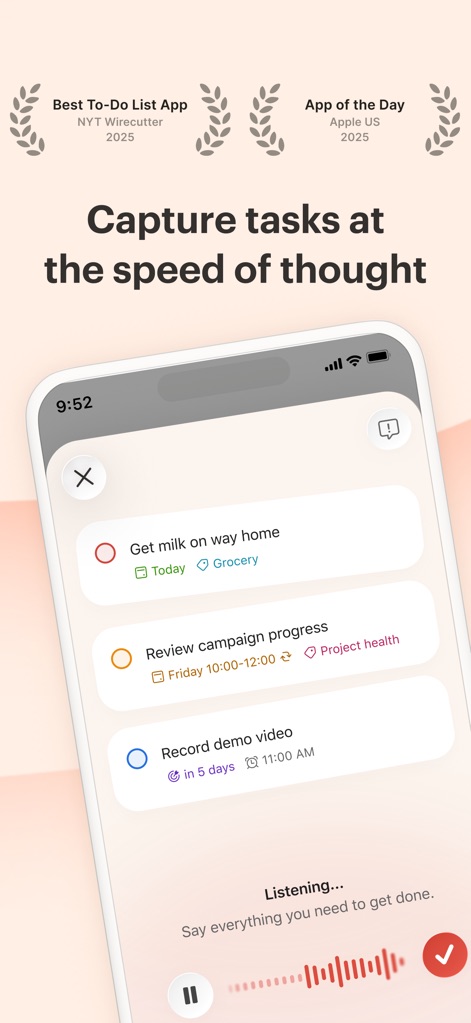
Instant Task Capture
This tool empowers users to capture tasks effortlessly using voice input with the "Listening..." waveform, and automatically structure them with clear due dates and project assignments.
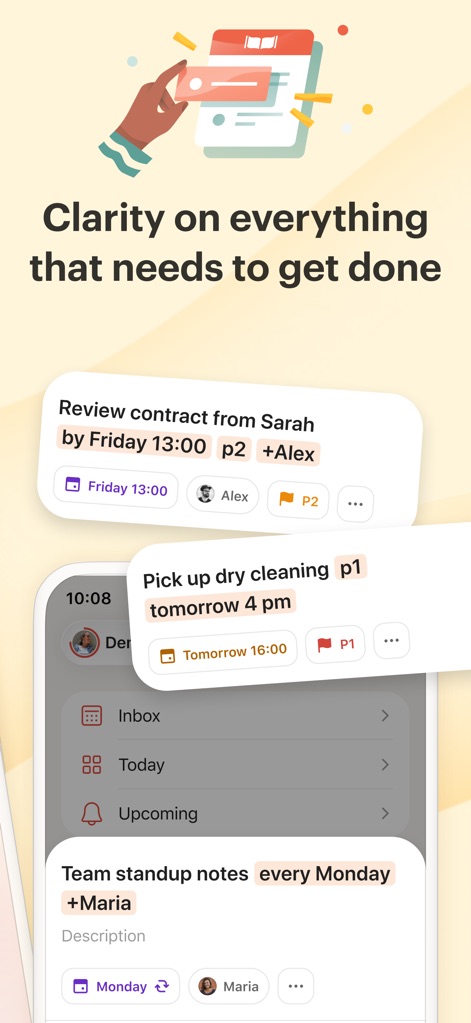
Task Clarity Simplified
The app provides immediate clarity on obligations, displaying detailed task cards with assigned collaborators and due times, alongside easily accessible overview sections like "Inbox" and "Upcoming."
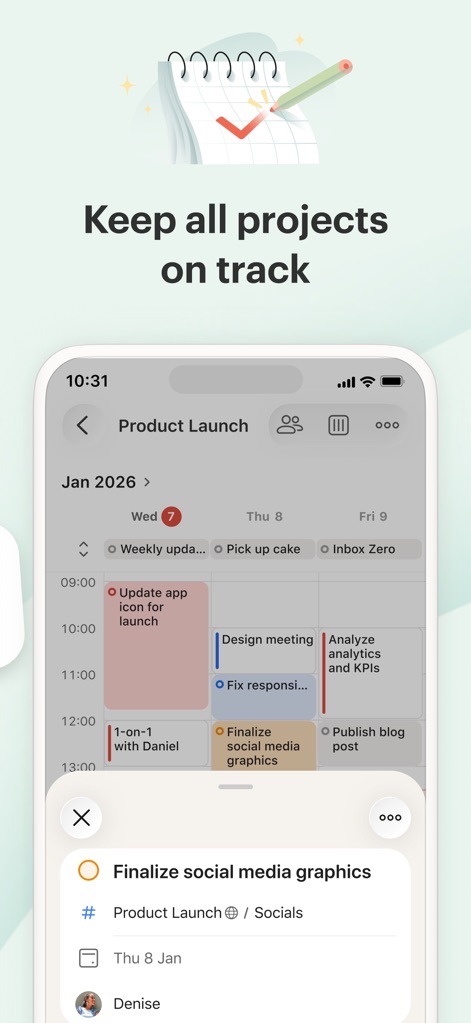
Project Planning Mastery
Users can effectively manage complex initiatives using the app's interactive calendar view for scheduling project tasks, and drill down into details with task-specific pop-ups showing assigned projects and dates.
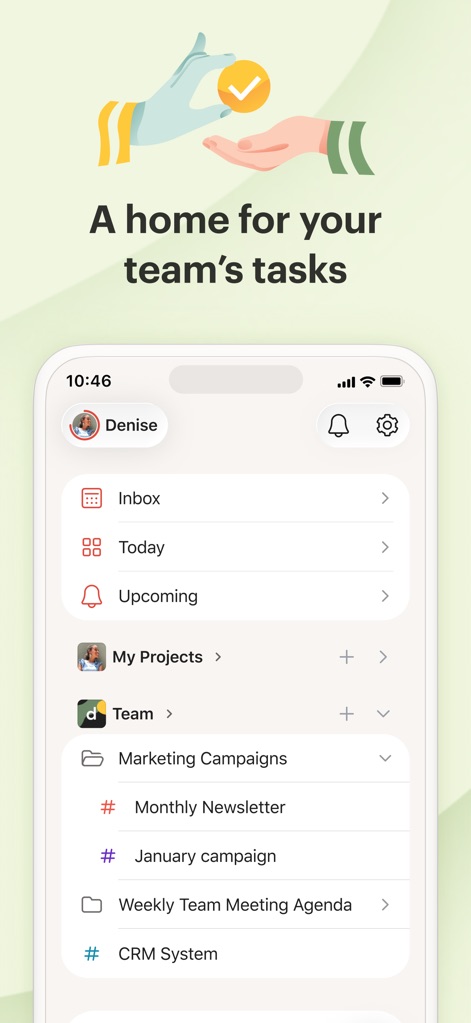
Seamless Team Collaboration
This tool centralizes team efforts by providing dedicated "Team" sections for shared projects like "Marketing Campaigns," allowing for clear organization and delegation of collaborative tasks.
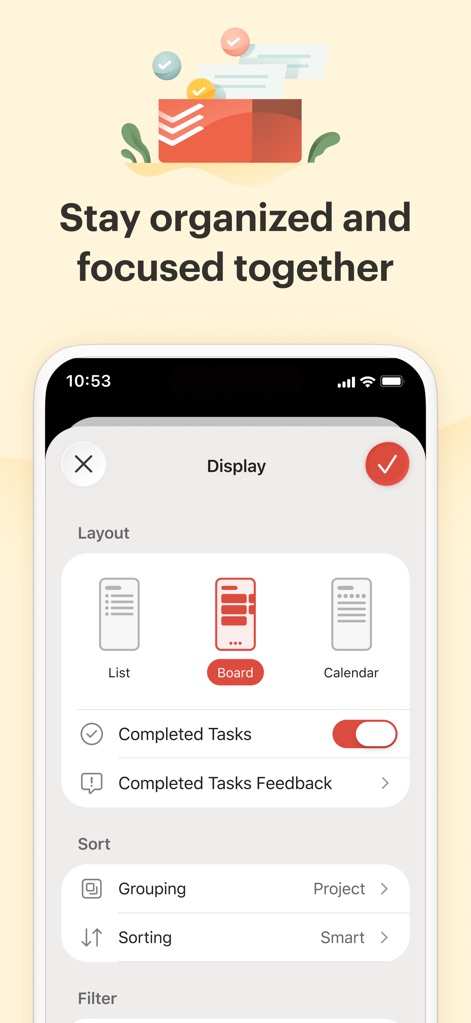
Adaptive Workflow Views
The app offers flexible task visualization through diverse layout options such as "List," "Board," and "Calendar," allowing users to customize how they view and manage their tasks.

Trusted Productivity Partner
This tool is a reliable choice for professionals, as evidenced by user testimonials highlighting its ability to foster effective leadership and simplify task assignment.
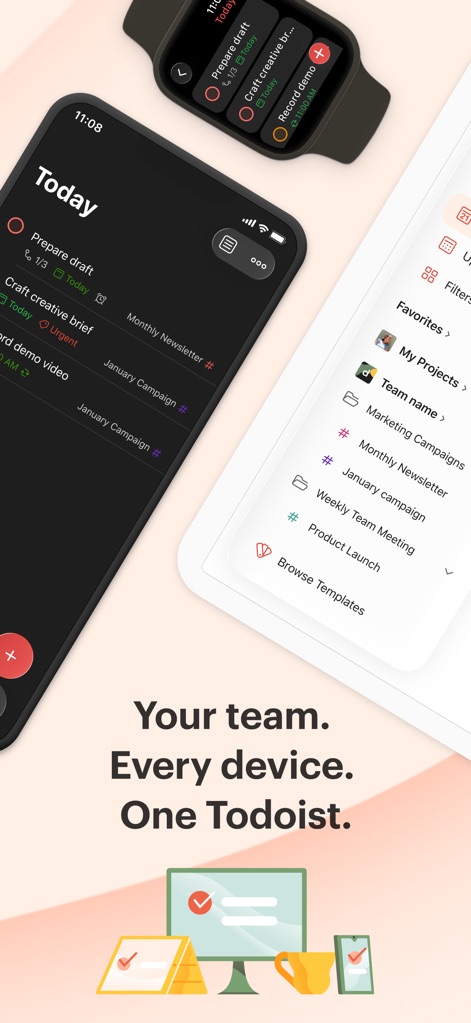
Universal Device Sync
The app ensures continuous productivity by seamlessly syncing tasks across various devices, including smartwatches for quick access and tablets for comprehensive project management.
Description
Download
More Like This
Apps with similar features and user experience

Notion: Notes, Tasks, AI
Notion Labs, Incorporated

Freenotes®: AI Notes Taking
Hangzhou Free Notes Technology Co., Ltd

Structured - Daily Planner
unorderly GmbH

Google Tasks: Get Things Done
Google LLC

TickTick:To-Do List & Calendar
Appest Limited

Noteful: Notes & PDF Markup
Noteful Technologies Ltd

To do list MinimaList & Widget
Inner Grow Limited

monday.com - Work Platform
monday.com Ltd.

Prodrafts - Infinite Notes
EMMO Corp.
This page is not an official page of the app or its developer, but an independent editorial publication created for informational and commentary purposes. Unless expressly stated otherwise, neither the app nor its developer is affiliated with, endorsed by, sponsored by, authorized by, or otherwise officially connected with MWM, Apple, Google Play, the app publisher, or the app's developer, and nothing on this page implies that the app was developed using MWM's services. Any trademarks, logos, screenshots, and other content remain the property of their respective owners.