
This page is not an official page of the app or its developer, but an independent editorial publication created for informational and commentary purposes. Unless expressly stated otherwise, neither the app nor its developer is affiliated with, endorsed by, sponsored by, authorized by, or otherwise officially connected with MWM, Apple, Google Play, the app publisher, or the app's developer, and nothing on this page implies that the app was developed using MWM's services. Any trademarks, logos, screenshots, and other content remain the property of their respective owners.


AYA Mobile Banking
Complexity, begone. This app puts financial command in your pocket.
Downloads
100k+User Rating
Total Ratings
147Publisher
Category
FinanceLocales
2Latest Version
1.0.5Size
86.2 MBFirst Released
Aug 5, 2025A comprehensive evaluation of the core functionalities designed for efficient and secure personal finance management.
Analysis of AYA Mobile Banking Key Features
Fraud Call Alerts
This tool features Fraud Call Alerts that protect users from potential scams by identifying verified incoming calls from AYA Bank, enhancing security and trust.
Comprehensive Card Management
It allows users to lock, unlock, check details, view balances, and access complete transaction history for their cards, offering robust security and control.
Transaction PIN Security
The app provides enhanced security for all transactions through a dedicated Transaction PIN, ensuring worry-free and protected financial activities.
Fund Transfers & Saved Payees
It allows users to transfer funds effortlessly between their own accounts, to other accounts, and via AYA Pay, with saved payees for quick and convenient transactions.
Streamlined Bill Payments
This tool simplifies bill payments by offering options to save billers and access recent payment history, making recurring payments more efficient.
Account Management with Transaction History
The app provides effortless management of accounts, including access to 6 months of transaction history and the ability to personalize account nicknames for better organization.
Modernized User Interface & Navigation
It features a modernized user interface and smoother navigation, contributing to an engaging and user-friendly banking experience.
Prepaid & Credit Card Top-up/Repayment
The app allows users to conveniently top up prepaid cards and repay credit cards with just a few taps, streamlining common financial tasks.
Frequently Asked Questions
Everything you need to know about AYA Mobile Banking
What is AYA Mobile Banking?
AYA Mobile Banking is a comprehensive banking app from AYA Bank, designed for convenient, secure, and personalized financial management. It supports account management, fund transfers, and card controls for users.
What are the main features of AYA Mobile Banking?
AYA Mobile Banking offers account management with transaction history, fund transfers, card management (lock/unlock), prepaid and credit card top-ups/repayments, and bill payments. It also includes security features like Fraud Call Alerts.
Is AYA Mobile Banking secure for transactions?
Yes, AYA Mobile Banking ensures enhanced security for transactions through a Transaction PIN. The app also features biometrics, security PIN, and advanced encryption for robust account protection.
Can I personalize my accounts in AYA Mobile Banking?
Yes, AYA Mobile Banking allows users to personalize accounts by giving them nicknames. This feature helps instantly identify accounts and enhances user experience, as shown in Screenshot #5.
How can I view my transaction history in AYA Mobile Banking?
Yes, AYA Mobile Banking enables effortless account management. Users can view up to 6 months of transaction history and personalize accounts with nicknames, as detailed in the app description and Screenshots #5 and #6.
Can I transfer money using AYA Mobile Banking?
Yes, AYA Mobile Banking supports easy fund transfers for Own Accounts, Other Accounts, and AYA Pay transfers. Users can also save payees for faster transactions, as indicated in the description and Screenshot #2.
Does AYA Mobile Banking support AYA Pay transfers?
Yes, AYA Mobile Banking directly supports transfers to AYA Pay wallets. This feature ensures seamless transactions to other users, as confirmed by the app description and Screenshot #3.
Can I save payees for faster transfers in AYA Mobile Banking?
Yes, AYA Mobile Banking allows users to add other AYA Bank customer accounts and AYA Pay wallet users to a 'Saved Payees' list for fast and secure transfers. Screenshot #4 illustrates this feature.
How do I manage my cards with AYA Mobile Banking?
AYA Mobile Banking offers hassle-free card management, allowing users to lock/unlock cards, check card details and balances, and view complete card transaction history directly from the app. Screenshot #7 details these options.
Can I lock my cards using AYA Mobile Banking?
Yes, AYA Mobile Banking allows users to lock their cards. This is part of the hassle-free card management features available within the app, as explicitly shown in Screenshot #7.
Does AYA Mobile Banking allow credit card repayment?
Yes, AYA Mobile Banking facilitates credit card repayment in just a few taps. This feature is integrated into the app's powerful financial management tools, as listed in the description and Screenshot #7.
Can I top up prepaid cards with AYA Mobile Banking?
Yes, AYA Mobile Banking enables users to top up prepaid cards quickly. This feature provides convenience for card management directly within the application, as noted in the description and Screenshot #7.
How do I pay bills using AYA Mobile Banking?
Yes, AYA Mobile Banking simplifies bill payments. Users can utilize saved billers and recent payment options for efficient and hassle-free transactions, as described and shown by the 'Bill Payment' icon in Screenshot #1.
How does AYA Mobile Banking protect against fraud?
AYA Mobile Banking protects against fraud using Fraud Call Alerts. This feature identifies verified incoming calls from AYA Bank, allowing users to distinguish legitimate communication from potential fraudulent attempts.
Can I open a Digital Fixed Deposit with AYA Mobile Banking?
Yes, users can open a Digital Fixed Deposit anytime, anywhere, directly on AYA Mobile Banking. The process for growing savings digitally is quick, easy, and hassle-free, as displayed in Screenshot #9.
The following screenshots and description are sourced directly from the app's official store listing and are the property of the app developer.
App Store
Screenshots
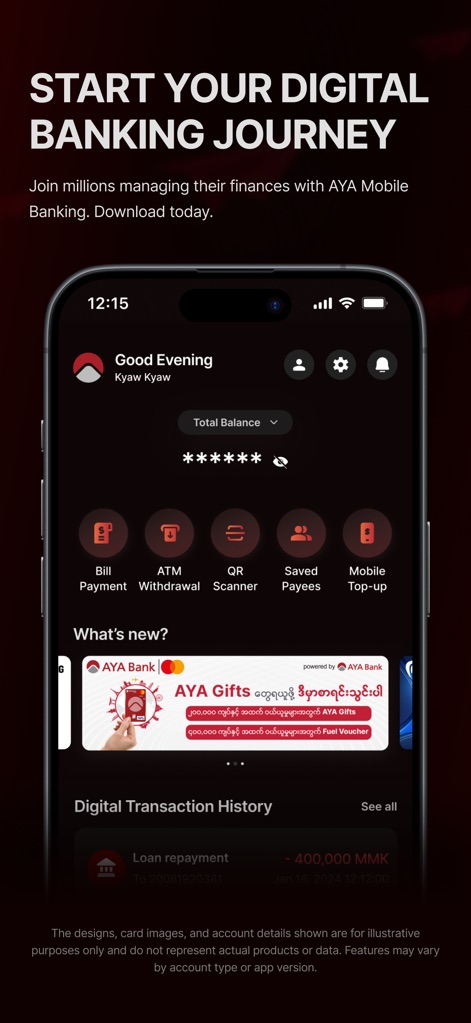
Users can effortlessly manage accounts, viewing the 'Good Evening' greeting and accessing quick action icons like 'Bill Payment' and 'ATM Withdrawal'.
Digital Banking Journey
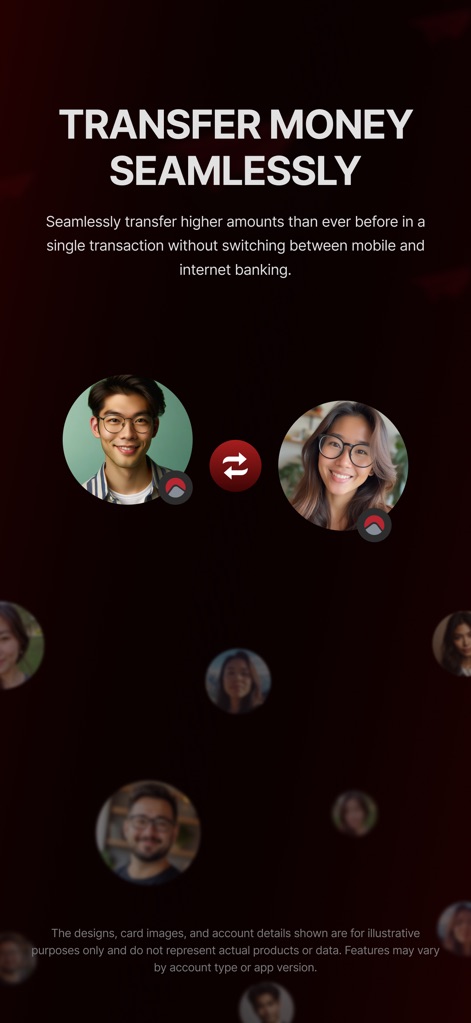
This tool streamlines transactions, allowing users to initiate transfers between individual profiles and visualize the secure exchange of funds.
Seamless Fund Transfers
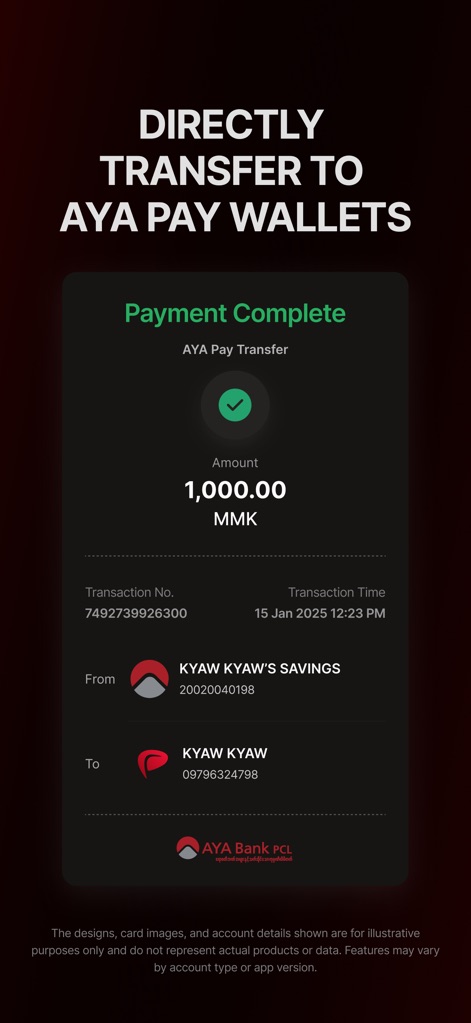
The app clearly confirms payment completion with a prominent green checkmark and details like the 'Transaction No.' and 'Amount' transferred.
AYA Pay Success
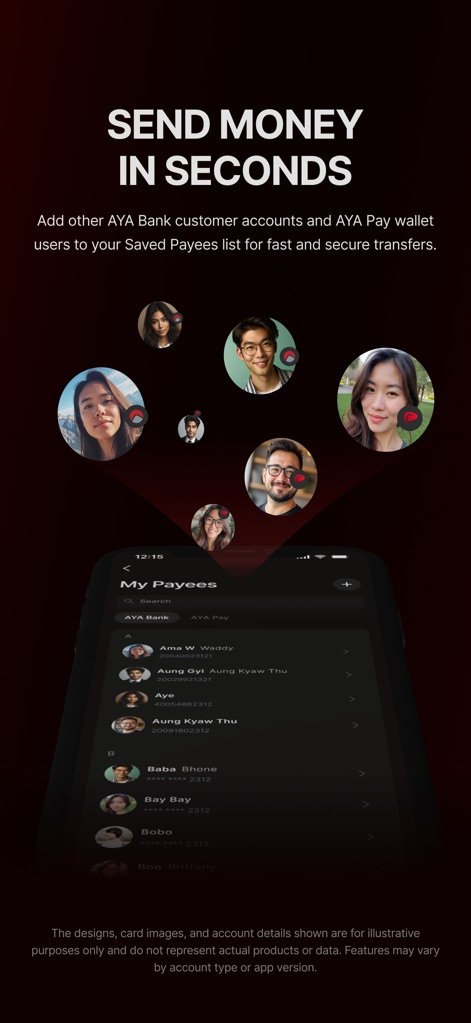
Users can efficiently manage recipients by adding other AYA Bank customers and AYA Pay wallet users to the 'My Payees' list, complete with profile avatars.
Rapid Payee Management
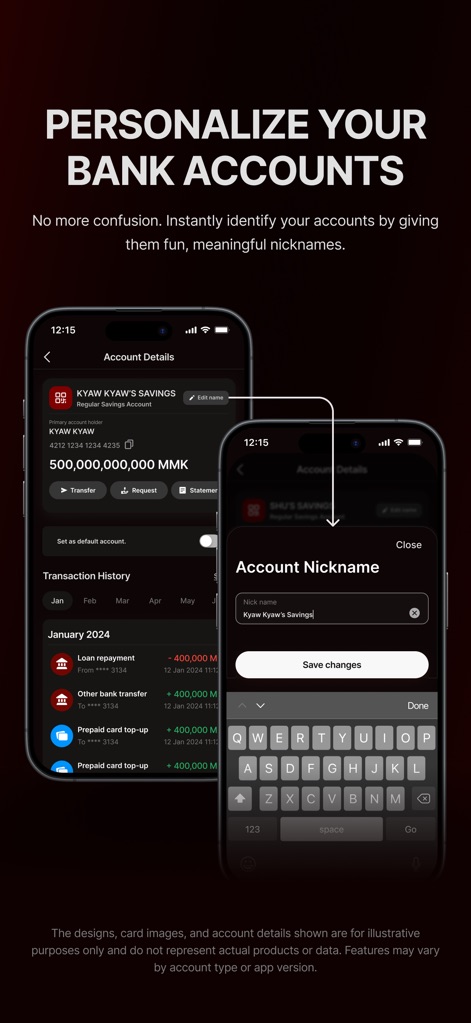
This feature allows users to personalize their banking experience by assigning unique 'Account Nickname' to easily identify specific accounts within the 'Account Details' screen.
Personalized Account Views
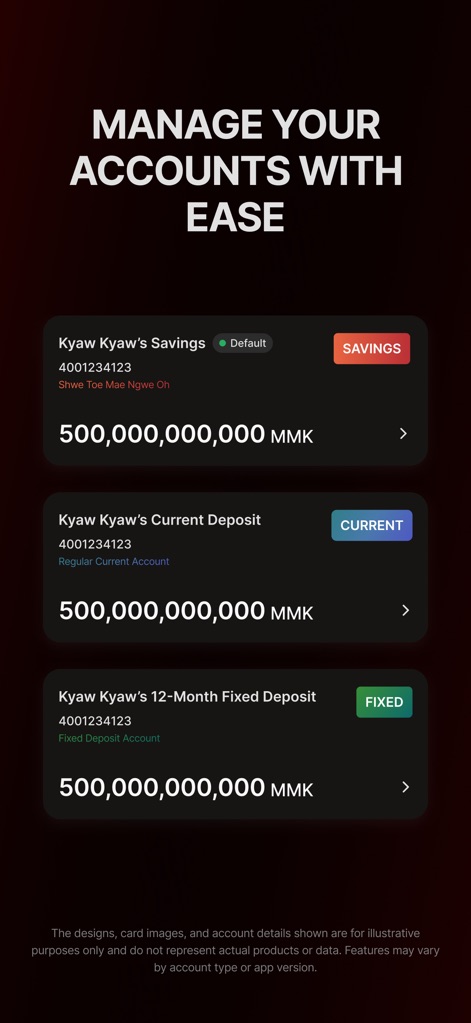
The app presents a clear overview of various account types, showing 'Savings', 'Current Deposit', and '12-Month Fixed Deposit' with their respective balances.
Comprehensive Account Overview
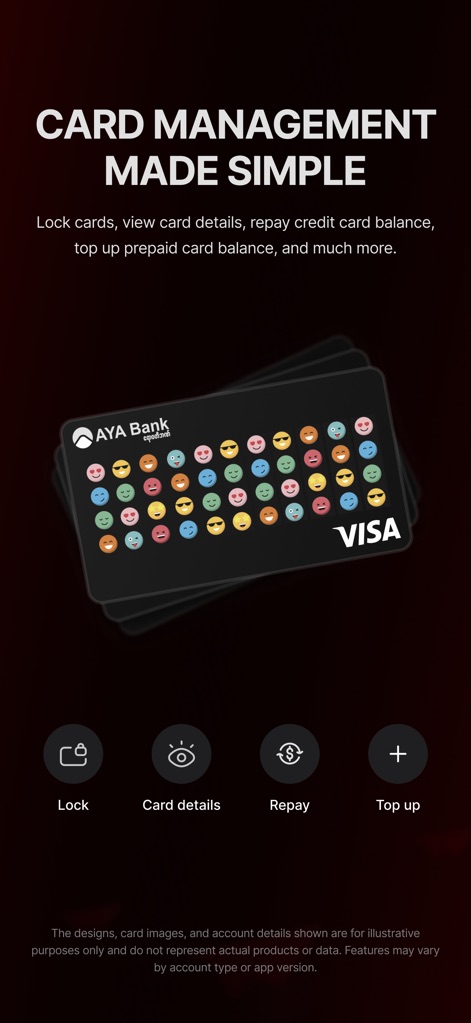
This tool simplifies card management, enabling users to 'Lock' or 'Top up' cards and view 'Card details' directly from a visual representation of their AYA Bank Visa card.
Intuitive Card Control
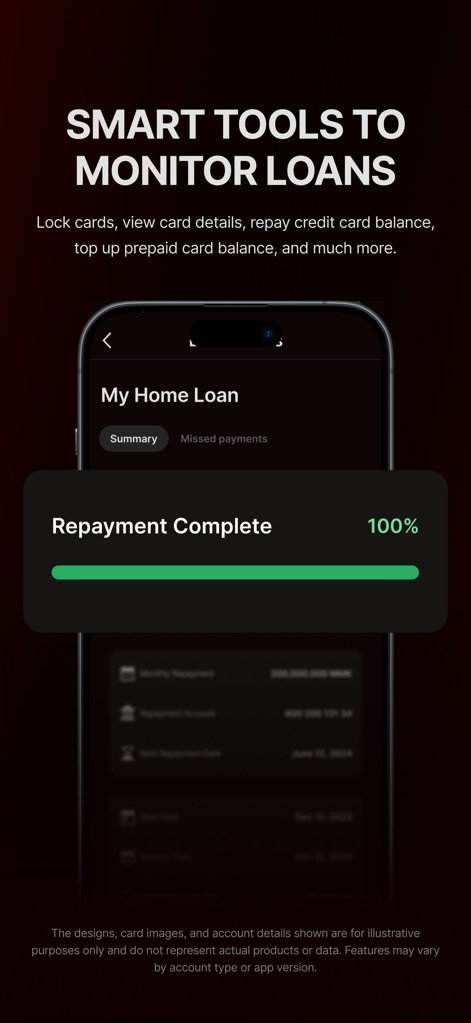
Users gain insights into their financial commitments, with the app displaying a 'Repayment Complete' progress bar and a detailed 'Summary' of their home loan.
Loan Monitoring Tools
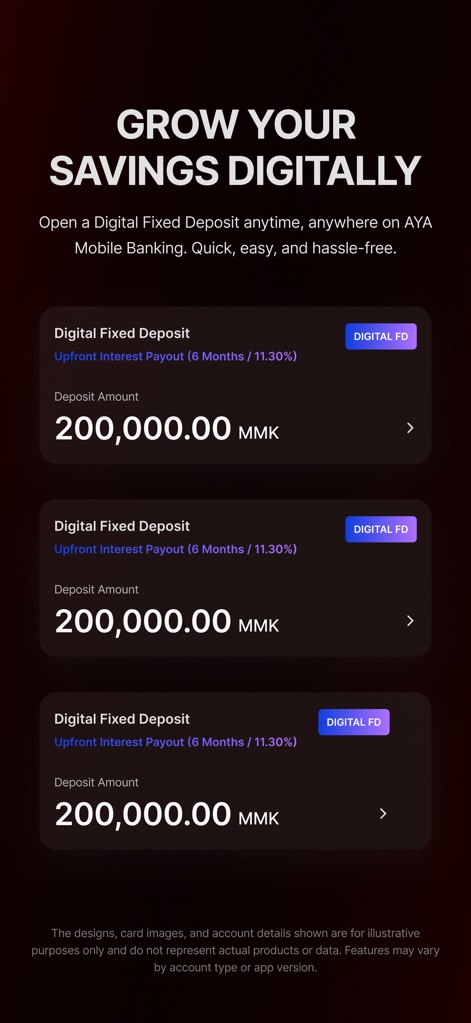
The app facilitates wealth building, showcasing 'Digital Fixed Deposit' options with clear 'Deposit Amount' and 'Upfront Interest Payout' details.
Digital Savings Growth
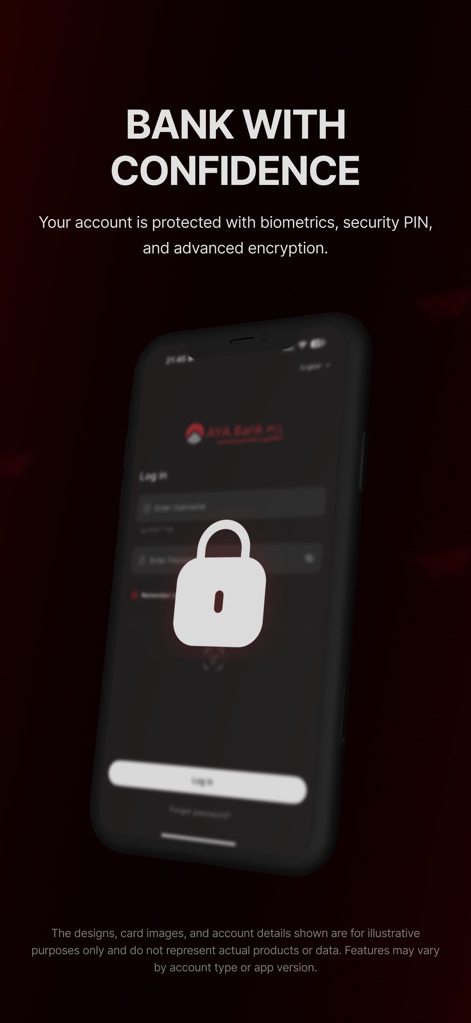
Users can bank with confidence, as the login screen prominently features a large padlock icon and emphasizes protection through security PIN and advanced encryption.
Secure Banking Access
Description
Download
More Like This
Apps with similar features and user experience

Enpara Bank Cep Şube
Enpara Bank Anonim Sirketi

Alinma App - تطبيق الإنماء
Alinma Bank

Huntington Mobile Banking
The Huntington National Bank, Inc

國泰世華網路銀行CUBE
Cathay United Bank

中國信託行動銀行
CTBC Bank Co., Ltd.

FNB Banking App
FirstRand Bank Limited

Riyad Bank App
Riyad Bank

CIMB OCTO MY
CIMB Bank Berhad

Regions Mobile
Regions Financial
This page is not an official page of the app or its developer, but an independent editorial publication created for informational and commentary purposes. Unless expressly stated otherwise, neither the app nor its developer is affiliated with, endorsed by, sponsored by, authorized by, or otherwise officially connected with MWM, Apple, Google Play, the app publisher, or the app's developer, and nothing on this page implies that the app was developed using MWM's services. Any trademarks, logos, screenshots, and other content remain the property of their respective owners.