
This page is not an official page of the app or its developer, but an independent editorial publication created for informational and commentary purposes. Unless expressly stated otherwise, neither the app nor its developer is affiliated with, endorsed by, sponsored by, authorized by, or otherwise officially connected with MWM, Apple, Google Play, the app publisher, or the app's developer, and nothing on this page implies that the app was developed using MWM's services. Any trademarks, logos, screenshots, and other content remain the property of their respective owners.

Barometer Plus - Altimeter
Harness your device's built-in sensor for hyper-local weather insights. Whether you're tracking migraine triggers, planning a fishing trip, or hiking new peaks, get the precision you need with a classic analog touch.
Downloads
1M+User Rating
Total Ratings
10K+Publisher
Category
WeatherLocales
15Latest Version
3.7.6Size
39.7 MBFirst Released
Feb 6, 2016Precision Data for Your Environment
Turn your device into a professional-grade meteorological tool using built-in hardware sensors to track hyper-local weather shifts and altitude with clinical accuracy.
Predict Local Weather Shifts
Monitor real-time pressure trends to anticipate storms and atmospheric changes right where you stand, giving you an edge for fishing or outdoor planning.
Manage Pressure Sensitivity
Stay ahead of migraines and joint pain with custom alerts that notify you of rapid barometric drops, helping you track environmental impacts on your health.
Frequently Asked Questions
Everything you need to know about Barometer Plus - Altimeter
What is Barometer Plus - Altimeter and what are its primary uses?
Barometer Plus measures air pressure and altitude using your device's built-in barometric pressure sensor. It monitors and predicts short-term weather changes, and tracks how pressure impacts health conditions such as migraines or joint pain.
Does Barometer Plus require a specific sensor on my device to function?
Yes, Barometer Plus requires a device equipped with a built-in barometer sensor. Compatible devices include iPhone 6/6s/7/8/X/11/12/13 (including Plus models), iPad Mini 4/Air 2/Pro, or any later models.
Can Barometer Plus predict changes in weather conditions?
Yes, Barometer Plus helps predict short-term weather variations by monitoring air pressure changes, which typically indicate shifts in weather. It also displays air pressure trends through its integrated weather icons.
What measurement units does Barometer Plus support for pressure and altitude?
Barometer Plus supports various pressure units, including mb, inHg, kPa, atm, Torr, psi, hPa, and mmHg. For altitude measurements, it offers support for both meters and feet.
How do users calibrate the barometer and altimeter in Barometer Plus?
The Barometer Plus app allows calibration. The barometer can be calibrated using GPS altitude/location. The altimeter calibrates via nearest airport information (METAR) or manual entry of the airport's QNH.
Does Barometer Plus allow users to customize its visual appearance?
Yes, Barometer Plus offers extensive customization. Users can modify housing colors, disk backgrounds, app backgrounds, needle styles, and the theme of the Today widget to personalize the app's appearance.
How does Barometer Plus provide notifications for pressure changes?
Barometer Plus delivers notifications for air pressure changes. Users configure 'Notification custom rules' to define specific conditions and timing for alerts, including those indicating extreme or worsening weather.
What is the function of the 'My Area' feature in Barometer Plus?
The 'My Area' feature in Barometer Plus enables users to define their frequent locations. The app then tracks air pressure data specifically tied to these defined places using location services.
Are there any premium or paid features available in Barometer Plus?
Yes, Barometer Plus offers several paid features, including 'Exact update interval' for tracking, CSV export of history data, and the Today widget. Users can also pay to remove ads and unlock other premium functionalities.
Can Barometer Plus assist people who experience migraines or joint pain?
Yes, Barometer Plus can help individuals with conditions like migraines, headaches, or joint pain. The app allows them to monitor and understand how changes in barometric pressure may influence their symptoms or mood.
How do I access pressure tracking and history graphs in Barometer Plus?
Tracking pressure history and viewing graphs in Barometer Plus requires 'Background App Refresh' or 'Always Location Service' with 'Exact update interval' enabled. The 'Exact update interval' is a paid feature.
The following screenshots and description are sourced directly from the app's official store listing and are the property of the app developer.
App Store
Screenshots
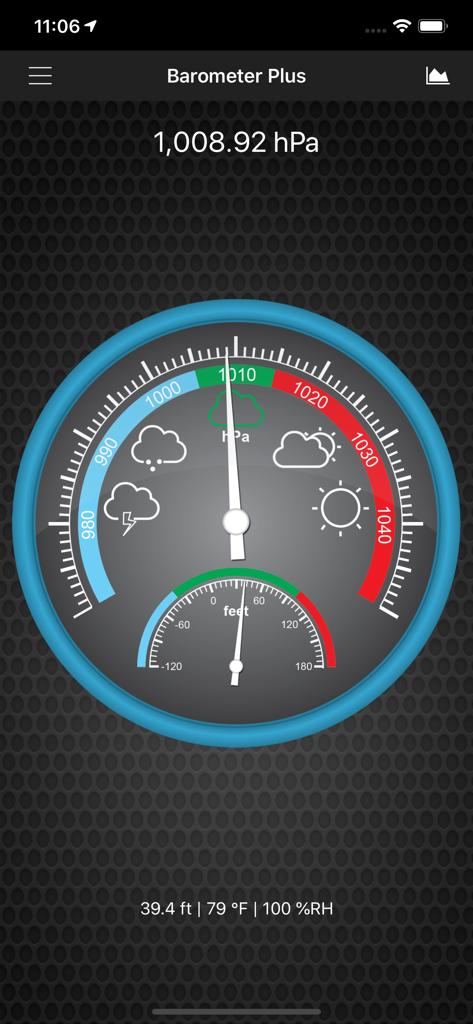
Analog style barometer and altimeter interface showing atmospheric pressure and altitude on a mobile device
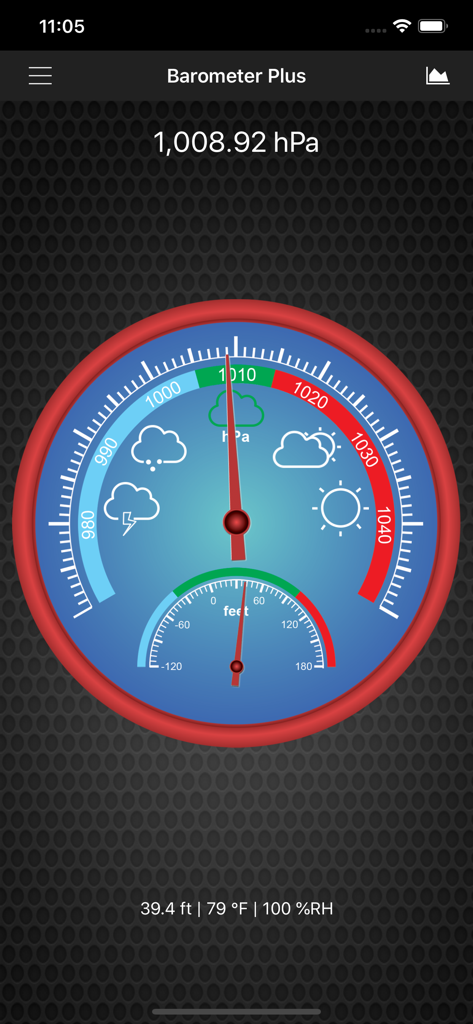
Classic analog interface of Barometer Plus app displaying barometric pressure in hPa and altitude in feet
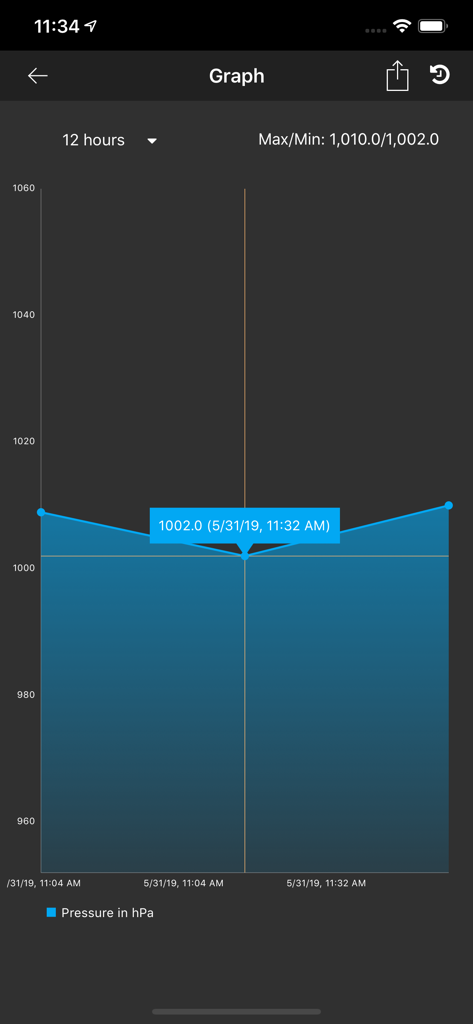
Barometric pressure history graph showing atmospheric changes over 12 hours in the Barometer Plus app.
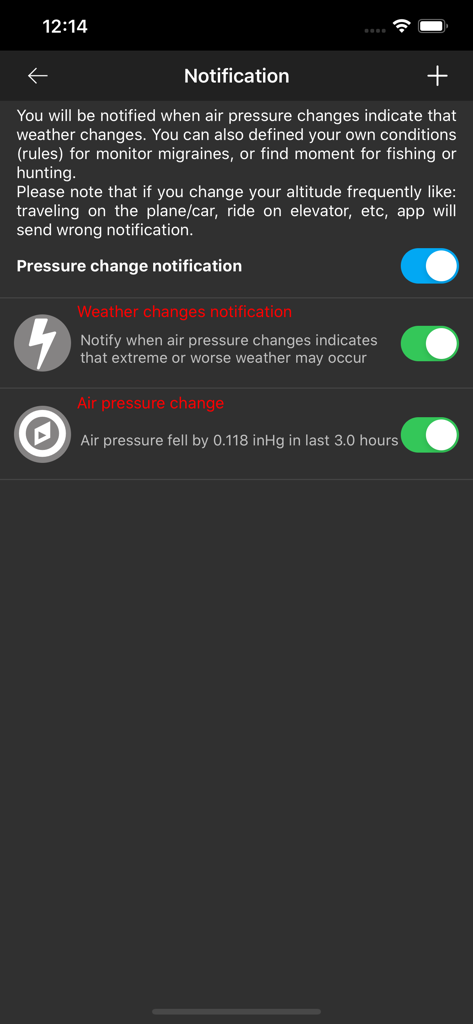
Notification settings screen in Barometer Plus app showing custom rules for weather and air pressure changes
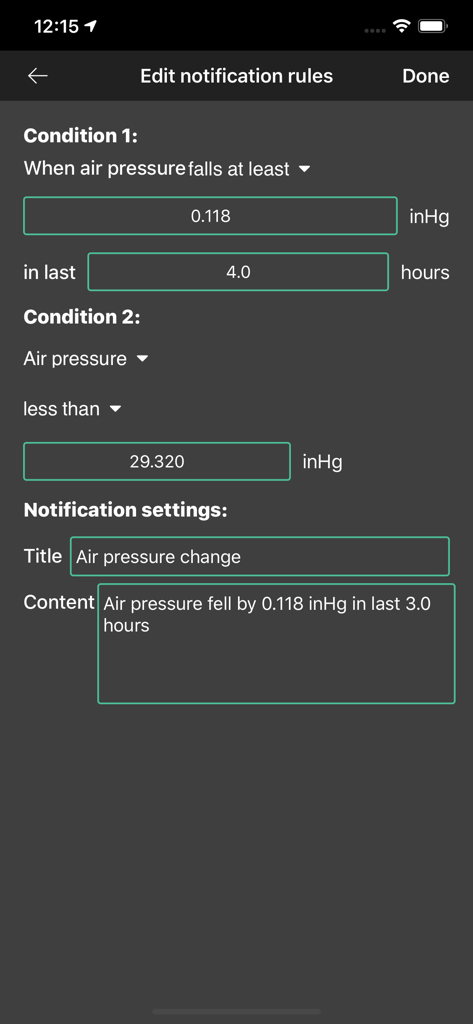
Interface for setting custom notification rules for air pressure changes in the Barometer Plus app
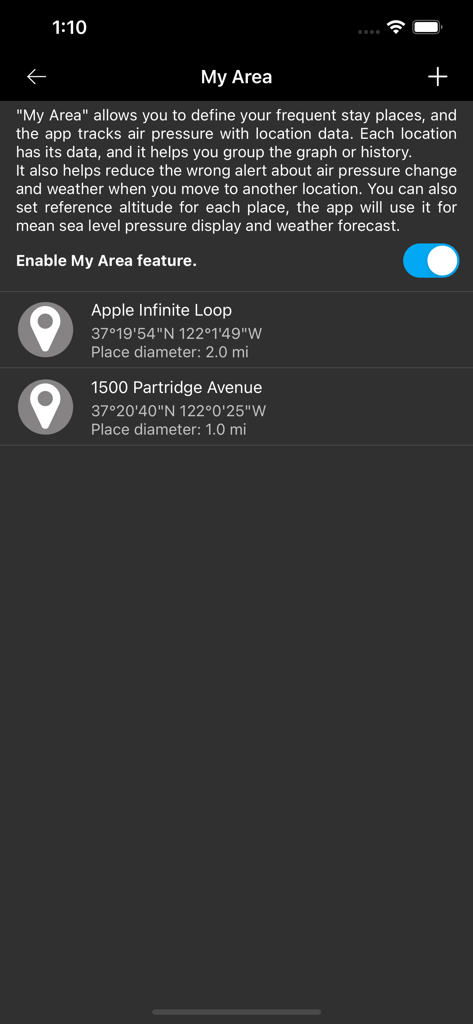
My Area settings in the Barometer Plus app showing custom tracked locations and geographic coordinates.
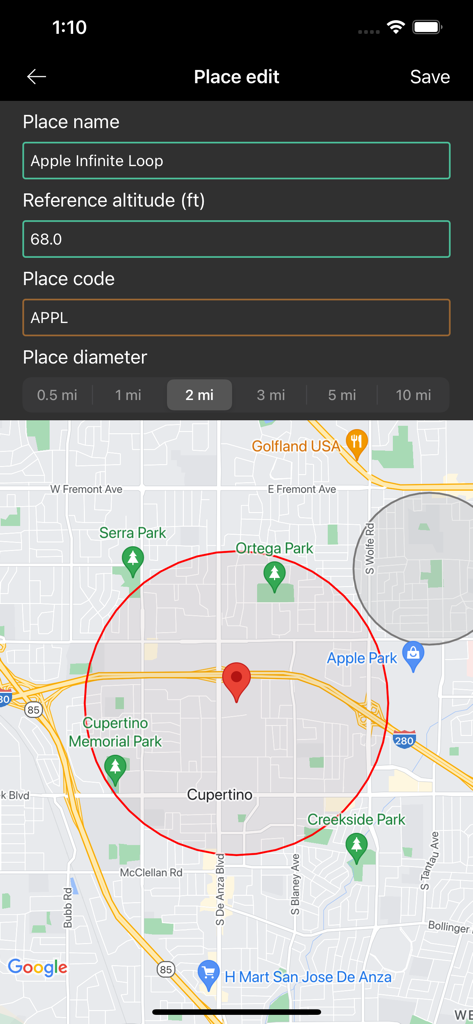
Interface for setting up local pressure tracking for a specific location and altitude
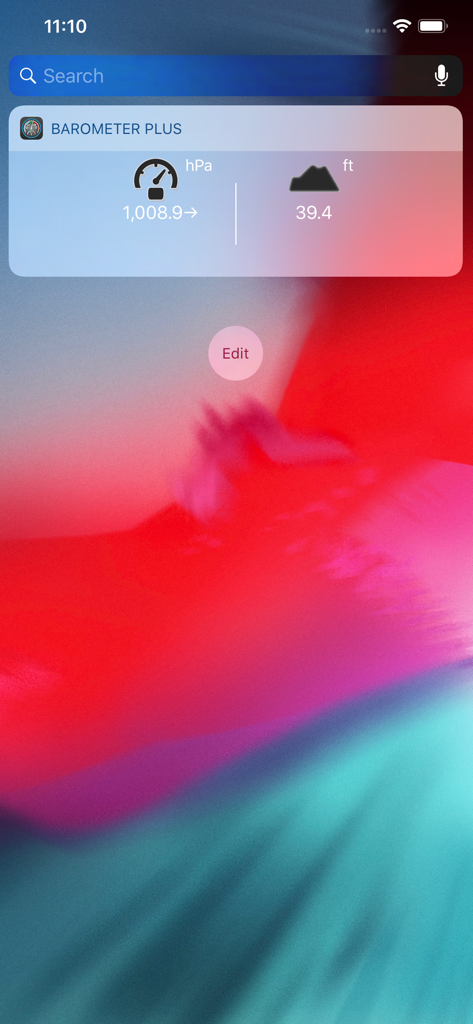
Barometer Plus iOS widget displaying real-time atmospheric pressure in hPa and altitude in feet
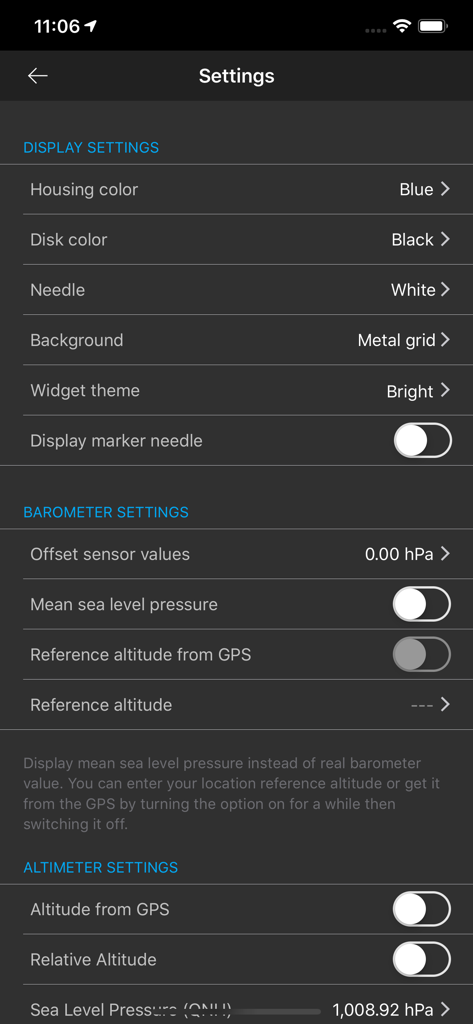
Settings interface for Barometer Plus app displaying options for barometer and altimeter calibration and visual themes
Description
Download
More Like This
Apps with similar features and user experience
经纬度指南针-测方位实时海拔天气相机
Guangzhou Duoyi Network Technology Co., Ltd.

My Altitude: GPS Altimeter
Enacti Ventures Private Limited
Compass & GPS
Seong Eon Kim
Compass App - Qibla finder
Simple Start Technologies
Compass & Coordinates Locator
ALVICOMP OU
Compass∞
Camera LLC(TX)
Compass - Professional
Peter Bohl
Altimeter GPS & Barometer
Andrea Terdich
Elevation - Altimeter Map
Mapnitude Company Limited
This page is not an official page of the app or its developer, but an independent editorial publication created for informational and commentary purposes. Unless expressly stated otherwise, neither the app nor its developer is affiliated with, endorsed by, sponsored by, authorized by, or otherwise officially connected with MWM, Apple, Google Play, the app publisher, or the app's developer, and nothing on this page implies that the app was developed using MWM's services. Any trademarks, logos, screenshots, and other content remain the property of their respective owners.