
This page is not an official page of the app or its developer, but an independent editorial publication created for informational and commentary purposes. Unless expressly stated otherwise, neither the app nor its developer is affiliated with, endorsed by, sponsored by, authorized by, or otherwise officially connected with MWM, Apple, Google Play, the app publisher, or the app's developer, and nothing on this page implies that the app was developed using MWM's services. Any trademarks, logos, screenshots, and other content remain the property of their respective owners.


Compass & GPS
Lost? Not anymore. This app gives users absolute command over their surroundings, pinpointing direction and position with ruthless accuracy.
Downloads
5M+User Rating
Total Ratings
61.5KPublisher
Category
UtilitiesLocales
104Latest Version
5.12.25Size
7.2 MBFirst Released
Jul 27, 2014Evaluating essential functionalities for outdoor enthusiasts and travelers.
Key Features Analysis: Compass & GPS
Reliable Direction Finding
The app provides accurate cardinal directions, crucial for navigation in diverse environments, including poor visibility.
Tilt Compensation for Accuracy
The app provides tilt compensation, ensuring accurate direction readings even when the device is not perfectly level.
Azimuth/Bearing Display
This tool features a bearing (azimuth) display, offering precise directional readings for accurate course plotting and navigation.
Location Sharing & Map View
The app allows users to share their current location, enhancing safety, and view their position on a map for better situational awareness.
GPS Altitude Display
It allows users to track their current altitude, which is valuable for hikers and climbers to assess elevation changes.
Aurora Viewing Assistance
It allows users to pinpoint cardinal directions to optimally locate the aurora, assisting celestial event enthusiasts.
Frequently Asked Questions
Everything you need to know about Compass & GPS
What is the primary function of the Compass & GPS app?
The Compass & GPS app determines the direction of the compass dashboard. It identifies north, south, east, and west using magnetic fields, and displays the azimuth at the top of the screen.
Can the Compass & GPS app assist with navigation during outdoor activities?
Yes, the Compass & GPS app assists with determining orientation when hiking, traveling, or when visibility is low due to fog. It helps users find their direction in various conditions.
Does the Compass & GPS app include a map feature?
Yes, the Compass & GPS app includes a map feature. It displays the user's current location and can show points of interest, such as the Paris Eiffel Tower.
What measurements does the Compass & GPS app display?
The Compass & GPS app displays the current azimuth (e.g., NE 45°), coordinates (e.g., 48° 85.769), and an altitude or distance measurement (e.g., 123.5 m).
Can users change the units of measurement in the Compass & GPS app?
Yes, users can change the units of measurement in the Compass & GPS app. Options include meters (m), feet (ft), and yards (yd) for distance or altitude displays.
Does the Compass & GPS app allow sharing of location data?
Yes, the Compass & GPS app allows users to share information. Options include sharing via Message, Mail, Twitter, Facebook, or by copying the data.
The following screenshots and description are sourced directly from the app's official store listing and are the property of the app developer.
App Store
Screenshots
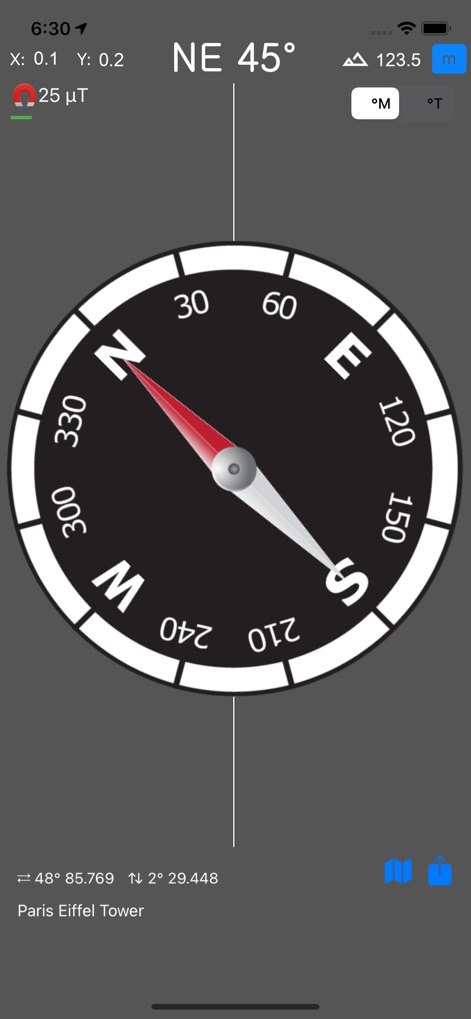
Observe how the app provides a clear digital compass display and a real-time magnetic field indicator for precise navigation.
Essential Direction Finding
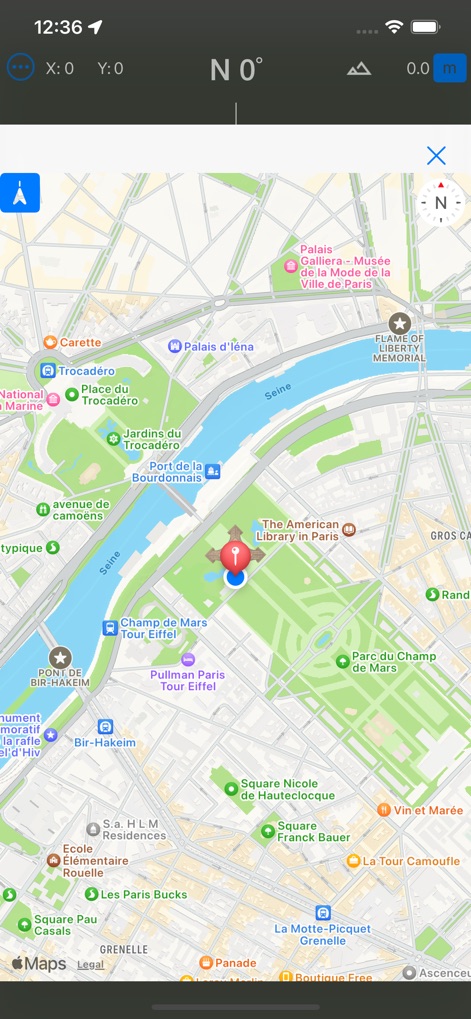
Discover the intuitive integrated map interface, allowing users to pinpoint their current location with a prominent pin and utilize essential map controls.
Integrated Map View
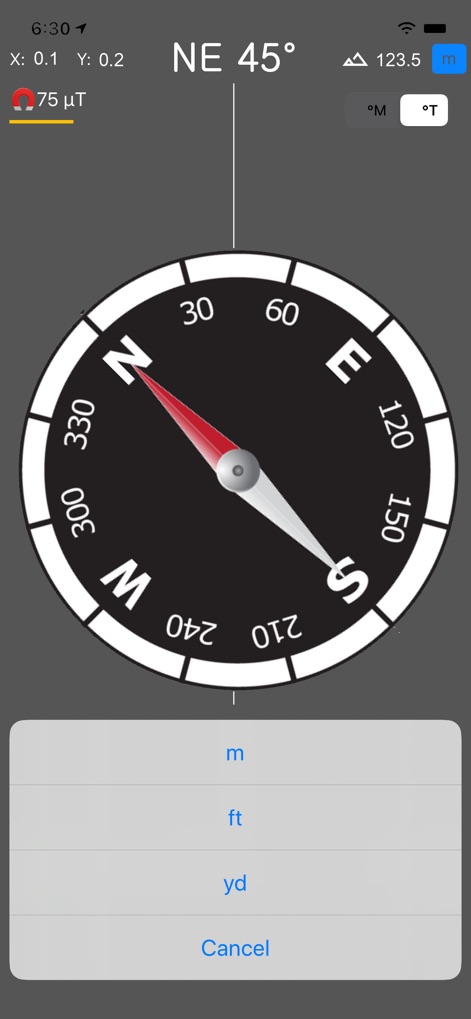
Examine the detailed digital compass interface alongside versatile unit selection options, enabling users to tailor altitude measurements to their preference.
Customizable Units
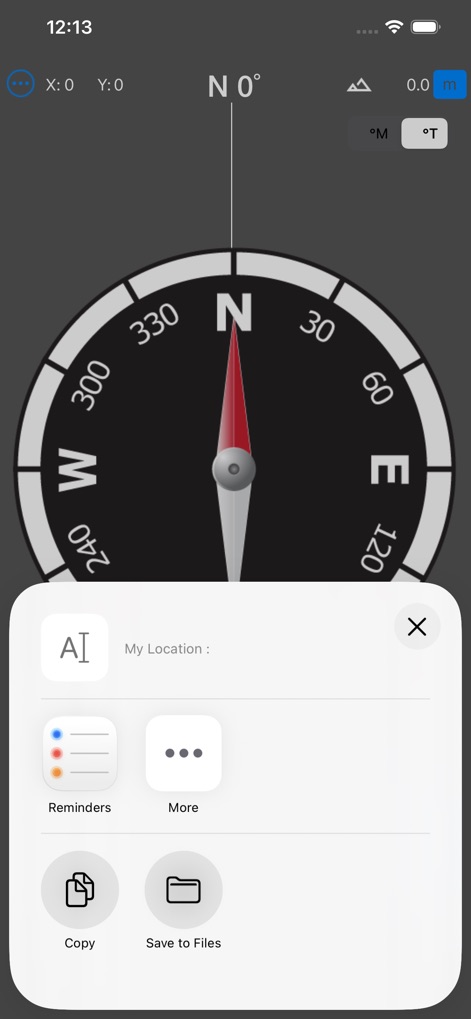
Explore the convenient location sharing options, empowering users to easily share or save their current coordinates through a dedicated menu.
Share & Save Location
Description
Download
More Like This
Apps with similar features and user experience
经纬度指南针-测方位实时海拔天气相机
Guangzhou Duoyi Network Technology Co., Ltd.

My Altitude: GPS Altimeter
Enacti Ventures Private Limited
Compass App - Qibla finder
Simple Start Technologies
Compass & Coordinates Locator
ALVICOMP OU
Compass∞
Camera LLC(TX)
Compass - Professional
Peter Bohl
Altimeter GPS & Barometer
Andrea Terdich
Elevation - Altimeter Map
Mapnitude Company Limited
Compass - GPS Altimeter
伟 雷
This page is not an official page of the app or its developer, but an independent editorial publication created for informational and commentary purposes. Unless expressly stated otherwise, neither the app nor its developer is affiliated with, endorsed by, sponsored by, authorized by, or otherwise officially connected with MWM, Apple, Google Play, the app publisher, or the app's developer, and nothing on this page implies that the app was developed using MWM's services. Any trademarks, logos, screenshots, and other content remain the property of their respective owners.