
This page is not an official page of the app or its developer, but an independent editorial publication created for informational and commentary purposes. Unless expressly stated otherwise, neither the app nor its developer is affiliated with, endorsed by, sponsored by, authorized by, or otherwise officially connected with MWM, Apple, Google Play, the app publisher, or the app's developer, and nothing on this page implies that the app was developed using MWM's services. Any trademarks, logos, screenshots, and other content remain the property of their respective owners.

Compass - GPS Altimeter
Elevate your outdoor adventures with real-time altitude, barometric pressure, and GPS coordinates—all wrapped in a sleek, minimalist interface designed for the modern explorer.
Downloads
46K+User Rating
Total Ratings
1K+Publisher
Category
NavigationLocales
7Latest Version
2.0.3Size
10.2 MBFirst Released
Mar 17, 2023Built for the Modern Explorer
Elevate your outdoor experience with a precision navigation suite that blends professional-grade data with a stunning, minimalist interface.
Complete Altitude & Terrain Data
Track your exact elevation, real-time barometric pressure, and GPS coordinates. Essential metrics for peak bagging, hiking, and back-country safety.
Premium Visual Themes
Switch between 'Classic' and 'Sunset' themes designed for your iPhone. A sophisticated UI that matches your high-end gear and looks stunning in every summit photo.
Frequently Asked Questions
Everything you need to know about Compass - GPS Altimeter
What features does the Compass - GPS Altimeter app offer?
The Compass - GPS Altimeter app displays current direction, altitude, latitude/longitude, barometric pressure, movement speed, and geographic location. It also includes a watermark camera.
Does Compass - GPS Altimeter app have different visual themes?
Yes, the Compass - GPS Altimeter app features two meticulously designed visual themes: "Classic" and "Sunset". Both themes offer premium color schemes.
Does Compass - GPS Altimeter display altitude?
Yes, the Compass - GPS Altimeter app accurately displays your current altitude in meters. It also shows altimeter precision, such as "Altimeter (±4m)".
Can Compass - GPS Altimeter show my GPS coordinates?
Yes, the Compass - GPS Altimeter app accurately displays your latitude and longitude coordinates. It also provides the geographic location.
Does the Compass - GPS Altimeter app show barometric pressure?
Yes, the Compass - GPS Altimeter app provides real-time barometric pressure readings. This data is displayed alongside other environmental metrics.
Does Compass - GPS Altimeter measure movement speed?
Yes, the Compass - GPS Altimeter app displays your current movement speed. This feature is available in themes such as "Sunset."
Does the Compass - GPS Altimeter app have a watermark camera?
Yes, the Compass - GPS Altimeter app includes a "Watermark Camera" feature. This allows users to capture photos with embedded details like altitude and coordinates.
The following screenshots and description are sourced directly from the app's official store listing and are the property of the app developer.
App Store
Screenshots
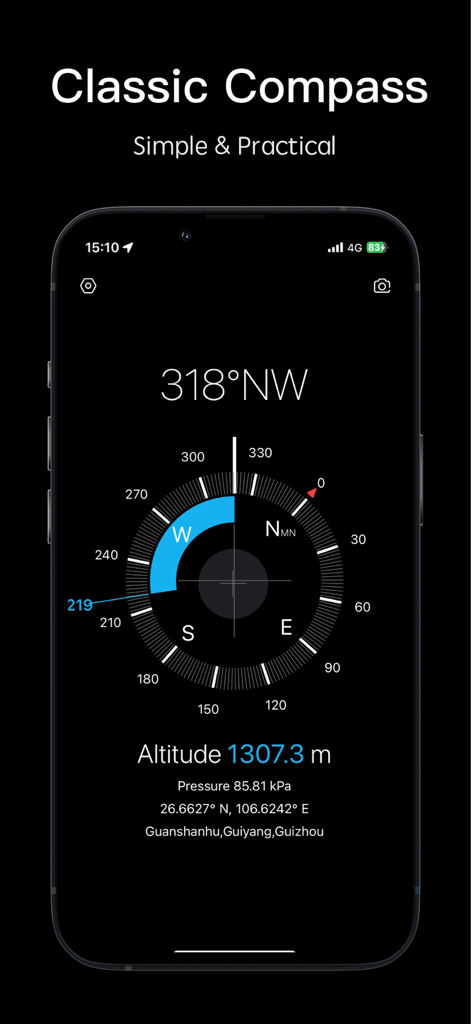
Sleek digital compass interface showing direction altitude and coordinates in dark mode
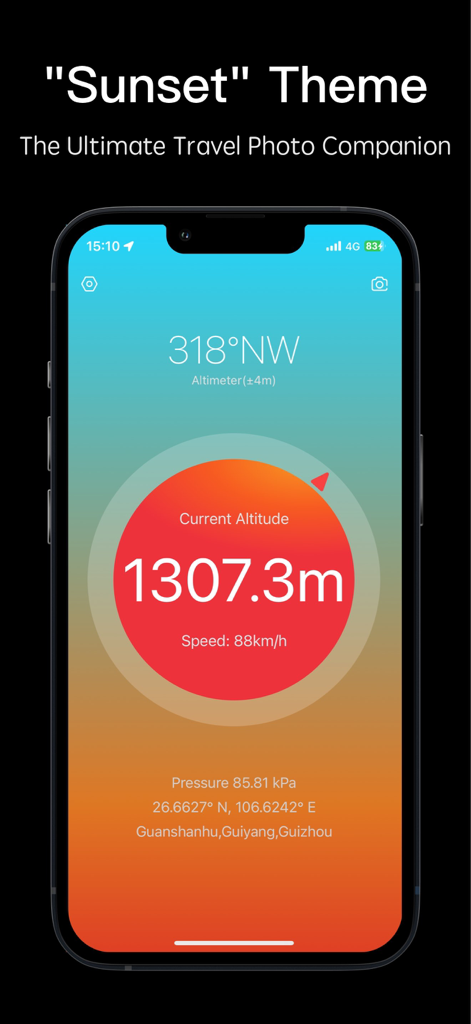
Compass and GPS altimeter app interface displaying current altitude and coordinates with a stylish sunset gradient theme
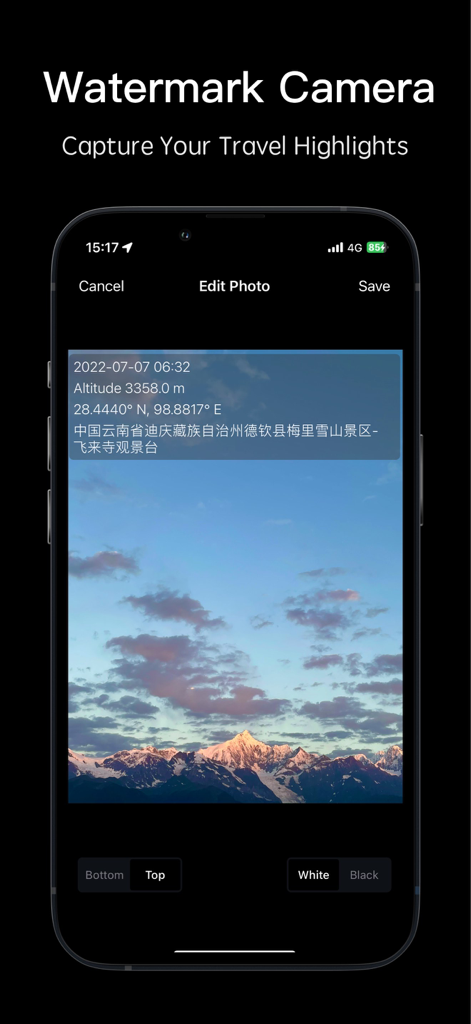
A mountain landscape photo with a digital watermark showing altitude, GPS coordinates, and date inside the Compass app.
Description
Download
More Like This
Apps with similar features and user experience
经纬度指南针-测方位实时海拔天气相机
Guangzhou Duoyi Network Technology Co., Ltd.

My Altitude: GPS Altimeter
Enacti Ventures Private Limited
Compass & GPS
Seong Eon Kim
Compass App - Qibla finder
Simple Start Technologies
Compass & Coordinates Locator
ALVICOMP OU
Compass∞
Camera LLC(TX)
Compass - Professional
Peter Bohl
Altimeter GPS & Barometer
Andrea Terdich
Elevation - Altimeter Map
Mapnitude Company Limited
This page is not an official page of the app or its developer, but an independent editorial publication created for informational and commentary purposes. Unless expressly stated otherwise, neither the app nor its developer is affiliated with, endorsed by, sponsored by, authorized by, or otherwise officially connected with MWM, Apple, Google Play, the app publisher, or the app's developer, and nothing on this page implies that the app was developed using MWM's services. Any trademarks, logos, screenshots, and other content remain the property of their respective owners.