
This page is not an official page of the app or its developer, but an independent editorial publication created for informational and commentary purposes. Unless expressly stated otherwise, neither the app nor its developer is affiliated with, endorsed by, sponsored by, authorized by, or otherwise officially connected with MWM, Apple, Google Play, the app publisher, or the app's developer, and nothing on this page implies that the app was developed using MWM's services. Any trademarks, logos, screenshots, and other content remain the property of their respective owners.

Elevation - Altimeter Map
The professional choice for outdoor adventures and property safety. Access accurate elevation data via GPS, Barometer, and Cloud sensors to navigate any terrain with confidence.
Downloads
1M+User Rating
Total Ratings
13K+Publisher
Category
NavigationLocales
14Latest Version
4.13.2Size
63.4 MBFirst Released
Nov 22, 2011Precision Navigation for Every Terrain
From peak performance in the mountains to assessing flood risks at home, get the world's most accurate elevation data using Cloud, GPS, and Barometric sensors.
Triple-Source Accuracy
Seamlessly cross-reference Cloud data, GPS, and built-in Barometric sensors to ensure you have the most precise altitude readings on any device.
Property & Flood Insight
Protect your investments and safety by assessing precise height above sea level—essential for flood risk monitoring and real estate research.
Frequently Asked Questions
Everything you need to know about Elevation - Altimeter Map
What is the main function of the Elevation - Altimeter Map app?
The Elevation - Altimeter Map app helps users find their current elevation, altitude, and height above sea level. It provides elevation data for various locations on Earth.
How does Elevation - Altimeter Map determine elevation?
The Elevation - Altimeter Map app determines elevation using online databases, built-in GPS, or the barometer on your device. Users can also input addresses or move a map.
Can I use Elevation - Altimeter Map to measure GPS elevation?
Yes, Elevation - Altimeter Map uses your device's built-in GPS to determine the altitude of your current location. It records and displays the path as a multicolored line.
Does Elevation - Altimeter Map support barometric altitude measurements?
Yes, Elevation - Altimeter Map uses your device's built-in barometer for elevation. It measures from raw barometric data or relative pressure from sea level, displayed as a multicolored line.
What coordinate formats are supported by Elevation - Altimeter Map?
Elevation - Altimeter Map supports regular latitude and longitude, Universal Transverse Mercator (UTM), and Military Grid Reference System (MGRS).
Can Elevation - Altimeter Map export altitude and pressure data?
Yes, Elevation - Altimeter Map allows users to export information including timestamp, altitude, pressure, and coordinates.
Is Elevation - Altimeter Map free to download and use?
Yes, Elevation - Altimeter Map is completely free to use with all features. Optional subscriptions are available for ad removal and reduced data delay.
What are the subscription costs for Elevation - Altimeter Map?
Subscriptions for Elevation - Altimeter Map cost $4.49 monthly, $25.99 for six months, or $48.99 yearly. Pricing varies by region.
What features does a subscription to Elevation - Altimeter Map offer?
Subscribing to Elevation - Altimeter Map removes ads and reduces data retrieval delay by 50%. All other app features remain free.
Can I use Elevation - Altimeter Map as a standalone barometer?
Yes, Elevation - Altimeter Map functions as a standalone barometer, allowing you to measure air pressure with your device.
Does Elevation - Altimeter Map include an air pressure and altitude calculator?
Yes, Elevation - Altimeter Map features an Air Pressure / Altitude Calculator. It computes atmospheric pressure and/or altitude from known altitude, pressure, temperature, and sea level pressure.
How can I compare altitudes between two locations using Elevation - Altimeter Map?
Elevation - Altimeter Map offers a "Range Mode" for altitude comparison. This feature provides a graph and line display of elevation between two selected locations.
The following screenshots and description are sourced directly from the app's official store listing and are the property of the app developer.
App Store
Screenshots
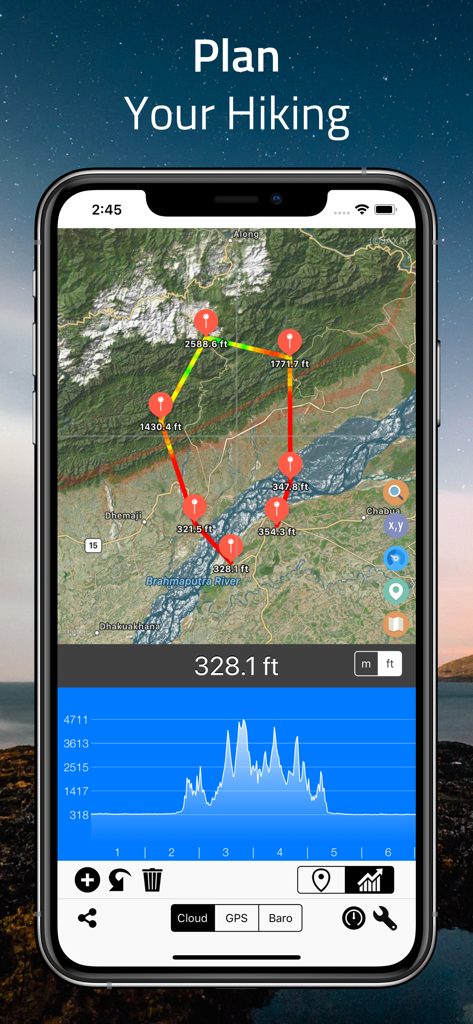
Elevation Altimeter Map app interface showing a hiking route planning screen with a satellite map and elevation profile graph
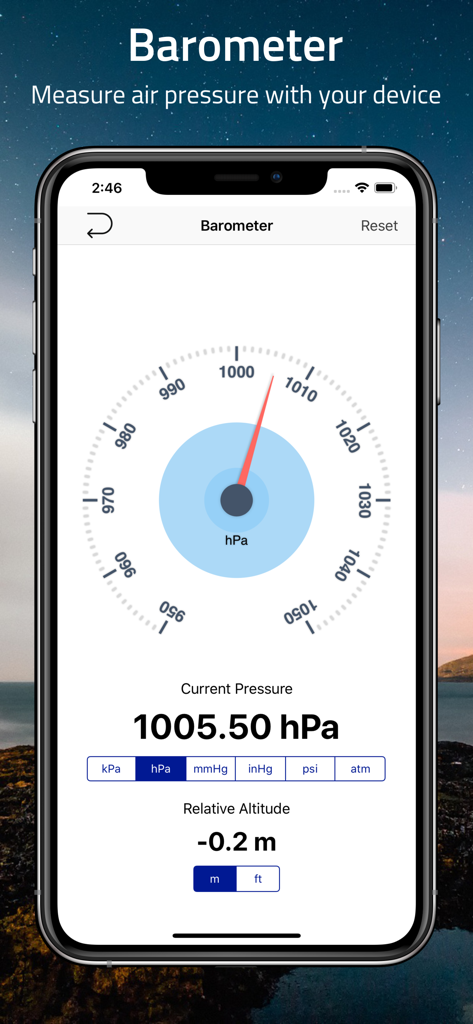
A smartphone showing the barometer feature of the Elevation Altimeter Map app displaying air pressure and relative altitude
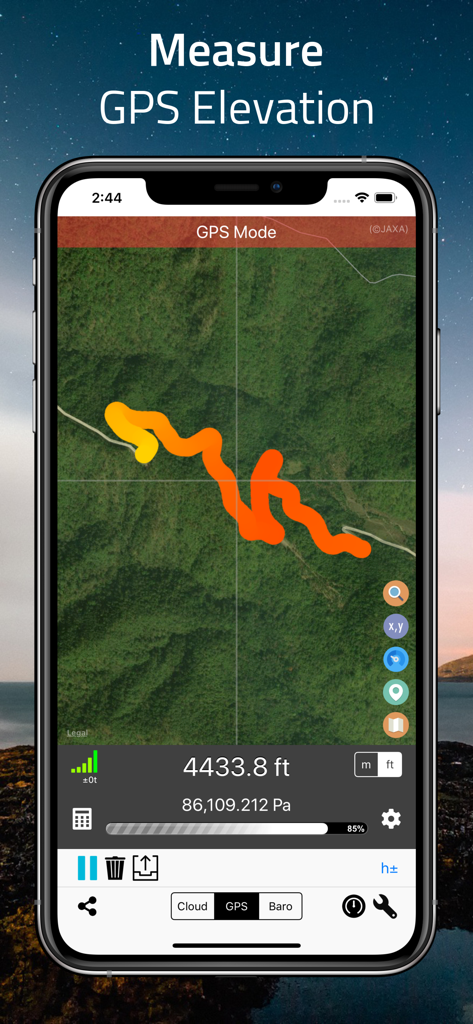
A smartphone displaying the Elevation Altimeter app in GPS mode with a multi-colored track on a satellite map showing 4433.8 feet elevation.
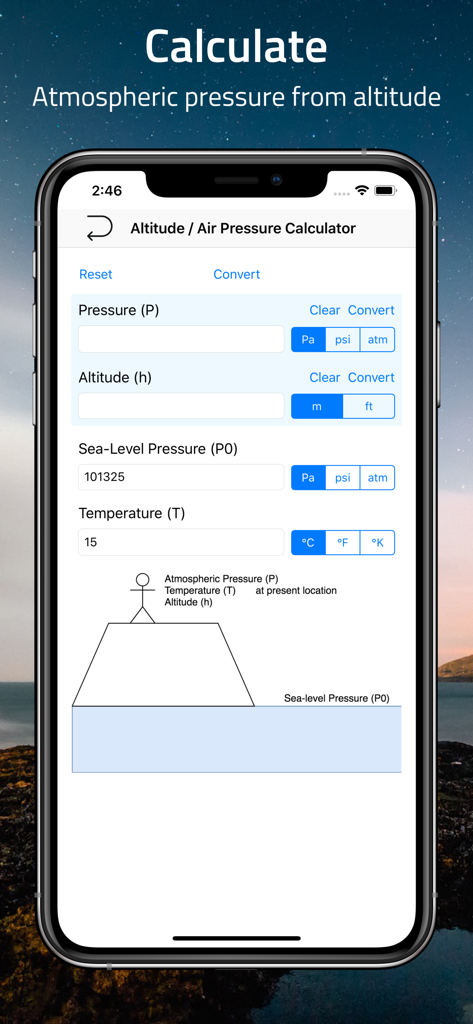
Interface of a mobile app showing an altitude and air pressure calculator with fields for pressure altitude and temperature
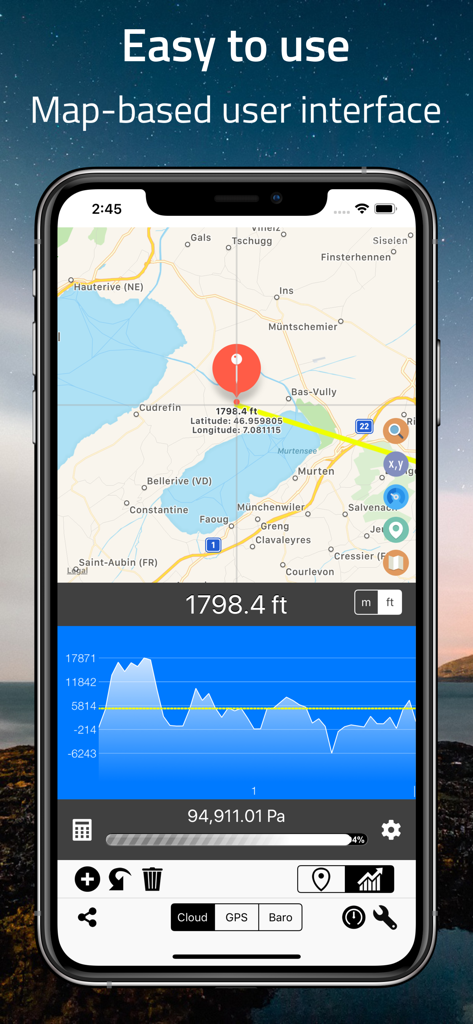
Screenshot of the Elevation Altimeter Map app showing a map interface with altitude data and a terrain profile graph
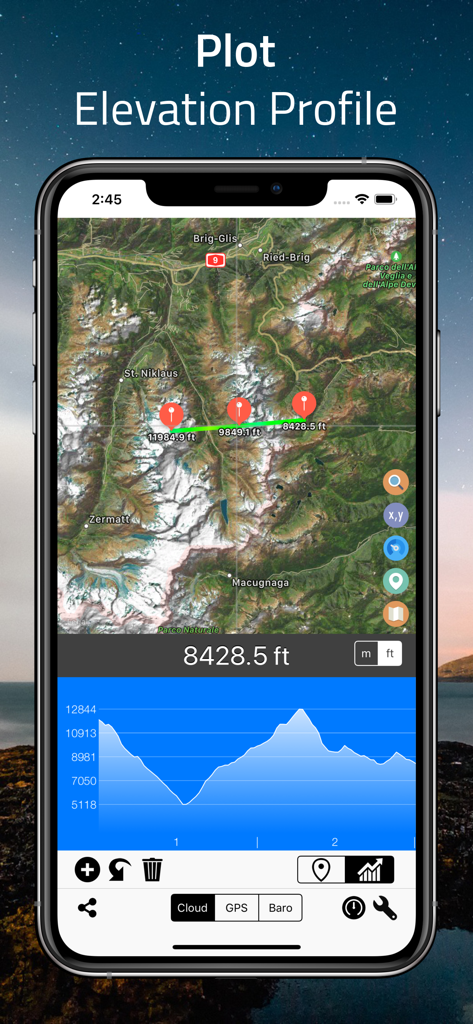
Elevation Altimeter Map app interface showing a satellite map with an elevation profile plot and altitude graph
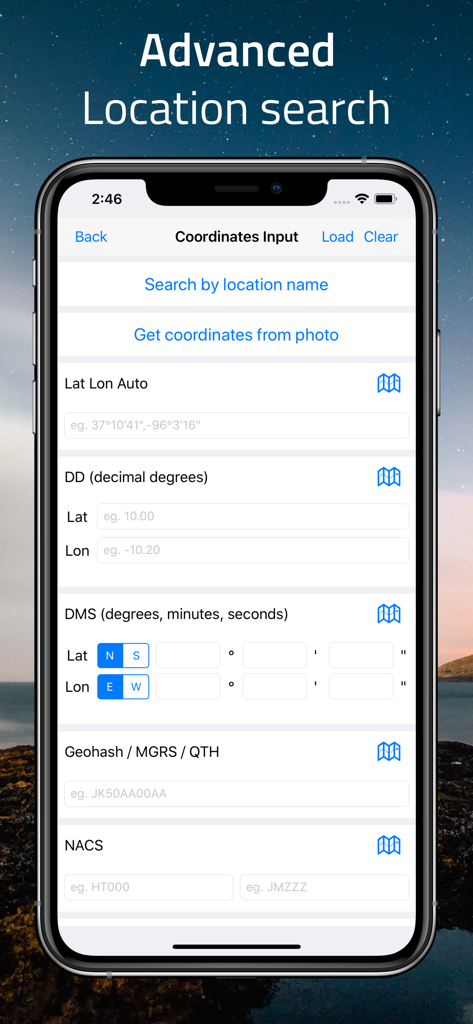
Advanced location search screen for manual coordinate input in various formats like GPS DMS and MGRS.
Description
Download
More Like This
Apps with similar features and user experience
经纬度指南针-测方位实时海拔天气相机
Guangzhou Duoyi Network Technology Co., Ltd.

My Altitude: GPS Altimeter
Enacti Ventures Private Limited
Compass & GPS
Seong Eon Kim
Compass App - Qibla finder
Simple Start Technologies
Compass & Coordinates Locator
ALVICOMP OU
Compass∞
Camera LLC(TX)
Compass - Professional
Peter Bohl
Altimeter GPS & Barometer
Andrea Terdich
Compass - GPS Altimeter
伟 雷
This page is not an official page of the app or its developer, but an independent editorial publication created for informational and commentary purposes. Unless expressly stated otherwise, neither the app nor its developer is affiliated with, endorsed by, sponsored by, authorized by, or otherwise officially connected with MWM, Apple, Google Play, the app publisher, or the app's developer, and nothing on this page implies that the app was developed using MWM's services. Any trademarks, logos, screenshots, and other content remain the property of their respective owners.