
This page is not an official page of the app or its developer, but an independent editorial publication created for informational and commentary purposes. Unless expressly stated otherwise, neither the app nor its developer is affiliated with, endorsed by, sponsored by, authorized by, or otherwise officially connected with MWM, Apple, Google Play, the app publisher, or the app's developer, and nothing on this page implies that the app was developed using MWM's services. Any trademarks, logos, screenshots, and other content remain the property of their respective owners.


Beads Creator - Bead Patterns
Stop sketching. The app instantly translates any image into a bead-ready blueprint, slashing design time.
Downloads
500k+User Rating
Total Ratings
14.0KPublisher
Category
EntertainmentLocales
10Latest Version
1.9.2Size
49.2 MBFirst Released
Aug 29, 2017An in-depth look into the core functionalities that empower creative individuals in fuse bead, pixel art, and DIY projects.
Beads Creator - Bead Patterns: Key Feature Analysis
Intuitive Pattern Design
The app provides an easy-to-use interface and simple controls, enabling both beginners and experienced crafters to intuitively design fuse bead and pixel art patterns.
Image-to-Pattern Conversion
It allows users to import images and convert them into intricate fuse bead patterns, offering a powerful way to create custom and personalized designs.
Comprehensive Material Management
This tool features a detailed Bead List that displays the required colors and quantities of beads for any design, significantly streamlining the preparation phase of crafting projects.
Extensive Bead Brand and Size Support
The app supports multiple bead brands (e.g., Perler, Hama, Nano) and various sizes (Midi, Mini), ensuring compatibility with a wide range of physical crafting materials.
Versatile Pixel Art & Craft Design
Beyond fuse beads, the app excels as a design platform for general pixel art and cross-stitch patterns, appealing to a broader audience of creative individuals.
Flexible Pattern Storage Options
It offers flexible options to expand pattern storage, allowing users to save and manage a large portfolio of designs, from an initial set to up to 480 patterns.
Frequently Asked Questions
Everything you need to know about Beads Creator - Bead Patterns
What is Beads Creator - Bead Patterns?
Beads Creator is an easy-to-use app for designing fuse beads and Perler beads patterns. It features pixel art style editing, image-based pattern creation, and supports multiple bead brands.
Does Beads Creator support multiple bead brands?
Yes, Beads Creator supports various bead brands. It includes Perler Beads, Hama Beads (Midi and Mini), Nano Beads, and Midi/Mini Fuse Beads (2.6mm, 5.0mm).
Can I create patterns from images in Beads Creator?
Yes, Beads Creator allows users to import images onto a pegboard to use as fuse bead patterns. The app converts images into bead designs.
How many patterns can I create initially in Beads Creator?
Users can initially create up to 30 patterns in Beads Creator. This limit increases by 5 patterns for each video ad watched, up to a maximum of 480 patterns.
How do I remove ads in Beads Creator?
Users can remove all ads in Beads Creator by purchasing the "Remove Ads" add-on. This one-time purchase also increases the maximum pattern limit to 480.
What pegboard shapes are available in Beads Creator?
Beads Creator provides multiple pegboard shapes for pattern creation, including Square, Round, and Hex. Image-based patterns may not work optimally on non-square pegboards.
Does Beads Creator show bead color and quantity needed for a design?
Yes, Beads Creator includes a "Bead List" feature. This displays the colors and exact quantities of beads required for any design, simplifying preparation.
Is Beads Creator a popular app?
Yes, Beads Creator is a popular app with over 1.6 million downloads. It provides an intuitive platform for creating fuse bead and Perler bead patterns.
The following screenshots and description are sourced directly from the app's official store listing and are the property of the app developer.
App Store
Screenshots
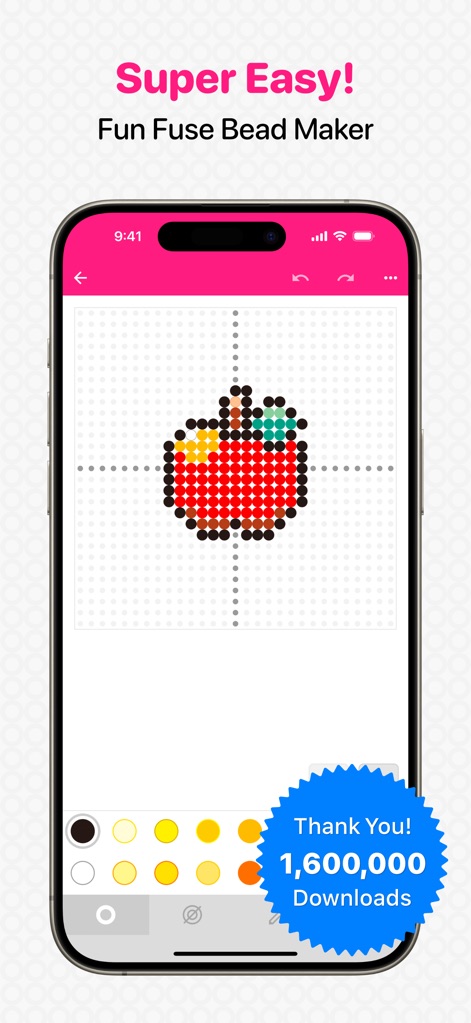
Users can intuitively craft intricate bead designs using the pixel grid editing and a vibrant color palette for precise placement.
Simple Pattern Design
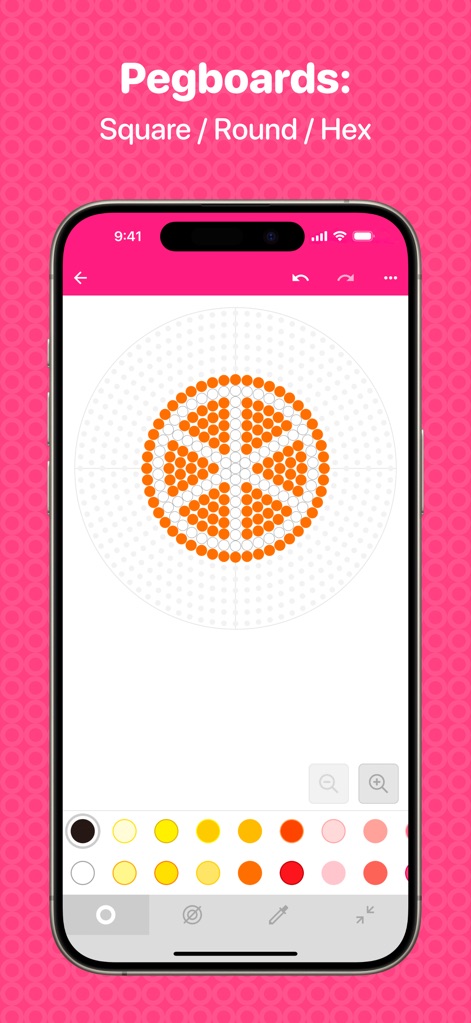
This tool provides diverse design foundations, allowing users to select from various pegboard shapes like round and hexagonal, complemented by integrated zoom controls for detailed work.
Flexible Pegboard Options
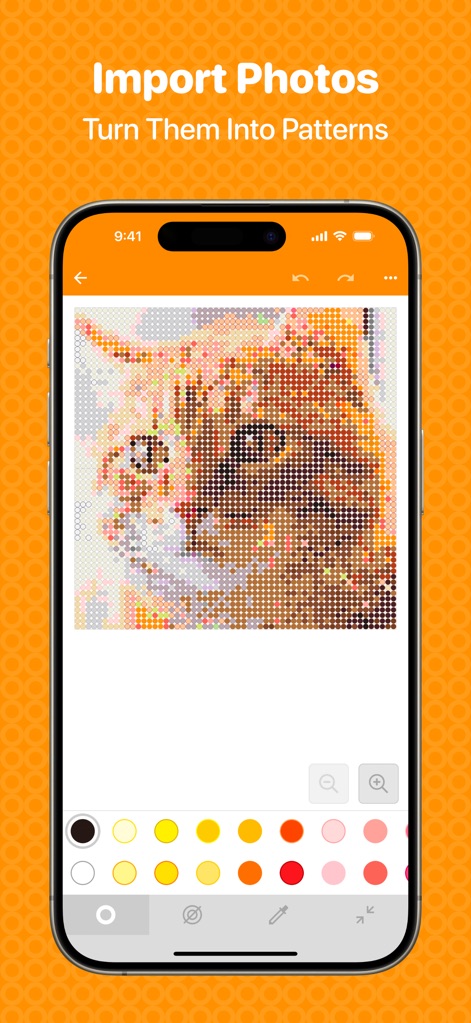
The app transforms personal images into detailed bead patterns, enabling users to effortlessly convert complex photos into pixel art designs.
Image-to-Pattern Conversion
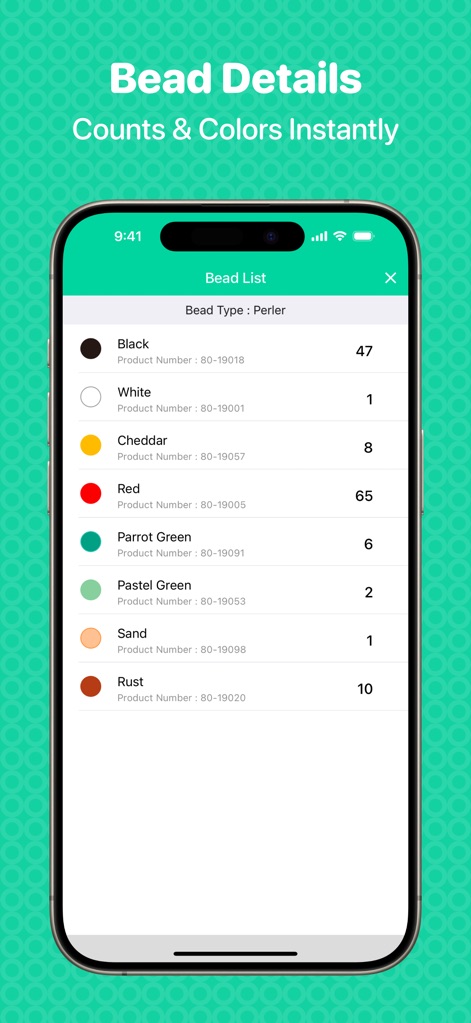
Crafters gain precise control over their projects with the Bead List feature, which provides an organized breakdown of bead colors and their required quantities.
Material Management Insights
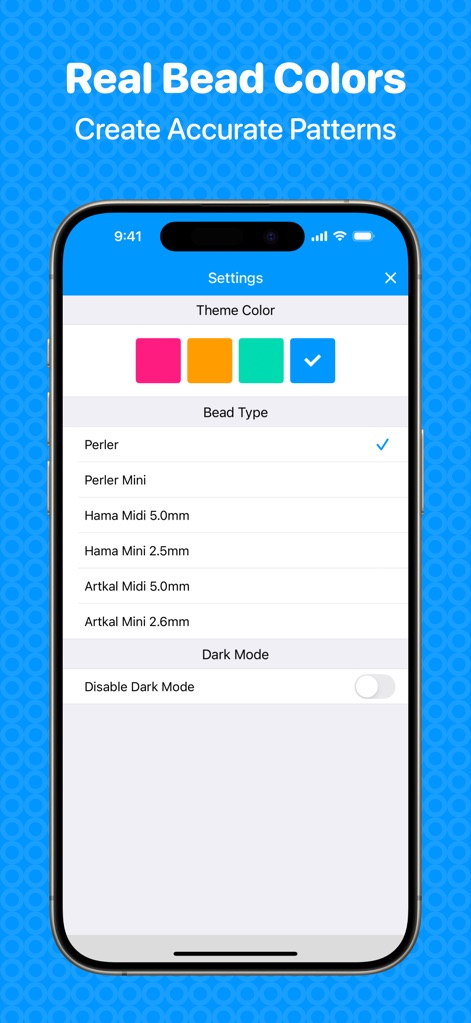
The app offers extensive personalization through its settings, allowing users to choose from various bead types like Perler and Hama, and customize the interface with theme colors.
Customizable Crafting Settings
Description
Download
More Like This
Apps with similar features and user experience

Loopsy - Crochet & Knitting
Springtown Labs Inc.

Stitchly: Cross stitch
Subtlabs Ltd

GamFa: Notes, Games & Perks
Mayyada Mubaraka Arain

My Row Counter, Knit & Crochet
AnnapurnApp Technologies UG haftungsbeschrankt

Board Game Stats
Eerko Vissering

knitCompanion knitting & more
Create2Thrive Inc.

Markup R-XP
KewinLawsonSmith Limited

Loomerly: Loom, peyote & brick
Subtlabs Ltd

Brewfather
Warpkode AS
This page is not an official page of the app or its developer, but an independent editorial publication created for informational and commentary purposes. Unless expressly stated otherwise, neither the app nor its developer is affiliated with, endorsed by, sponsored by, authorized by, or otherwise officially connected with MWM, Apple, Google Play, the app publisher, or the app's developer, and nothing on this page implies that the app was developed using MWM's services. Any trademarks, logos, screenshots, and other content remain the property of their respective owners.