
This page is not an official page of the app or its developer, but an independent editorial publication created for informational and commentary purposes. Unless expressly stated otherwise, neither the app nor its developer is affiliated with, endorsed by, sponsored by, authorized by, or otherwise officially connected with MWM, Apple, Google Play, the app publisher, or the app's developer, and nothing on this page implies that the app was developed using MWM's services. Any trademarks, logos, screenshots, and other content remain the property of their respective owners.


BlazeAuth - MFA Authenticator
Security paralysis ends. The app offers a digital fortress in your pocket, turning online threats into trivial background noise.
Downloads
250k+User Rating
Total Ratings
4.3KPublisher
Category
UtilitiesLocales
7Latest Version
1.3.0Size
876.3 MBFirst Released
Dec 11, 2024An Evaluation of Key Capabilities for Digital Security and Convenience
BlazeAuth - Feature Analysis
Comprehensive Multi-Factor Authentication
The app provides robust two-factor authentication (2FA) with multiple setup options (QR, manual, photo import) and offline access, ensuring secure logins even without internet connectivity.
Integrated Password Manager
This tool features a secure password manager that allows users to store unlimited passwords and autofill them, streamlining login processes and reducing the burden of remembering complex credentials.
Built-in VPN for Privacy
It allows users to enhance their online privacy and security through an integrated VPN service, protecting their browsing activities and masking their IP address.
Encrypted Backup & Restoration
The app ensures the safety and availability of authentication data through encrypted backup, allowing seamless restoration when switching or replacing devices.
Biometric App Security
This tool provides enhanced security for the authenticator app itself through Face ID and Touch ID integration, ensuring only authorized users can access sensitive information.
Effortless Setup & Migration
It allows for quick account setup via fast QR code scanning and simplifies migration by enabling import of existing 2FA codes from other authenticator apps like Google and Microsoft.
Frequently Asked Questions
Everything you need to know about BlazeAuth - MFA Authenticator
What is BlazeAuth - MFA Authenticator?
BlazeAuth - MFA Authenticator is an all-in-one authenticator and password manager. It provides seamless security for your digital life, offering Two-Factor Authentication and secure password storage.
What are the core features of BlazeAuth?
BlazeAuth offers Two-Factor Authentication (2FA) with TOTPs, a secure password manager, encrypted cloud backup and sync across devices, and cross-platform compatibility for various services.
Does BlazeAuth provide Two-Factor Authentication (2FA)?
Yes, BlazeAuth - MFA Authenticator provides Two-Factor Authentication (2FA). It uses time-based one-time passwords (TOTPs) to add an extra layer of protection to user accounts.
Can BlazeAuth function as a password manager?
Yes, BlazeAuth includes a secure password manager. Users can securely store and manage their passwords within the app, ensuring they never forget a login again.
Does BlazeAuth offer data backup and synchronization?
Yes, BlazeAuth provides backup and sync capabilities. It effortlessly syncs user data across devices using encrypted cloud backup, ensuring data availability and security.
Is BlazeAuth - MFA Authenticator compatible with various online services?
Yes, BlazeAuth is cross-platform compatible. It supports all favorite services, including Google, Facebook, YouTube, Spotify, and more, as depicted in the interface.
How does BlazeAuth ensure data privacy and security?
BlazeAuth ensures data privacy through enhanced protection, utilizing end-to-end encryption. This method guarantees that user data remains private and secure from unauthorized access.
How do I set up accounts for 2FA in BlazeAuth?
Users can easily set up accounts in BlazeAuth by scanning a QR code. This process quickly adds an account, such as a Google account, for 2FA protection.
Are there limits to the number of passwords I can save in BlazeAuth?
No, there are no limitations. BlazeAuth's password manager allows users to save an unlimited number of passwords, ensuring all credentials are securely stored.
Does BlazeAuth support biometric authentication for secure access?
Yes, BlazeAuth supports biometric authentication. It offers secure access with Face ID and Touch ID to protect stored credentials, enhancing the app's security.
Can BlazeAuth automatically fill in passwords and verification codes?
Yes, BlazeAuth can autofill. Users can turn on Autofill to save time, allowing the app to automatically fill in passwords and verification codes for seamless logins.
How can users access all premium features of BlazeAuth?
To receive full access to all BlazeAuth - MFA Authenticator features, users must subscribe to Premium. This subscription unlocks the complete range of functionalities.
What are the subscription terms for BlazeAuth Premium?
BlazeAuth Premium payments are charged to your iTunes Account upon purchase confirmation. Subscriptions renew automatically unless canceled 24 hours before the period ends, manageable in App Store settings.
Where can I find the Privacy Policy for BlazeAuth?
The Privacy Policy for BlazeAuth is available at the provided link: https://docs.google.com/document/d/1Usq1kIeNHJIxSW12sB842AbbQS-rBatS/edit?usp=sharing.
How can I get support or report a bug for BlazeAuth?
Users can receive support or report bugs and request features by emailing support@kanatom.com. This ensures continuous improvement of the BlazeAuth app.
The following screenshots and description are sourced directly from the app's official store listing and are the property of the app developer.
App Store
Screenshots
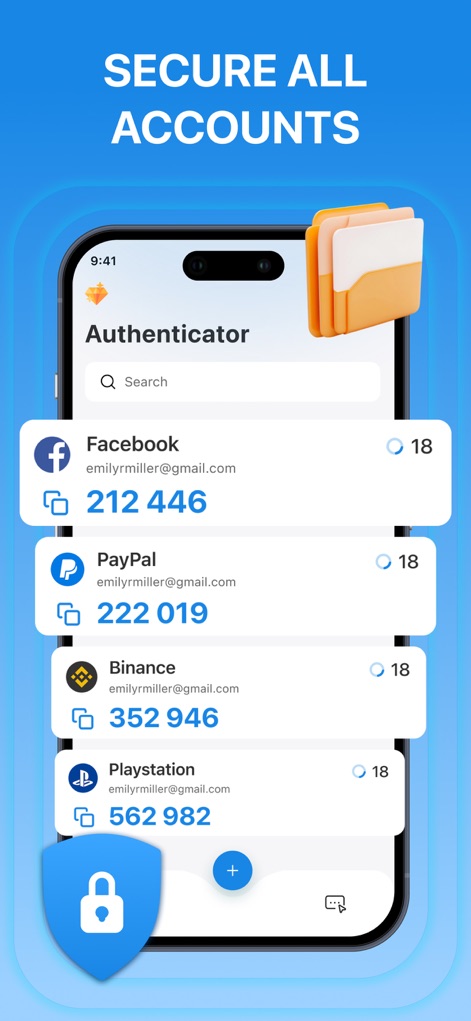
Users can effortlessly manage multiple accounts with instant 2FA code access and a convenient search bar for quick navigation.
Account Overview Simplified
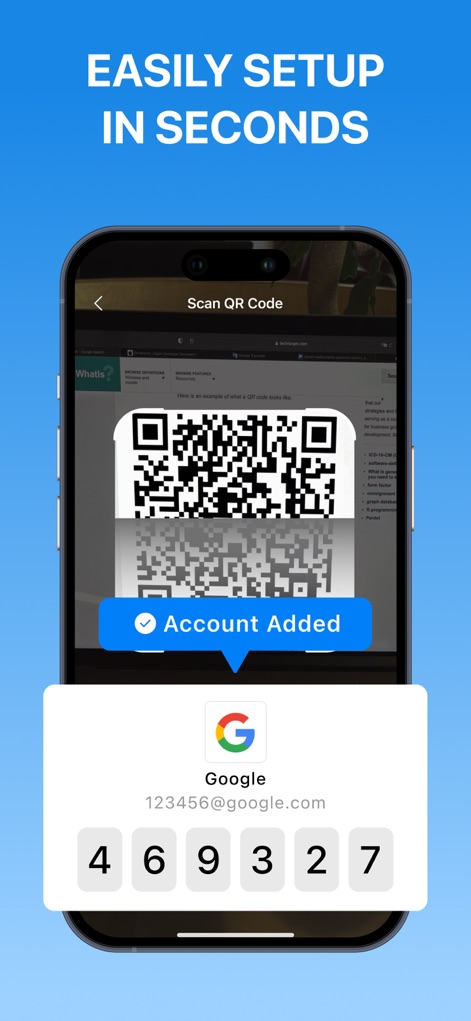
This tool simplifies the onboarding process with its quick QR code scanning feature, instantly adding accounts and displaying their active 2FA codes.
Effortless Setup Unveiled
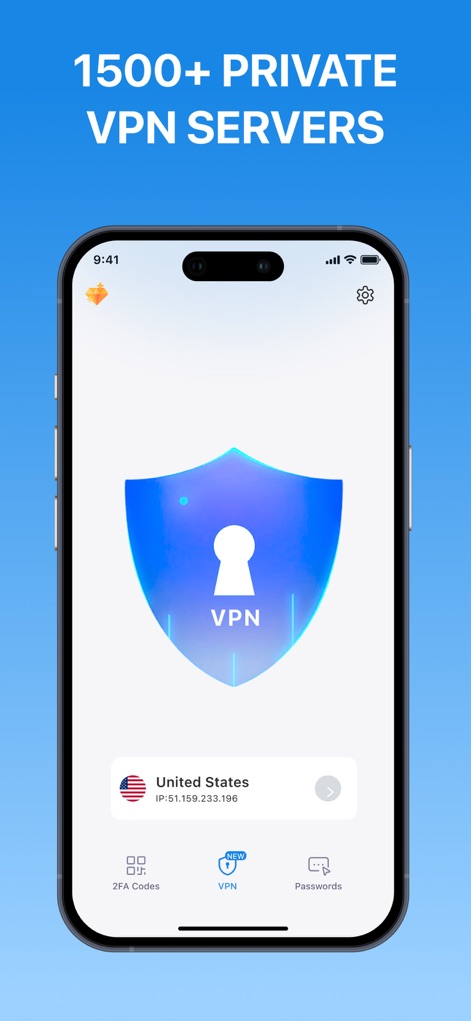
Explore the app's integrated VPN feature, showcasing the large security shield and location selection for enhanced online privacy.
Private Connection Secured
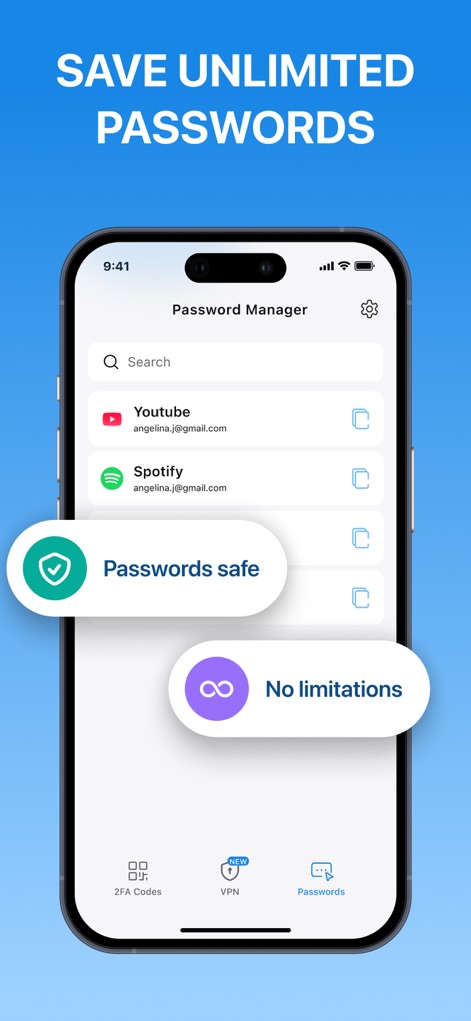
The password manager allows users to securely store unlimited credentials, visibly indicating 'Passwords safe' and 'No limitations' for comprehensive digital security.
Password Management Hub
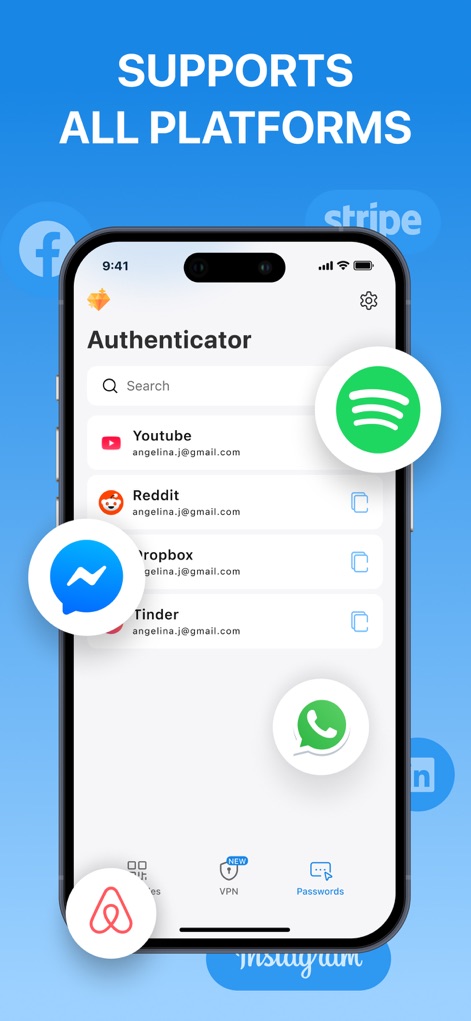
Witness the app's extensive compatibility, highlighted by the diverse platform logos and the seamless integration of various accounts within the authenticator interface.
Universal Platform Support
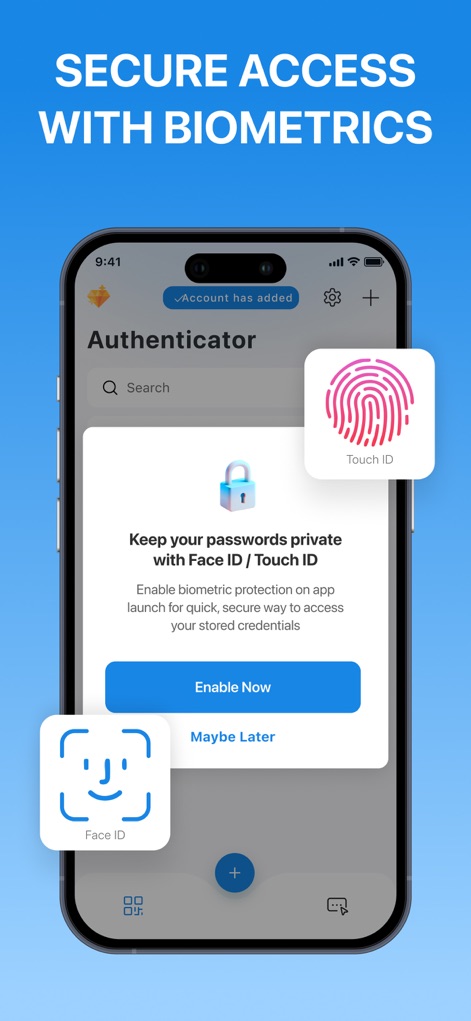
This view illustrates the app's robust security features, presenting clear options for Face ID and Touch ID protection for quick and secure access.
Biometric Security Access
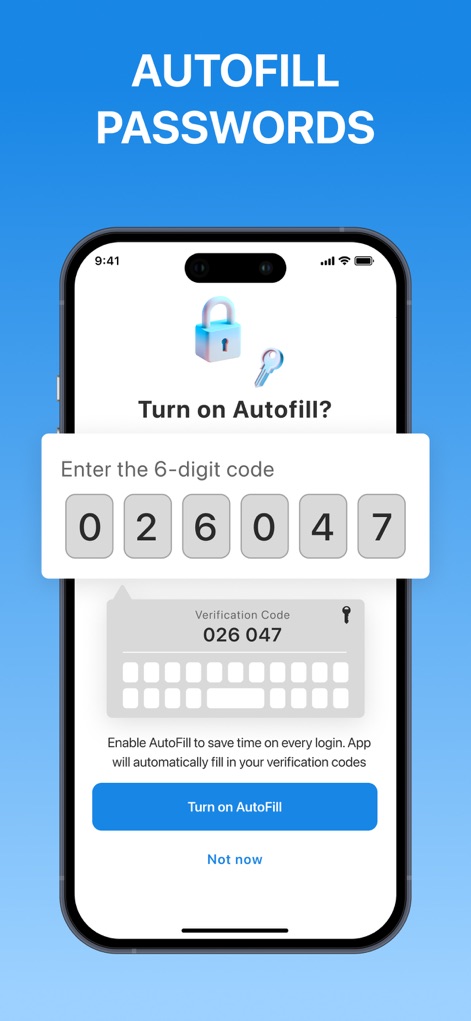
Observe the app's convenience features, including the autofill prompt for verification codes and the dedicated 'Turn on Autofill' button for faster logins.
Seamless Autofill Integration
Description
Download
More Like This
Apps with similar features and user experience

Proton Pass - Password Manager
Proton AG

Dashlane Password Manager
Dashlane

Password Manager - mSecure
mSeven Software, LLC

Kepttor Password Manager
MACREL SRL SEMPLIFICATA

DataVault Manager - Encrypted
MIKHAIL SHERSHNEV

Authenticator ·
SMM service, s.r.o.

Bitwarden Password Manager
Bitwarden Inc

Authenticator App ⁸
AGILE CODE LIMITED

Authenticator App ℗
RHO DEVELOPERS LLC
This page is not an official page of the app or its developer, but an independent editorial publication created for informational and commentary purposes. Unless expressly stated otherwise, neither the app nor its developer is affiliated with, endorsed by, sponsored by, authorized by, or otherwise officially connected with MWM, Apple, Google Play, the app publisher, or the app's developer, and nothing on this page implies that the app was developed using MWM's services. Any trademarks, logos, screenshots, and other content remain the property of their respective owners.