Blue Iris

Blue Iris

Download on App Store
Logo of Blue Iris

Blue Iris: Professional Remote Access for Your Private Camera Network

The ultimate secure client for your Blue Iris PC software. Take full control of your surveillance with high-speed H.264 streaming, geofencing automation, and advanced playback—no cloud subscription required.

Publisher

Ken Pletzer

Category

Utilities

Downloads

298K+

User Rating

4.0/5

Total Ratings

1K+

Locales

1

Your Security Command Center

Discover the interface used by 298K+ users.
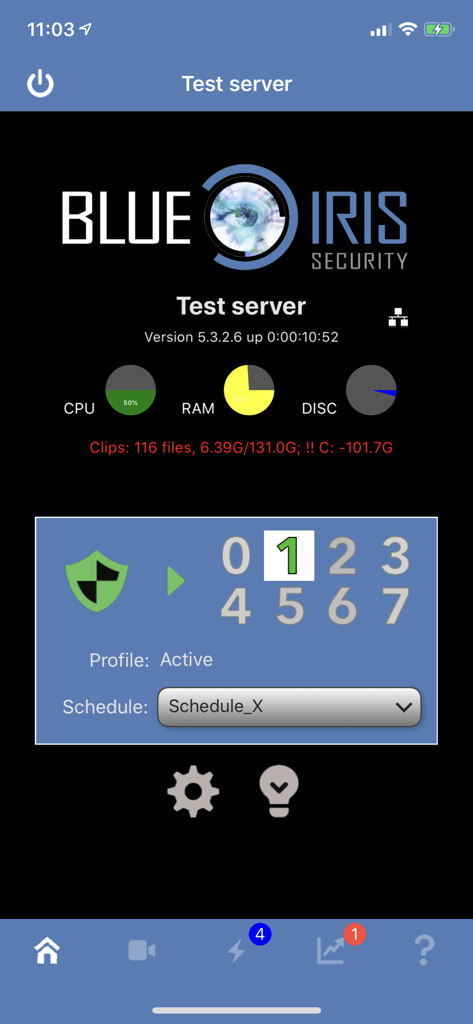
Blue Iris app dashboard showing server performance and security profile status

Blue Iris app dashboard showing server performance and security profile status

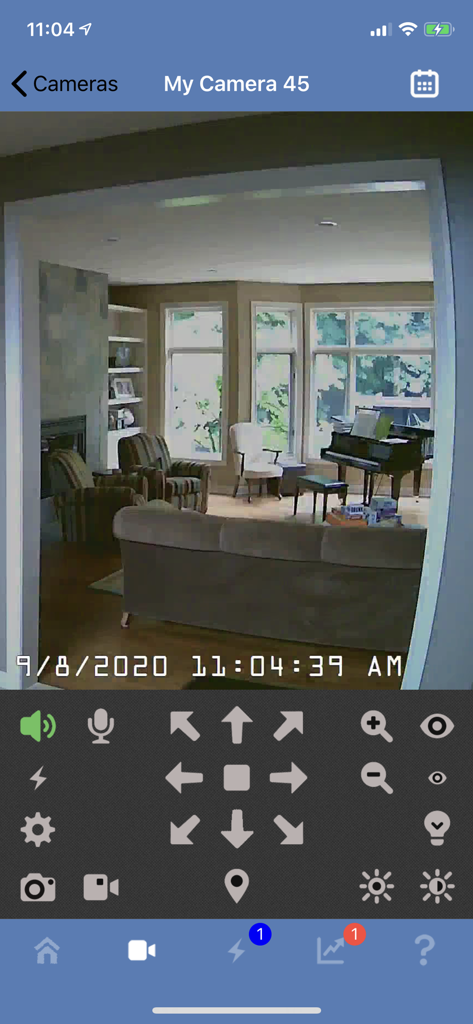
Blue Iris mobile app interface showing a live security camera feed of a living room with PTZ and audio controls

Blue Iris mobile app interface showing a live security camera feed of a living room with PTZ and audio controls

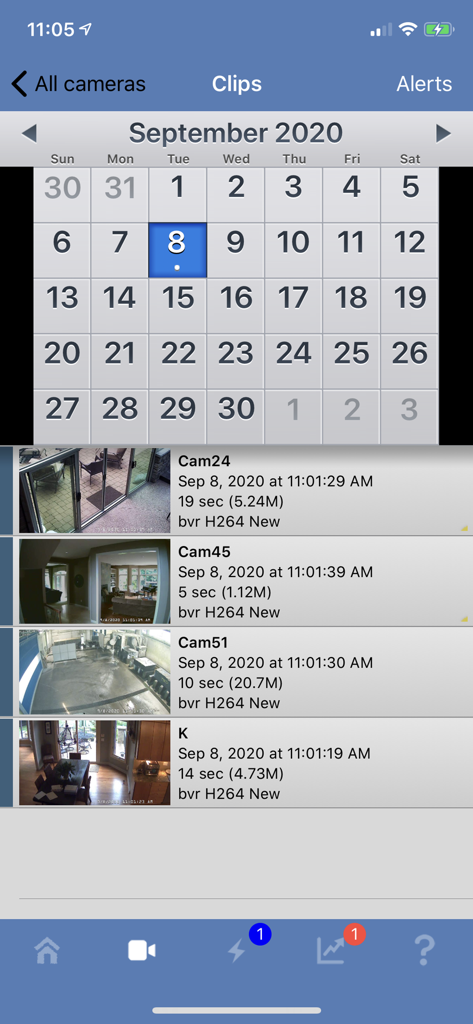
Blue Iris app interface showing a calendar and a list of recorded security camera video clips with timestamps

Blue Iris app interface showing a calendar and a list of recorded security camera video clips with timestamps

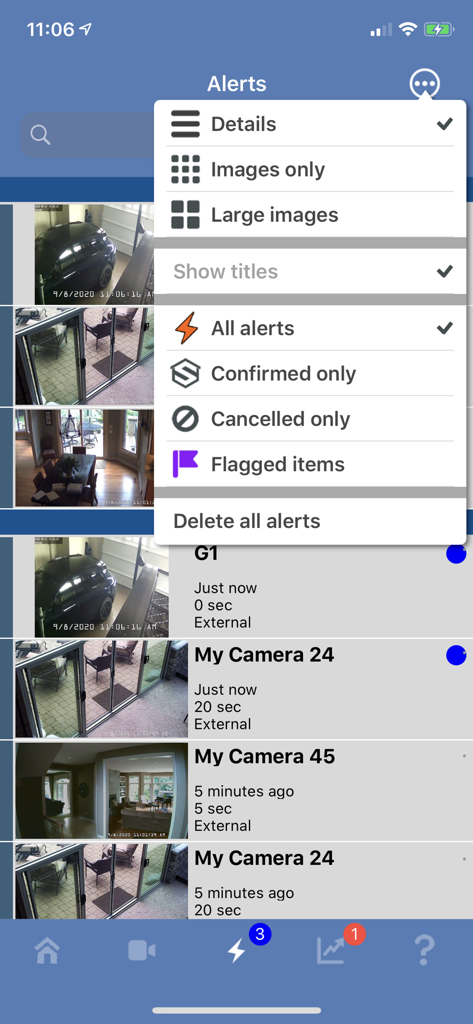
Blue Iris mobile app alerts screen with camera notification list and filtering options menu open

Blue Iris mobile app alerts screen with camera notification list and filtering options menu open

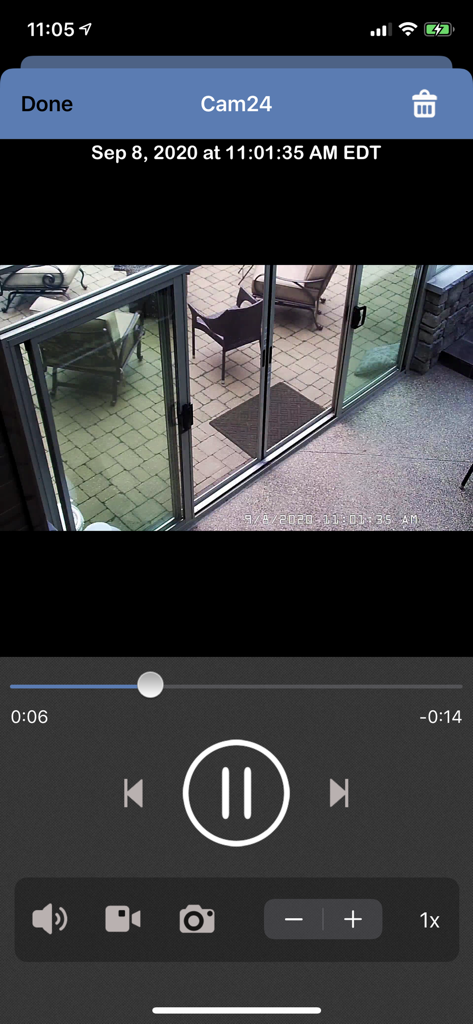
Blue Iris mobile app interface showing a security camera video playback of a patio with playback controls and a timestamp.

Blue Iris mobile app interface showing a security camera video playback of a patio with playback controls and a timestamp.

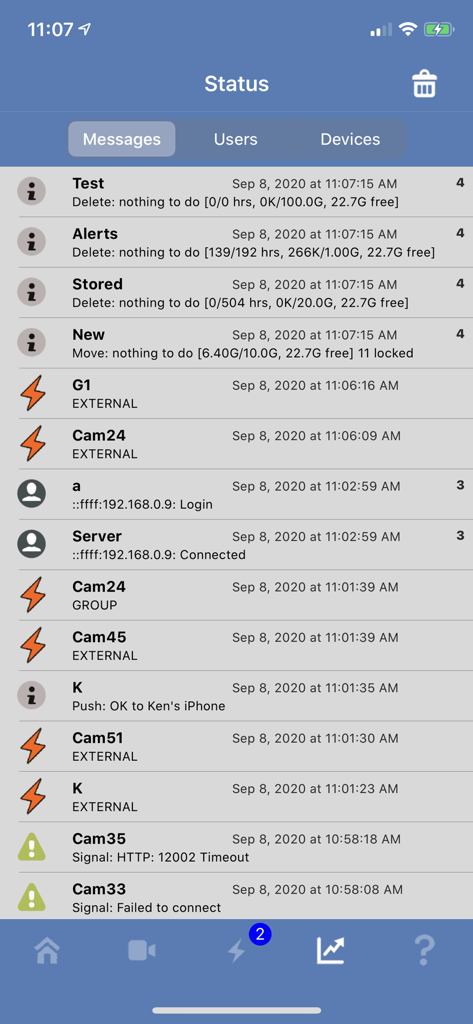
Status screen of the Blue Iris app showing system messages and camera activity logs

Status screen of the Blue Iris app showing system messages and camera activity logs

Professional Surveillance, Under Your Control

The tools that make this app stand out, trusted by 298K+ users.

🔒

Privacy-First Secure Access

No cloud storage and no monthly fees. Connect directly to your Windows PC via secure session-based protocols, ensuring your private feeds never leave your control.

📍

Smart Geofencing & Alerts

Automate your home security. Automatically arm or disarm your system based on your location and receive instant push notifications the moment a camera is triggered.

High-Performance Playback

Stream H.264 video with low latency and review footage at up to 64x speed. Full PTZ control and two-way audio allow you to manage your environment in real-time.

About the app

Everything you need to know about Blue Iris.

Description

This app is a CLIENT for the Blue Iris Windows PC software. In order to make use of this app, you must have Blue Iris version 5 installed and running on a Windows PC or VM. Instructions for connecting this app to the PC software are found in the Remote Access chapter of its Help file. This app provides a single point of contact to your home camera network. There is no need to insecurely open individual cameras to the Internet. This app connects using a secure and session-based protocol--no passwords are transmitted in plain text. Remote access does require router configuration or NGROK, which you can test without the app by using Safari. You should see your Blue Iris login page. Key features include: - Manage multiple Blue Iris installations - Geofencing: set status, send alerts, and more in response to device location * - Control the shield icon, schedule and profile selection - Receive iOS push notification alerts when a Blue Iris camera is triggered or there is a critical status message - Fast H.264 streaming - Control PTZ, IR and more for any camera that’s also controllable at the Blue Iris PC - Listen to and talk to any camera that’s also supported at the Blue Iris PC - Navigate cameras by tapping and swiping - Review recordings as stored on the Blue Iris PC, up to 64x speed - Download recorded video from the Blue Iris PC to the iOS device - Selectively delete recordings from the Blue Iris PC - Broadcast live video from the iOS device directly into a Blue Iris PC camera window - Remote control DIO output signals on compatible devices - Baby monitor functionality: continue to listen to audio with app closed or device in standby ** * Note that continued use of GPS running in the background can dramatically decrease battery life. ** Note that continued use of audio streaming running in the background can dramatically decrease battery life.

Latest Version

2.04.06

Size

35.3 MB

First Released

Dec 15, 2012

Your Professional Command Center, Anywhere

Securely manage your Blue Iris server with session-based protocols, geofencing, and 64x playback. Take full control of your local surveillance without relying on the cloud.

Download on App Store

App information, icons, screenshots, and descriptions displayed on this page are sourced from the Apple App Store and are the property of their respective developers. Download estimates and rankings are based on MWM's proprietary models and may not reflect actual figures. This page is provided for informational and analytical purposes only.

Believe this page infringes your intellectual property? File a dispute