
Blue Yonder Workforce


The all-in-one mobile tool for hourly employees to swap shifts, request time off, and track earnings in real-time—whenever and wherever you are.
Publisher
Category
BusinessDownloads
2M+User Rating
Total Ratings
122K+Locales
-Discover the interface used by 2M+ users.
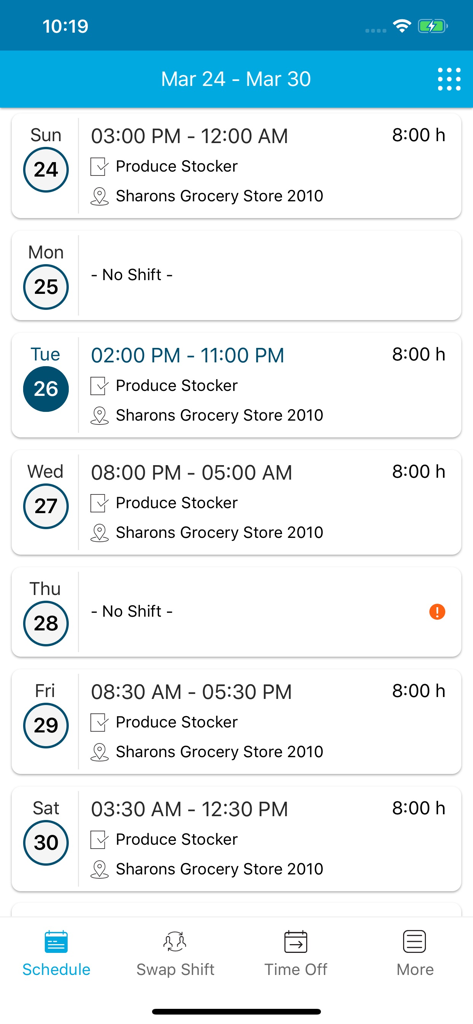
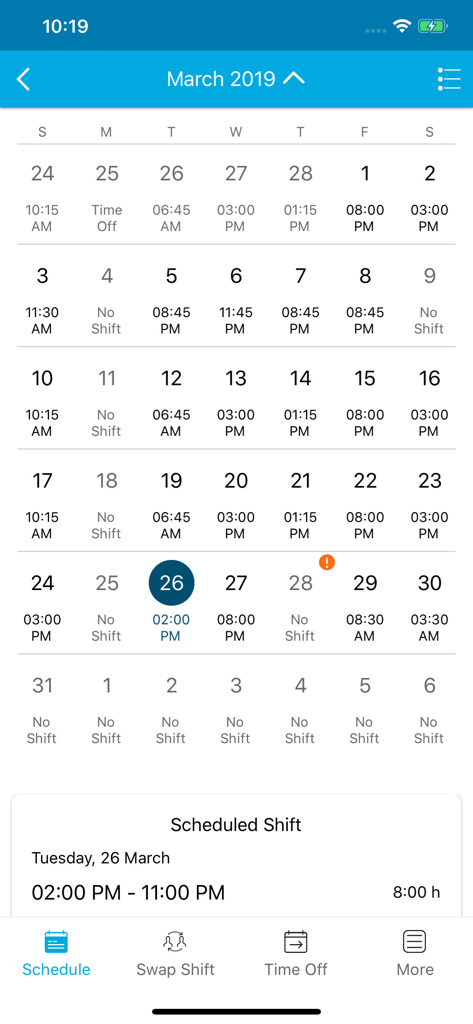
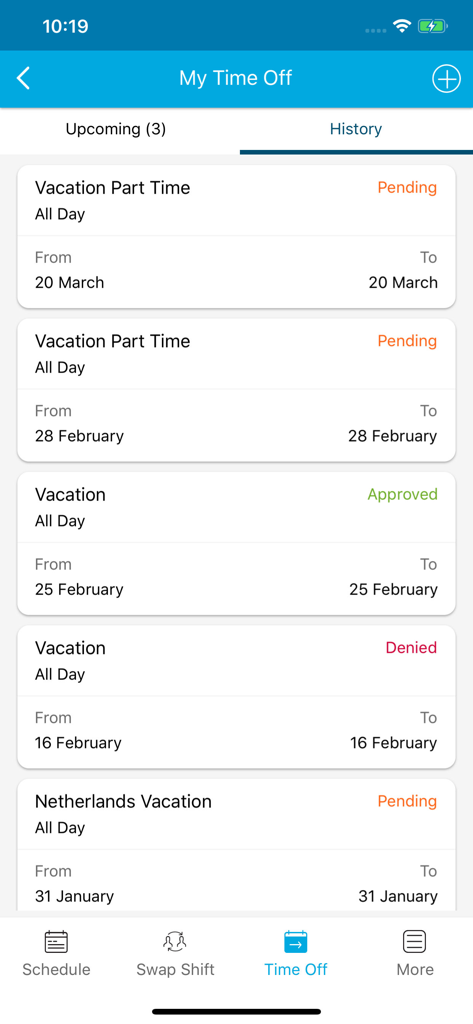
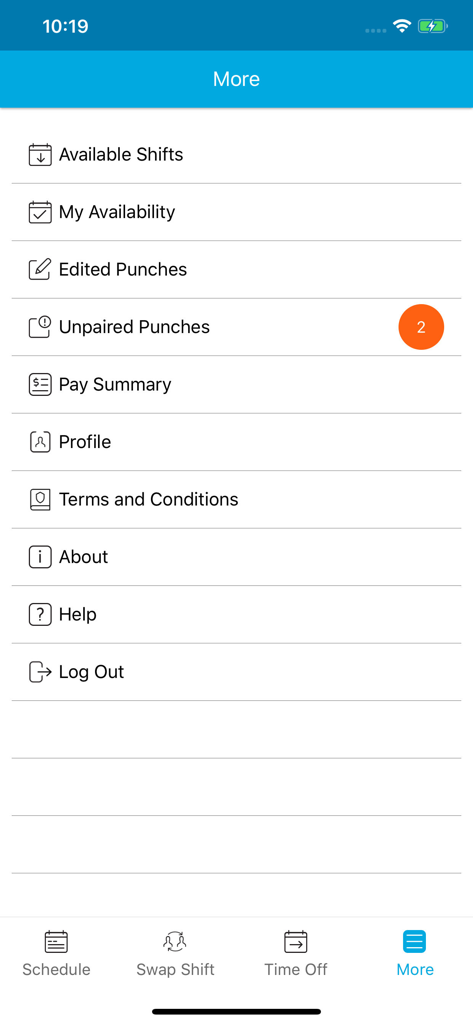
The tools that make this app stand out, trusted by 2M+ users.
Swap shifts or update your availability in seconds. Take control of your work-life balance without the stress of manual requests.
Track your hours and view your pay summary instantly. Ensure every punch is accurate so you get paid exactly what you earned.
View your upcoming shifts and claim extra hours on the go. Stop checking the breakroom wall and start managing from your phone.
Everything you need to know about Blue Yonder Workforce.
Description
Latest Version
2025.2.0
Size
128.9 MB
First Released
Jun 14, 2019
Join over 2 million workers managing their shifts, swapping schedules, and tracking earnings in real-time. Download the Blue Yonder Workforce app and put your schedule in your pocket.
Everything you need to know about Blue Yonder Workforce
To use the Blue Yonder Workforce application, users must possess a valid Blue Yonder enterprise license. This license is a mandatory prerequisite for accessing the app's features.
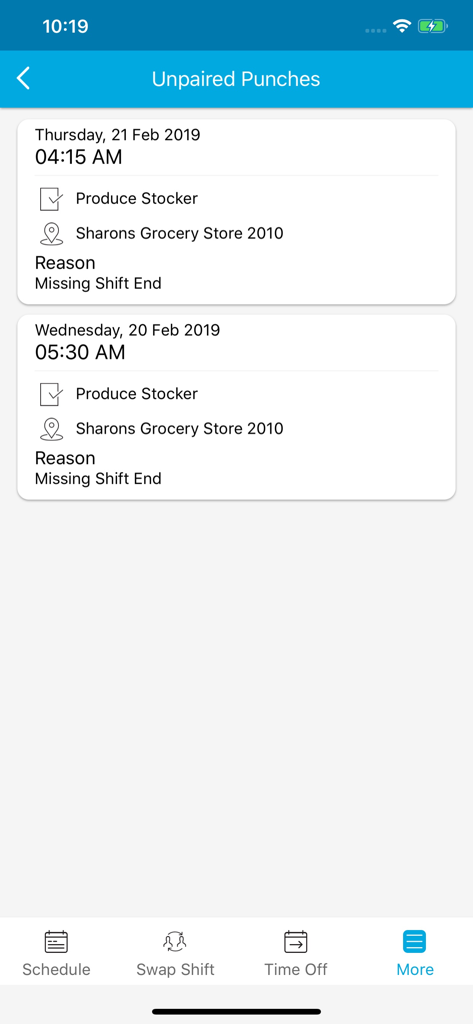
Blue Yonder Workforce provides extensive employee self-service features, including Schedule, Shift Offer, Swap Shift, Time Off, Available Shifts, My Availability, Edited Punches, Unpaired Punches, and Pay Summary.
Yes, the Blue Yonder Workforce app allows users to view their detailed work schedule. It displays shift times, job roles, locations, and the duration for each scheduled shift.
Blue Yonder Workforce manages time off requests, allowing users to view upcoming and historical requests. The app clearly indicates the status of each request as pending, approved, or denied.
Blue Yonder Workforce displays unpaired punches with crucial details. This includes the date, job role, location, and the specific reason for the missing punch, such as a 'Missing Shift End.'
Yes, Blue Yonder Workforce includes a 'Pay Summary' feature. Users can access this section via the 'More' menu to review their compensation and earnings information directly within the application.
Apps with similar features and user experience

Paylocity Corporation

Paychex Inc.

Paycom Payroll, LLC

Gusto, inc.

AMZN Mobile LLC

TaxDome LLC

Walmart

Peninsula Online Services Limited

Senior Sistemas S/A
App information, icons, screenshots, and descriptions displayed on this page are sourced from the Apple App Store and are the property of their respective developers. Download estimates and rankings are based on MWM's proprietary models and may not reflect actual figures. This page is provided for informational and analytical purposes only.
Believe this page infringes your intellectual property? File a dispute