
This page is not an official page of the app or its developer, but an independent editorial publication created for informational and commentary purposes. Unless expressly stated otherwise, neither the app nor its developer is affiliated with, endorsed by, sponsored by, authorized by, or otherwise officially connected with MWM, Apple, Google Play, the app publisher, or the app's developer, and nothing on this page implies that the app was developed using MWM's services. Any trademarks, logos, screenshots, and other content remain the property of their respective owners.

MyWalmart
Join the team or manage your journey as an associate. Take control of your schedule, connect with your team via walkie-talkie, and get instant answers with Ask Sam—all in one place.
Downloads
5M+User Rating
Total Ratings
535K+Publisher
Category
BusinessLocales
1Latest Version
1.35.5Size
333.0 MBFirst Released
Nov 14, 2019Your Workday, Simplified
Manage your career, master your schedule, and stay connected with the tools designed specifically for Walmart associates and future candidates.
Total Schedule Control
View your shifts, request time off, and swap or pick up extra hours directly from your phone to better balance your life.
Meet Ask Sam
Use your personal voice assistant to get instant answers on product locations and metrics so you can help customers with confidence.
Frequently Asked Questions
Everything you need to know about MyWalmart
What is the MyWalmart app used for?
The MyWalmart app serves Walmart associates by providing tools for schedule management, communication, and task coordination. It also allows customers to learn about Walmart careers and apply.
How do Walmart associates access internal features in the MyWalmart app?
Walmart associates must enroll in 2-step verification to access internal features like schedule viewing, time-off requests, Ask Sam, My Team, and Inbox within the MyWalmart app.
Can I manage my work schedule using the MyWalmart app?
Yes, the MyWalmart app allows associates to view their schedule, manage time-off requests, and swap or pick up unfilled shifts directly within the application.
What is Ask Sam in the MyWalmart app?
Ask Sam is a search and voice assistant within the MyWalmart app. It helps associates answer questions related to products, metrics, and other work-related inquiries. Its intelligence grows with more questions.
Does the MyWalmart app include a team communication feature?
Yes, the MyWalmart app features "My Team," which provides a roster view of who is working and an in-app walkie-talkie feature to stay connected with other associates and your team.
Can I apply for a job at Walmart through the MyWalmart app?
Yes, the MyWalmart app provides a venue for customers to learn about Walmart's history, values, benefits, and apply for a career with the company.
How does MyWalmart app help with inventory management?
The MyWalmart app helps with inventory management by allowing associates to view item information, check current inventory levels, edit on-hand quantities, and manage salesfloor locations. Features like VizPick are also available.
Does the MyWalmart app provide a translator tool?
Yes, the MyWalmart app includes a Translator feature that allows users to translate text, as demonstrated by an English to Spanish translation of a leave of absence request.
Can associates check their clock-in status on the MyWalmart app?
Yes, associates can view their current status, such as "Clocked in," and access their timeclock details directly from the home screen of the MyWalmart app.
What kind of tasks can I review in the "Work" section of the MyWalmart app?
The "Work" section in the MyWalmart app allows associates to review personalized action lists and "To do" tasks. Examples include topstock assignments in specific aisles.
Are all MyWalmart app features available everywhere?
No, the app description states that some features of the MyWalmart app may be unavailable in certain locations.
The following screenshots and description are sourced directly from the app's official store listing and are the property of the app developer.
App Store
Screenshots
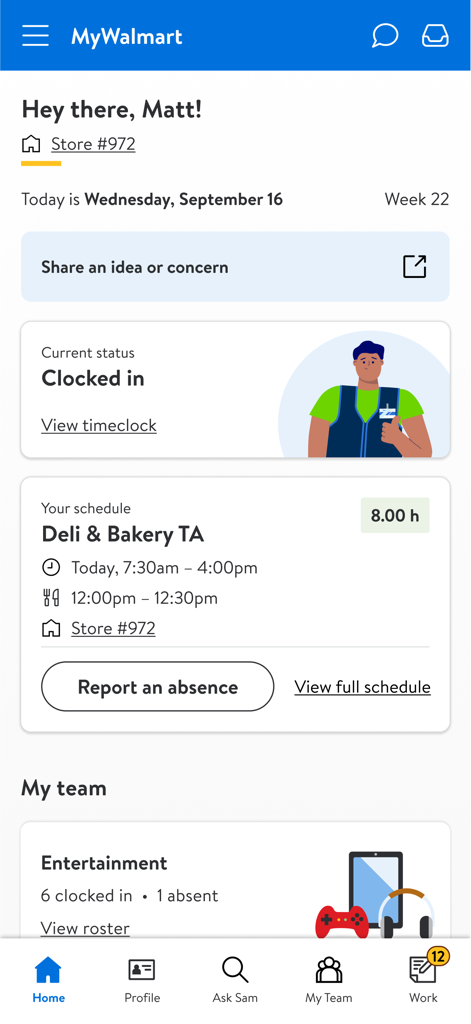
Home screen of the MyWalmart app for an employee showing their current status as clocked in and their work schedule.
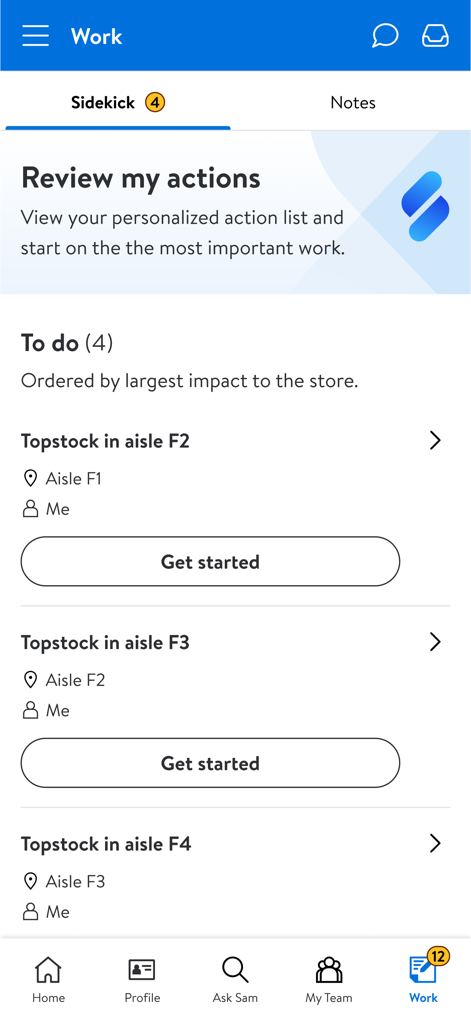
The Work screen of the MyWalmart app displaying a personalized action list and task assignments for retail associates
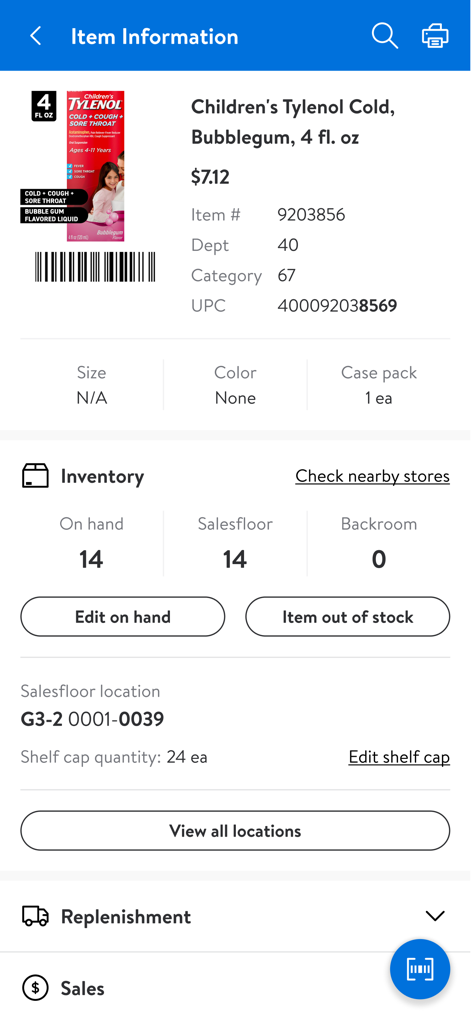
MyWalmart app interface showing stock levels and salesfloor location for a specific product
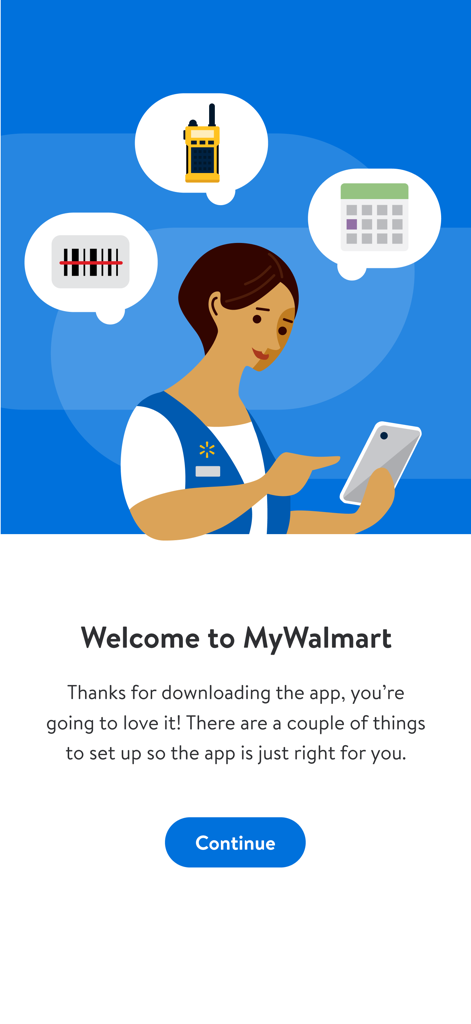
MyWalmart app welcome screen featuring an illustration of a Walmart associate and icons for scheduling, communication, and scanning.
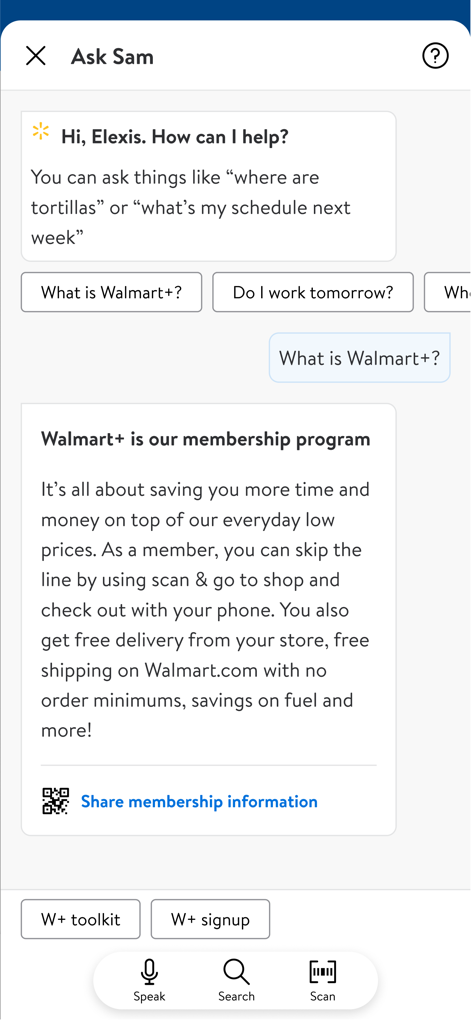
Interface of the Ask Sam AI voice assistant in the MyWalmart app explaining membership benefits to an associate.
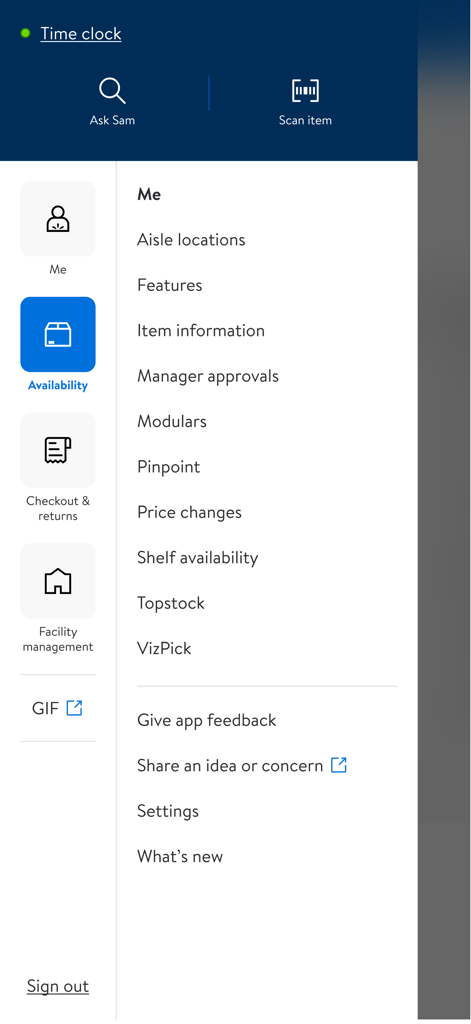
A menu interface from the MyWalmart app displaying features for associates like item information, price changes, and shelf availability.
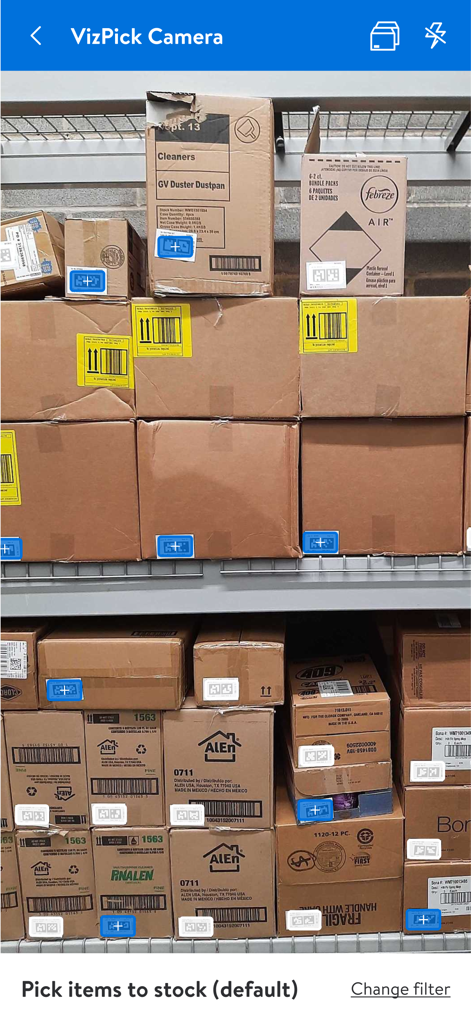
VizPick Camera screen in the MyWalmart app showing warehouse shelves with digital markers for stocking items
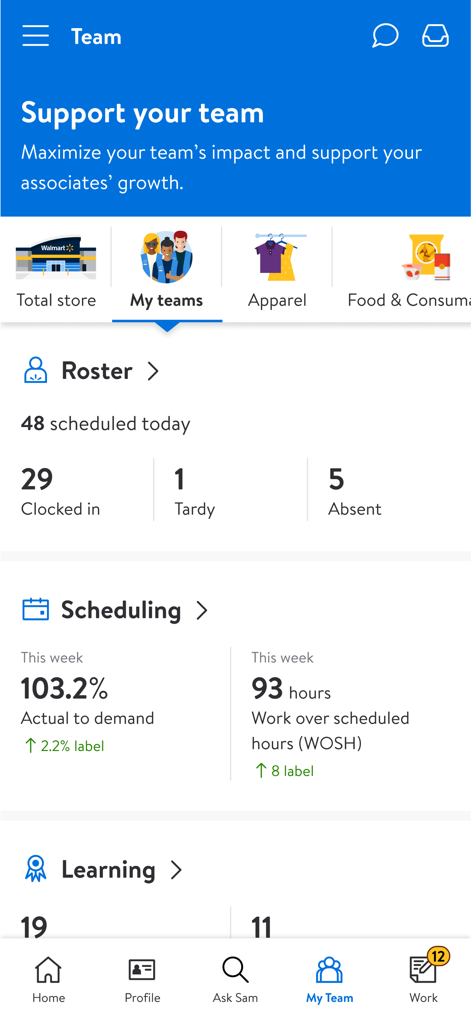
MyWalmart app dashboard displaying team roster and scheduling metrics for associates
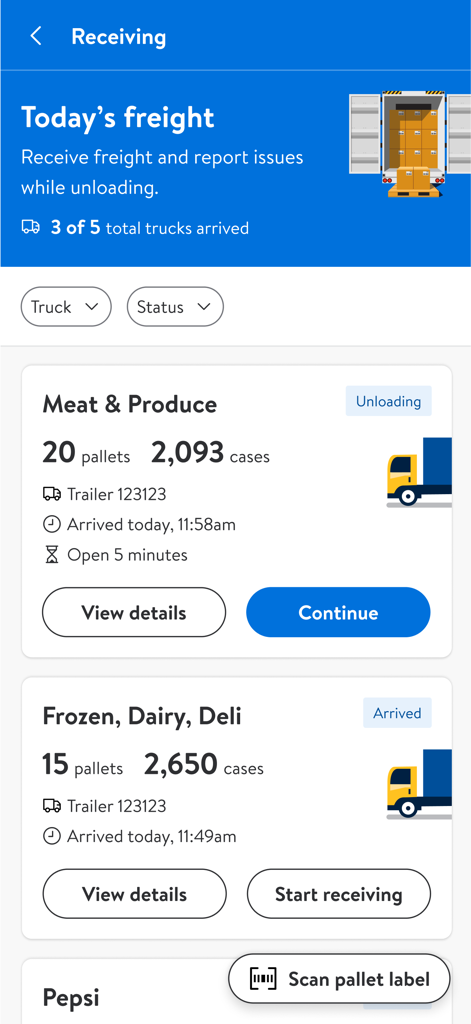
The MyWalmart app receiving screen displaying incoming freight, trailer numbers, and unloading status for meat and produce.
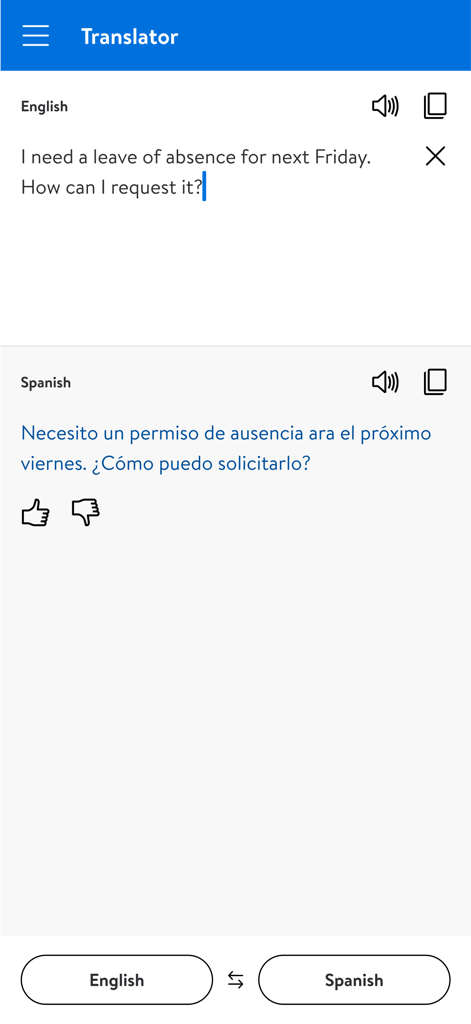
MyWalmart app translator screen showing English to Spanish translation of a leave of absence request.
Description
Download
More Like This
Apps with similar features and user experience

Paylocity
Paylocity Corporation

Paychex Flex
Paychex Inc.

Paycom
Paycom Payroll, LLC

Gusto Mobile
Gusto, inc.

Amazon A to Z
AMZN Mobile LLC

TaxDome Client Portal
TaxDome LLC

BrightHR
Peninsula Online Services Limited

Waapi
Senior Sistemas S/A

Buk
Buk SPA
This page is not an official page of the app or its developer, but an independent editorial publication created for informational and commentary purposes. Unless expressly stated otherwise, neither the app nor its developer is affiliated with, endorsed by, sponsored by, authorized by, or otherwise officially connected with MWM, Apple, Google Play, the app publisher, or the app's developer, and nothing on this page implies that the app was developed using MWM's services. Any trademarks, logos, screenshots, and other content remain the property of their respective owners.