
This page is not an official page of the app or its developer, but an independent editorial publication created for informational and commentary purposes. Unless expressly stated otherwise, neither the app nor its developer is affiliated with, endorsed by, sponsored by, authorized by, or otherwise officially connected with MWM, Apple, Google Play, the app publisher, or the app's developer, and nothing on this page implies that the app was developed using MWM's services. Any trademarks, logos, screenshots, and other content remain the property of their respective owners.

Gusto Mobile
The smarter way to run your business and manage your money. From running payroll on the go to accessing early pay and tracking hours, manage every aspect of work life in one easy app.
Downloads
3M+User Rating
Total Ratings
37K+Publisher
Category
FinanceLocales
1Latest Version
3.49.1Size
243.1 MBFirst Released
Sep 28, 2020Smart Tools for a Modern Workforce
Whether you're running a business or growing your career, Gusto simplifies payroll, benefits, and banking right from your pocket.
Payroll on the Go
Business owners can run regular or off-cycle payroll in seconds and approve team hours from anywhere.
Get Paid Faster
Employees can access paychecks up to 2 days early and automate savings goals with the built-in Gusto Wallet.
Frequently Asked Questions
Everything you need to know about Gusto Mobile
Can business owners run payroll using the Gusto Mobile app?
Yes, business owners and payroll administrators use the Gusto Mobile app to run both regular and off-cycle payroll efficiently on the go.
How do I onboard new employees with the Gusto Mobile app?
The Gusto Mobile app enables business owners to add and onboard new employees directly from the application. This streamlines the initial setup process for team members.
Can employees track their hours and request time off using Gusto Mobile?
Yes, employees use the Gusto Mobile app to track work hours and submit requests for time off. It allows direct management of their time from their mobile device.
Does Gusto Mobile offer early access to paychecks for employees?
Yes, employees receive paychecks up to 2 days early with a Gusto spending account. The app also provides access to advances between paydays through Gusto Wallet.
How can employees manage their paychecks in the Gusto Mobile app?
Employees manage paychecks by viewing past payments, seeing detailed breakdowns, and adjusting direct deposit routing to various bank accounts or savings goals directly within the Gusto Mobile app.
Can employers review and approve employee time and time off in Gusto Mobile?
Yes, employers use the Gusto Mobile app to review and approve their team's submitted hours and time off requests. This ensures accurate and timely payroll processing.
Is the Gusto Mobile spending account FDIC-insured?
Yes, the Gusto spending account, issued by nbkc bank, Member FDIC, is FDIC-insured. This insurance protects funds up to $250,000 per depositor.
What is Gusto Mobile used for?
Gusto Mobile simplifies payroll, paycheck management, time tracking, and savings for small businesses. It provides robust tools for both employers and employees to manage tasks on the go.
The following screenshots and description are sourced directly from the app's official store listing and are the property of the app developer.
App Store
Screenshots
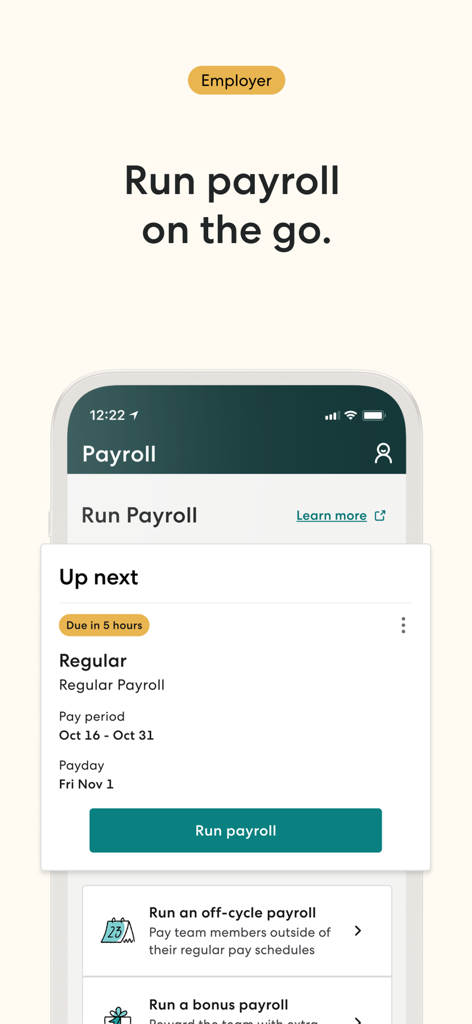
Gusto Mobile app interface showing an employer dashboard with an option to run payroll on the go
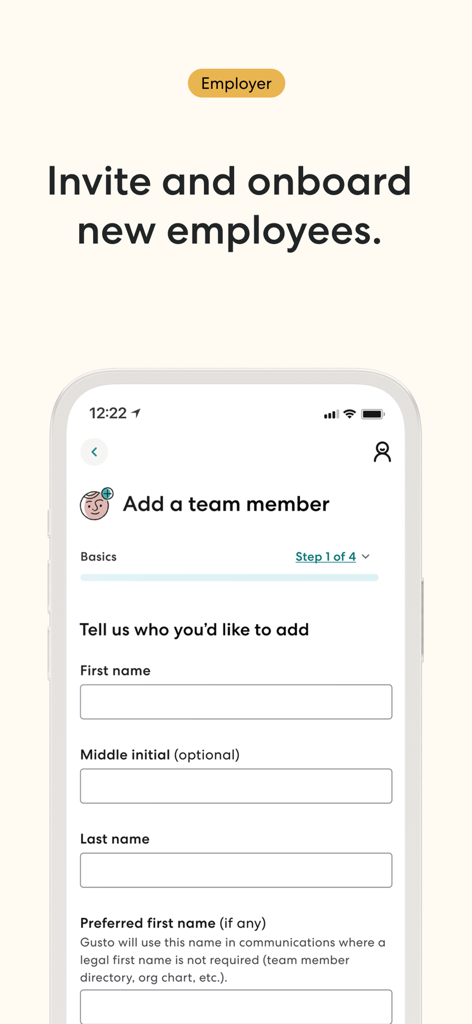
Gusto Mobile app interface for employers to invite and onboard new employees by entering basic team member details
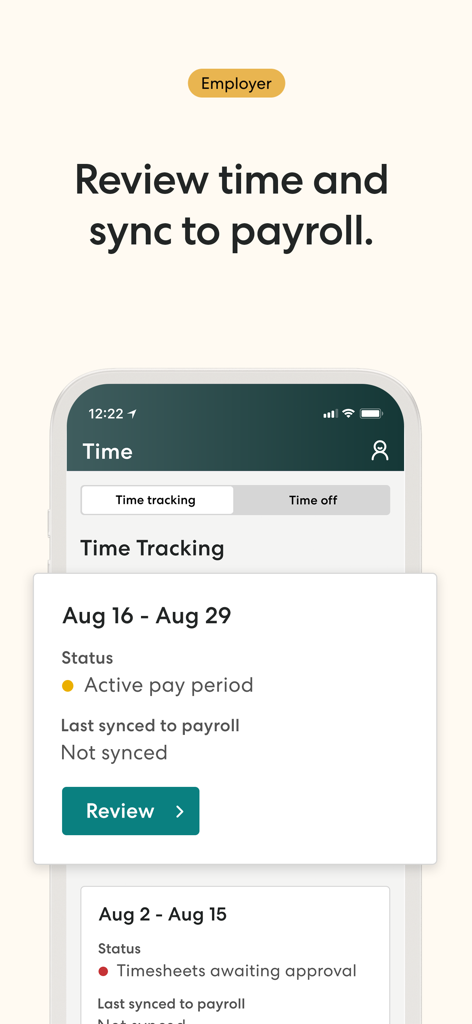
Gusto Mobile employer screen for reviewing employee hours and syncing to payroll.
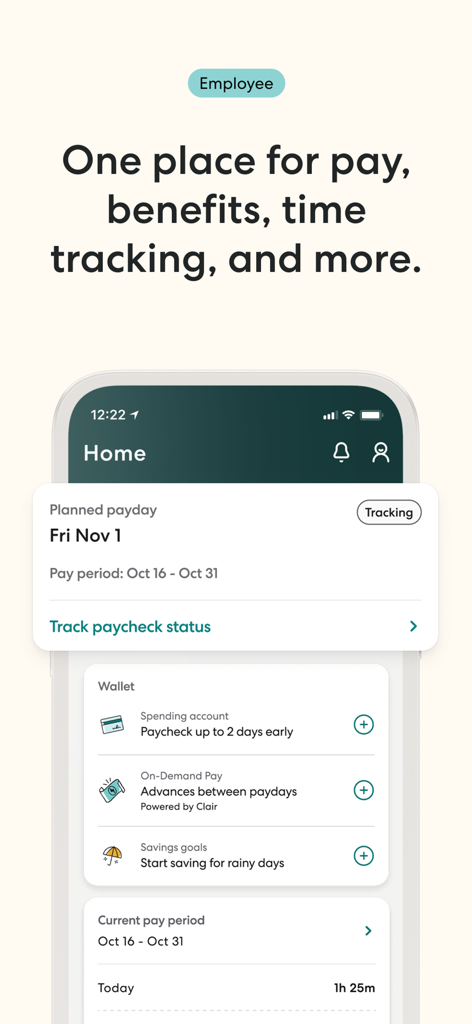
Gusto Mobile app dashboard for employees showing payday tracking and financial wallet features.
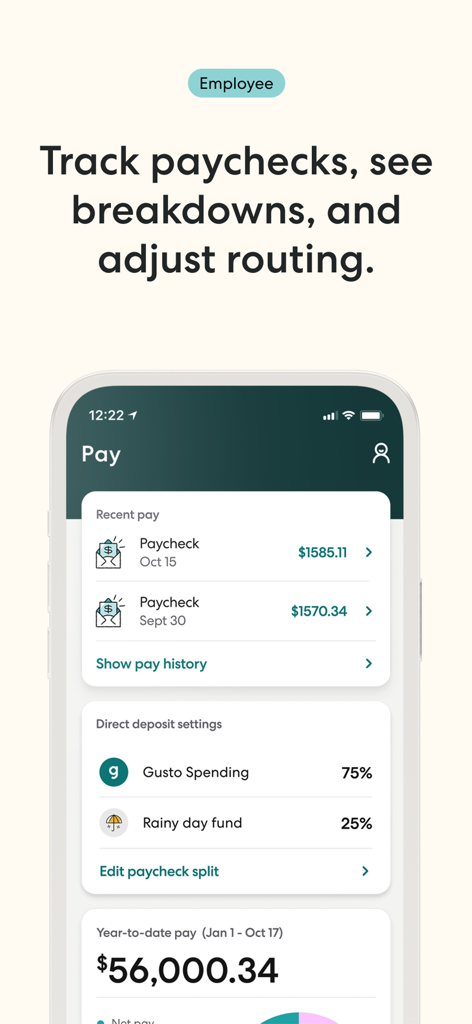
Gusto Mobile app screen displaying employee paycheck history and direct deposit settings
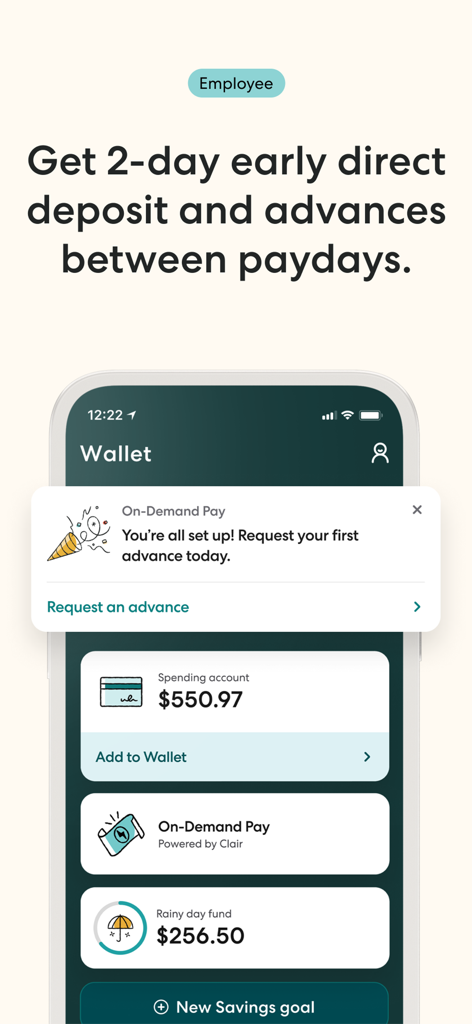
Gusto Mobile app wallet interface showing early direct deposit and employee spending account balances
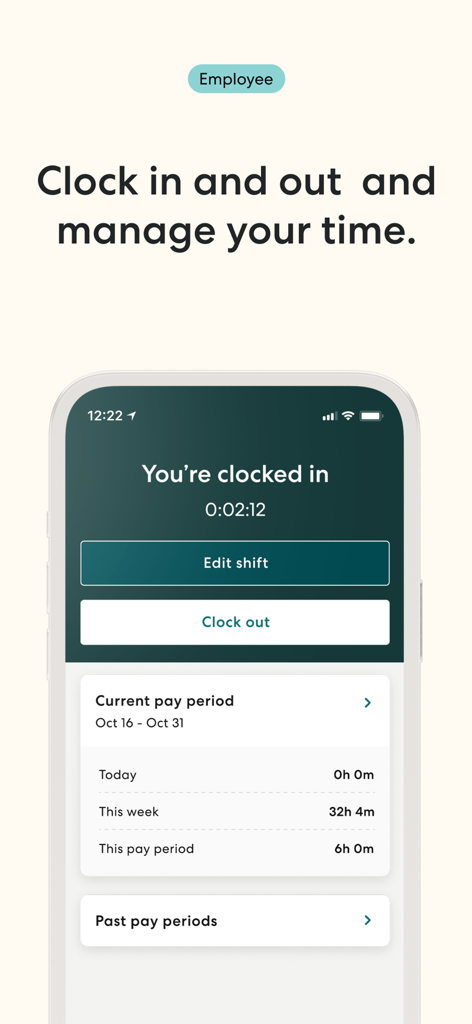
Gusto Mobile app employee interface showing time tracking and clock in status
Description
Download
More Like This
Apps with similar features and user experience

Paylocity
Paylocity Corporation

Paychex Flex
Paychex Inc.

Paycom
Paycom Payroll, LLC

Amazon A to Z
AMZN Mobile LLC

TaxDome Client Portal
TaxDome LLC

MyWalmart
Walmart

BrightHR
Peninsula Online Services Limited

Waapi
Senior Sistemas S/A
Buk
Buk SPA
This page is not an official page of the app or its developer, but an independent editorial publication created for informational and commentary purposes. Unless expressly stated otherwise, neither the app nor its developer is affiliated with, endorsed by, sponsored by, authorized by, or otherwise officially connected with MWM, Apple, Google Play, the app publisher, or the app's developer, and nothing on this page implies that the app was developed using MWM's services. Any trademarks, logos, screenshots, and other content remain the property of their respective owners.