Blur Photo Editor - Point Blur
Download on App Store

This page is not an official page of the app or its developer, but an independent editorial publication created for informational and commentary purposes. Unless expressly stated otherwise, neither the app nor its developer is affiliated with, endorsed by, sponsored by, authorized by, or otherwise officially connected with MWM, Apple, Google Play, the app publisher, or the app's developer, and nothing on this page implies that the app was developed using MWM's services. Any trademarks, logos, screenshots, and other content remain the property of their respective owners.

Logo of Blur Photo Editor - Point Blur
Download on App Store

Blur Photo Editor - Point Blur

Transform your photos with stunning bokeh backgrounds and artistic filters while effortlessly hiding sensitive details like faces, license plates, and personal info in seconds.

Key Figures

Downloads

0

User Rating

1.0/5

Total Ratings

0

Publisher

Jaydip Patoliya

Category

Photo & Video

Locales

1

Latest Version

1.2.5

Size

18.7 MB

First Released

Mar 1, 2023
Features

Elevate Your Visuals & Protect Your Privacy

The ultimate precision tool for creating professional-grade bokeh effects and securing your personal information in seconds.

Smart Privacy Protection

Effortlessly censor sensitive details like license plates, credit cards, or faces to keep your digital identity safe.

Pro-Level Bokeh Effects

Achieve a high-end DSLR look using Gaussian and artistic blur filters that make your subjects pop on every feed.

The following screenshots and description are sourced directly from the app's official store listing and are the property of the app developer.

App Store

Screenshots
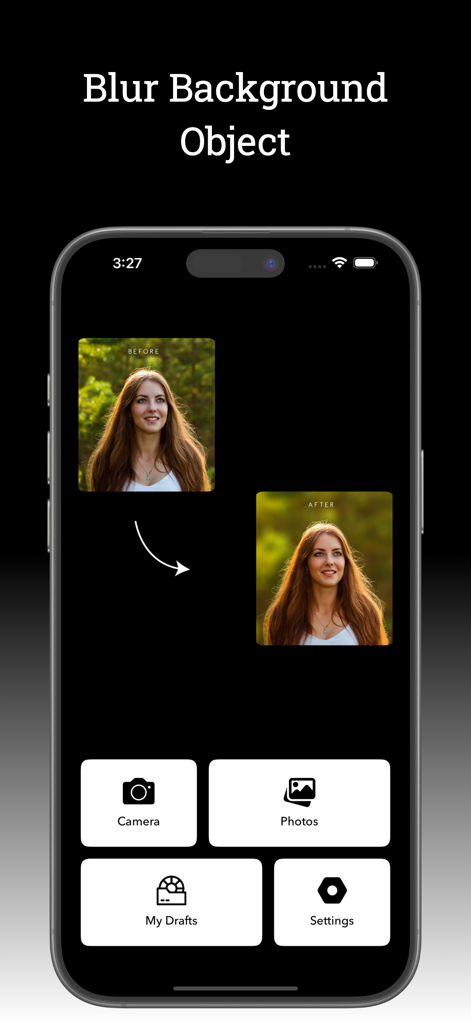
Blur Photo Editor - Point Blur - Blur Photo Editor app main screen showing a before and after example of a portrait with a blurred background along with navigation buttons for camera and photos
Blur Photo Editor app main screen showing a before and after example of a portrait with a blurred background along with navigation buttons for camera and photos

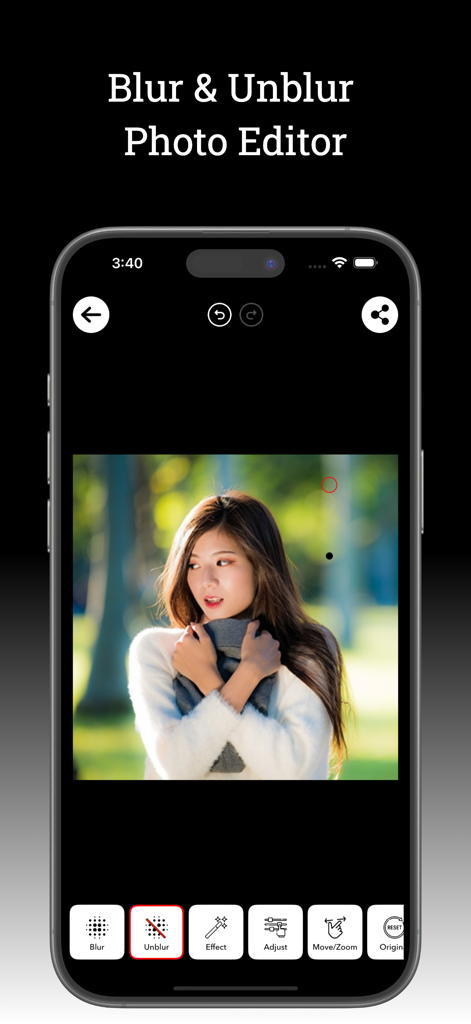
Blur Photo Editor - Point Blur - Interface of the Blur Photo Editor app showing a portrait photo being edited with blur and unblur tools
Interface of the Blur Photo Editor app showing a portrait photo being edited with blur and unblur tools

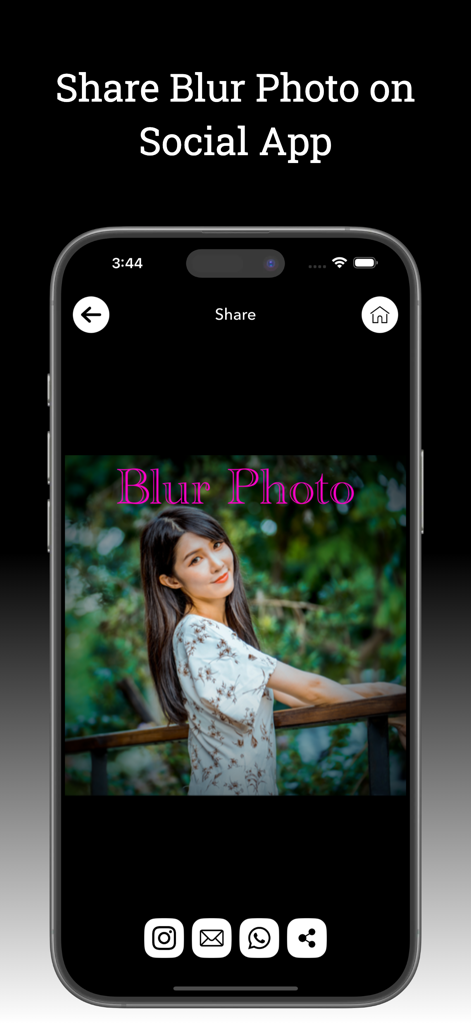
Blur Photo Editor - Point Blur - A smartphone screen displaying the option to share a blurred photo to social media apps like Instagram and WhatsApp.
A smartphone screen displaying the option to share a blurred photo to social media apps like Instagram and WhatsApp.

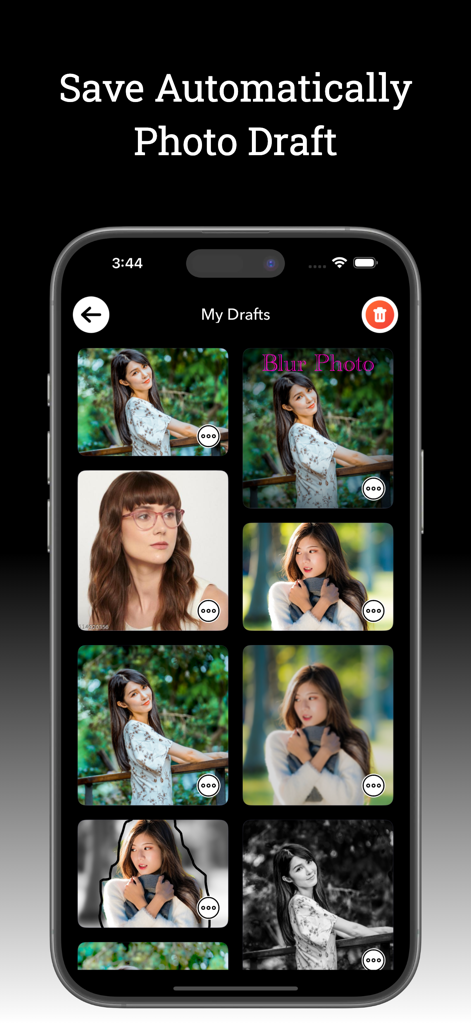
Blur Photo Editor - Point Blur - A mobile phone screen displaying a gallery of automatically saved photo drafts within the app interface
A mobile phone screen displaying a gallery of automatically saved photo drafts within the app interface

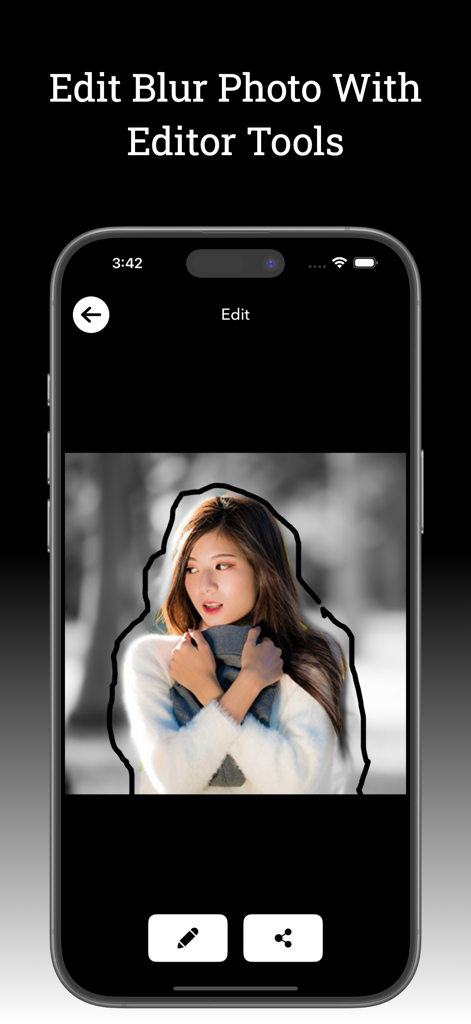
Blur Photo Editor - Point Blur - Blur Photo Editor app interface showing a user manually outlining a person to apply point blur effects.

Blur Photo Editor app interface showing a user manually outlining a person to apply point blur effects.

Description

Blur Photo Editor - Point Blur Blur Photo Editor - Point Blur is a amazing photo blurring app for iPhone and iPad, designed to precisely blur backgrounds, sensitive details like license plates or credit card numbers, and any unwanted objects in your photos. With this app, you can also pixelate or censor faces, ensuring privacy and professional-looking edits with easy. Blur Photo Editor - Point Blur is a fast and easy-to-use photo editing app that lets you blur any part of an image effortlessly. Whether you want to blur backgrounds, hide unwanted objects, or create stunning blur effects, this app provides powerful tools for precise editing. Easily touch, zoom in, zoom out, and move images to adjust their size for perfect framing. Simply use your finger to blur unwanted parts of your photo while keeping the important areas sharp and in focus.• Save & Share – Export your blurred photos and share them on social media. Key Features: • Easy-to-Use Interface – Simple, intuitive, and designed for everyone. • Precise Blur Control – Adjust blur levels for perfect results. • Touch & Blur – Just tap on unwanted areas to blur them instantly. • Zoom & Move – Resize and position your image for accurate editing. • Point Blur Effect – Use the selection slider for focused blur effects. • Undo & Redo Options – Easily correct mistakes. • Save & Share – Export your blurred photos and share them on social media. Photo Editor App Features: • Creative Filters • Advanced Photo Adjustments • Unique Photo Effects • Blur & Focus Tools • Rotate & Align Photos • Draw on Images • Angle & Orientation Adjustments • Crop & Trim Photos • Add Custom Text • Resize & Scale Images • Fun Stickers & Overlays • And Much More! Stunning Blur Effects • Easily blur backgrounds or specific parts of an image with professional-grade blur effects. Choose from Gaussian, Bokeh, and Mosaic blur to create eye-catching photos. You can also apply Water, Glass, and Paint blur effects to add a unique artistic touch, making your selfies and images stand out effortlessly.

 Powerful Blur & Unblur Tools • Enhance your photos effortlessly with advanced blurring tools in Blur Photo Editor. Choose from Normal, Circle, and Band Blur to shift focus and highlight the subject of your image. If you blur an area by mistake, easily restore clarity with the unblur feature for precise editing. [About Blur Photo Editor - Point Blur ] • Payment will be charged to the iTunes account upon confirmation of purchase • Subscription automatically renews unless auto-renew is turned off at least 24 hours before the end of the current period. • Accounts will be charged for renewal within 24 hours of the expiration of the current period • Any unused portion of the free trial period, if offered, will be forfeited when the user purchases a subscription. • Subscriptions can be managed by the user, and auto-renewal can be turned off by going to iTunes Subscriptions after purchase. Download Blur Photo Editor - Point Blur now and transform your photos like a pro! Privacy Policy: https://sites.google.com/view/developer-planet/privacy-policy Terms of use: https://sites.google.com/view/developer-planet/terms-of-use

Download

Download on App Store

This page is not an official page of the app or its developer, but an independent editorial publication created for informational and commentary purposes. Unless expressly stated otherwise, neither the app nor its developer is affiliated with, endorsed by, sponsored by, authorized by, or otherwise officially connected with MWM, Apple, Google Play, the app publisher, or the app's developer, and nothing on this page implies that the app was developed using MWM's services. Any trademarks, logos, screenshots, and other content remain the property of their respective owners.