Blur Photo - Tool

Blur Photo - Tool

Download on App Store
Logo of Blur Photo - Tool

Blur Photo - Tool: Professional Focus and Privacy in One Tap

Transform your shots with high-quality background blur and manual precision. Works 100% offline to keep your photos private and your subjects standing out.

Download on App Store

Publisher

Aleksander Ilnitskiy

Category

Utilities

Downloads

0

User Rating

1.0/5

Total Ratings

0

Locales

1

Focus on What Matters

Discover the interface used by 0 users.
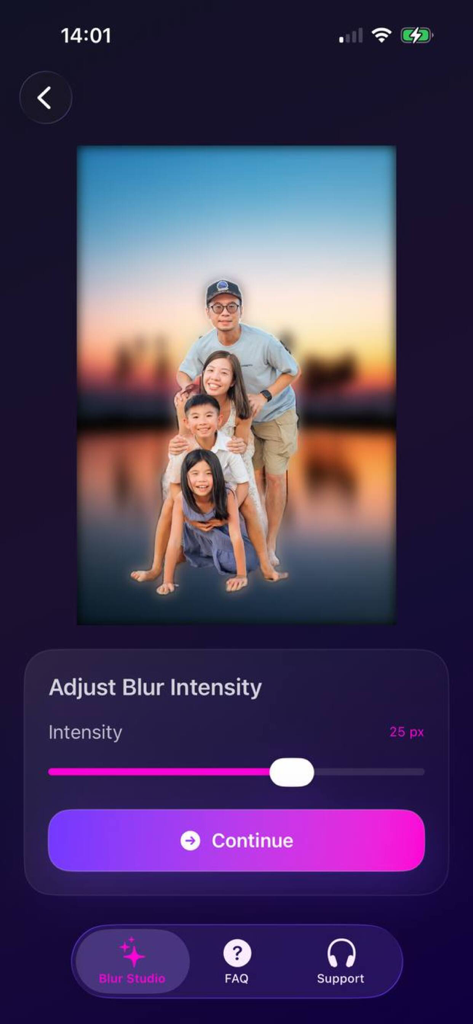
A mobile app interface showing a family portrait with a blurred background and a slider to adjust the blur intensity.

A mobile app interface showing a family portrait with a blurred background and a slider to adjust the blur intensity.

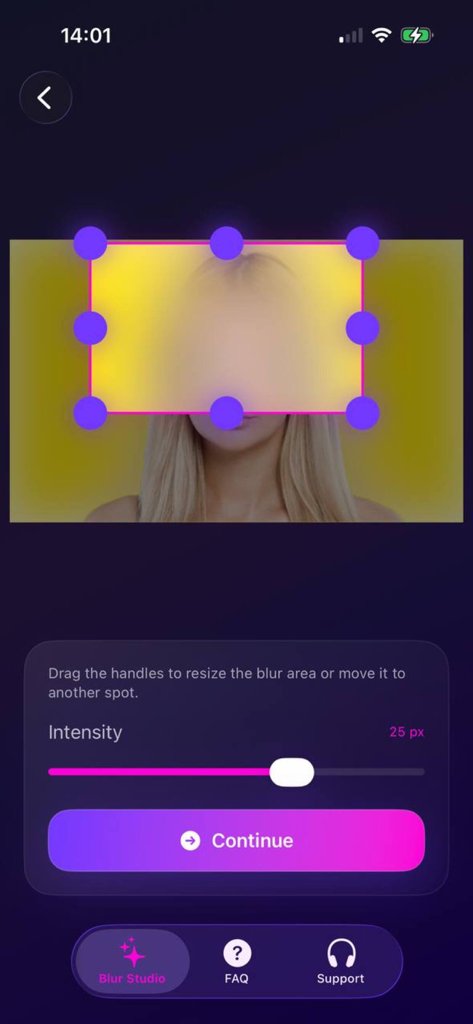
Screenshot of the Blur Photo app showing a manual rectangular blur selection over a person's face with purple resize handles and an intensity slider below.

Screenshot of the Blur Photo app showing a manual rectangular blur selection over a person's face with purple resize handles and an intensity slider below.

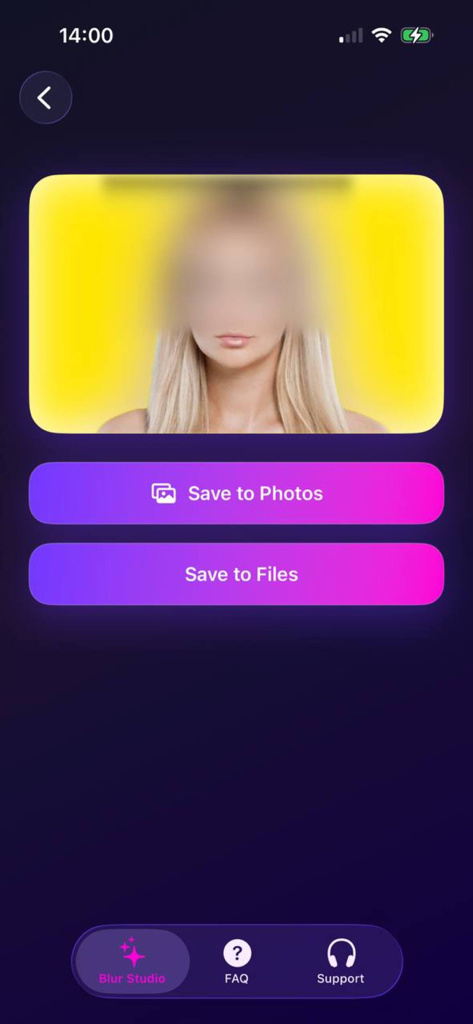
Screenshot of the Blur Photo Tool export screen showing options to save a blurred image to photos or files

Screenshot of the Blur Photo Tool export screen showing options to save a blurred image to photos or files

Everything You Need for the Perfect Shot

The tools that make this app stand out, trusted by 0 users.

🪄

Instant Background Magic

Effortlessly isolate your subject with AI-powered background detection for a clean, professional look in seconds.

🔒

Secure Offline Editing

Edit with total peace of mind. Your photos stay on your device, ensuring maximum privacy and zero data usage.

🎯

Manual Precision Control

Take charge of the details. Blur faces, license plates, or messy backgrounds with high-accuracy manual brushes.

About the app

Everything you need to know about Blur Photo - Tool.

Description

Blur Photo lets you instantly blur the background or any selected area in your pictures. Choose between automatic background blur or manual selection and adjust the intensity for a perfect, natural-looking effect. Main features: Background Blur: automatically detects and blurs the background in seconds Manual Area Blur: draw or select the exact area you want to blur Adjustable Intensity: control the blur strength for subtle or deep effects Offline Processing: edit photos safely, without internet connection High Quality Output: export clean, professional-looking photos Perfect for: Highlighting subjects in portraits Hiding sensitive information or faces Creating depth or artistic focus in photos How it works: Upload or take a photo Choose background or area blur mode Adjust the blur intensity Save or share your edited photo Why choose Blur Photo: Fast and accurate background detection Manual precision control for any detail Works fully offline for maximum privacy Simple and intuitive photo editor Make your photos stand out — blur what’s unnecessary and focus on what matters.

Latest Version

1.0

Size

2.5 MB

First Released

Nov 12, 2025

Focus on What Matters, Keep the Rest Private

Get professional-grade portraits and protect your sensitive data with 100% offline processing. Download now to start blurring in seconds.

Download on App Store

App information, icons, screenshots, and descriptions displayed on this page are sourced from the Apple App Store and are the property of their respective developers. Download estimates and rankings are based on MWM's proprietary models and may not reflect actual figures. This page is provided for informational and analytical purposes only.

Believe this page infringes your intellectual property? File a dispute