
This page is not an official page of the app or its developer, but an independent editorial publication created for informational and commentary purposes. Unless expressly stated otherwise, neither the app nor its developer is affiliated with, endorsed by, sponsored by, authorized by, or otherwise officially connected with MWM, Apple, Google Play, the app publisher, or the app's developer, and nothing on this page implies that the app was developed using MWM's services. Any trademarks, logos, screenshots, and other content remain the property of their respective owners.


BNZ Mobile
Securely manage your NZ accounts, pay bills, and track your KiwiSaver from anywhere in the world. Experience the 5-star mobile banking app designed for your global lifestyle.
Downloads
545K+User Rating
Total Ratings
49K+Publisher
Category
FinanceLocales
2Latest Version
17.25.0Size
88.0 MBFirst Released
Jun 30, 2011Your Financial Bridge to New Zealand
Manage your NZ accounts, retirement funds, and family obligations from the USA with a high-performance banking experience designed for the global professional.
Seamless Cross-Border Management
Pay IRD bills, handle NZ mortgages, or top up family mobile plans instantly without international call wait times or expensive toll charges.
World-Class Security & Peace of Mind
Protect your assets with Face ID, biometric login, and advanced behavioral fraud detection that keeps your legacy accounts safe from anywhere in the world.
Frequently Asked Questions
Everything you need to know about BNZ Mobile
What iOS version is required for the BNZ app?
Yes, the BNZ app requires iOS 17 or above for first-time downloads. If you have downloaded the app previously, you need iOS 15 or above.
How does the BNZ app ensure secure banking for its users?
Yes, the BNZ app ensures secure banking through a personal 5-digit PIN, Internet Banking password, or biometric login methods like Touch ID and Face ID on supported devices.
Can I view my account balances and transaction history using the BNZ app?
Yes, the BNZ app allows you to view account balances and transaction history. You can also personalize accounts with images and set push notifications for money movements.
Can I transfer money between my accounts with the BNZ app?
Yes, the BNZ app allows you to easily transfer money between your own accounts. You can also make one-off payments and manage payees.
Does the BNZ app allow users to pay bills?
Yes, the BNZ app enables you to pay your bills, credit card, or IRD. You can also set up, edit, and delete automatic payments for recurring expenses.
Can I top up my prepaid mobile using the BNZ app?
Yes, the BNZ app supports topping up prepaid mobile services for One NZ, Spark, Skinny, and 2degrees directly from within the application.
Does the BNZ app support Apple Pay for mobile payments?
Yes, the BNZ app supports Apple Pay. This allows users to pay with their phone, enabling faster and more secure transactions.
How does the BNZ app detect and prevent fraud?
The BNZ app collects information about user behavior, such as typing, scrolling, and swiping, to detect and prevent fraudulent activity by identifying patterns that are not typical for the user.
Can I categorize my spending within the BNZ app?
Yes, the BNZ app allows you to categorize your spending. The 'Activity' feature shows your total spend and breaks it down into top categories like Groceries, Bills, and Entertainment.
Does the BNZ app offer a dark mode?
Yes, the BNZ app includes a dark mode option. Users can change the appearance of the app in the settings to dark mode or default, which aligns with device settings.
Does the BNZ app support the Māori language?
Yes, the BNZ app supports banking in te reo Māori. This feature allows users to interact with the app in the Māori language.
Can I manage my card security settings within the BNZ app?
Yes, the BNZ app allows you to manage card security settings easily. You can toggle features like payWave, ATM use, online purchases, and overseas shopping for your Flexi Debit Visa card.
The following screenshots and description are sourced directly from the app's official store listing and are the property of the app developer.
App Store
Screenshots
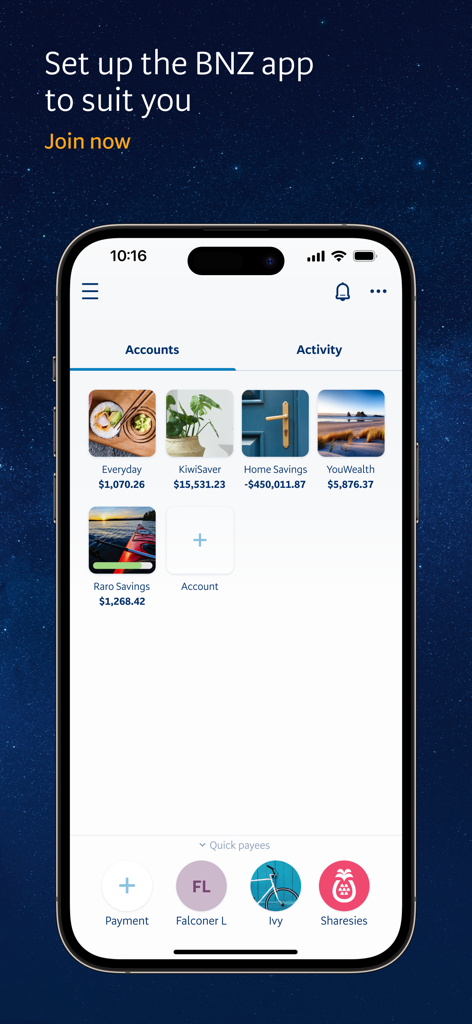
BNZ Mobile app interface displaying personalized account tiles for everyday banking and KiwiSaver
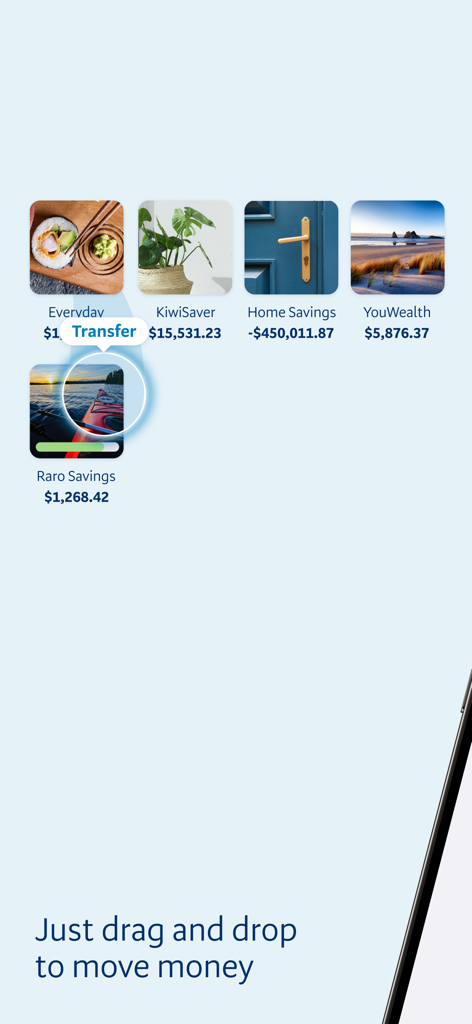
BNZ Mobile app interface showing the drag and drop feature for transferring money between personalized bank accounts
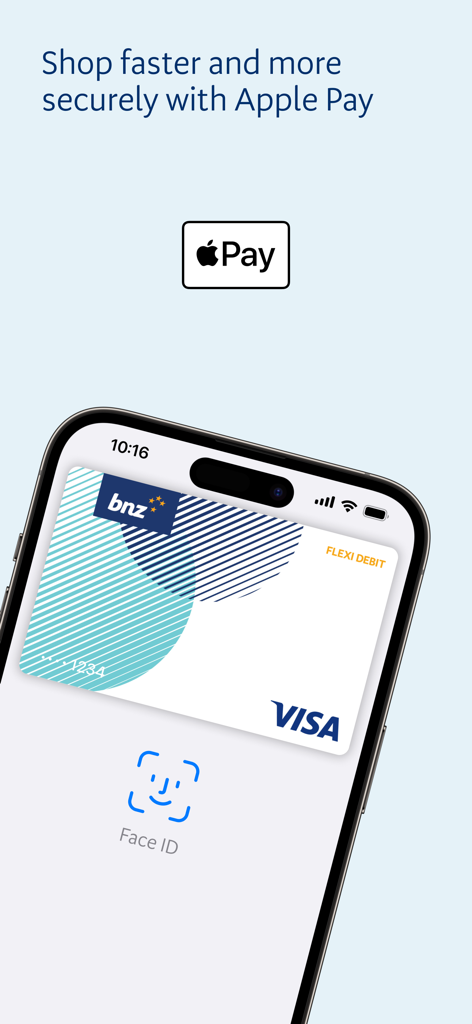
BNZ Mobile app screen featuring Apple Pay support and Face ID authentication for a Visa card
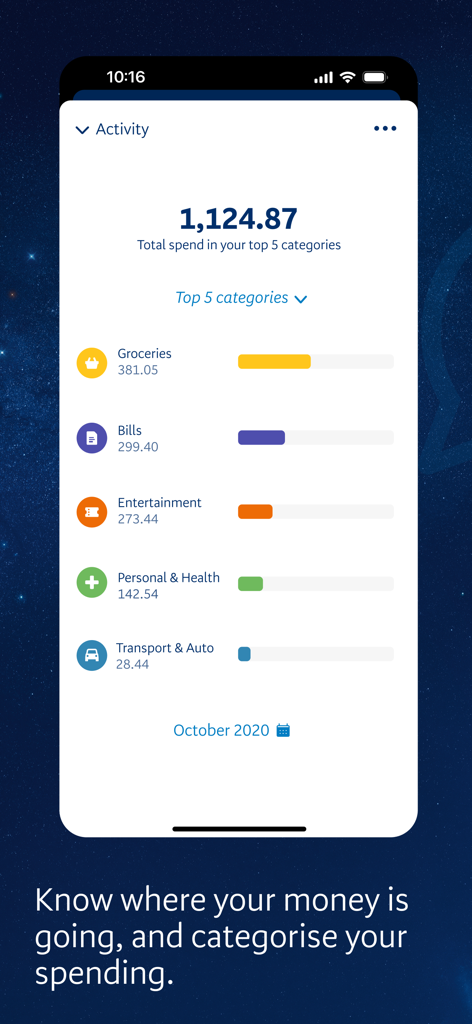
BNZ Mobile activity screen showing spending breakdown by category
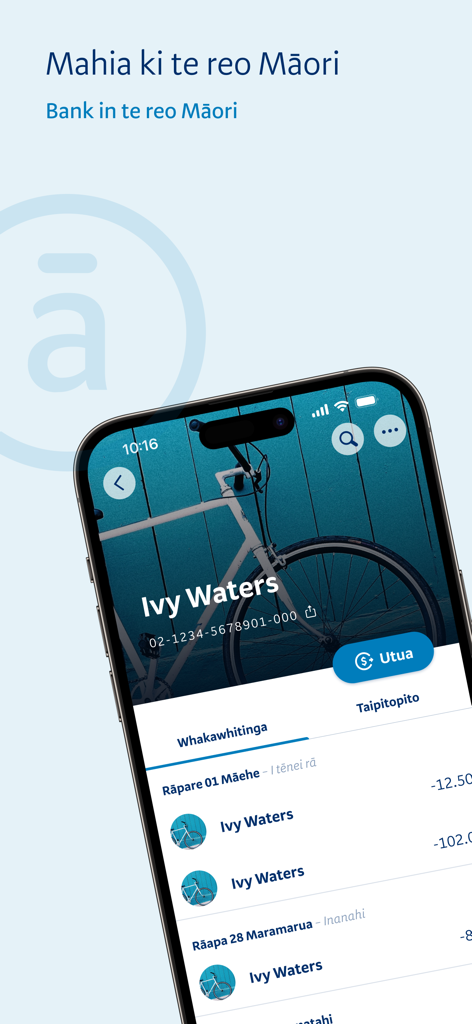
BNZ Mobile app screen displaying transaction history and account details in the Maori language.
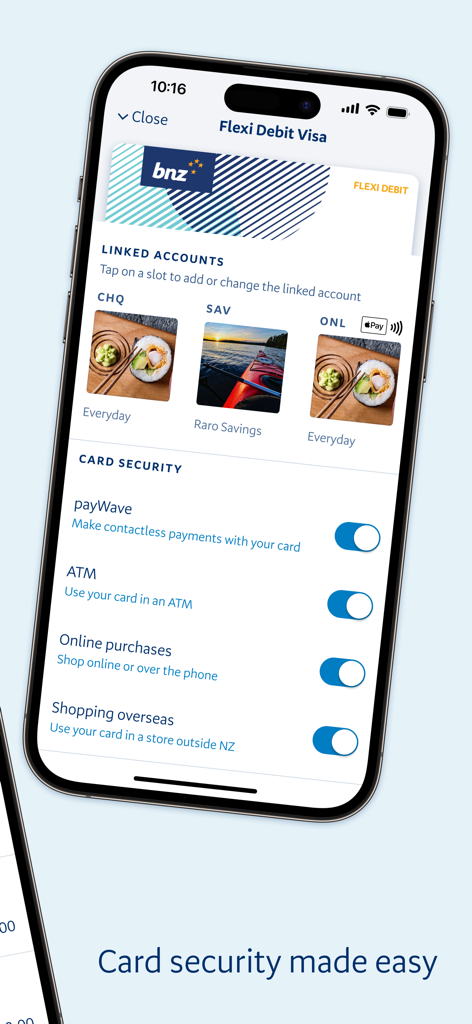
BNZ Mobile app screen showing debit card security controls and linked accounts with personalization images
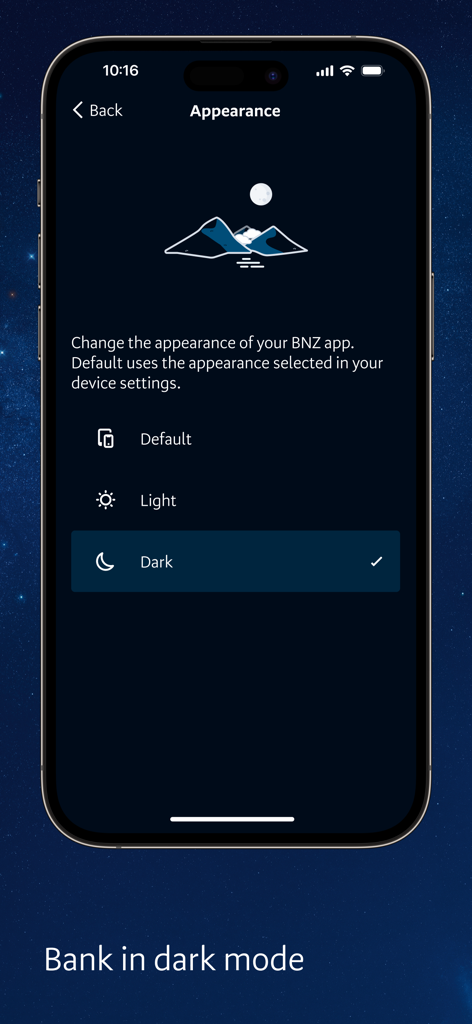
BNZ Mobile app appearance settings screen showing dark mode option selected.
Description
Download
More Like This
Apps with similar features and user experience

Enpara Bank Cep Şube
Enpara Bank Anonim Sirketi

Alinma App - تطبيق الإنماء
Alinma Bank

Huntington Mobile Banking
The Huntington National Bank, Inc

國泰世華網路銀行CUBE
Cathay United Bank

中國信託行動銀行
CTBC Bank Co., Ltd.

FNB Banking App
FirstRand Bank Limited

Riyad Bank App
Riyad Bank

CIMB OCTO MY
CIMB Bank Berhad

Regions Mobile
Regions Financial
This page is not an official page of the app or its developer, but an independent editorial publication created for informational and commentary purposes. Unless expressly stated otherwise, neither the app nor its developer is affiliated with, endorsed by, sponsored by, authorized by, or otherwise officially connected with MWM, Apple, Google Play, the app publisher, or the app's developer, and nothing on this page implies that the app was developed using MWM's services. Any trademarks, logos, screenshots, and other content remain the property of their respective owners.