
This page is not an official page of the app or its developer, but an independent editorial publication created for informational and commentary purposes. Unless expressly stated otherwise, neither the app nor its developer is affiliated with, endorsed by, sponsored by, authorized by, or otherwise officially connected with MWM, Apple, Google Play, the app publisher, or the app's developer, and nothing on this page implies that the app was developed using MWM's services. Any trademarks, logos, screenshots, and other content remain the property of their respective owners.


Bolt Browser and Documents
The web fights for your data and attention. Bolt equips users to win that fight, offering an ad-free, private environment where content management thrives.
Downloads
12.5M+User Rating
Total Ratings
376.2KPublisher
Category
ProductivityLocales
11Latest Version
1.13Size
45.0 MBFirst Released
Jun 5, 2018Key Features Analysis of Bolt Browser and Documents
Examining core functionalities that cater to privacy, productivity, and content management for its target audience.
Ad Blocking
The app provides a zero-configuration ad blocking feature, allowing users to browse without distractions, save mobile data, and extend battery life.
Offline Content Access
It allows users to save documents and files for offline preview, ensuring access to essential content even without an internet connection.
Default Private Browsing
This tool features private browsing enabled by default, ensuring a higher level of privacy for user activities from the outset.
Biometric Data Security
It allows users to secure access to application data using biometric authentication, enhancing data protection.
Advanced Media Playback
This tool features adjustable playback speed and Picture-in-Picture mode, optimizing content consumption, particularly for educational or long-form videos.
Flexible Content Import
The app enables easy importing of documents and media directly from device Files and Photos, streamlining content management.
Frequently Asked Questions
Everything you need to know about Bolt Browser and Documents
Does Bolt Browser and Documents include ad blocking?
Yes, Bolt Browser and Documents features zero-configuration ad blocking. This allows users to browse without distraction, saving mobile data and extending battery life.
Does Bolt Browser and Documents support private browsing?
Yes, Bolt Browser and Documents supports private browsing by default. It is designed as a private and secure browser for user data protection.
How does Bolt Browser and Documents secure app data?
Bolt Browser and Documents secures app data through biometric authentication and passcode protection. Users can set a passcode to restrict access, as demonstrated in the app's security features.
Can users import documents and media into Bolt Browser and Documents?
Yes, Bolt Browser and Documents allows users to import documents and media from their device's Files and Photos applications. It also functions as a file manager.
Can Bolt Browser and Documents save files for offline preview?
Yes, Bolt Browser and Documents can save documents and files for offline preview. Options like HTML, Web Archive, Snapshot, and PDF are available for saving web content.
Does Bolt Browser and Documents offer adjustable playback speed and Picture in Picture?
Yes, Bolt Browser and Documents includes adjustable playback speed and Picture in Picture (PiP) functionality. These features are ideal for lectures and other media consumption.
The following screenshots and description are sourced directly from the app's official store listing and are the property of the app developer.
App Store
Screenshots
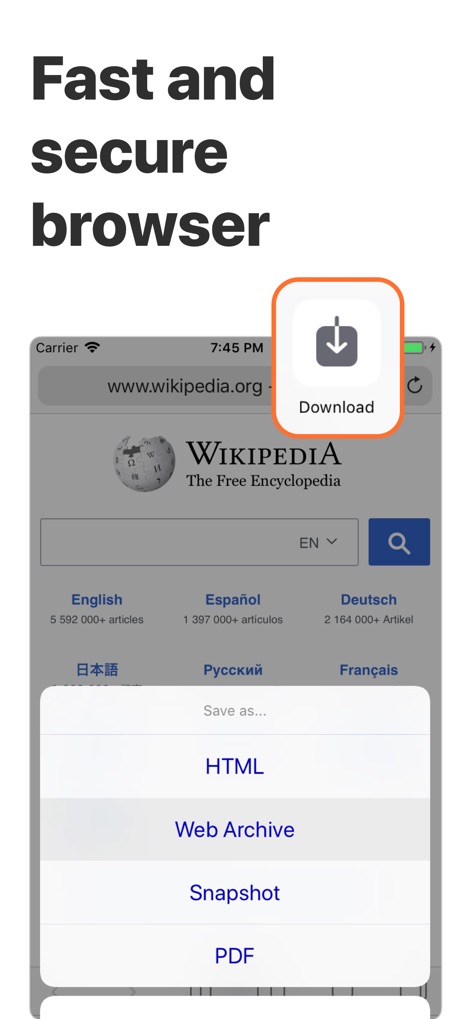
Effortless Content Saving
The app enables users to easily save web content directly from the browser with flexible options like HTML and PDF, ensuring efficient offline access.
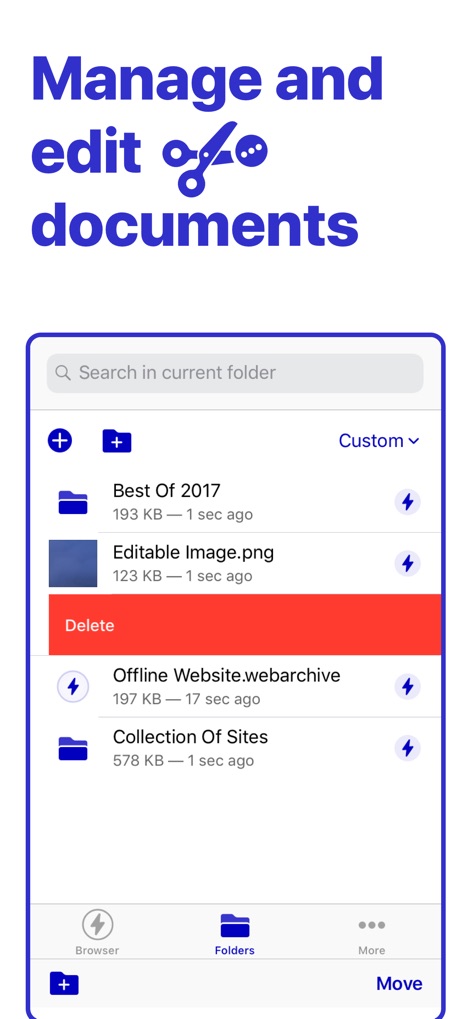
Organized Document Management
This tool provides robust file management, allowing users to organize documents into customizable folders and swiftly delete items with a swipe action.
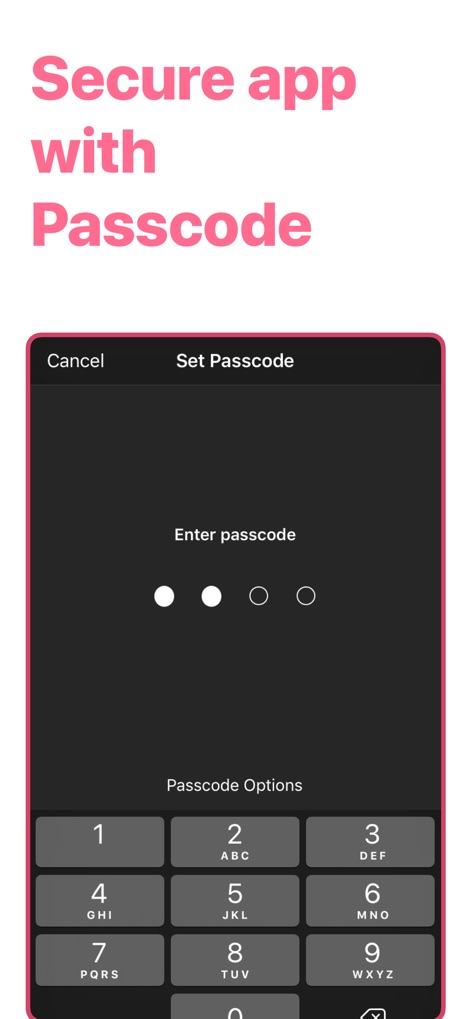
Private Data Protection
The app ensures data privacy with a secure passcode entry screen, featuring a clear numeric keypad and customizable Passcode Options for robust access control.
Description
Download
More Like This
Apps with similar features and user experience

Offline: Files, Browser, VPN
SAEED ABDULLAH ALHAJRI

密盒-私密空间
Succulent Technology Chongqing Co., Ltd.

MyMusic - Audio Player
Liana Kelerman

X Browser PRO - Private & Safe
Sani Dhola

AdBlock for Private Browsing
Iurban Mob Limited

Advanced Security: Web Protect
TOKTAMYS-ZHARY, TOO

Norton Private Browser
Gen Digital Inc.

Private Vault – Store Files
One Wave AB

Private Video Saver
Shenzhen Chai Lai Technology Co., Ltd.
This page is not an official page of the app or its developer, but an independent editorial publication created for informational and commentary purposes. Unless expressly stated otherwise, neither the app nor its developer is affiliated with, endorsed by, sponsored by, authorized by, or otherwise officially connected with MWM, Apple, Google Play, the app publisher, or the app's developer, and nothing on this page implies that the app was developed using MWM's services. Any trademarks, logos, screenshots, and other content remain the property of their respective owners.