Bring! Grocery Shopping List

Bring! Grocery Shopping List


Download on App StoreDownload on Google Play
Logo of Bring! Grocery Shopping List
Bring! Grocery Shopping List: The Smartest Way to Shop and Plan Together

Simplify your household logistics with the #1 shared shopping list app. Coordinate with your family in real-time, import recipes instantly, and never forget an item again.

Publisher

Bring! Labs AG

Category

Productivity

Downloads

9M+

User Rating

4.7/5

Total Ratings

372K+

Locales

13

Shopping Made Visual

Discover the interface used by 9M+ users.
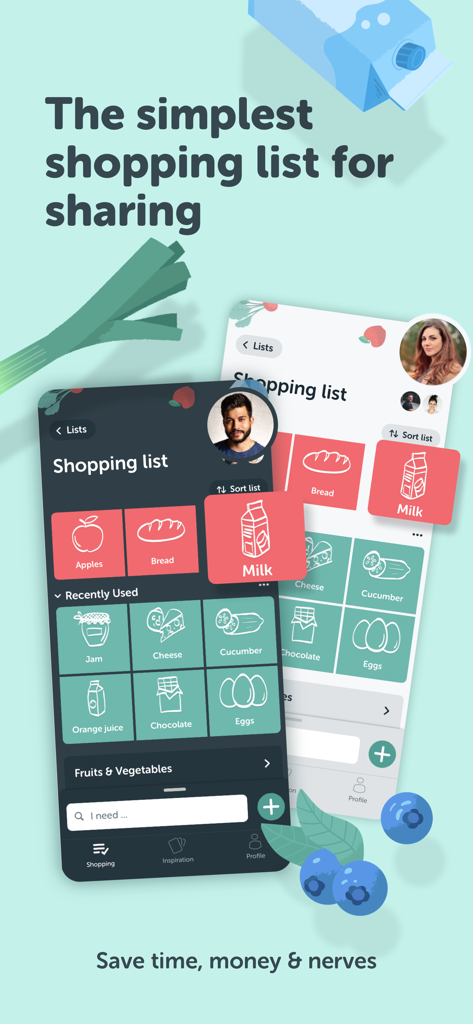
Bring grocery shopping list app interface showcasing shared lists and tile view for easy organization

Bring grocery shopping list app interface showcasing shared lists and tile view for easy organization

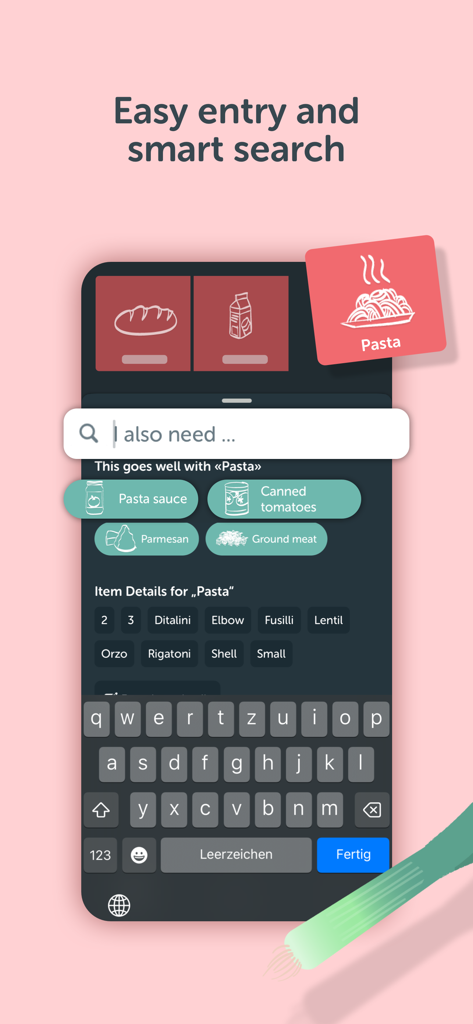
Smartphone screen showing the Bring! app smart search feature with ingredient suggestions for pasta.

Smartphone screen showing the Bring! app smart search feature with ingredient suggestions for pasta.

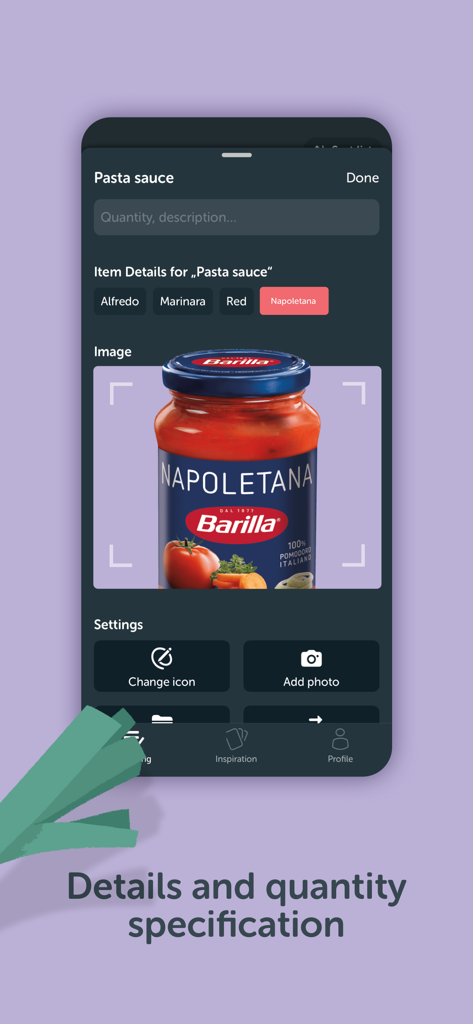
Mobile screen showing item details and quantity specification for pasta sauce with an uploaded product photo

Mobile screen showing item details and quantity specification for pasta sauce with an uploaded product photo

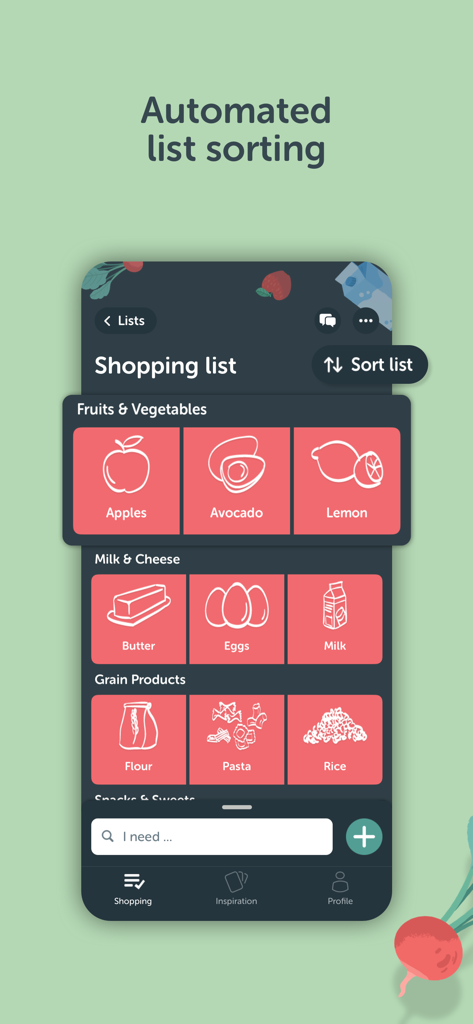
Automated list sorting feature in the Bring grocery shopping app showing food items categorized into tiles

Automated list sorting feature in the Bring grocery shopping app showing food items categorized into tiles

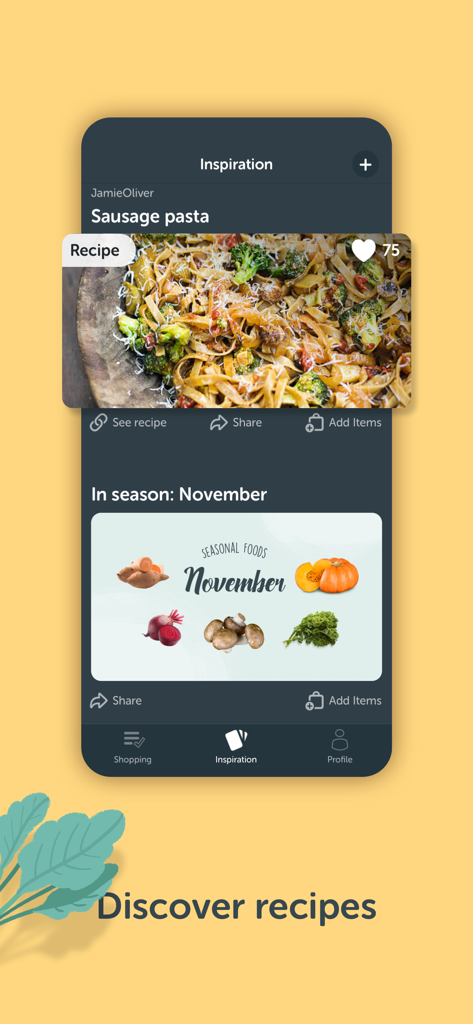
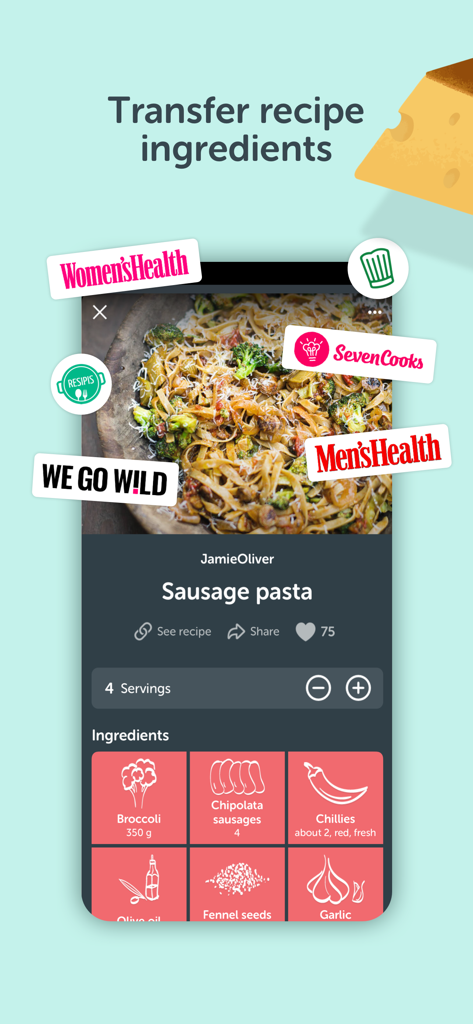
Bring! app inspiration tab showing a sausage pasta recipe and seasonal food recommendations for November

Bring! app inspiration tab showing a sausage pasta recipe and seasonal food recommendations for November

Bring app recipe screen showing ingredients for sausage pasta in a tile view

Bring app recipe screen showing ingredients for sausage pasta in a tile view

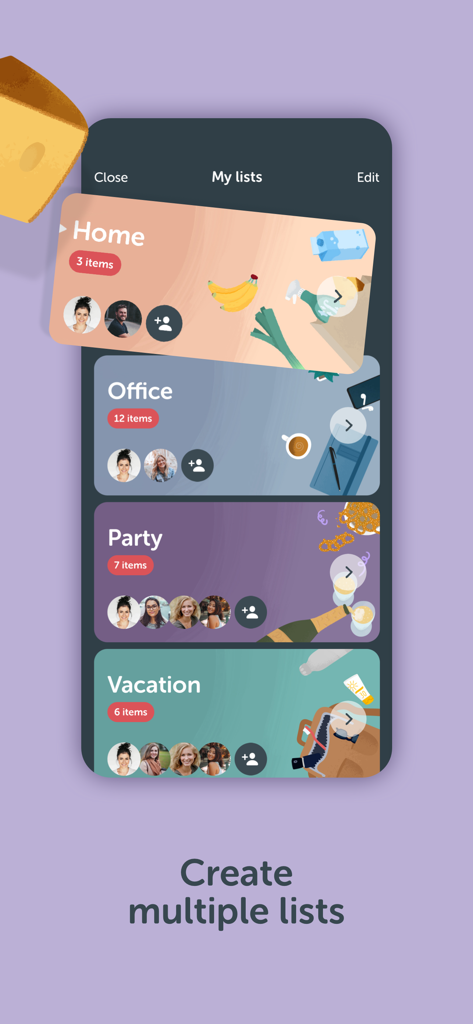
Interface of Bring app showing multiple categorized shopping lists for home office party and vacation

Interface of Bring app showing multiple categorized shopping lists for home office party and vacation

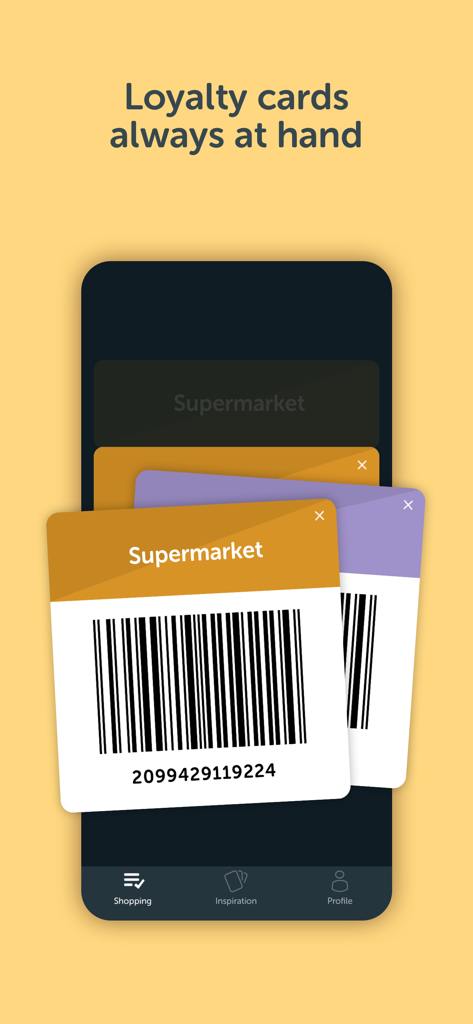
Digital loyalty cards with barcodes in the Bring grocery shopping app

Digital loyalty cards with barcodes in the Bring grocery shopping app

Groceries Simplified, Households Unified

The tools that make this app stand out, trusted by 9M+ users.

🏠

Real-Time Household Sync

End the 'did you get milk?' texts. Share lists with your partner or roommates and receive instant notifications when someone starts shopping.

🍳

One-Click Recipe Import

Turn inspiration into action. Import ingredients directly from your favorite food blogs into your list, saving you 15 minutes of manual typing.

Optimized In-Store Efficiency

Navigate aisles faster with visual item tiles and hands-free Apple Watch support. Keep your loyalty cards and local deals in one secure digital wallet.

About the app

Everything you need to know about Bring! Grocery Shopping List.

Description

Make grocery planning a piece of cake with Bring! – the best shopping list app for creating and sharing grocery store lists. It’s free and available for all devices. Create a shopping list now and plan your family grocery shopping with your household. Here’s why Bring! is the perfect app for you: 1. Your food shopping list available whenever and wherever you need it With Bring!, your grocery & shopping list is always at your fingertips and you can add items at any time. So, no more forgotten groceries! 2. Share your grocery shopping list in real time Say goodbye to paper lists, misunderstandings and duplicate purchases! Set up shared grocery lists with your loved ones, roommates or colleagues, and plan your shopping together. Thanks to automatic notifications, the whole household is kept informed about any changes to the list. 3. Easy input via voice command or smart search Create Bring! grocery shopping lists in no time using the smart search function, which automatically completes your entry and offers personalized product recommendations. Or you can simply create your free shopping list via voice command! 4. Add details and quantities Avoid buying the wrong products by adding descriptions, quantities or even your own photos to the items on your free grocery list. 5. Automatically organized lists The grocery shopping app saves you time while shopping by automatically grouping and organizing the items on your list. You can also customize the product categories in the app to match the aisles in your supermarket. 6. Discover and save tasty recipes Get inspired by a variety of seasonal, healthy, quick and family-friendly recipes. Save your favorites to create your very own recipe book. 7. Import ingredients from online recipes With just one click, you can import recipe ingredients from websites to your Bring! free grocery list with sync. The recipes are automatically saved in your recipe book, where you can access them at any time. 8. Make your grocery shopping more sustainable With seasonal food recommendations, the app can help you make more sustainable choices when planning your groceries and creating free shopping lists. 9. Take advantage of special offers Save money with the latest offers and ads from stores near you. You can bookmark your favorite stores and, if you like, you can choose to receive notifications about the best deals. 10. Better overview thanks to multiple free grocery lists Create shared shopping lists for different stores, special occasions or different groups of people (e.g. a family shopping list, for your office, etc.) 11. All your loyalty cards at your fingertips Store your loyalty cards securely and centrally in your Bring! wallet, so you’ve always got them ready to go at checkout. 12. The free grocery shopping list app that’s tailored to your preferences Customize the app by choosing between dark or light mode, and between tile or list view. Add your own items, choose various templates and customize the layout of your grocery store lists. The Bring! easy grocery list organizer turns shopping into a smooth and stress-free experience. Get the free shopping list app now and easily create shared grocery lists from wherever you are. You can use the Bring! grocery shopping app for free on your smartphone, tablet or Apple Watch, or as the web version. Your shared digital shopping lists are available wherever and whenever you need them, making forgotten groceries a thing of the past. Bring! grocery list maker saves you time, money and stress. Tip: you can also add your shopping list free off charge to your iPhone home screen with the handy Bring! iOS widgets. We’re grateful for your feedback on the Bring! grocery shopping list app and welcome any suggestions for improvement. Contact us at feedback@getbring.com if you have any questions or need support. The Bring! team Privacy policy: https://www.getbring.com/en/privacy-policy Terms of use: https://www.getbring.com/en/terms-of-use

Latest Version

4.101.1

Size

119.7 MB

First Released

Sep 1, 2014

Make grocery planning the easiest part of your day.

Join over 9 million users who have conquered the mental load of household shopping. Download Bring! for free and start syncing lists, saving recipes, and coordinating with your family in real time.

Download on App StoreDownload on Google Play
FAQ

Frequently Asked Questions

Everything you need to know about Bring! Grocery Shopping List

Can I share my grocery shopping lists using the Bring! app?

Yes, the Bring! Grocery Shopping List app allows real-time sharing of shopping lists with family, roommates, or colleagues. Automatic notifications keep everyone informed of changes.

Is the Bring! Grocery Shopping List app free to use?

Yes, the Bring! app is a free grocery shopping list app. It is available free of charge for smartphones, tablets, Apple Watch, and as a web version.

How can I add items to my Bring! shopping list?

You can add items to your Bring! grocery shopping list using smart search with personalized recommendations or by voice command. This ensures quick and easy entry.

Can I add details and photos to items in my Bring! shopping list?

Yes, the Bring! app allows users to add descriptions, quantities, and even their own photos to items on the grocery list. This prevents wrong purchases.

Does the Bring! app automatically organize shopping list items?

Yes, the Bring! app automatically groups and organizes items on your shopping list, saving time while shopping. You can also customize product categories to match store aisles.

Can I find and import recipes within the Bring! Grocery Shopping List app?

Yes, the Bring! app allows you to discover and save tasty recipes. You can also import ingredients from online recipes into your free grocery list with one click.

Does Bring! support creating multiple shopping lists?

Yes, Bring! enables users to create multiple free grocery lists for different stores, occasions, or groups of people. This provides a better overview and organization.

Can I store loyalty cards in the Bring! app?

Yes, the Bring! app allows you to store all your loyalty cards securely and centrally in your Bring! wallet. They are readily available at checkout.

What customization options are available in the Bring! app?

The Bring! app offers customization options such as dark or light mode, tile or list view, adding custom items, choosing templates, and customizing list layout to suit preferences.

Which devices support the Bring! Grocery Shopping List app?

The Bring! Grocery Shopping List app is available for smartphones, tablets, Apple Watch, and as a web version. Your digital shopping lists are accessible from anywhere.

App information, icons, screenshots, and descriptions displayed on this page are sourced from the Apple App Store and are the property of their respective developers. Download estimates and rankings are based on MWM's proprietary models and may not reflect actual figures. This page is provided for informational and analytical purposes only.

Believe this page infringes your intellectual property? File a dispute