
This page is not an official page of the app or its developer, but an independent editorial publication created for informational and commentary purposes. Unless expressly stated otherwise, neither the app nor its developer is affiliated with, endorsed by, sponsored by, authorized by, or otherwise officially connected with MWM, Apple, Google Play, the app publisher, or the app's developer, and nothing on this page implies that the app was developed using MWM's services. Any trademarks, logos, screenshots, and other content remain the property of their respective owners.


AnyList: Grocery Shopping List
Eliminate the mental load with real-time list sharing, one-tap recipe imports, and smart organization that keeps your family in sync and your shopping trips stress-free.
Downloads
3M+User Rating
Total Ratings
91K+Publisher
Category
ProductivityLocales
2Latest Version
6.0.2Size
106.4 MBFirst Released
May 11, 2012Master Your Household Management
From planning weekly meals to navigating the store, AnyList keeps your family in sync and your kitchen organized.
Shop Together, Sync Instantly
Share lists with your partner and watch items get checked off in real-time. End the 'mental load' and stop buying the same thing twice.
Recipe-to-List in One Tap
Import recipes from your favorite blogs and instantly turn them into shopping lists. No more manual copying or forgotten ingredients for dinner.
Frequently Asked Questions
Everything you need to know about AnyList: Grocery Shopping List
Can I share grocery lists with family members using AnyList?
Yes, AnyList allows users to instantly share grocery lists with partners or roommates. Items get checked off in real-time as others shop, preventing duplicate purchases.
How can I add items to my shopping list in AnyList?
AnyList offers several ways to add items. Users can build lists in seconds with smart autocomplete, add items with their voice using Siri or Alexa, or import ingredients directly from recipes.
Does AnyList allow importing recipes from websites?
Yes, AnyList allows users to save recipes directly from favorite blogs and websites. This feature is available with the AnyList Complete upgrade for full access.
Can I plan meals using the AnyList app?
Yes, AnyList includes a meal planning calendar. Users can assign recipes to specific days to plan their week and then instantly add all ingredients from a recipe to their grocery list.
What features are included with AnyList Complete?
AnyList Complete unlocks access on Mac, PC, and Apple Watch. It includes the meal planning calendar, web recipe import, adding photos to items, budget tracking with prices, and advanced store features like location-based reminders.
Does AnyList automatically categorize grocery items?
Yes, AnyList automatically sorts list items into categories such as Produce, Dairy, and Deli. Users can re-arrange these categories to match their store's layout for efficient shopping.
Can I add photos to items in my AnyList shopping list?
Yes, users can add photos to items and recipes within AnyList. This feature helps prevent confusion at the store by showing the exact item needed and is part of AnyList Complete.
Does AnyList help with budgeting while grocery shopping?
Yes, AnyList Complete allows users to add item prices as they shop. This feature helps track a running total and stick to a budget.
Is AnyList available on multiple devices like desktop or Apple Watch?
Yes, AnyList Complete provides access to lists and recipes on Mac, PC, and Apple Watch. The base app is available for download on mobile devices.
The following screenshots and description are sourced directly from the app's official store listing and are the property of the app developer.
App Store
Screenshots
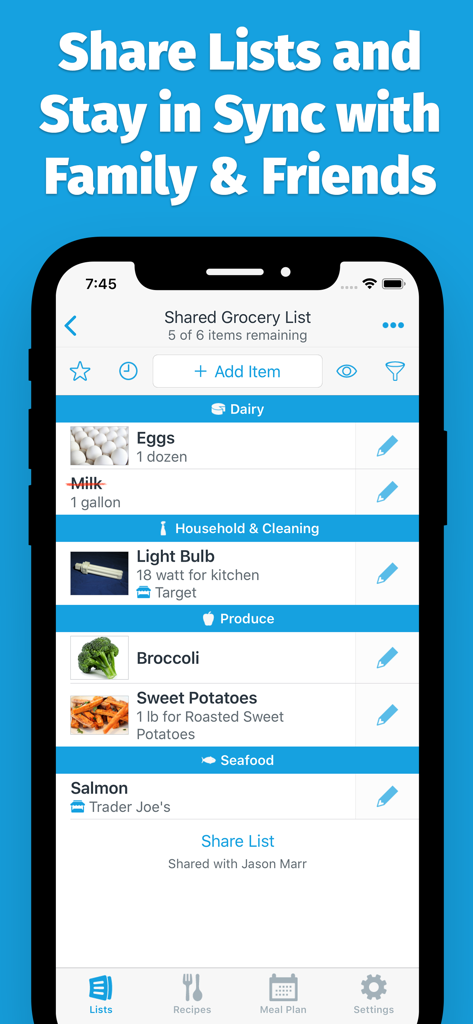
A shared grocery shopping list in the AnyList app showing items organized by store categories with real-time syncing features.
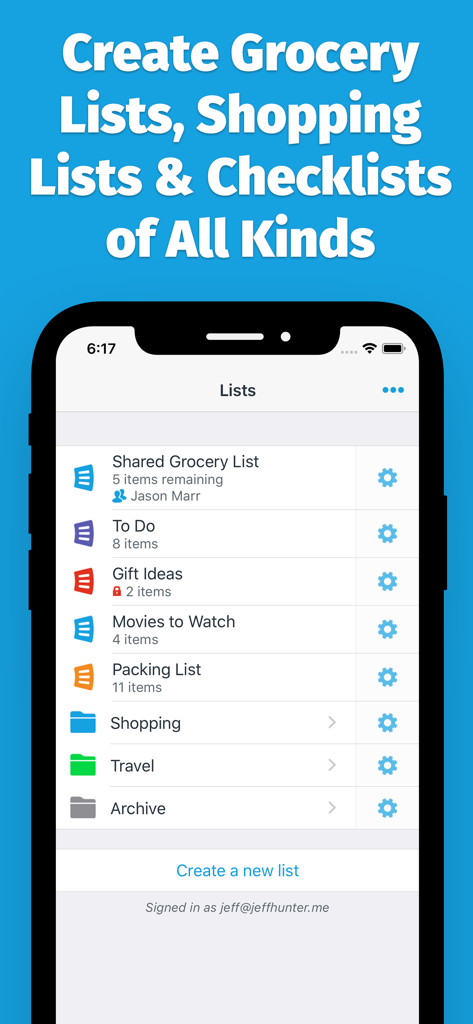
AnyList app interface showing categories for shared grocery lists, to do lists, and shopping checklists.
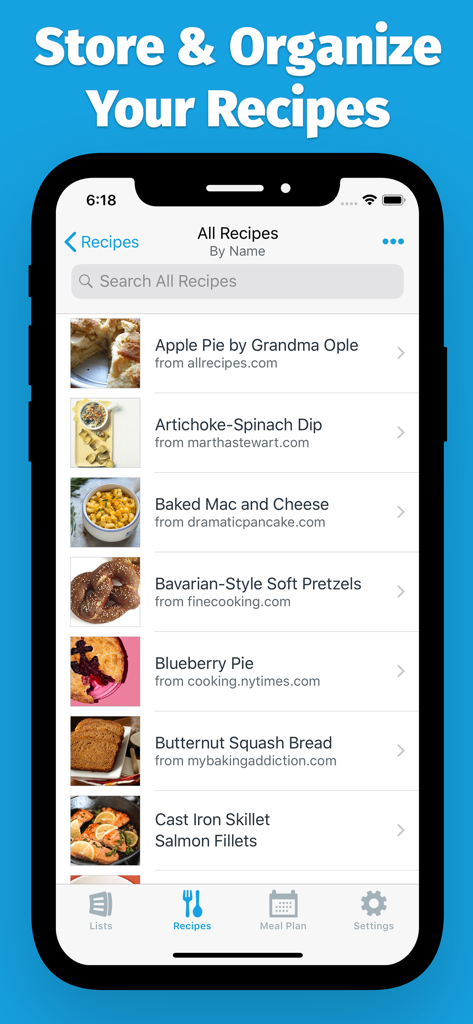
AnyList mobile app showing a list of organized recipes imported from various websites.
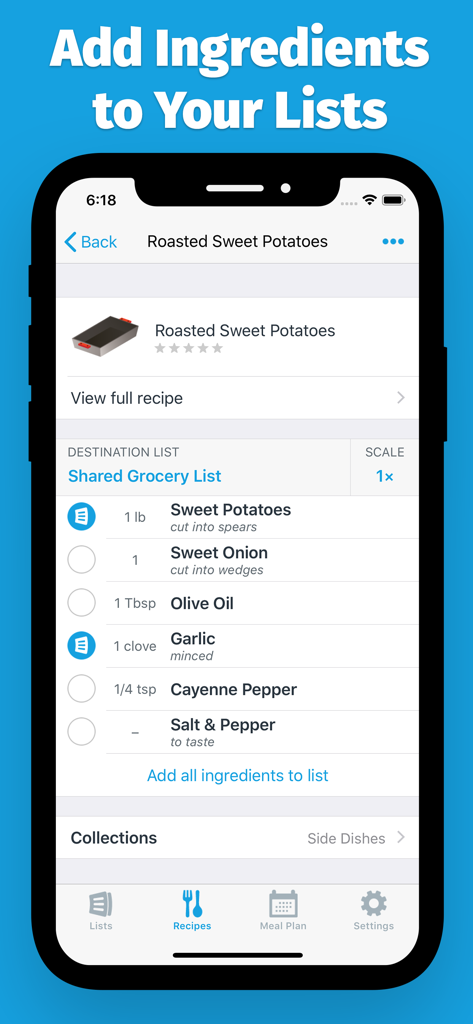
AnyList app interface showing ingredients for a recipe being added to a shared grocery list
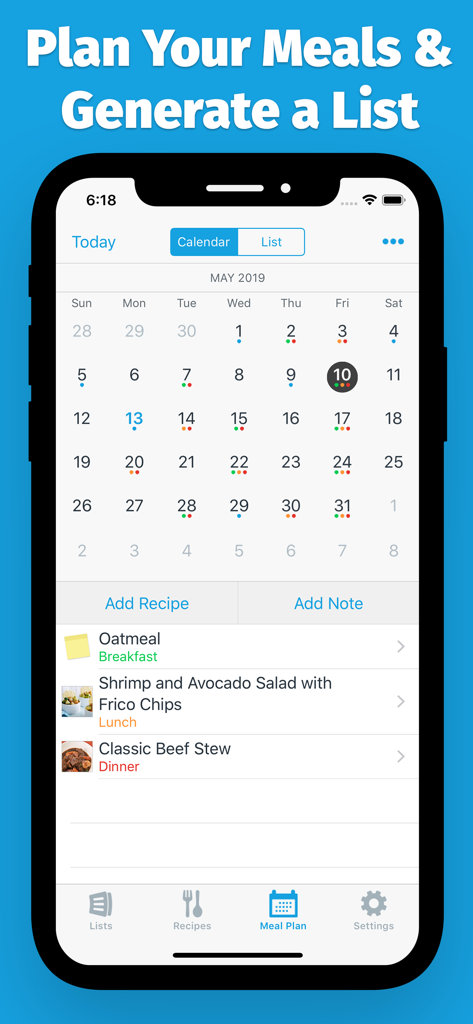
AnyList app meal planning screen featuring a monthly calendar and daily meal schedule with recipes
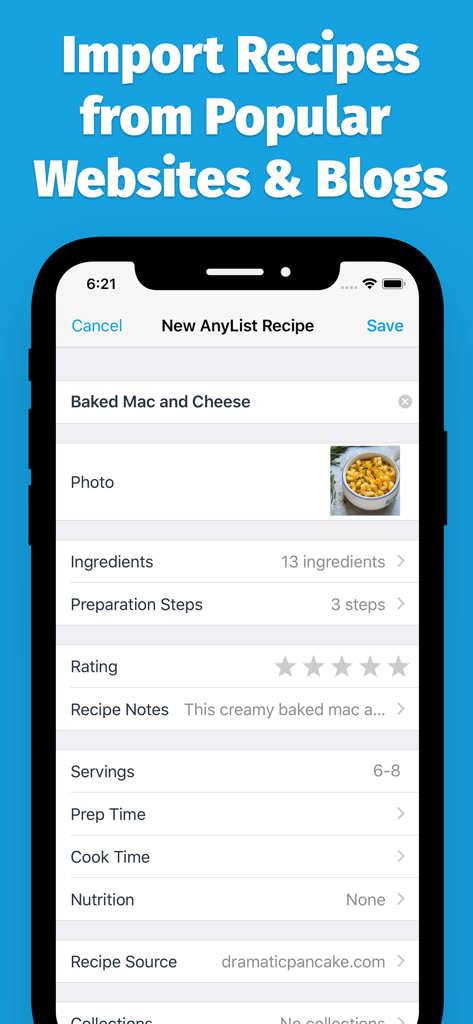
AnyList app screen showing a recipe for Baked Mac and Cheese imported from a website including ingredients and preparation steps
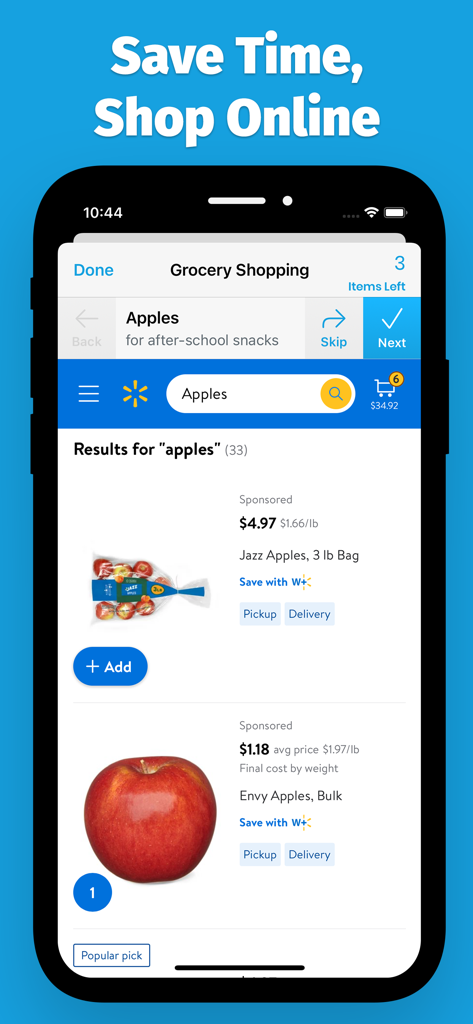
AnyList app interface showing online grocery shopping search results for apples with pickup and delivery options.
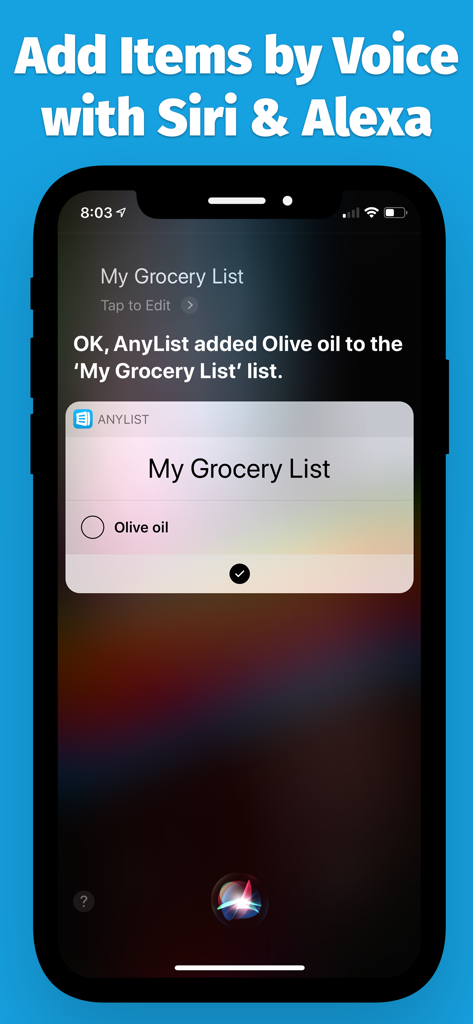
A smartphone screen demonstrating how to add olive oil to an AnyList grocery list using Siri voice command.
Description
Download
More Like This
Apps with similar features and user experience

ReciMe: Recipes & Meal Planner
ReciMe Pty Ltd

NYT Cooking: Quick Tasty Meals
The New York Times Company

Jow - easy recipes & groceries
Jow

Tasty: Recipes, Cooking Videos
BuzzFeed

Recipe Keeper
Tudorspan Limited

Cookpad Recipes, homemade food
COOKPAD INC. (CA)

Pepper - Recipe Organizer
Pepper App Inc.

Kitchen Stories Easy Recipes
AJNS New Media GmbH

KptnCook Recipes & Cooking
KptnCook GmbH
This page is not an official page of the app or its developer, but an independent editorial publication created for informational and commentary purposes. Unless expressly stated otherwise, neither the app nor its developer is affiliated with, endorsed by, sponsored by, authorized by, or otherwise officially connected with MWM, Apple, Google Play, the app publisher, or the app's developer, and nothing on this page implies that the app was developed using MWM's services. Any trademarks, logos, screenshots, and other content remain the property of their respective owners.