
This page is not an official page of the app or its developer, but an independent editorial publication created for informational and commentary purposes. Unless expressly stated otherwise, neither the app nor its developer is affiliated with, endorsed by, sponsored by, authorized by, or otherwise officially connected with MWM, Apple, Google Play, the app publisher, or the app's developer, and nothing on this page implies that the app was developed using MWM's services. Any trademarks, logos, screenshots, and other content remain the property of their respective owners.

Pepper - Recipe Organizer
Stop losing recipes in your Notes and DMs. Import your favorite finds from TikTok, Instagram, and Pinterest into one aesthetic digital cookbook. Collaborate with friends, gamify your kitchen, and order groceries in a single click.
Downloads
1M+User Rating
Total Ratings
5K+Publisher
Category
Food & DrinkLocales
1Latest Version
2.26.3Size
115.8 MBFirst Released
Sep 4, 2021Level Up Your Kitchen Game
Stop losing recipes in your 'Saved' folders. Pepper turns your social media inspiration into an organized, gamified, and shared cooking experience tailored for the modern home cook.
From Viral to Table
Instantly import recipes from TikTok, Instagram, and Pinterest. Your digital cookbook is finally organized, searchable, and ready for action.
Cook with Your Inner Circle
Create collaborative folders for date nights, roommates, or family traditions. Share the joy of cooking with the people who matter most.
Frequently Asked Questions
Everything you need to know about Pepper - Recipe Organizer
How can I import recipes into the Pepper app?
Yes, Pepper allows users to import recipes from various sources. You can upload recipes from Instagram, TikTok, Pinterest, other recipe blogs via a link, or paste them directly from your notes.
Can I share recipes and collaborate with friends in Pepper?
Yes, Pepper enables collaboration with friends and family. Users can create shared folders of recipes, perfect for family cookbooks, date nights, or dinner parties, making recipe sharing social and fun.
Does Pepper offer grocery ordering directly from recipes?
Yes, Pepper offers grocery ordering. Users can order ingredients for delivery directly from recipes or their grocery list with one click. This supports last-minute meals with same-day delivery options.
What is the Virtual Charcuterie Board feature in Pepper?
The Virtual Charcuterie Board is a game within Pepper where users trade community engagement for mystery packs. These packs contain rare items to decorate their board, allowing competition to build the rarest board.
How do I create a personal cookbook in the Pepper app?
Pepper serves as your personal social cookbook. You can document and organize your favorite recipes from various sources. This cookbook is accessible to you, friends, and family, allowing you to share your tasty creations.
Can I publish a physical cookbook using Pepper?
Yes, Pepper allows users to publish their cookbooks physically. This feature is ideal for creating a perfect holiday gift or for passing down family recipes across generations with easy organization and documentation.
Does Pepper provide step-by-step cooking videos?
Yes, Pepper provides step-by-step cooking videos. Users can watch detailed instructions for recipes, which often include a visual breakdown of ingredients and the cooking process to guide them.
The following screenshots and description are sourced directly from the app's official store listing and are the property of the app developer.
App Store
Screenshots
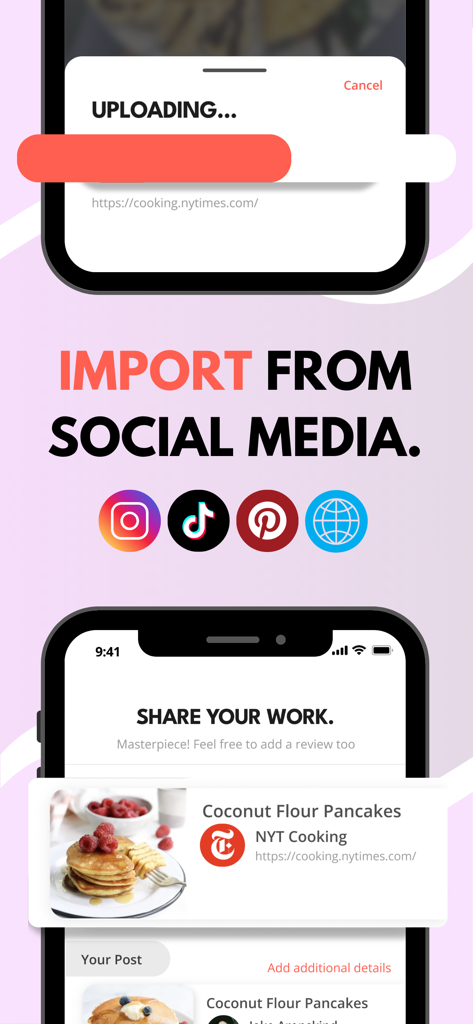
Screenshot of Pepper app showing how to import recipes from social media platforms like TikTok Instagram and Pinterest
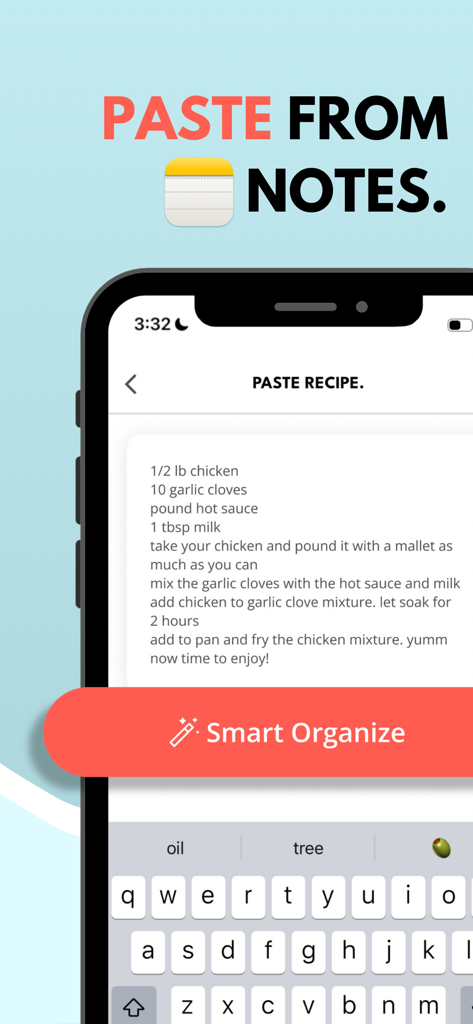
Pepper app interface showing the paste recipe from notes feature with a smart organize button
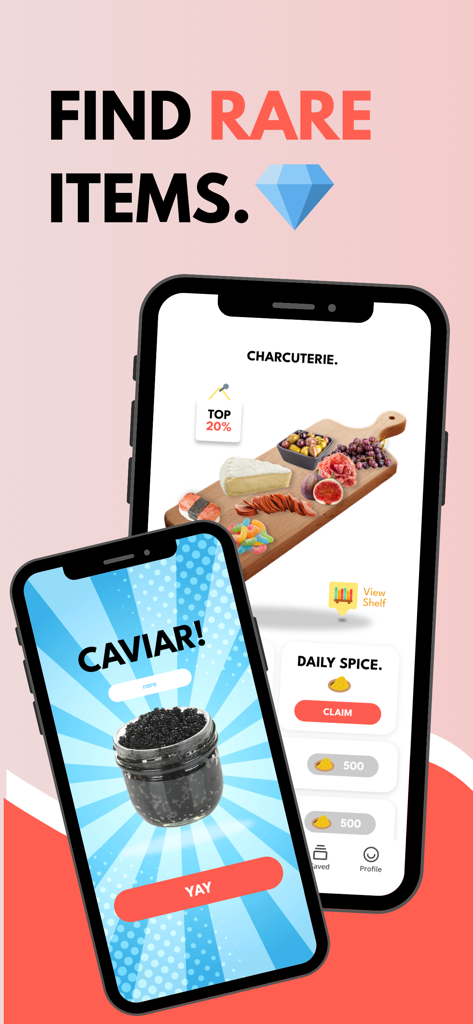
Screenshots of the Pepper app showing rare caviar item and a virtual charcuterie board
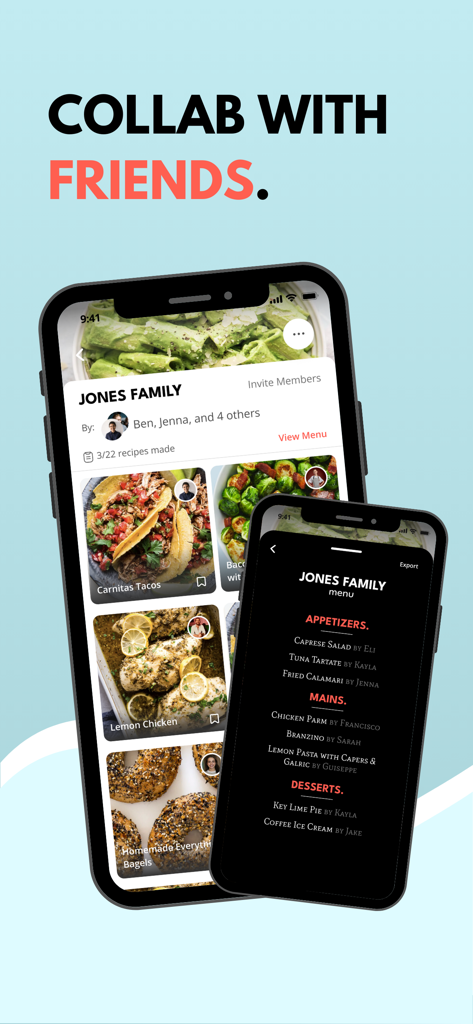
Interface of Pepper app displaying shared recipe folders and a collaborative family menu.
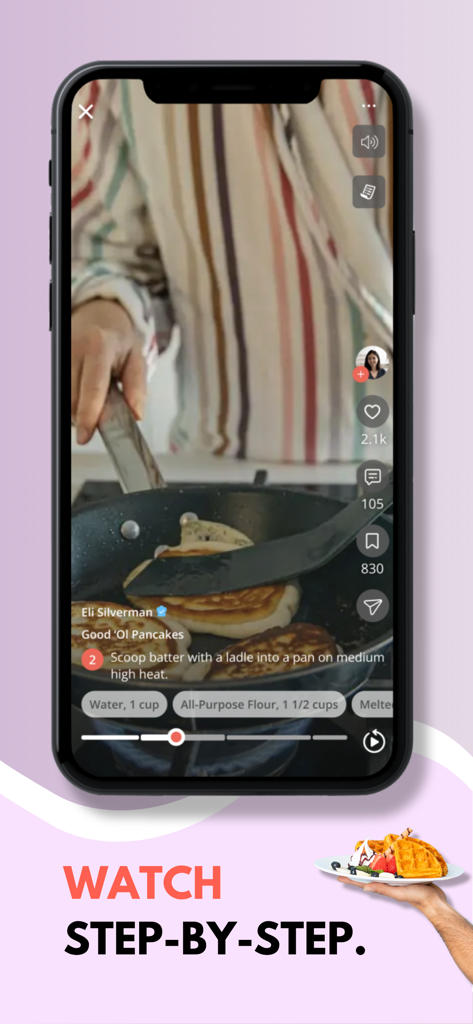
A mobile screen showing a vertical video recipe for pancakes with step-by-step instructions
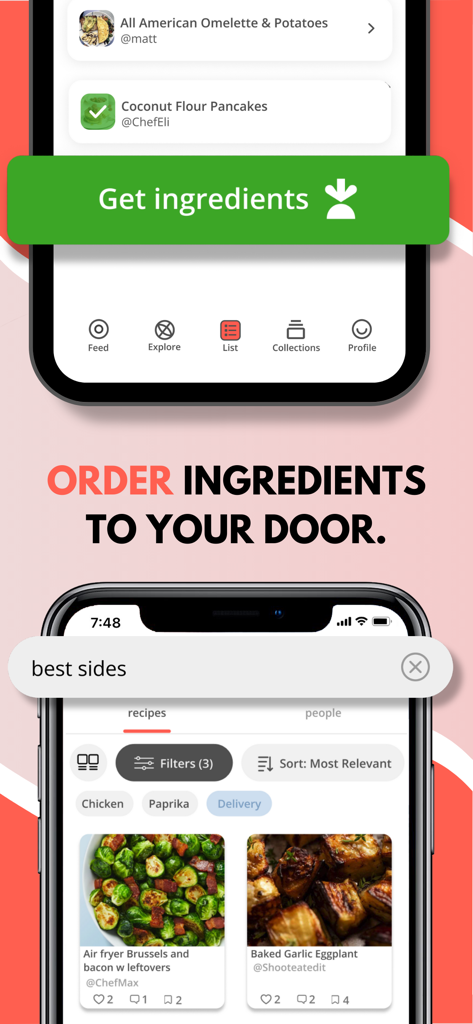
A mobile interface of the Pepper app showing the feature to order recipe ingredients for delivery and a search for side dish recipes.
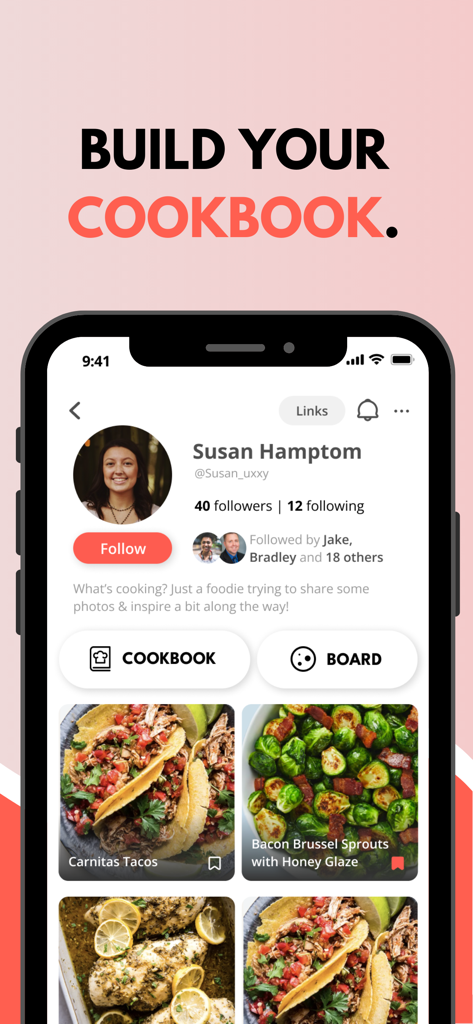
Pepper app profile screen showing a personal digital cookbook with photos of Carnitas Tacos and Bacon Brussel Sprouts
Description
Download
More Like This
Apps with similar features and user experience

ReciMe: Recipes & Meal Planner
ReciMe Pty Ltd

NYT Cooking: Quick Tasty Meals
The New York Times Company

Jow - easy recipes & groceries
Jow

Tasty: Recipes, Cooking Videos
BuzzFeed

Recipe Keeper
Tudorspan Limited

Cookpad Recipes, homemade food
COOKPAD INC. (CA)

AnyList: Grocery Shopping List
Purple Cover, Inc.

Kitchen Stories Easy Recipes
AJNS New Media GmbH

KptnCook Recipes & Cooking
KptnCook GmbH
This page is not an official page of the app or its developer, but an independent editorial publication created for informational and commentary purposes. Unless expressly stated otherwise, neither the app nor its developer is affiliated with, endorsed by, sponsored by, authorized by, or otherwise officially connected with MWM, Apple, Google Play, the app publisher, or the app's developer, and nothing on this page implies that the app was developed using MWM's services. Any trademarks, logos, screenshots, and other content remain the property of their respective owners.