
This page is not an official page of the app or its developer, but an independent editorial publication created for informational and commentary purposes. Unless expressly stated otherwise, neither the app nor its developer is affiliated with, endorsed by, sponsored by, authorized by, or otherwise officially connected with MWM, Apple, Google Play, the app publisher, or the app's developer, and nothing on this page implies that the app was developed using MWM's services. Any trademarks, logos, screenshots, and other content remain the property of their respective owners.


ReciMe: Recipes & Meal Planner
The ultimate kitchen companion for the digital age. Effortlessly import recipes from TikTok and Instagram, automate your grocery shopping, and track your macros in one beautiful app.
Downloads
9M+User Rating
Total Ratings
246K+Publisher
Category
Food & DrinkLocales
5Latest Version
4.8.3Size
167.9 MBFirst Released
Nov 12, 2021From Social Inspiration to Your Kitchen Table
Stop losing recipes in your saved folders. ReciMe turns your favorite TikToks, Reels, and Pinterest pins into an organized digital cookbook with smart shopping and planning tools.
One-Tap Social Import
Instantly convert messy videos from TikTok, Instagram, and Pinterest into clean, step-by-step recipes you can actually follow.
Smart Grocery Integration
Auto-generate organized shopping lists sorted by aisle and order ingredients for delivery directly to your door in seconds.
Frequently Asked Questions
Everything you need to know about ReciMe: Recipes & Meal Planner
Can ReciMe save recipes from social media platforms?
Yes, ReciMe allows users to save recipes from social media sites including Instagram, Facebook, TikTok, YouTube, and Pinterest directly into the app. Ingredients and method steps are saved in an easy-to-read format.
Does ReciMe help create and organize grocery lists?
Yes, ReciMe offers a smart grocery list feature that organizes ingredients by supermarket aisle or by recipe. Users can also turn their grocery list into a delivery order directly in-app.
Does ReciMe provide nutritional information for recipes?
Yes, ReciMe calculates nutrition information for any recipe, including calories, protein, carbs, and fats. This feature is available in the premium version of the app.
Is there a free version of ReciMe, or is it a paid app?
Yes, ReciMe offers a free version with core functionalities. A premium subscription is available, which unlocks unlimited recipe downloads from social media, unlimited image uploads, and nutrition calculation.
What premium features does ReciMe offer?
ReciMe premium includes unlimited social media recipe downloads, unlimited recipe image uploads for smart importing, and nutrition calculation for every recipe. A 7-day free trial is available.
Can ReciMe help with meal planning?
Yes, ReciMe allows users to create custom meal plans for the week, categorizing meals for breakfast, lunch, or dinner. This feature helps organize daily meals efficiently.
How can users import their existing recipes into ReciMe?
ReciMe supports importing recipes from existing apps like Paprika, Notes, Google Docs, Notion, Evernote, and allows users to add their own. It also imports from screenshots.
Does ReciMe keep the phone screen awake during cooking?
Yes, ReciMe keeps the phone screen unlocked while cooking, allowing users to follow recipes step-by-step without interruption. This ensures a focused cooking experience.
Does ReciMe offer cloud synchronization for recipes?
Yes, ReciMe stores all saved recipes on the cloud, ensuring access across multiple devices, specifically iOS and iPad. This provides seamless synchronization for users.
Can ReciMe adjust recipe serving sizes and convert measurements?
Yes, ReciMe enables users to adjust ingredients to their desired serving size and convert recipe measurements between standard and metric units directly within the app.
The following screenshots and description are sourced directly from the app's official store listing and are the property of the app developer.
App Store
Screenshots
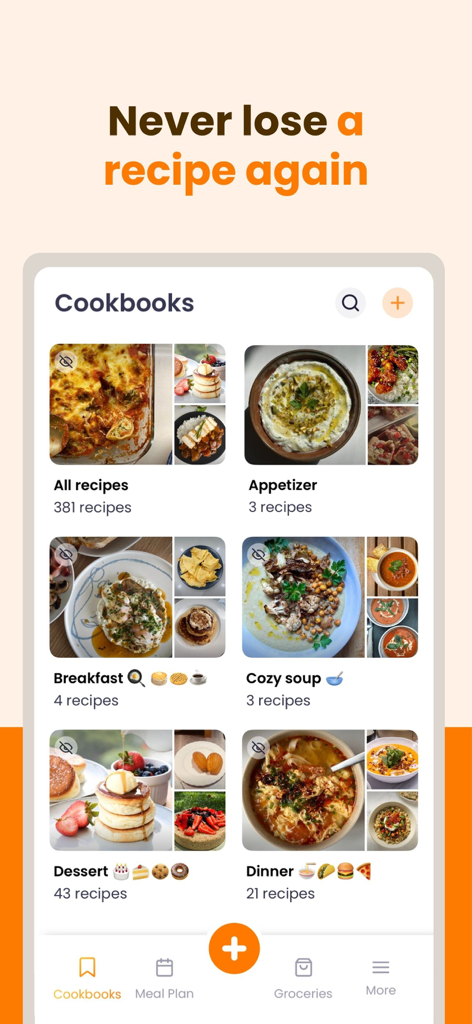
ReciMe mobile app interface showing recipes organized into categories like breakfast dinner and dessert.

ReciMe mobile app interface showing a digital cookbook with recipes imported from Instagram TikTok and Pinterest
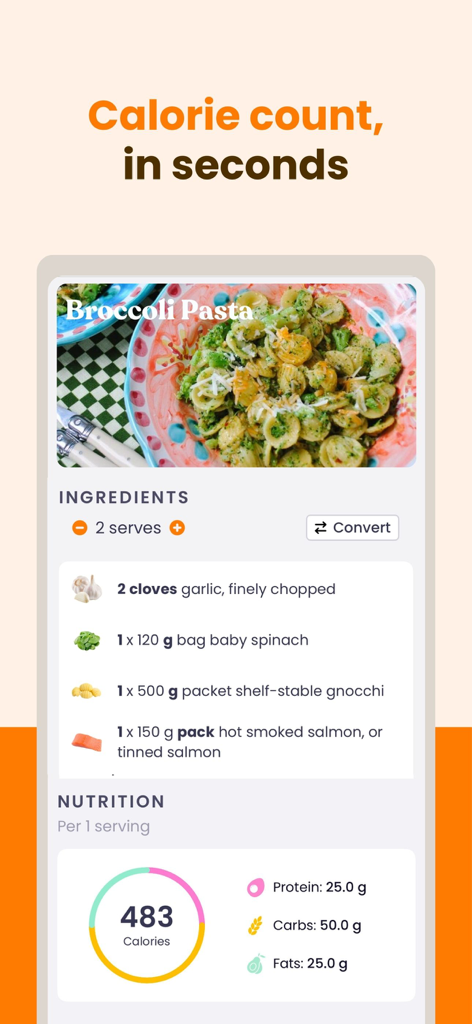
ReciMe app interface showing nutrition facts and calorie count for a pasta recipe
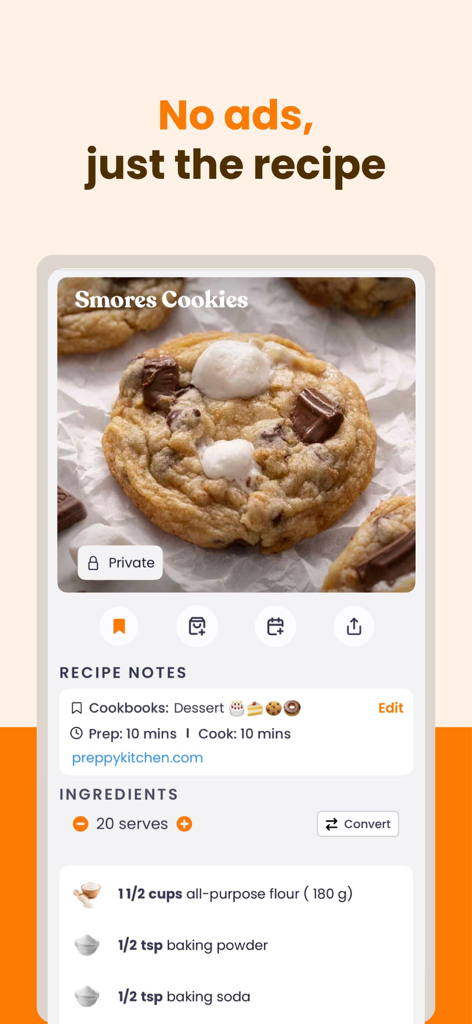
ReciMe app interface showing an ad-free smores cookies recipe with ingredients and preparation details.
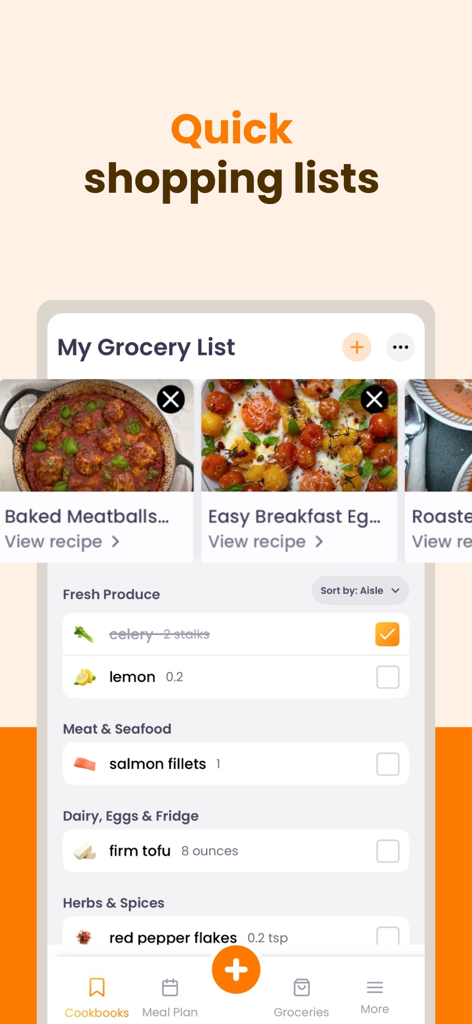
Interface of ReciMe app showing a grocery list organized by supermarket aisle
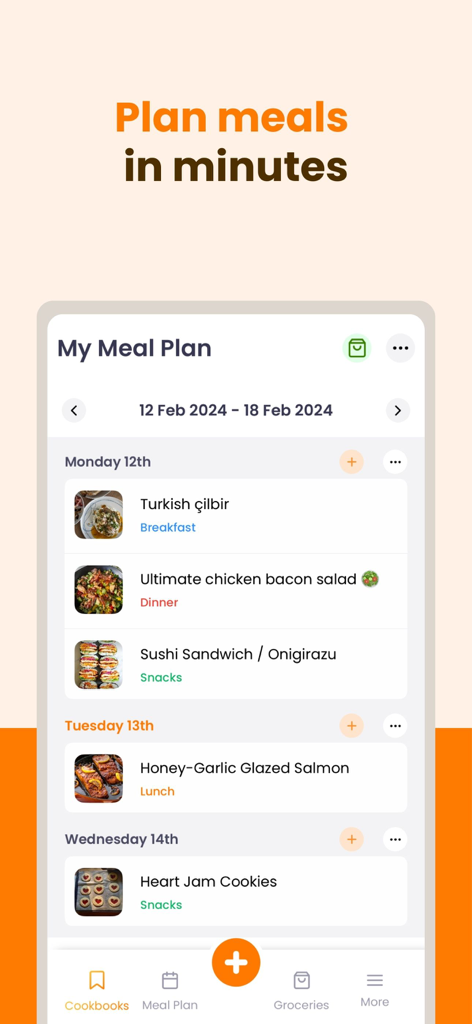
A mobile interface of the ReciMe app showing a weekly meal plan with scheduled recipes and categories
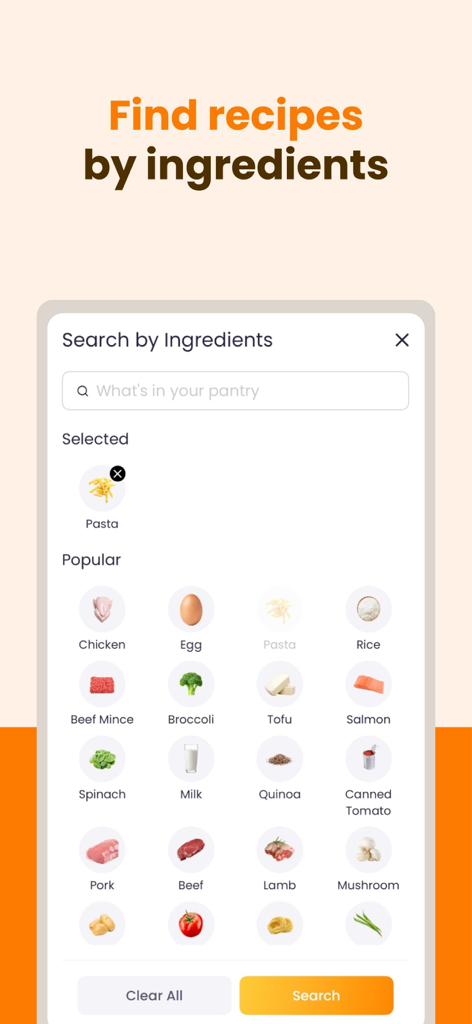
ReciMe app interface for finding recipes by selecting available ingredients from the pantry.
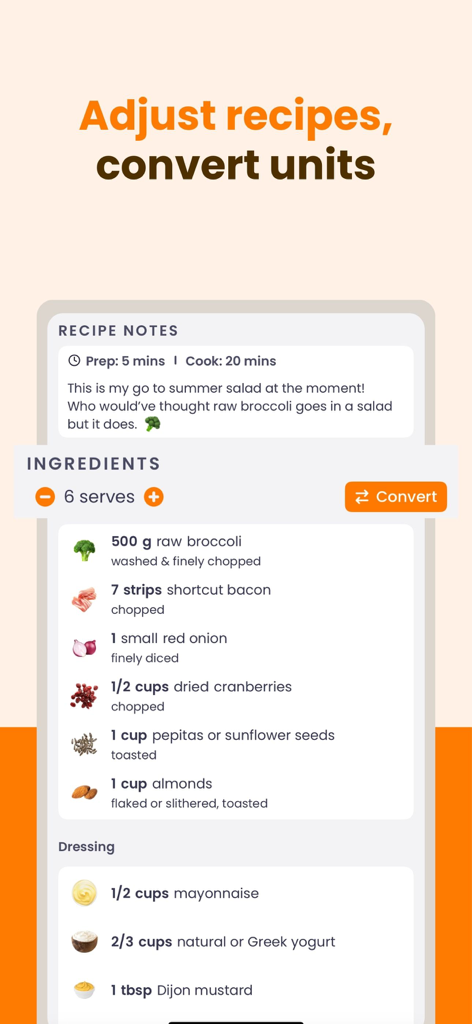
ReciMe app interface showing features to scale recipe servings and convert measurement units
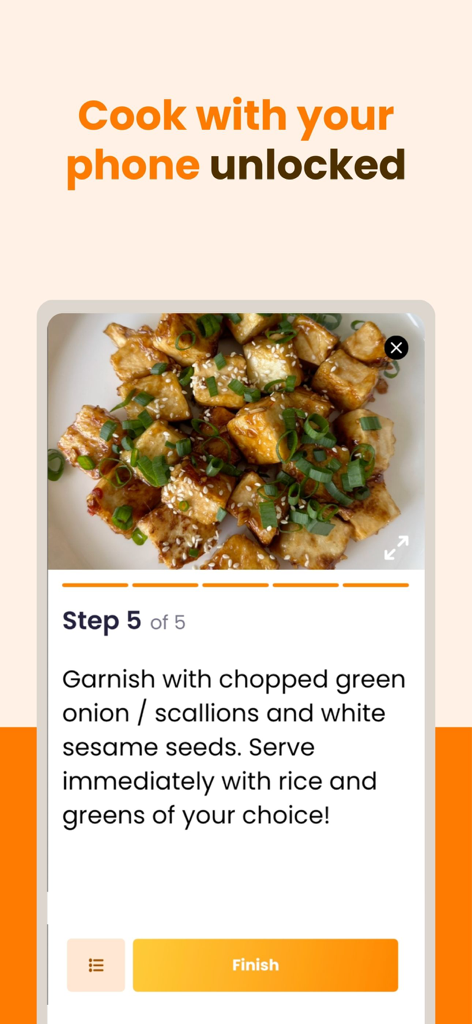
ReciMe app showing step-by-step recipe instructions for a tofu dish with the phone screen kept awake feature.
Description
Download
More Like This
Apps with similar features and user experience

NYT Cooking: Quick Tasty Meals
The New York Times Company

Jow - easy recipes & groceries
Jow

Tasty: Recipes, Cooking Videos
BuzzFeed

Recipe Keeper
Tudorspan Limited

Cookpad Recipes, homemade food
COOKPAD INC. (CA)

Pepper - Recipe Organizer
Pepper App Inc.

AnyList: Grocery Shopping List
Purple Cover, Inc.

Kitchen Stories Easy Recipes
AJNS New Media GmbH

KptnCook Recipes & Cooking
KptnCook GmbH
This page is not an official page of the app or its developer, but an independent editorial publication created for informational and commentary purposes. Unless expressly stated otherwise, neither the app nor its developer is affiliated with, endorsed by, sponsored by, authorized by, or otherwise officially connected with MWM, Apple, Google Play, the app publisher, or the app's developer, and nothing on this page implies that the app was developed using MWM's services. Any trademarks, logos, screenshots, and other content remain the property of their respective owners.