
This page is not an official page of the app or its developer, but an independent editorial publication created for informational and commentary purposes. Unless expressly stated otherwise, neither the app nor its developer is affiliated with, endorsed by, sponsored by, authorized by, or otherwise officially connected with MWM, Apple, Google Play, the app publisher, or the app's developer, and nothing on this page implies that the app was developed using MWM's services. Any trademarks, logos, screenshots, and other content remain the property of their respective owners.


Browser & Offline File Storage
No internet? No problem. This app gives users control over their content, anytime, anywhere.
Downloads
2.5M+User Rating
Total Ratings
10.2KPublisher
Category
UtilitiesLocales
3Latest Version
5.9.3Size
133.0 MBFirst Released
Jan 6, 2017An in-depth review of key features tailored for offline-centric mobile users.
Analysis of 'Browser & Offline File Storage' Capabilities
Comprehensive Offline Content Access
The app provides robust capabilities for caching web content, downloading large files in the background, and storing them for offline access, ensuring users can consume media and information without an internet connection.
Versatile Built-in Media Player
It features an integrated media player that supports a wide array of audio (MP3) and video formats (MP4, MOV, M4V, AVI, MKV, 4K videos), allowing users to enjoy their downloaded content seamlessly.
Advanced File Management & Preview
This tool features a comprehensive file manager that allows users to store, organize (create, move, rename, delete folders/files), search, and preview various document types (PDF, DOC, XLS, PPT, TXT, HTML) and media files directly within the app, enhancing offline productivity.
Enhanced Privacy & Security
The app offers private and safe web surfing capabilities, complemented by a passcode lock feature, ensuring that users' browsing history and stored files remain confidential and protected from unauthorized access.
Effortless File Transfer & Sharing
It allows users to easily transfer files to and from a computer via Wi-Fi, and share content with other applications, streamlining the process of getting desired media and documents into the app for offline use.
Efficient Background Downloading
This tool supports background downloading for large files, along with control features like pause and resume, enabling users to efficiently acquire content while using other apps or even when the app is in the background.
Frequently Asked Questions
Everything you need to know about Browser & Offline File Storage
What is Browser & Offline File Storage?
Browser & Offline File Storage is an iOS application that allows users to browse the web, manage files, and store content offline. It features a private web browser and a versatile media player for audio and video.
What video formats does Browser & Offline File Storage support?
Browser & Offline File Storage supports video formats including MP4, MOV, M4V, AVI, MKV, and 4K videos. This ensures extensive compatibility for playing various video files directly within the application.
Can Browser & Offline File Storage preview documents?
Yes, Browser & Offline File Storage previews documents in formats such as .pdf, .doc, .xls, .ppt, .txt, .html, and .rtf. It also includes comprehensive file management features like creating, moving, and deleting files.
Does Browser & Offline File Storage offer private browsing?
Yes, Browser & Offline File Storage provides private and safe web surfing. The web browser offers features like full-screen mode, Google search, and address bar auto-completion for an enhanced experience.
How can users transfer files with Browser & Offline File Storage?
Users can transfer files to and from a computer using Wi-Fi. The application also supports sharing files directly with any other compatible application installed on the device, such as email or the Files app.
What does the 'Full access: unlock features' in-app purchase offer for Browser & Offline File Storage?
The "Full access: unlock features" in-app purchase removes all advertisements and enables Wi-Fi file transfer capabilities. It is provided as a 1-month subscription, which automatically renews.
Can Browser & Offline File Storage download large files in the background?
Yes, Browser & Offline File Storage supports downloading large files in the background. It provides control over the loading process, including options to pause and resume, along with a speed indicator.
Can users create playlists in Browser & Offline File Storage?
Yes, users can create playlists within Browser & Offline File Storage. This feature allows for organizing and playing sequences of songs and videos for a customized media consumption experience.
Does Browser & Offline File Storage download media from unauthorized websites?
No, Browser & Offline File Storage does not download audio and video from unauthorized websites. The application adheres to strict policies regarding content sourcing to ensure compliance.
Does Browser & Offline File Storage offer a passcode lock for security?
Yes, Browser & Offline File Storage includes a passcode lock feature. This enhances security by protecting user data and private files stored or managed within the application from unauthorized access.
The following screenshots and description are sourced directly from the app's official store listing and are the property of the app developer.
App Store
Screenshots

This screenshot showcases the intuitive web browser interface and quick access icons for managing Files and Playlists, enabling seamless offline content discovery.
Offline Browsing Hub

Users can effortlessly browse their digital content, with visual features like the "Recently Played" section and organized book covers, perfect for offline consumption.
Media Library View

The app provides robust file management, evident in the clear download options and the ability to preview documents like PDFs directly within the interface.
File Management Tools
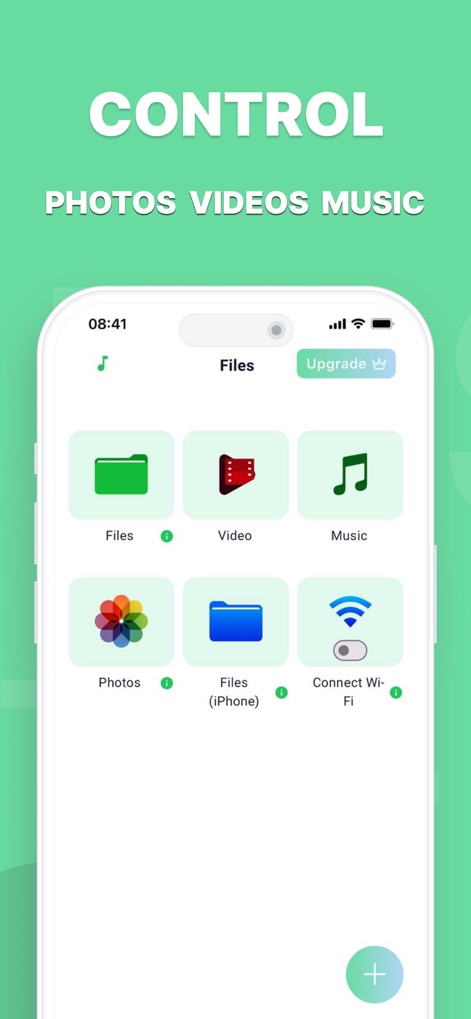
This view highlights the app's organized file access, featuring dedicated sections for Video and Music, alongside convenient Wi-Fi file transfer capabilities.
Organized File Access
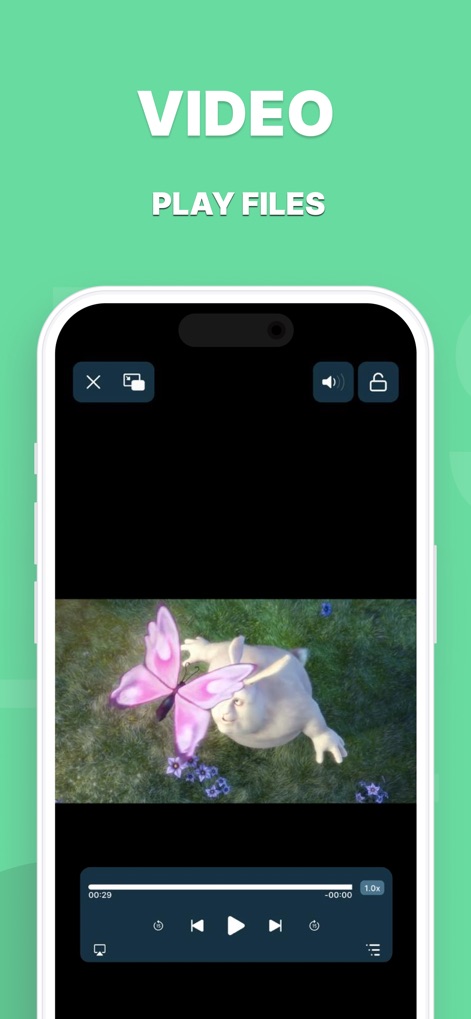
The app delivers a rich video experience, complete with intuitive playback controls and an option for immersive fullscreen viewing.
Immersive Video Playback
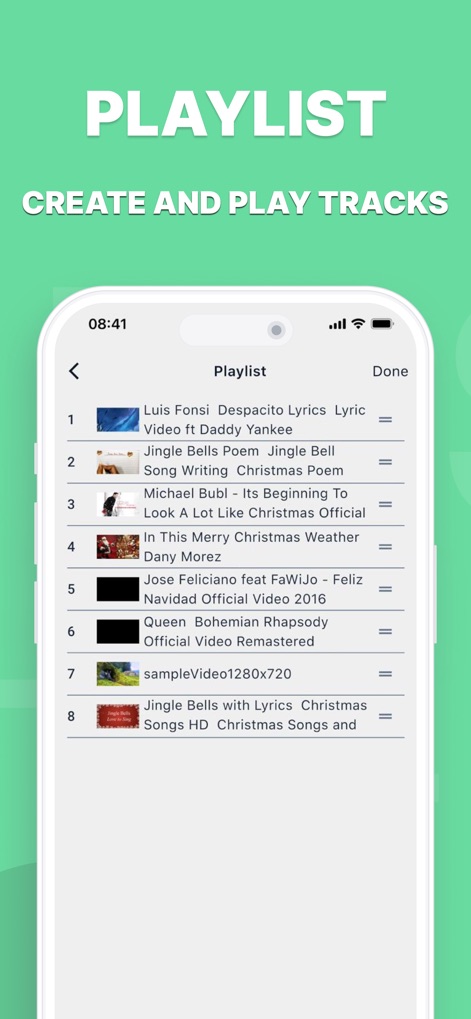
Users can easily create custom playlists, organizing their media into ordered tracks for continuous audio and video enjoyment.
Custom Playlist Creation

The app provides a secure and private web browsing experience, featuring an intuitive address bar and essential navigation controls for effortless exploration.
Secure Web Browsing
Description
Download
More Like This
Apps with similar features and user experience







This page is not an official page of the app or its developer, but an independent editorial publication created for informational and commentary purposes. Unless expressly stated otherwise, neither the app nor its developer is affiliated with, endorsed by, sponsored by, authorized by, or otherwise officially connected with MWM, Apple, Google Play, the app publisher, or the app's developer, and nothing on this page implies that the app was developed using MWM's services. Any trademarks, logos, screenshots, and other content remain the property of their respective owners.