Files HD Pro

Files HD Pro

Download on App Store
Logo of Files HD Pro

Files HD Pro: The Ultimate Productivity Powerhouse for Your iPad

Unlock desktop-class file management with a high-speed downloader, advanced PDF reader, and secure tabbed browser designed for professionals and power users.

Publisher

Hian Zin Jong

Category

Utilities

Downloads

226K+

User Rating

4.0/5

Total Ratings

9K+

Locales

1

The iPad, Unlocked

Discover the interface used by 226K+ users.

The web browser interface of Files HD Pro on iPad showing an image download menu.
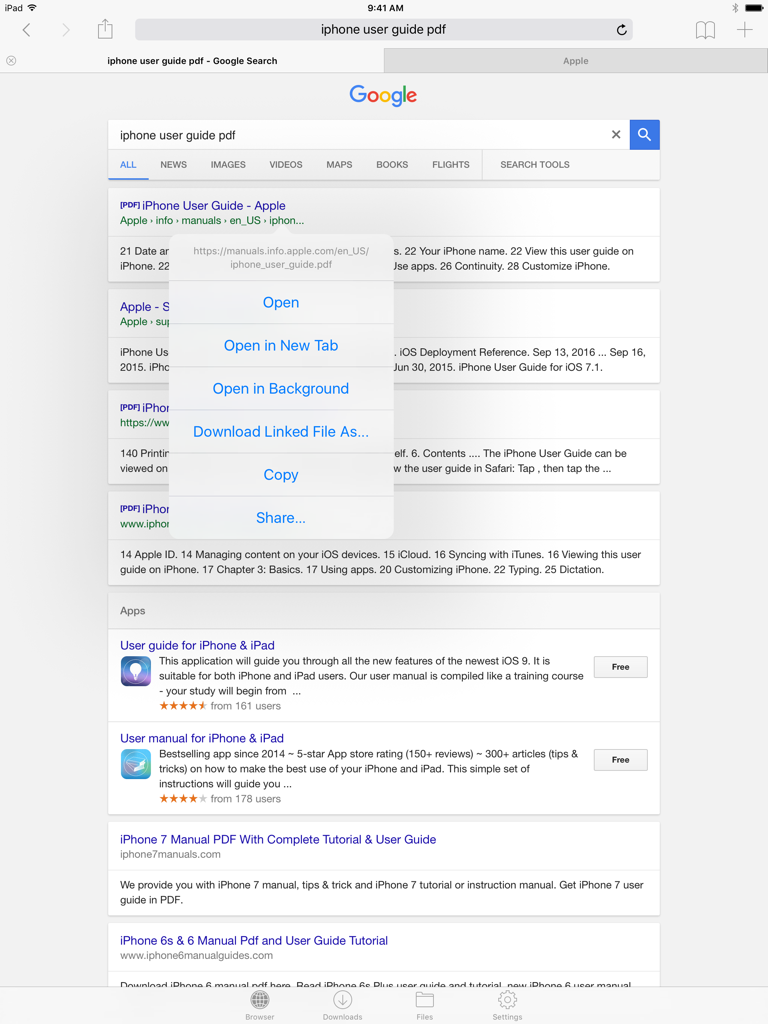
The web browser interface of Files HD Pro on iPad showing an image download menu.

Web browser interface in Files HD Pro on iPad showing a download options menu for a PDF search result
Web browser interface in Files HD Pro on iPad showing a download options menu for a PDF search result

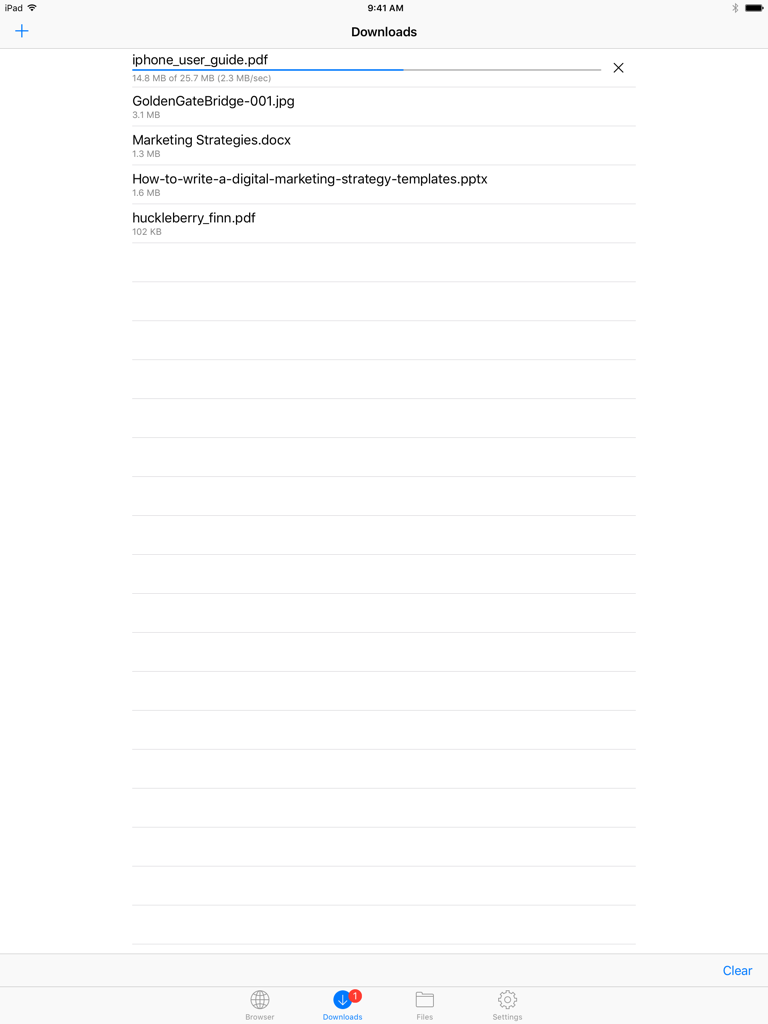
Downloads screen in Files HD Pro showing a list of files and an active download progress bar.
Downloads screen in Files HD Pro showing a list of files and an active download progress bar.

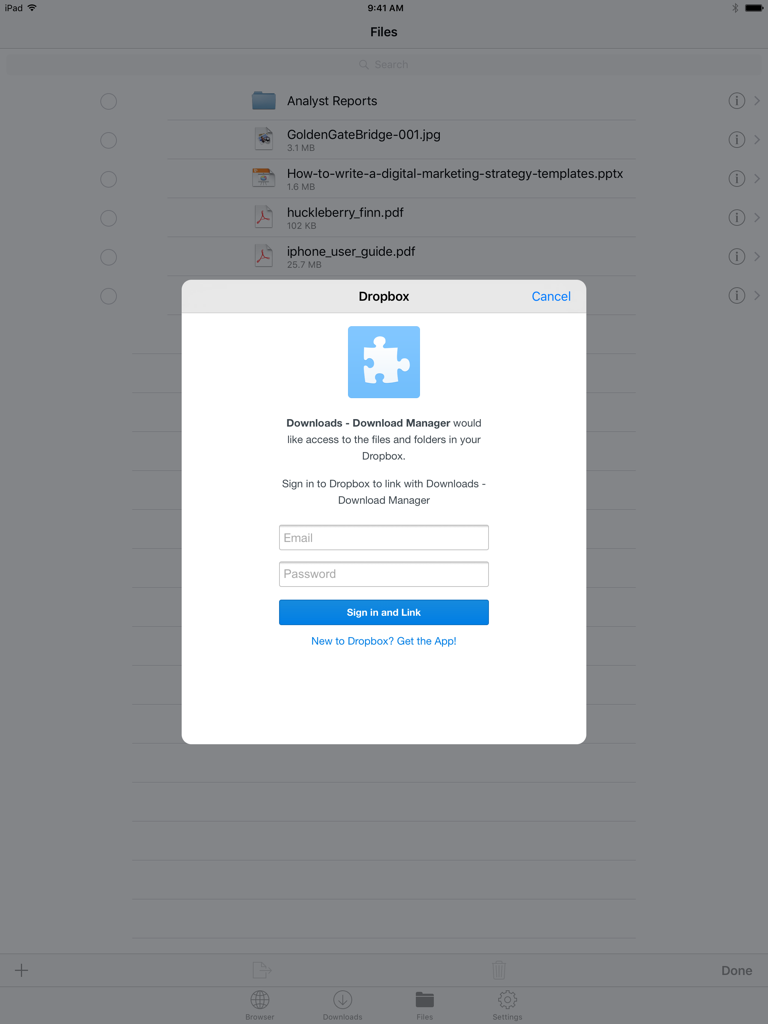
Dropbox login window in the Files HD Pro app on iPad showing file list in the background
Dropbox login window in the Files HD Pro app on iPad showing file list in the background

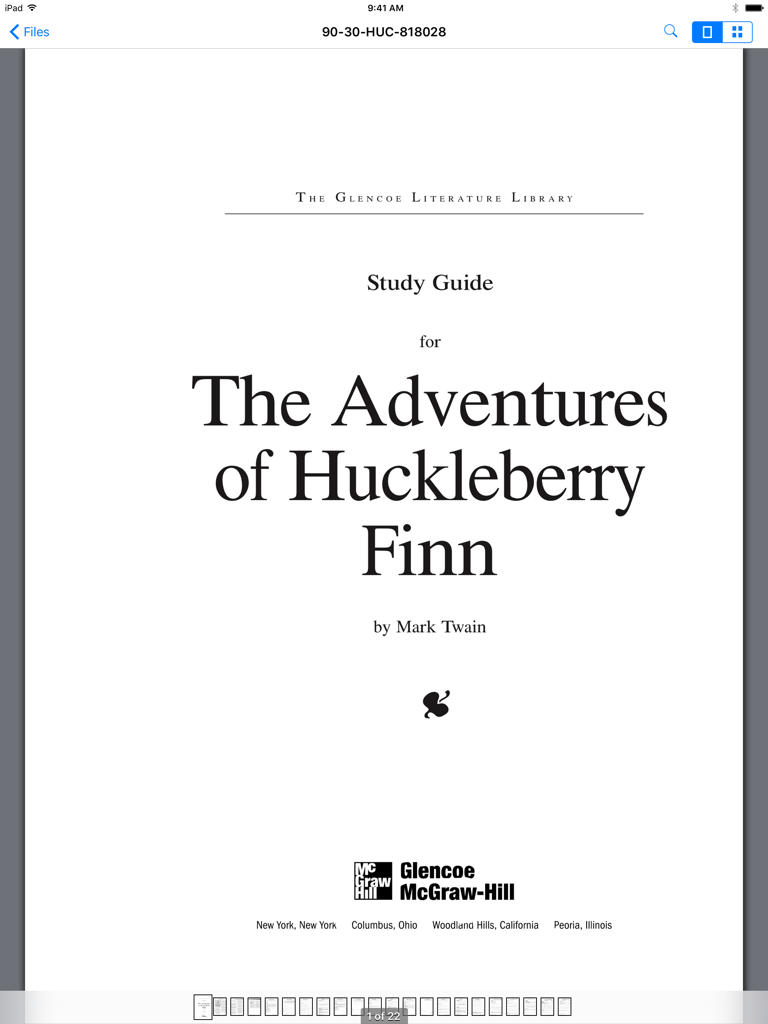
Files HD Pro app interface on iPad displaying a PDF study guide for The Adventures of Huckleberry Finn

Files HD Pro app interface on iPad displaying a PDF study guide for The Adventures of Huckleberry Finn

Supercharge Your iPad Productivity

The tools that make this app stand out, trusted by 226K+ users.

📥

Desktop-Class Downloader

Grab any file from the web with a powerful manager that supports background tasks, resumable downloads, and full offline viewing.

📂

Universal File Management

Take total control with folder organization, ZIP/RAR extraction, and seamless Dropbox integration to keep your workspace synced.

🔒

Pro Viewer & Secure Vault

Annotate large PDFs and view professional documents with ease, while keeping your sensitive data protected behind a secure passcode lock.

Review Analysis

Insights from user reviews.

Sentiment Score

34%
Negative

Summary

The app receives mixed feedback, with users often praising its core utility for file management and downloading when it operates as expected. However, a substantial number of reviews indicate critical issues, particularly regarding consistent compatibility problems with various iOS versions, notably iOS 13, 13.3.1, and 15. These compatibility issues frequently lead to app crashes, loss of crucial downloading functionality (especially for videos and images), and difficulties with specific file management features like multi-selection and integration with the "Open With" menu. Furthermore, users express significant dissatisfaction over a problematic pricing model that shifted from one-time purchases to subscriptions, often without resolving persistent pop-up advertisements.

Common Themes

iOS Compatibility(4)
Stability & Crashes(4)
Updates & Developer Responsiveness(4)
Downloading Capability(3)
File Management(2)
Video & Media Playback(2)
Pricing & Subscription Model(1)

About the app

Everything you need to know about Files HD Pro.

Description

Files HD (formerly known as Downloads HD - Download Manager for iPad) features a Web browser that lets you save documents to your iPad so that you can work with them offline. It has a built-in file manager, with robust viewer for all iOS supported document types, powerful photo browser, advanced PDF reader, full Dropbox support, and more. FEATURES √ Tabbed browser - Provides a user experience very similar to Safari - Supports unlimited tabs - Tap and hold on a link to open it in new tab or download it - Fully featured bookmark manager - History support - Address bar auto-completion - HTTP basic authentication - Form-based authentication - Integrated Google or Yahoo! search - Ability to spoof browser's User-Agent string to display web pages like Firefox - Unified smart search field. Type a URL or search term in the unified smart search field, the browser automatically suggests the closest match to what you’re looking for. √ Download manager - Fast downloading speed - Save pages with images for offline viewing - Supports resuming of interrupted downloads reliably - Live download progress bar and speed indicator - Active downloads badge number - Add arbitrary download link - Always download with correct filename - Ability to download file of unknown size √ File manager - Folders support - Move, rename and delete files - Search by file name - Document viewer that supports .pdf, .doc, .xls, .ppt, .txt, .html, .webarchive and .rtf file formats - Extract ZIP and RAR archives - Import photos from camera roll √ Dropbox integration - Upload, download and manage files - Sync what you want, keep files on your device √ Advanced PDF viewer - Huge PDF files work flawlessly - Text search - Tap PDF links to jump across the file √ Photo viewer - Swipe to move between images in a folder - Zoom in and out with pinch gesture - Thumbnails view of all images in a folder - Ability to save images to photo album √ File transfer - iTunes USB File Sharing lets you drag and drop files between your iPad and computer - Supports HTTP and FTP protocols - Transfer files to and from computer that is in the same Wi-Fi network - Send files as email attachments √ Passcode lock √ Mobile Safari integration - Bookmarklet that lets you send links from Mobile Safari to Files HD √ Multitasking - Background downloading √ Inter-app document interchange - Other apps can save their files to Files HD (e.g. Email app can save attachments to Files HD) √ Recovery Mode - If the browser caught in an endless loop of pop-up alerts, go to the iOS built-in "Settings" app, find "Files HD Pro", turn on "Recovery Mode", then force-quit and relaunch the app. Terms of Use: https://downloadsapp.info/terms Privacy Policy: https://downloadsapp.info/privacy

Latest Version

8.3.1

Size

33.9 MB

First Released

Jul 13, 2010

Turn Your iPad Into a Desktop-Class Workstation

Join over 226,000 power users who have eliminated file restrictions. Download, organize, and manage your professional workflow entirely offline with the most trusted file manager on iPad.

Download on App Store

App information, icons, screenshots, and descriptions displayed on this page are sourced from the Apple App Store and are the property of their respective developers. Download estimates and rankings are based on MWM's proprietary models and may not reflect actual figures. This page is provided for informational and analytical purposes only.

Believe this page infringes your intellectual property? File a dispute