
This page is not an official page of the app or its developer, but an independent editorial publication created for informational and commentary purposes. Unless expressly stated otherwise, neither the app nor its developer is affiliated with, endorsed by, sponsored by, authorized by, or otherwise officially connected with MWM, Apple, Google Play, the app publisher, or the app's developer, and nothing on this page implies that the app was developed using MWM's services. Any trademarks, logos, screenshots, and other content remain the property of their respective owners.


BROWSER with TV Remote
Finally, a browser that liberates your content from the small screen, putting you in command of your media, everywhere.
Downloads
25k+User Rating
Total Ratings
2.0KPublisher
Category
UtilitiesLocales
80Latest Version
v437-s1.0.101Size
77.3 MBFirst Released
Aug 18, 2025A detailed evaluation of core features for the modern tech-savvy user.
Analytical Review: BROWSER with TV Remote
Integrated TV Remote Control
The app seamlessly integrates TV remote control functionalities, allowing users to conveniently manage their smart TV (like Google TV) directly from their mobile device.
Incognito Browsing
The app allows users to surf privately and without tracking through its incognito mode, catering to those who prioritize data protection.
Integrated Video Finder & Player
This tool features an intelligent video finder that detects and plays videos directly from websites, enhancing media consumption for streaming enthusiasts.
One-Click Privacy Controls
It allows users to easily manage their privacy by deleting cache, cookies, and browsing history with just a few clicks, appealing to privacy-conscious individuals.
Pop-up Blocker
This tool features an effective pop-up blocker, ensuring a seamless browsing experience free from intrusive ad windows.
Redirect Blocker
It provides a redirect blocker, protecting users from unwanted automatic page redirections and enhancing browsing security.
Customizable Interface
The app provides users with a customizable toolbar and search bar, allowing them to tailor the browsing experience to their personal preferences and needs.
Dark Mode
The app offers a dark mode feature, reducing eye strain during night-time browsing and improving viewing comfort.
Frequently Asked Questions
Everything you need to know about BROWSER with TV Remote
Does BROWSER with TV Remote support dark mode?
Yes, BROWSER with TV Remote supports a dark mode feature. This allows users to browse with a display that is easy on the eyes, especially during night-time use.
How can I customize the toolbar in BROWSER with TV Remote?
Users can customize the toolbar in BROWSER with TV Remote by accessing the "Configure bottom bar" settings. This allows them to drag, drop, and reorder various browser functions like Back, Forward, New Tab, and Send to TV.
Can BROWSER with TV Remote find and play videos from websites?
Yes, BROWSER with TV Remote includes a video finder feature. This functionality detects videos directly on websites and offers to play them for the user.
Does BROWSER with TV Remote offer an incognito mode for private browsing?
Yes, BROWSER with TV Remote offers an incognito mode. This allows users to surf privately without tracking, ensuring their browsing activities are not saved.
How does BROWSER with TV Remote protect user privacy regarding data?
BROWSER with TV Remote ensures user privacy by allowing easy deletion of cache, cookies, and history with a few clicks. It also features a redirect blocker and a pop-up blocker.
Can I control my TV with the BROWSER with TV Remote app?
Yes, the BROWSER with TV Remote app includes functionality to control compatible TVs. Users can use the app as a remote to manage playback, volume, and send URLs to the TV.
Does BROWSER with TV Remote block pop-up ads and redirects?
Yes, BROWSER with TV Remote includes both a pop-up blocker and a redirect blocker. These features ensure a browsing experience free from annoying ad windows and automatic redirects.
The following screenshots and description are sourced directly from the app's official store listing and are the property of the app developer.
App Store
Screenshots

Explore the app's intuitive home screen, featuring quick access icons to popular sites and a convenient bottom search bar for instant browsing.
Intuitive Home Screen
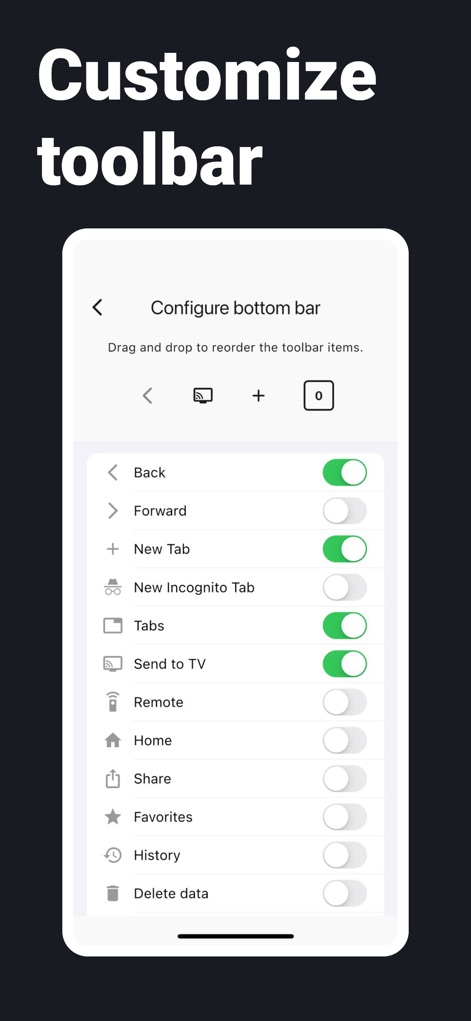
Discover how users can personalize the app's bottom bar, with options to reorder items and toggle on/off key features like 'Send to TV' and 'Remote' access.
Personalized Toolbar
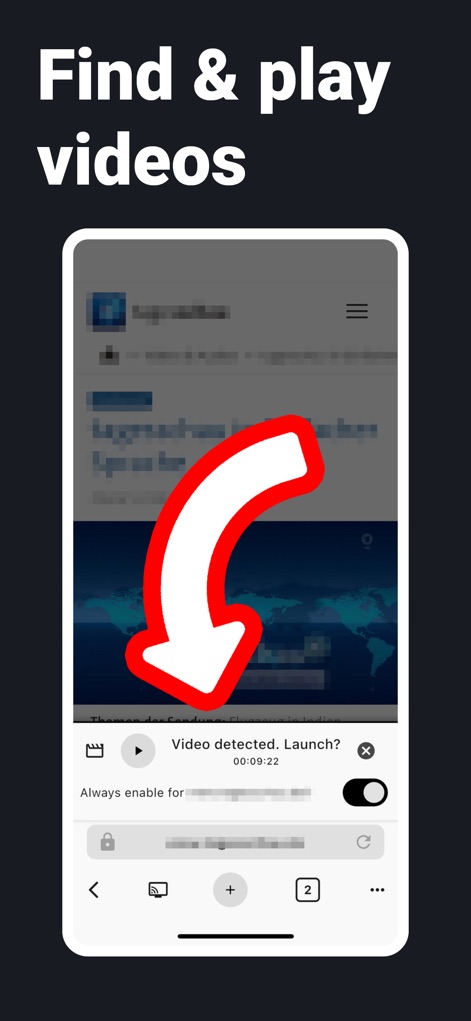
Witness the app's intelligent video finder, which automatically detects media on webpages and provides a clear 'Video detected. Launch?' prompt for immediate playback.
Seamless Video Playback

See the app's integrated TV remote functionality, offering a comprehensive directional pad for navigation and direct volume and power controls for connected devices.
Integrated TV Remote
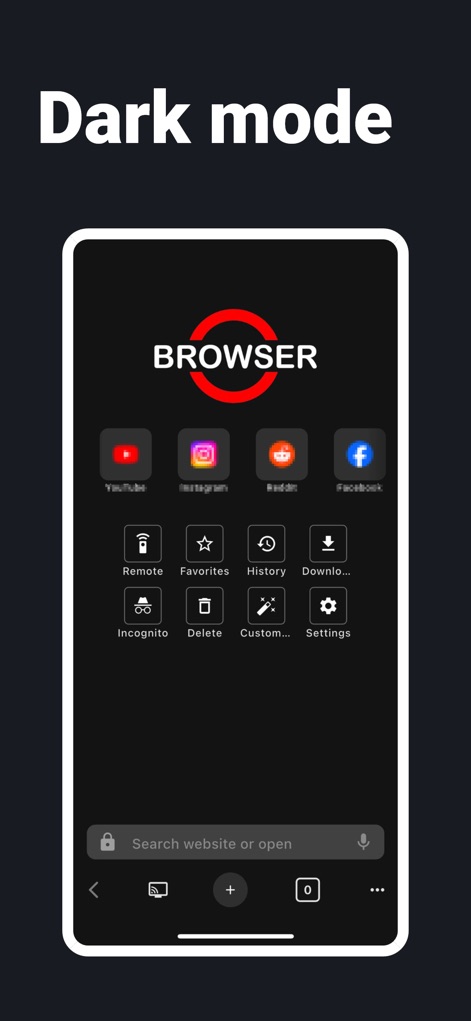
Experience the app's sleek dark mode, providing a comfortable viewing environment at night and maintaining clear visibility of quick access icons.
Elegant Dark Mode
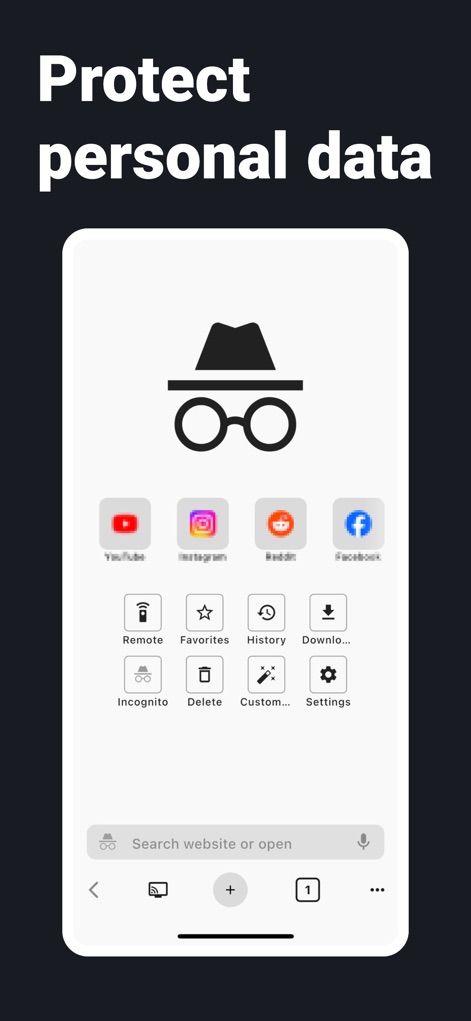
Understand the app's commitment to privacy through its incognito mode, clearly indicated by the distinctive icon and offering quick access to related privacy features.
Private Browsing
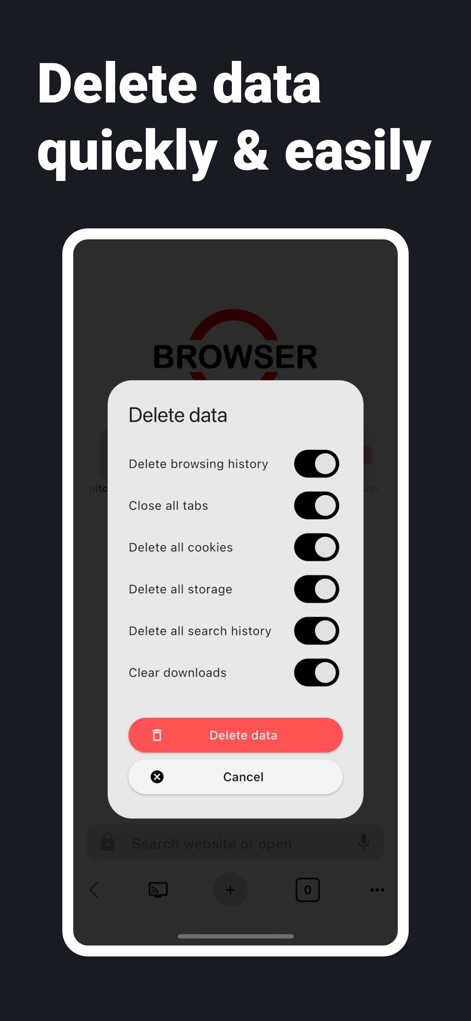
Examine the app's straightforward data management tools, presenting a 'Delete data' dialog with multiple toggle options and a prominent 'Delete data' confirmation button.
Effortless Data Management
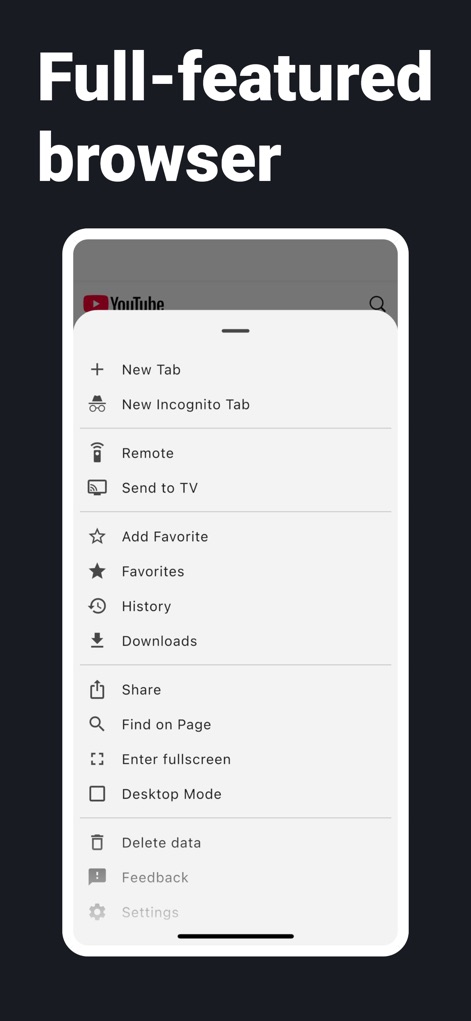
Explore the app's comprehensive menu, showcasing an array of options from opening a 'New Incognito Tab' to utilizing the 'Send to TV' feature for seamless content sharing.
Extended Functionality
Description
Download
More Like This
Apps with similar features and user experience



This page is not an official page of the app or its developer, but an independent editorial publication created for informational and commentary purposes. Unless expressly stated otherwise, neither the app nor its developer is affiliated with, endorsed by, sponsored by, authorized by, or otherwise officially connected with MWM, Apple, Google Play, the app publisher, or the app's developer, and nothing on this page implies that the app was developed using MWM's services. Any trademarks, logos, screenshots, and other content remain the property of their respective owners.