
This page is not an official page of the app or its developer, but an independent editorial publication created for informational and commentary purposes. Unless expressly stated otherwise, neither the app nor its developer is affiliated with, endorsed by, sponsored by, authorized by, or otherwise officially connected with MWM, Apple, Google Play, the app publisher, or the app's developer, and nothing on this page implies that the app was developed using MWM's services. Any trademarks, logos, screenshots, and other content remain the property of their respective owners.


TV Cast for Samsung TV App
Stop squinting. MWM's creation turns your tiny screen content into living room spectacle.
Downloads
10M+User Rating
Total Ratings
117.8KPublisher
Category
Photo & VideoLocales
1Latest Version
3.8Size
34.7 MBFirst Released
Mar 26, 2015An evaluation highlighting the app's capabilities for Samsung Smart TV and Blu-ray Player owners.
Key Features of TV Cast for Samsung TV App
Web Video & Live Stream Casting
The app provides the core functionality to stream a wide array of web videos, online movies, live streams, and live TV shows directly from iOS devices to a Samsung Smart TV or Blu-ray Player, significantly expanding home entertainment options.
Server-Free Operation
This tool features a streamlined setup by eliminating the need for complex media servers like Plex, offering a simple and direct streaming solution that appeals to users seeking ease of use.
Unlimited Streaming Duration
It allows users to watch videos of any length without time restrictions, ensuring an uninterrupted and fully immersive viewing experience for movies and long-form content.
Broad Video Format Support
The app supports various video formats, including MP4, M3U8, HLS livestreams, and video-over-HTTPS, ensuring compatibility with a broad range of online content and enhancing reliability.
Local Media Streaming (Premium)
This tool enables users to cast personal videos from their iPhone or iPad camera roll (MP4, M4V, MOV) to their Samsung TV, offering a versatile way to share personal media on the big screen.
Integrated Ad-Blocker (Premium)
It provides an integrated ad-blocker that effectively blocks ads and pop-ups on most websites and removes in-app sponsoring ads, resulting in a cleaner and more enjoyable streaming experience.
Advanced Video Controls (Premium)
The app offers a Remote Playbar for advanced video control, including scrubbing, fast-forward, rewind, play, and pause, enhancing the convenience and control over streamed content.
Website Bookmarking & Sync (Premium)
It allows users to save an unlimited number of website bookmarks and synchronize them across different devices via iCloud, providing quick access to favorite streaming sources and improving convenience.
Frequently Asked Questions
Everything you need to know about TV Cast for Samsung TV App
What is the TV Cast for Samsung TV App?
The TV Cast for Samsung TV App streams web videos, online movies, livestreams, and live TV shows to Samsung Smart TVs and Blu-ray Players. It provides direct casting from your mobile device.
Does the TV Cast for Samsung TV App require a subscription?
No, there are no recurring subscription fees for the TV Cast for Samsung TV App. The app emphasizes "NO SUBSCRIPTIONS" on its primary promotional material, indicating one-time purchases for features.
Does TV Cast for Samsung TV App offer in-app purchases?
Yes, the TV Cast for Samsung TV App offers in-app purchases for upgrade features. The Premium Edition unlocks all available features, including future updates without additional payment.
What video formats does TV Cast for Samsung TV App support?
The TV Cast for Samsung TV App supports streaming of mp4, m3u8, hls livestreams, and video-over-https. Users can cast various web video formats directly to their Samsung Smart TV.
Does the TV Cast for Samsung TV App have a time limit for streaming?
No, the TV Cast for Samsung TV App does not impose any time limits on streaming. Users can watch videos of any duration, including those lasting hours, without interruption.
How do I set up the TV Cast for Samsung TV App on my TV?
To set up the TV Cast for Samsung TV App, open the Samsung App Store (Smart Hub) on your TV or Blu-ray Player. Search for and install the 'TV Cast' receiver app to enable video casting.
How do I connect my iPhone/iPad to the TV Cast for Samsung TV App?
Users connect their iPhone/iPad to the TV Cast for Samsung TV App by entering their device's IP address on the Samsung TV using the remote's number pad and navigation keys.
Does the TV Cast for Samsung TV App support DRM-protected content?
No, the TV Cast for Samsung TV App does not support DRM-protected videos. This includes iTunes movies, Flash video, and content from services like HBO Now.
Does the TV Cast for Samsung TV App mirror my device's screen?
No, the TV Cast for Samsung TV App does not mirror your device's screen or tab. It only streams the video portion of a website directly to your Samsung Smart TV.
What is the Remote Playbar feature in TV Cast for Samsung TV App?
The Remote Playbar feature in TV Cast for Samsung TV App provides advanced video control, such as scrubbing, forward, rewind, play, pause, and stop, while browsing.
Can I cast local videos with TV Cast for Samsung TV App?
Yes, the TV Cast for Samsung TV App allows users to cast local videos from their iPhone or iPad camera roll. It supports mp4, m4v, and mov formats.
Does the TV Cast for Samsung TV App include an ad-blocker?
Yes, the TV Cast for Samsung TV App offers an Ad-Blocker feature as an in-app purchase. It blocks ads and pop-ups on most websites and removes sponsoring ads from within the app.
Does TV Cast for Samsung TV App offer customer support?
Yes, TV Cast for Samsung TV App provides "FAST PREMIUM SUPPORT CHAT." This indicates that users can obtain quick assistance with the app's features or any encountered issues.
The following screenshots and description are sourced directly from the app's official store listing and are the property of the app developer.
App Store
Screenshots
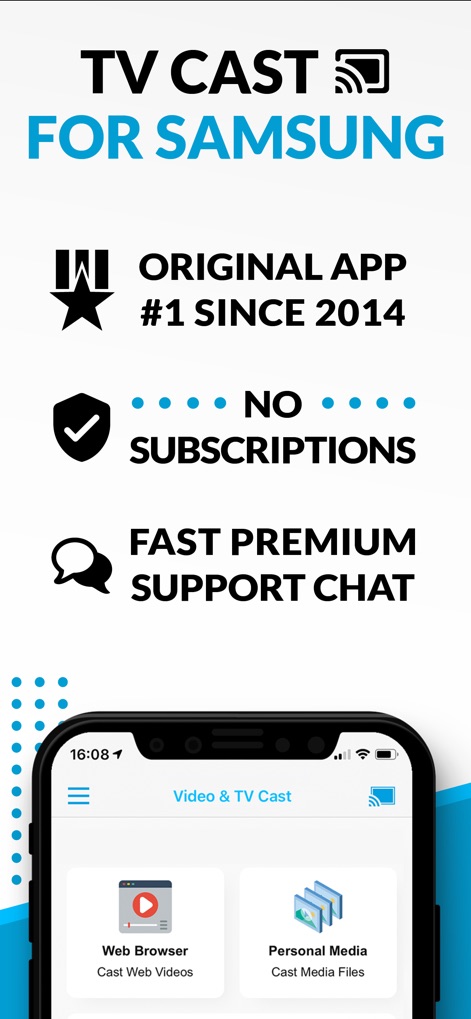
Discover the app's key advantages, including its subscription-free model and intuitive access to Web Browser and Personal Media casting options.
Essential Features Unveiled

Users can effortlessly stream diverse content, from web videos and online movies to live TV, directly from their iOS device to a Samsung TV.
Seamless Video Streaming

Expand entertainment by casting various personal media, such as camera roll videos, photos, and music files, to the big screen.
Multimedia Mirroring Made Easy
Description
Download
More Like This
Apps with similar features and user experience



This page is not an official page of the app or its developer, but an independent editorial publication created for informational and commentary purposes. Unless expressly stated otherwise, neither the app nor its developer is affiliated with, endorsed by, sponsored by, authorized by, or otherwise officially connected with MWM, Apple, Google Play, the app publisher, or the app's developer, and nothing on this page implies that the app was developed using MWM's services. Any trademarks, logos, screenshots, and other content remain the property of their respective owners.