bVNC Pro - VNC Screen Sharing
Download on App Store

This page is not an official page of the app or its developer, but an independent editorial publication created for informational and commentary purposes. Unless expressly stated otherwise, neither the app nor its developer is affiliated with, endorsed by, sponsored by, authorized by, or otherwise officially connected with MWM, Apple, Google Play, the app publisher, or the app's developer, and nothing on this page implies that the app was developed using MWM's services. Any trademarks, logos, screenshots, and other content remain the property of their respective owners.

Logo of bVNC Pro - VNC Screen Sharing
Download on App Store

bVNC Pro - VNC Screen Sharing

Command your Linux, Mac, and Windows servers with high-grade SSH encryption, PiKVM support, and desktop-class external keyboard and mouse integration. Powerful remote management for SysAdmins and power users, with zero subscriptions.

Key Figures

Downloads

20K+

User Rating

4.2/5

Total Ratings

0

Publisher

iordan iordanov

Category

Productivity

Locales

5

Latest Version

56

Size

8.3 MB

First Released

Apr 11, 2020
Features

Professional Control for Every Environment

Empower your workflow with a secure, open-source VNC client built for systems administrators and power users managing multi-OS infrastructures.

Enterprise-Grade Security

Secure your sessions with SSH tunneling and VeNCrypt (x509) certificates, ensuring your data remains private and bypasses third-party cloud brokers.

Native Multi-OS Precision

Full compatibility with Linux, Mac, Windows, and PiKVM, featuring advanced multi-touch gestures and full external keyboard and mouse support.

The following screenshots and description are sourced directly from the app's official store listing and are the property of the app developer.

App Store

Screenshots
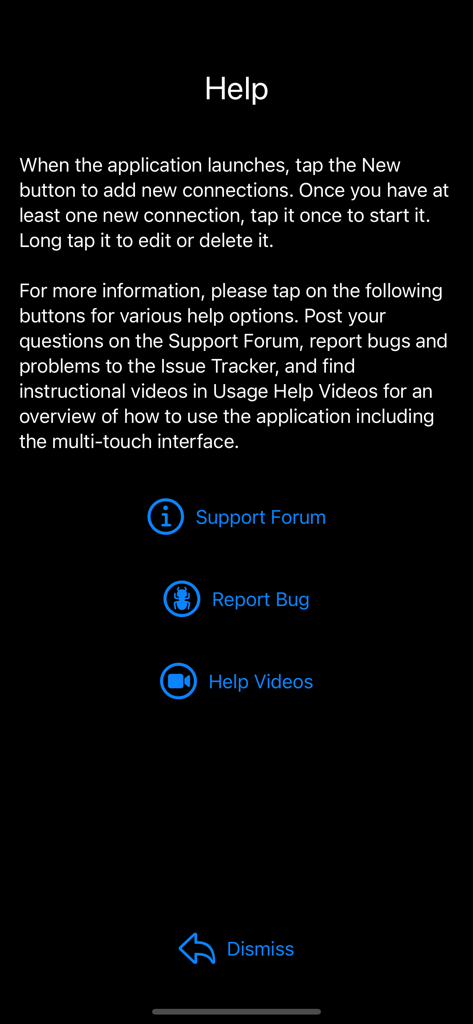
bVNC Pro - VNC Screen Sharing - The help screen of the bVNC Pro app showing links to the support forum, bug reports, and tutorial videos.
The help screen of the bVNC Pro app showing links to the support forum, bug reports, and tutorial videos.

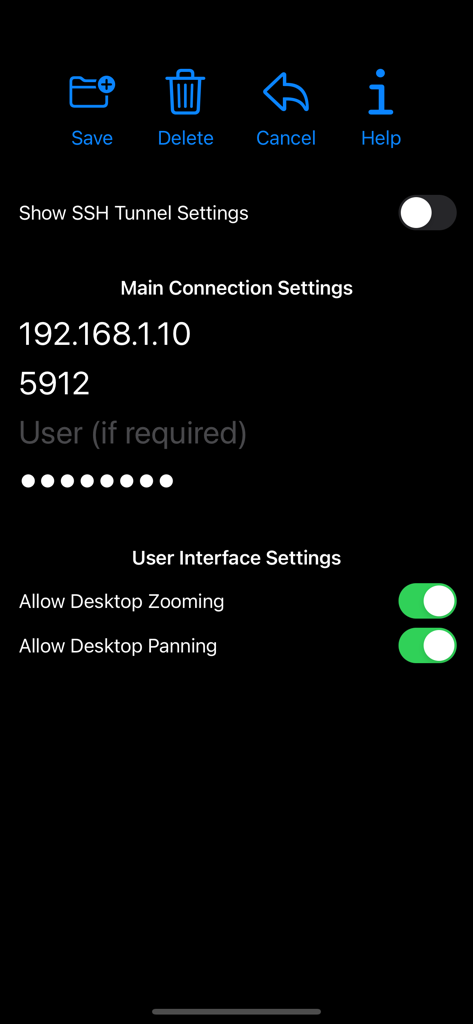
bVNC Pro - VNC Screen Sharing - bVNC Pro app interface showing remote desktop connection settings including IP address port and user interface toggles

bVNC Pro app interface showing remote desktop connection settings including IP address port and user interface toggles

bVNC Pro - VNC Screen Sharing - Main menu of bVNC Pro app showing icons for New Help and Log
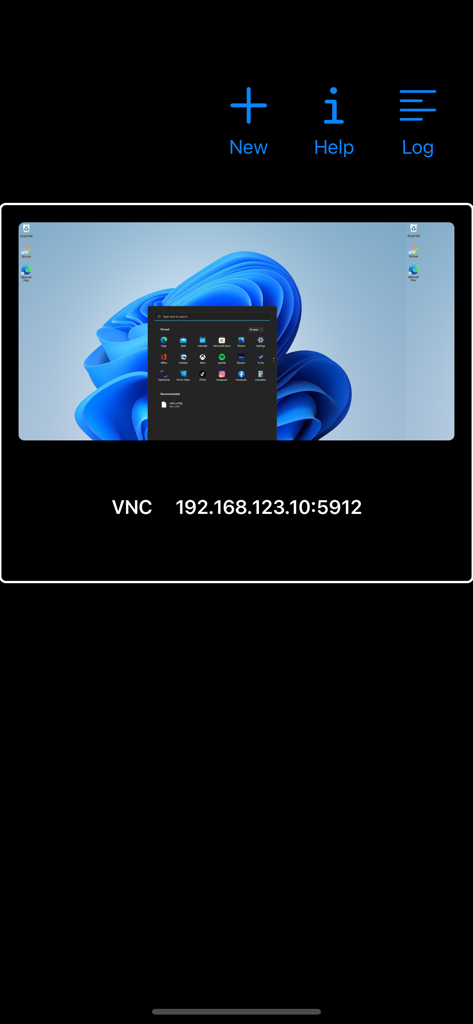
Main menu of bVNC Pro app showing icons for New Help and Log

bVNC Pro - VNC Screen Sharing - bVNC Pro interface showing a remote connection to a Windows desktop with IP address details.
bVNC Pro interface showing a remote connection to a Windows desktop with IP address details.

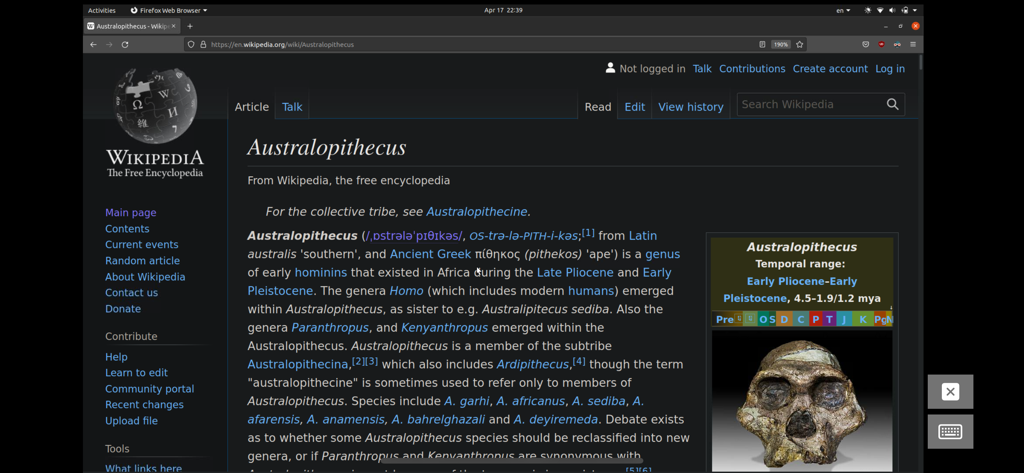
bVNC Pro - VNC Screen Sharing - A Linux desktop session accessed remotely via bVNC Pro showing a Firefox browser window open to Wikipedia.
A Linux desktop session accessed remotely via bVNC Pro showing a Firefox browser window open to Wikipedia.

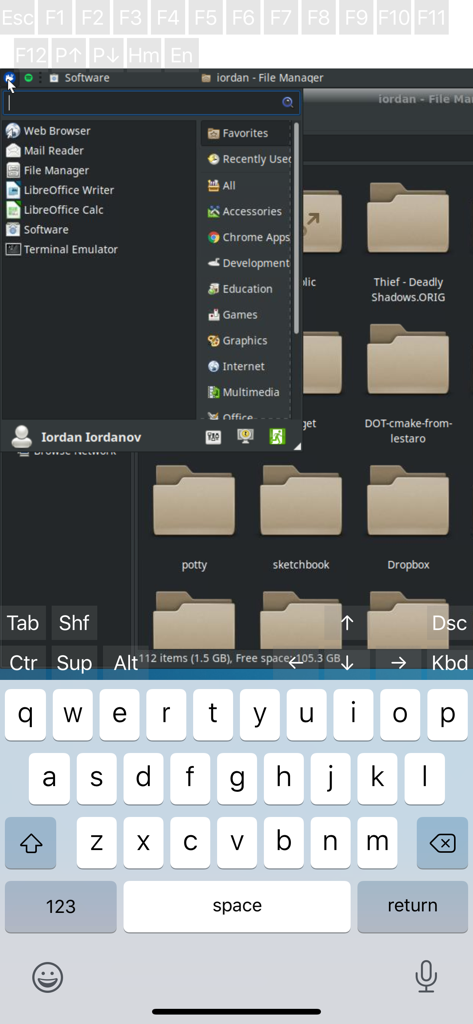
bVNC Pro - VNC Screen Sharing - Remote Linux desktop session on bVNC Pro showing file manager and virtual keyboard
Remote Linux desktop session on bVNC Pro showing file manager and virtual keyboard

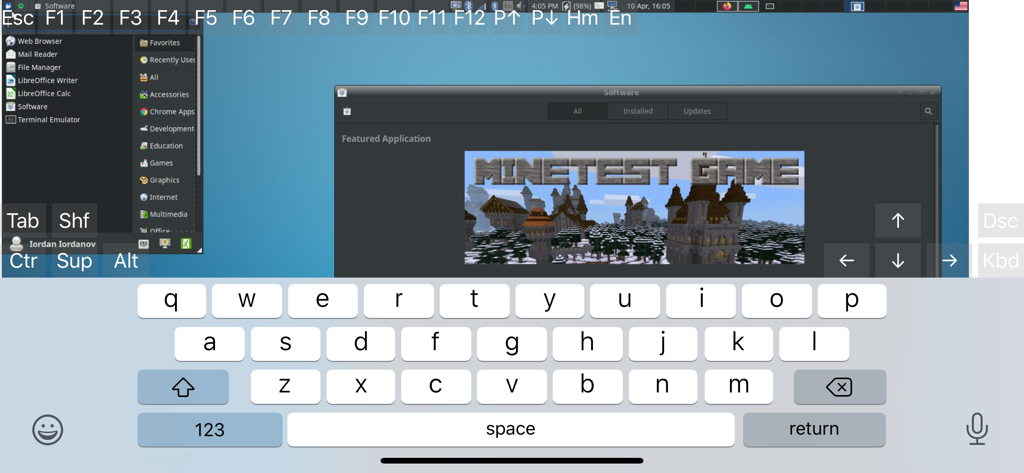
bVNC Pro - VNC Screen Sharing - bVNC Pro app interface showing a remote Linux desktop with on-screen keyboard and technical control keys
bVNC Pro app interface showing a remote Linux desktop with on-screen keyboard and technical control keys

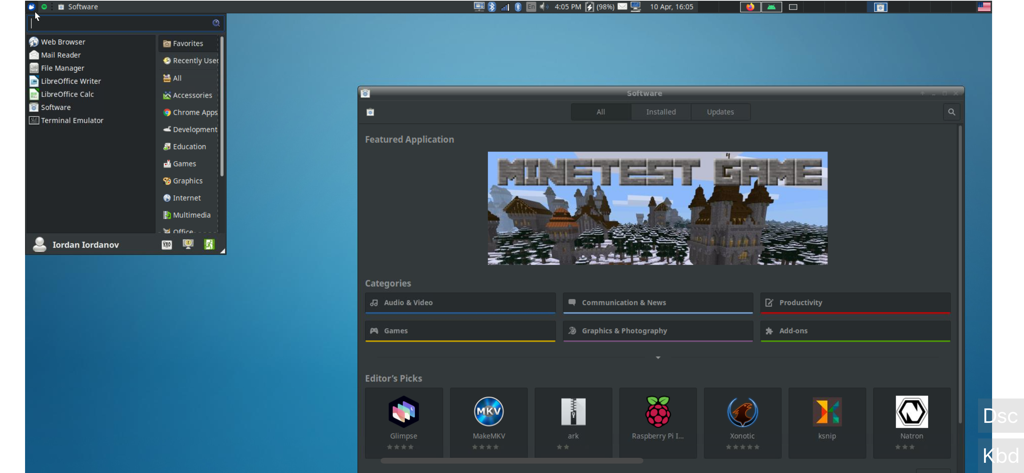
bVNC Pro - VNC Screen Sharing - A screenshot of bVNC Pro displaying a remote Linux desktop with a software manager window open.

A screenshot of bVNC Pro displaying a remote Linux desktop with a software manager window open.

Description

Thank you for supporting my work and GPL open-source software by buying bVNC Pro! If you are unhappy, please don't give us a bad review, instead, request a refund and get in touch by email support _at_ morpheusly _dot_ com: https://support.apple.com/en-ca/118223 Need an RDP app to control Windows, Ubuntu 22.04+ or XRDP remotely? https://apps.apple.com/app/ardp-pro/id1620745523 Need a SPICE or Proxmox or oVirt client for controlling virtual machines remotely? https://apps.apple.com/app/aspice-pro/id1560593107 If bVNC doesn't work for you or you're unhappy, please do not ask for help in a review but do post your question in the forum: https://groups.google.com/forum/#!forum/bvnc-ardp-aspice-opaque-remote-desktop-clients If you have a feature request, or you found a bug, please open an issue at: https://github.com/iiordanov/remote-desktop-clients/issues - Instructions for Mac OS X: Plain VNC (Remote Desktop for Mac OS X): http://iiordanov.blogspot.ca/2012/04/how-to-connect-to-mac-os-x-using-bvnc.html Secure VNC over SSH: http://iiordanov.blogspot.ca/2012/04/tunneling-vnc-over-ssh-to-mac-os-x.html - Instructions for Windows: Plain VNC: http://iiordanov.blogspot.ca/2012/04/how-to-install-and-connect-to-tightvnc.html Secure VNC over VeNCrypt: https://groups.google.com/d/msg/bvnc-ardp-aspice-opaque-remote-desktop-clients/lINJkYJbN-U/3Q3oHWjjDQAJ Secure VNC over SSH: http://iiordanov.blogspot.ca/2012/04/tunneling-vnc-over-ssh-to-windows.html - Instructions for Ubuntu 20.04 and earlier Linux Plain VNC not tunneled over SSH: https://help.ubuntu.com/stable/ubuntu-help/sharing-desktop.html.en http://www.howtoforge.com/configure-remote-access-to-your-ubuntu-desktop If your business is looking for fixes and features, please get in touch by email at support _at_ morpheusly.com bVNC is a secure, open source VNC client. Its features include: - Controls Windows, Mac, Linux, BSD with VNC server installed - PiKVM compatible - External keyboard support - External mouse support - Magic Trackpad support - Multi-language support - Supports Mac OS X built-in remote desktop server (ARD) and Mac OS X authentication! - Windows, Mac, Linux, BSD, or any other OS with a VNC server installed - Multi-touch control over the remote mouse. One finger tap left-clicks, two-finger tap right-clicks, and three-finger tap middle-clicks - Right and middle-drag and drop if you don't lift the first finger that tapped - Scrolling with a two-finger gesture - Pinch-zoom - Dynamic resolution changes, allowing you to reconfigure your desktop while connected, and control over virtual machines from BIOS to OS - All device orientations - Full desktop visibility even with soft keyboard extended - SSH tunneling, AnonTLS and VeNCrypt for secure connections (does not support RealVNC encryption). - High-grade encryption superior to RDP using SSH and VeNCrypt (x509 certificates and SSL), preventing man-in-the-middle attacks - Tight and CopyRect encodings for quick updates - SSH public/private (pubkey)- Supports most VNC servers including TightVNC, UltraVNC, TigerVNC, (and RealVNC Enterprise only, when configured appropriately) - Clipboard integration for copy/pasting from your device Some of the planned features to look forward to: - AutoX session discovery/creation similar to NX client - Ability to reduce the color depth over slow links - Importing encrypted/unencrypted RSA keys in PEM format - View-only mode - On-device help on available input modes in the Menu when connected GPL source code here: https://gitlab.com/iiordanov/remote-desktop-clients-ios

Download

Download on App Store

This page is not an official page of the app or its developer, but an independent editorial publication created for informational and commentary purposes. Unless expressly stated otherwise, neither the app nor its developer is affiliated with, endorsed by, sponsored by, authorized by, or otherwise officially connected with MWM, Apple, Google Play, the app publisher, or the app's developer, and nothing on this page implies that the app was developed using MWM's services. Any trademarks, logos, screenshots, and other content remain the property of their respective owners.








