
This page is not an official page of the app or its developer, but an independent editorial publication created for informational and commentary purposes. Unless expressly stated otherwise, neither the app nor its developer is affiliated with, endorsed by, sponsored by, authorized by, or otherwise officially connected with MWM, Apple, Google Play, the app publisher, or the app's developer, and nothing on this page implies that the app was developed using MWM's services. Any trademarks, logos, screenshots, and other content remain the property of their respective owners.


Bytech
Automate your daily routines with easy timers, group device management, and family sharing—all from one intuitive app designed for your modern lifestyle.
Downloads
179K+User Rating
Total Ratings
100Publisher
Category
LifestyleLocales
12Latest Version
1.0.2Size
189.3 MBFirst Released
Jun 18, 2024Smart Living Made Simple
Manage your home effortlessly with the Bytech app. Experience the convenience of a modern smart home without the complexity or high cost.
Remote Access Anywhere
Never worry about leaving a light on again. Control all your smart devices instantly from your phone, no matter where you are.
Personalized Automation
Set schedules and timers to fit your routine. Automate your lighting and appliances to save energy and simplify your day.
Frequently Asked Questions
Everything you need to know about Bytech
What is the Bytech app used for?
The Bytech app allows remote control of smart devices, enables creation of device groups, offers automation through timers and alarms, and facilitates device sharing among family members.
Can I control multiple devices simultaneously with Bytech?
Yes, the Bytech app enables users to easily set up groups to control multiple smart devices simultaneously, streamlining their management.
Does the Bytech app support device automation?
Yes, the Bytech app supports device automation. Users can set specific timers and alarms within the app to automate various functions at designated times.
Can I share smart devices with others using Bytech?
Yes, the Bytech app includes functionality to share devices with other family members, allowing multiple users to manage and control connected smart devices.
Does Bytech integrate with security cameras?
Yes, the Bytech app integrates with security cameras. It lists connected security cameras and provides an interface for live viewing and controlling camera-specific functions.
What features are available for security cameras in Bytech?
Bytech offers various features for security cameras, including HD live view, playback, gallery access, private mode, night mode, anti-flicker, device volume control, and motion tracking.
How do I add a new smart device to Bytech?
To add a new smart device to Bytech, tap the "+" icon on the "All Devices" screen. The app then guides you through the connection process, typically requiring the device to be powered on.
The following screenshots and description are sourced directly from the app's official store listing and are the property of the app developer.
App Store
Screenshots

Bytech smart home app splash screen featuring the company logo and tagline the art of technology
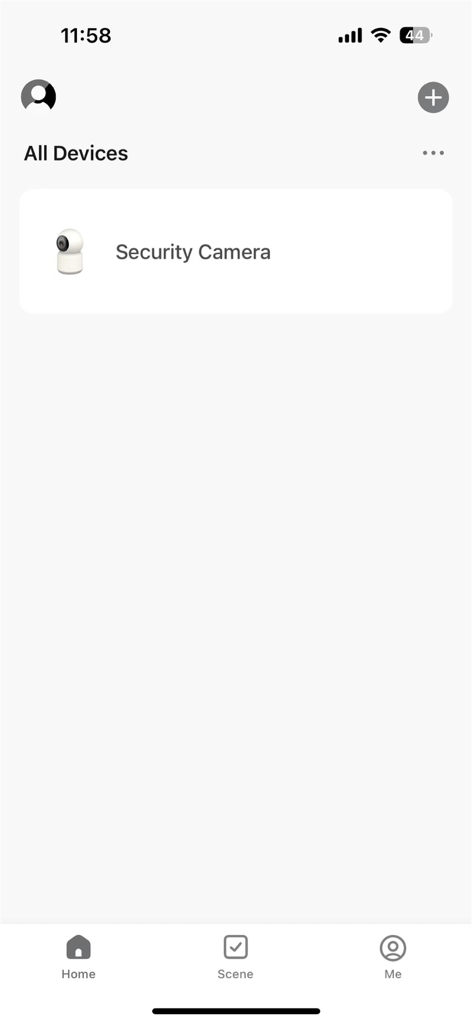
Bytech app home dashboard showing a connected security camera
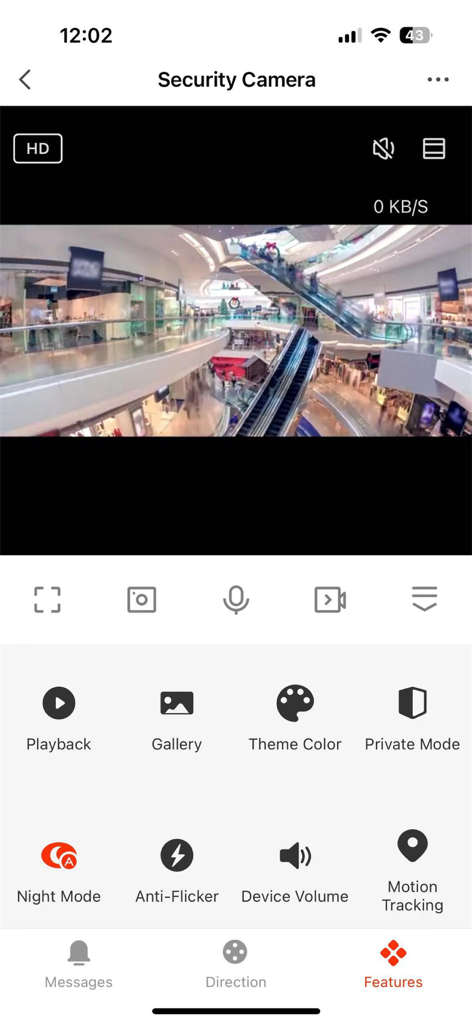
Bytech app security camera live view and feature settings menu
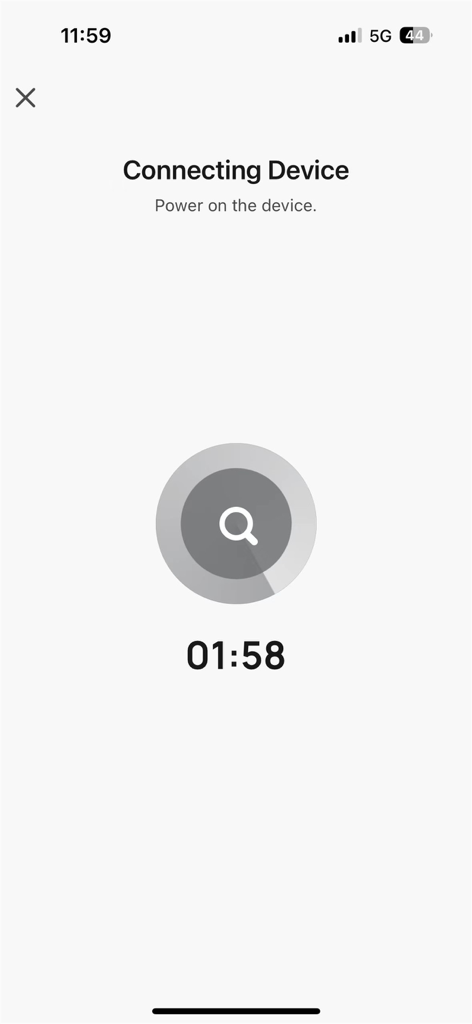
Bytech app screen displaying the connecting device process with a countdown timer
Description
Download
More Like This
Apps with similar features and user experience

TP-Link Tapo
TP-Link Systems Inc.

Дом с Алисой
DIRECT CURSUS COMPUTER SYSTEMS TRADING LLC

VeSync
Vesync Technology Corporation

Kasa Smart
TP-Link Systems Inc.

ecobee
ecobee Ltd.

Hubspace
Afero, Inc.

ADT Control ®
ADT LLC

First Alert by Resideo
Resideo Technologies, Inc.

Mibo Smart: Casa Inteligente
Intelbras S.A. Ind. de Telecom. Elet. Brasileira
This page is not an official page of the app or its developer, but an independent editorial publication created for informational and commentary purposes. Unless expressly stated otherwise, neither the app nor its developer is affiliated with, endorsed by, sponsored by, authorized by, or otherwise officially connected with MWM, Apple, Google Play, the app publisher, or the app's developer, and nothing on this page implies that the app was developed using MWM's services. Any trademarks, logos, screenshots, and other content remain the property of their respective owners.