
This page is not an official page of the app or its developer, but an independent editorial publication created for informational and commentary purposes. Unless expressly stated otherwise, neither the app nor its developer is affiliated with, endorsed by, sponsored by, authorized by, or otherwise officially connected with MWM, Apple, Google Play, the app publisher, or the app's developer, and nothing on this page implies that the app was developed using MWM's services. Any trademarks, logos, screenshots, and other content remain the property of their respective owners.

CAD快速看图-CAD手机看图软件
Access DWG files instantly, take precision measurements on-site, and manage your blueprints with 100GB of secure cloud storage right from your iPhone.
Downloads
258K+User Rating
Total Ratings
2K+Publisher
Category
Graphics & DesignLocales
1Latest Version
1.0.4Size
27.7 MBFirst Released
Apr 21, 2023Streamline Your Field Workflow
The ultimate CAD viewer and measurement tool for professionals on the move. Access, measure, and manage your DWG files anywhere, anytime.
Lightning-Fast Performance
Instantly open and view 2D or 3D drawings with smooth panning and zooming, designed for high-pressure site environments.
Precision On-Site Measurement
Calculate heights, lengths, and widths with surgical accuracy directly on your iPhone, eliminating the need for bulky paper blueprints.
Frequently Asked Questions
Everything you need to know about CAD快速看图-CAD手机看图软件
What is CAD快速看图-CAD手机看图软件?
CAD快速看图 is a mobile application for quickly viewing CAD drawings. It supports various formats like DWG and DXT, allowing users to preview 2D and 3D designs with features for pan, rotate, zoom, and accurate measurement.
What file formats does CAD快速看图 support?
CAD快速看图 supports multiple drawing formats, including DWG, DXT, 2D, and 3D files. Additionally, it enables importing and viewing of PDF, JPG, and PNG files from other applications.
Can users measure details on CAD drawings using CAD快速看图?
Yes, CAD快速看图 includes a drawing measurement function. Users can precisely measure project specifics like height, length, and width directly within the CAD drawings displayed in the app.
How can users import CAD drawings into CAD快速看图?
CAD快速看图 supports importing CAD drawing files from various third-party applications. Users can easily transfer DWG, PDF, JPG, and PNG files into the app for viewing and management.
Does CAD快速看图 provide cloud storage for drawings?
Yes, CAD快速看图 offers a dedicated personal cloud disk with a substantial 100GB storage capacity. This cloud service provides encrypted storage for all user drawing files.
How does subscription auto-renewal work for CAD快速看图?
CAD快速看图 subscriptions automatically renew at the original package price and duration. To prevent renewal, users must cancel the subscription at least 24 hours before the current VIP period concludes.
Where can I find the Privacy Policy for CAD快速看图?
The official Privacy Policy for CAD快速看图 is accessible through the provided link: https://docs.qq.com/doc/p/78f492fc3f1a137cd87395f056109be7bbbe2913.
The following screenshots and description are sourced directly from the app's official store listing and are the property of the app developer.
App Store
Screenshots
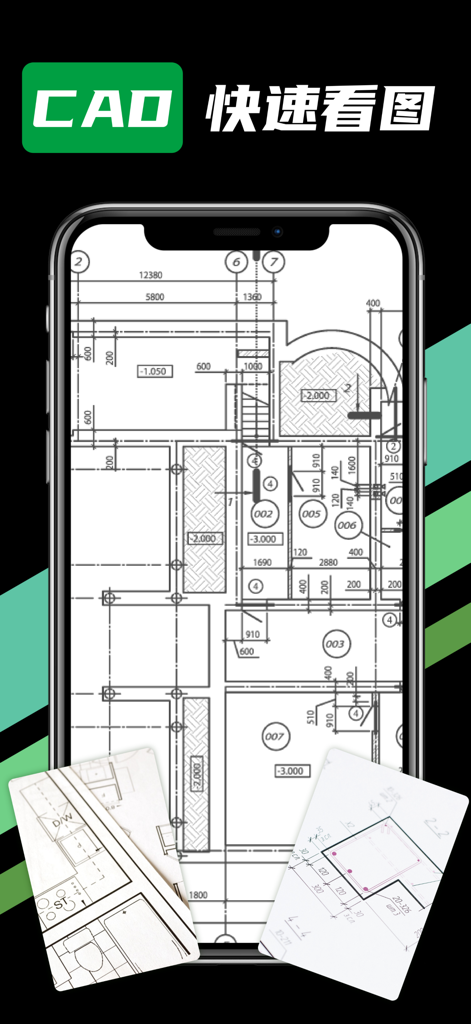
Smartphone displaying an architectural blueprint in the CAD Fast View app
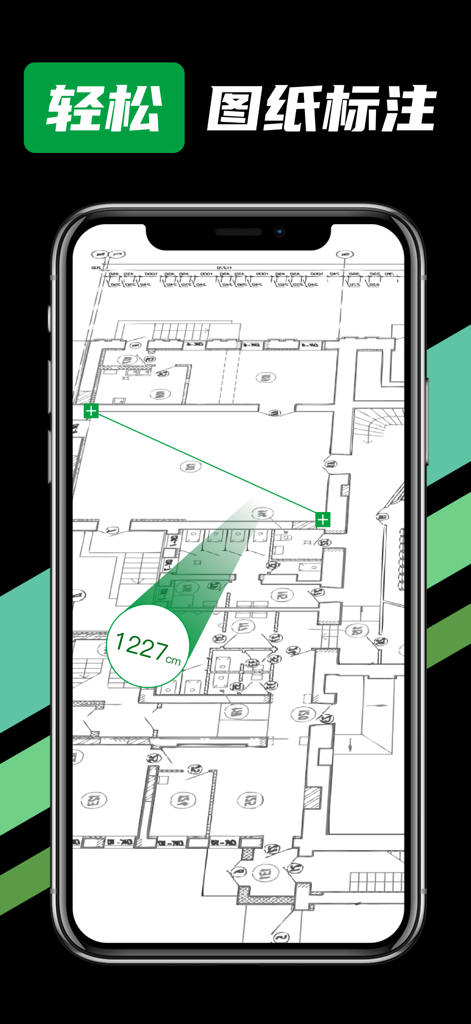
A smartphone screen displaying a CAD architectural drawing with a digital measurement tool showing a length of 1227cm

A smartphone displaying the CAD Fast View app interface for importing DWG PDF and PNG files
Description
Download
More Like This
Apps with similar features and user experience

Shapr 3D CAD modeling
Shapr 3D Zartkoruen Mukodo Reszvenytarsasag

CAD快速看图-dwg手机快速看图,设计图纸工程建筑
Shanghai Tantian Network Technology Co.,Ltd.

DWG FastView-CAD Viewer&Editor
Gstarsoft Co., Ltd

ZWCAD Mobile - Mobile CAD
ZWCAD Software Co.,Ltd.

CAD快速看图- 手机快速查看cad图纸
嘉欣 朱

Draft Paper
Giles Goddard

CAD FastView King: DWG Viewer
镇源 余

AutoCAD
Autodesk

CAD Reader-View & Measure DWG
Beijing Honghu Yuntu Technology Co., Ltd.
This page is not an official page of the app or its developer, but an independent editorial publication created for informational and commentary purposes. Unless expressly stated otherwise, neither the app nor its developer is affiliated with, endorsed by, sponsored by, authorized by, or otherwise officially connected with MWM, Apple, Google Play, the app publisher, or the app's developer, and nothing on this page implies that the app was developed using MWM's services. Any trademarks, logos, screenshots, and other content remain the property of their respective owners.