
This page is not an official page of the app or its developer, but an independent editorial publication created for informational and commentary purposes. Unless expressly stated otherwise, neither the app nor its developer is affiliated with, endorsed by, sponsored by, authorized by, or otherwise officially connected with MWM, Apple, Google Play, the app publisher, or the app's developer, and nothing on this page implies that the app was developed using MWM's services. Any trademarks, logos, screenshots, and other content remain the property of their respective owners.


Shapr 3D CAD modeling
Experience the world's most intuitive 3D design tool powered by the Siemens™ Parasolid® engine. Design, collaborate, and manufacture on your iPad, Mac, or PC with a seamless multidevice workflow that never keeps you tethered to a desk.
Downloads
6M+User Rating
Total Ratings
159K+Publisher
Category
ProductivityLocales
11Latest Version
5.1013Size
1.5 GBFirst Released
Mar 21, 2016Industrial Precision, Reimagined for Mobility
Stop being tethered to your desk. Shapr3D combines professional-grade power with an intuitive, multi-device workflow to help you design, iterate, and manufacture faster than ever.
Industrial-Grade Modeling Engine
Powered by the Siemens™ Parasolid® kernel, offering the same reliability and precision as high-end desktop CAD in a portable, high-performance package.
Adaptive, Instinctive Interface
Eliminate menu-hunting with a UI that predicts your next move. Designed for the Apple Pencil to make 3D modeling feel like natural sketching.
Frequently Asked Questions
Everything you need to know about Shapr 3D CAD modeling
What is Shapr 3D CAD modeling?
Shapr 3D CAD modeling is an intuitive 3D design application combining industrial-grade CAD with a user-friendly experience. It enables multi-device collaboration, automatic sync, and real-time 3D renders for efficient design workflows.
Can I use Shapr 3D on multiple devices?
Yes, Shapr 3D CAD modeling is designed for multi-device use, offering a hybrid workflow with automatic synchronization across all devices. Users can work from any device or offline.
What modeling kernels does Shapr 3D use?
Shapr 3D CAD modeling incorporates the Siemens™ geometric Parasolid® modeling kernel and the D-Cubed™ sketch engine. This provides industrial-grade CAD capabilities.
Does Shapr 3D support augmented reality (AR) rendering?
Yes, Shapr 3D CAD modeling supports real-time 3D renders in AR. Designs can be shared via a link for download-free viewing, enhancing visual communication.
What file formats can Shapr 3D export?
Shapr 3D CAD modeling supports exporting designs in X_T, STEP, STL, OBJ, 2D DXF, 2D DWG, IGES, 3MF, and SVG formats. It also outputs 2D Drawings.
What file formats can Shapr 3D import?
Shapr 3D CAD modeling can import various file types, including SLDPRT, SLDASM, X_T, STEP, STL, IGES, 2D DWG, 2D DXF, JPG, and PNG.
How does Shapr 3D enhance user focus during design?
Shapr 3D CAD modeling features an adaptive user interface that automatically sorts tools. This reduces clutter, keeping the user's focus on the design process and prioritizing high-quality decisions.
Can I apply different materials to my designs in Shapr 3D?
Yes, Shapr 3D CAD modeling allows users to apply various materials to their designs. The interface shows options like Glossy ABS, Matte ABS, Glossy Carbon Fibre, and Melamine.
Does Shapr 3D keep a history of design operations?
Yes, Shapr 3D CAD modeling maintains a detailed history of design operations. This allows users to review and manage steps like Sketch, Extrusion, Import, and Pattern, ensuring precise control.
Where can I find support for Shapr 3D CAD modeling?
For support queries regarding Shapr 3D CAD modeling, users can submit a request via the official support page at shapr3d.com/support. There is also a user forum available.
The following screenshots and description are sourced directly from the app's official store listing and are the property of the app developer.
App Store
Screenshots
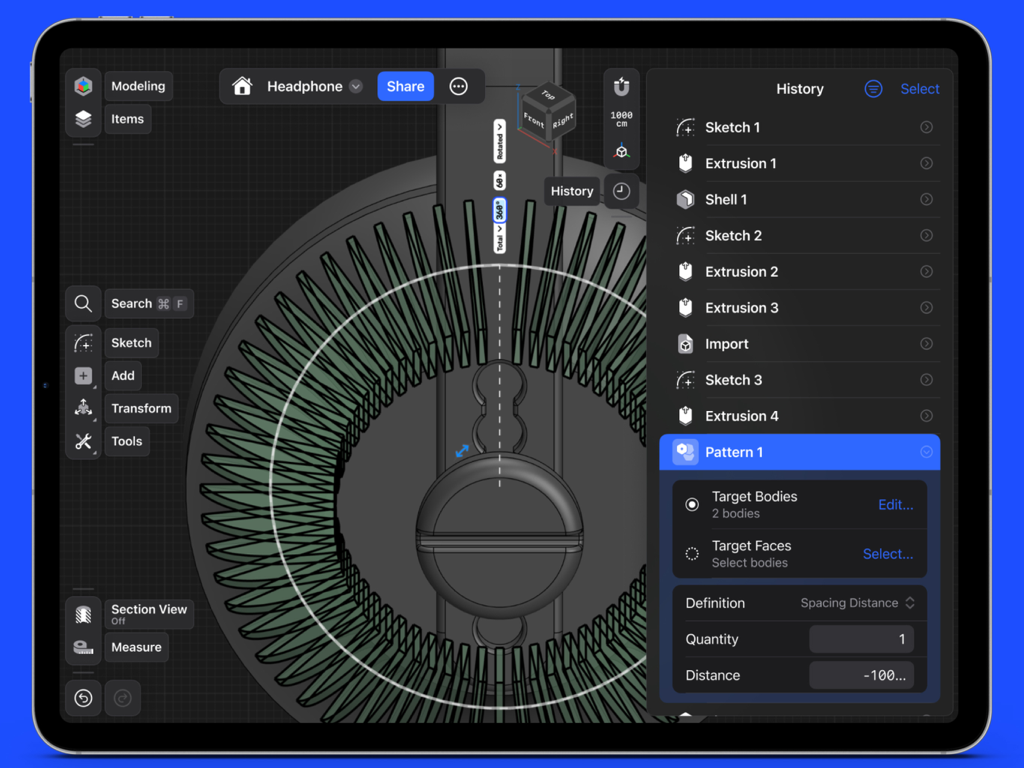
Shapr3D professional CAD app interface on an iPad showing a 3D headphone model design with a history sidebar of modeling steps
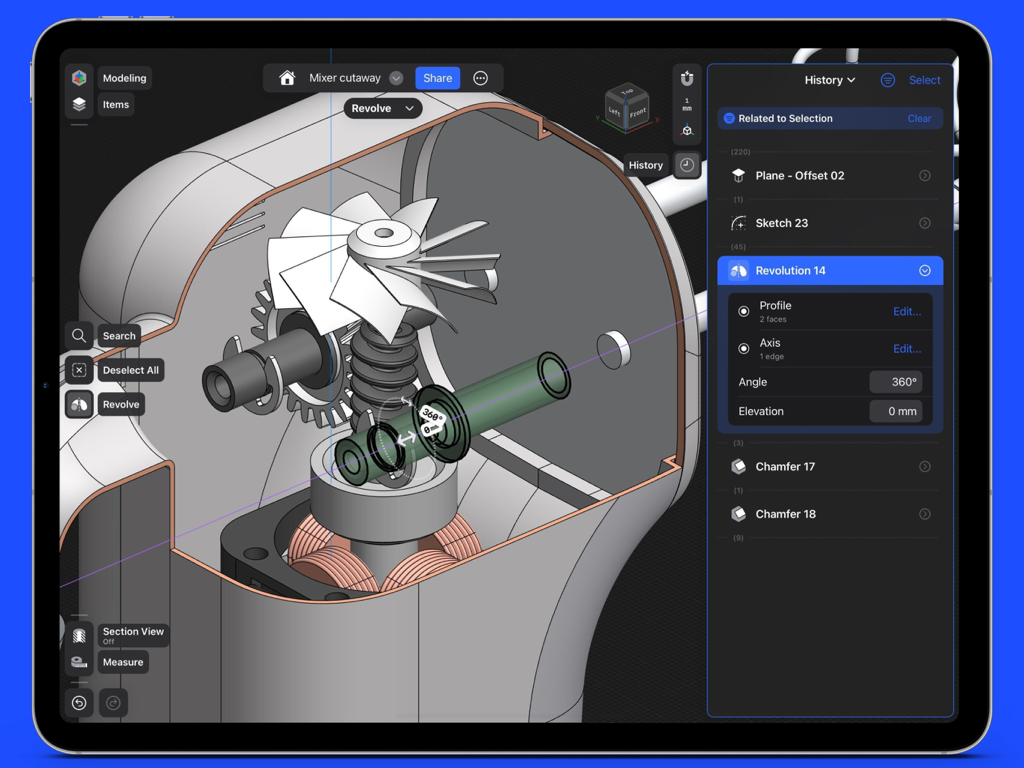
Professional 3D CAD modeling of a mechanical assembly on an iPad Pro using Shapr3D
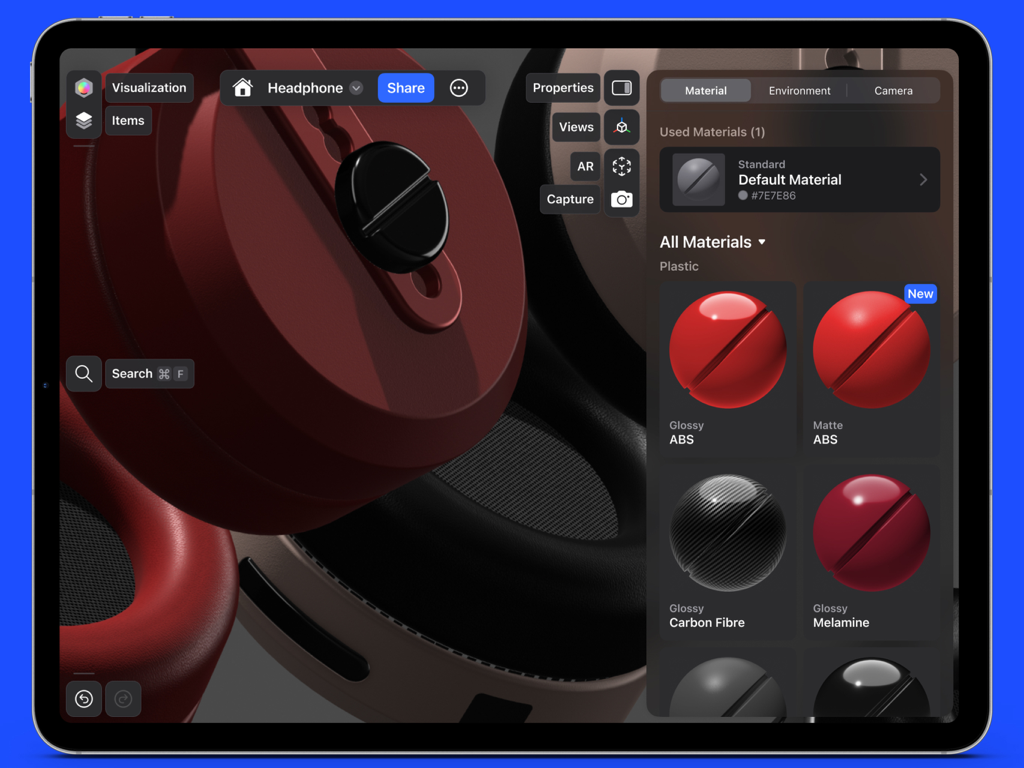
Shapr3D app interface on iPad showing material selection for a 3D headphone model
Description
Download
More Like This
Apps with similar features and user experience

CAD快速看图-dwg手机快速看图,设计图纸工程建筑
Shanghai Tantian Network Technology Co.,Ltd.

DWG FastView-CAD Viewer&Editor
Gstarsoft Co., Ltd

CAD快速看图-CAD手机看图软件
存旺 姜

ZWCAD Mobile - Mobile CAD
ZWCAD Software Co.,Ltd.

CAD快速看图- 手机快速查看cad图纸
嘉欣 朱

Draft Paper
Giles Goddard

CAD FastView King: DWG Viewer
镇源 余

AutoCAD
Autodesk

CAD Reader-View & Measure DWG
Beijing Honghu Yuntu Technology Co., Ltd.
This page is not an official page of the app or its developer, but an independent editorial publication created for informational and commentary purposes. Unless expressly stated otherwise, neither the app nor its developer is affiliated with, endorsed by, sponsored by, authorized by, or otherwise officially connected with MWM, Apple, Google Play, the app publisher, or the app's developer, and nothing on this page implies that the app was developed using MWM's services. Any trademarks, logos, screenshots, and other content remain the property of their respective owners.