
This page is not an official page of the app or its developer, but an independent editorial publication created for informational and commentary purposes. Unless expressly stated otherwise, neither the app nor its developer is affiliated with, endorsed by, sponsored by, authorized by, or otherwise officially connected with MWM, Apple, Google Play, the app publisher, or the app's developer, and nothing on this page implies that the app was developed using MWM's services. Any trademarks, logos, screenshots, and other content remain the property of their respective owners.

AutoCAD
Bring the power of the industry standard to the field. View, edit, and annotate your drawings on mobile to bridge the gap between the office and the job site with seamless cloud integration and offline access.
Downloads
10M+User Rating
Total Ratings
61K+Publisher
Category
ProductivityLocales
12Latest Version
6.20.1Size
522.1 MBFirst Released
Sep 29, 2010Your Professional Studio, Reimagined for the Field
Bridge the gap between the office and the job site with the industry's most trusted CAD tools. Experience precision drafting and seamless collaboration on your mobile device.
Leave the Blueprints Behind
Access your entire DWG library without the weight of paper rolls. Work offline in remote locations and sync your changes automatically when you're back online.
High-Precision Drafting
Maintain professional standards with familiar AutoCAD tools. Create, edit, and measure geometry with pixel-perfect accuracy, ensuring every dimension is correct before construction begins.
Frequently Asked Questions
Everything you need to know about AutoCAD
What is the AutoCAD mobile app?
The AutoCAD app is an official Autodesk solution for viewing, editing, and creating CAD drawings on mobile devices, providing essential drafting and design capabilities, including DWG™ file support.
Does the AutoCAD app offer a free trial?
Yes, new users can enjoy a fully functional 30-day free trial of AutoCAD Web. After the trial, limited read-only functionality is available without a paid subscription.
How much does an AutoCAD Web subscription cost?
A monthly AutoCAD Web subscription costs $9.99, while a yearly subscription costs $99.99. The service is also included free with existing AutoCAD and AutoCAD LT desktop subscriptions.
Can I use the AutoCAD mobile app offline?
Yes, the AutoCAD app allows users to work offline on their projects without an internet connection. Changes made offline will sync later when the device is back online.
Which cloud storage services does the AutoCAD app integrate with?
The AutoCAD app simplifies workflows by directly opening DWG files from Autodesk Drive, Autodesk Docs, Microsoft OneDrive, Box, Dropbox, and Google Drive.
Can I measure objects in the AutoCAD mobile app?
Yes, the AutoCAD app includes various measurement tools. Users can measure distance, angle, area, and radius directly within their drawings.
Does the AutoCAD app support layers for organizing drawings?
Yes, the AutoCAD app supports managing layers. Users can organize projects by managing layers and controlling their visibility within the application.
How do AutoCAD Web subscriptions handle renewals and cancellations?
AutoCAD Web subscriptions automatically renew unless canceled at least 24 hours before the current period ends. Cancellation is not possible during an active subscription period.
Is there an age restriction for using AutoCAD Service?
No, AutoCAD Service is not provided to children under the age of 14. Users who are under 14 years old cannot use this service.
The following screenshots and description are sourced directly from the app's official store listing and are the property of the app developer.
App Store
Screenshots
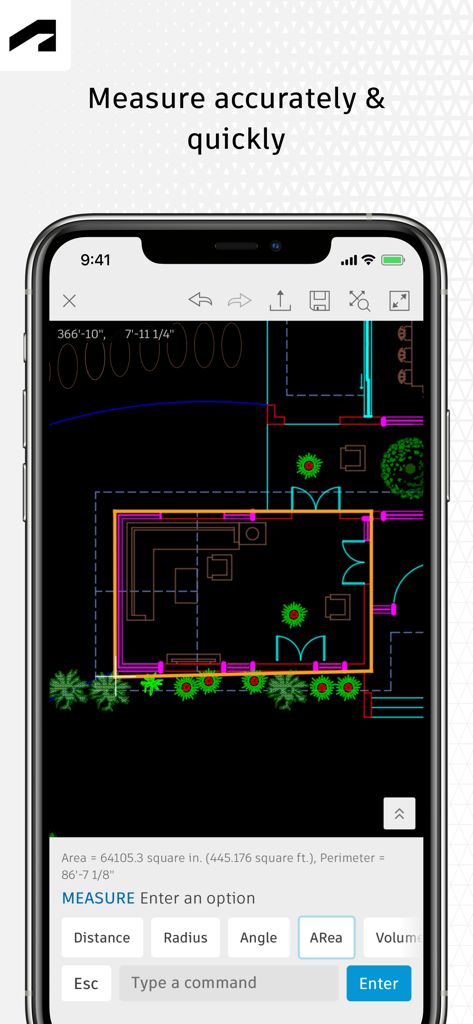
AutoCAD mobile app interface showing a 2D floor plan with the measurement tool active on a smartphone screen.
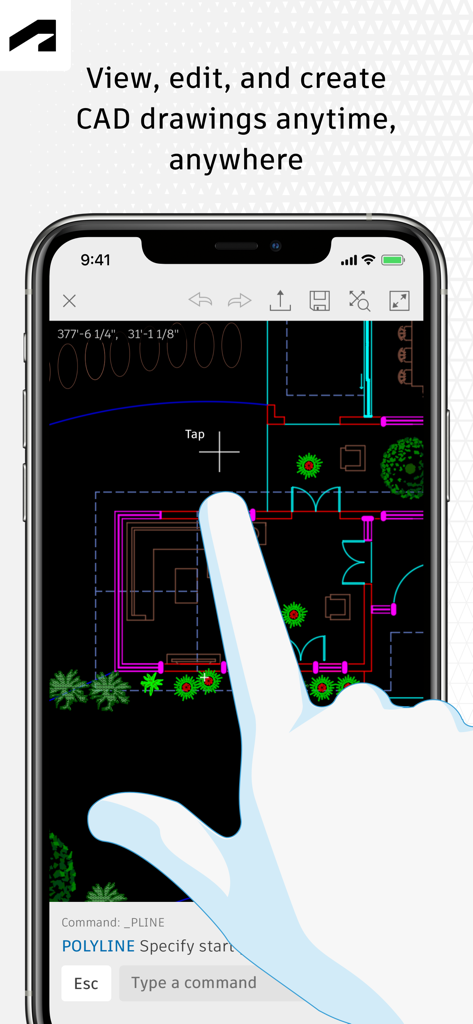
User interface of AutoCAD mobile app showing a 2D floor plan being edited on a smartphone
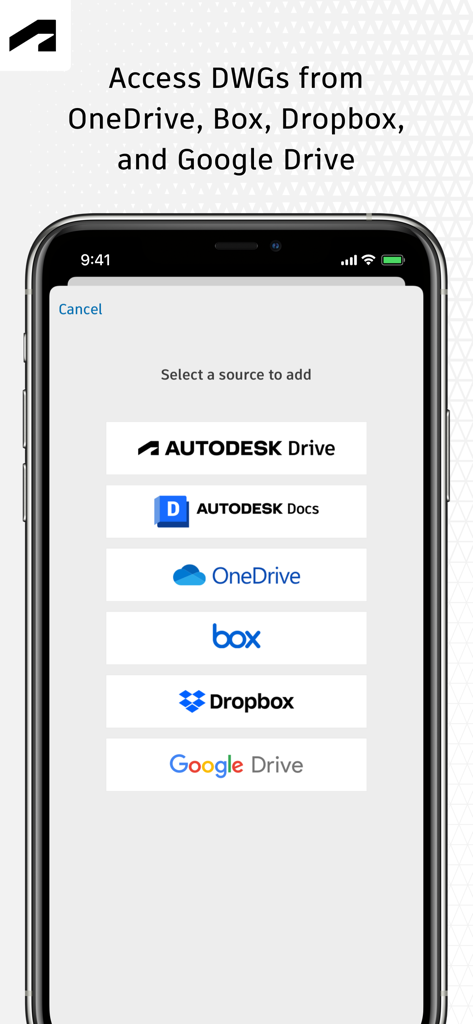
AutoCAD mobile app screen showing options to access DWG files from cloud services like OneDrive, Dropbox, and Google Drive.
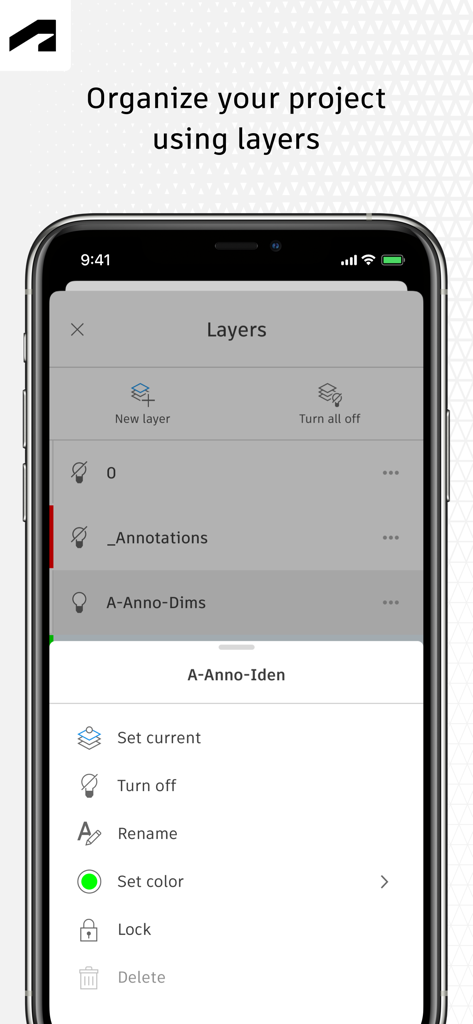
AutoCAD mobile app interface showing project layer organization and management tools
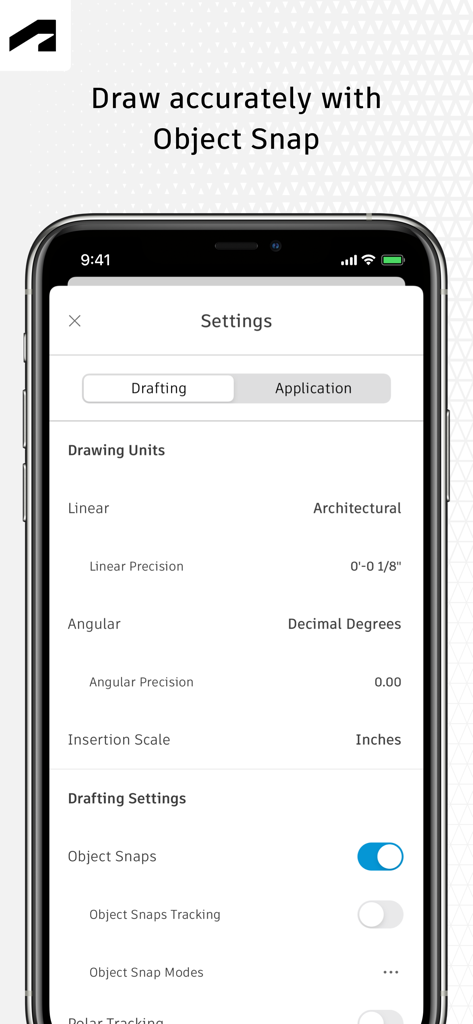
AutoCAD mobile app settings screen showing drafting units and object snap options for precision drawing
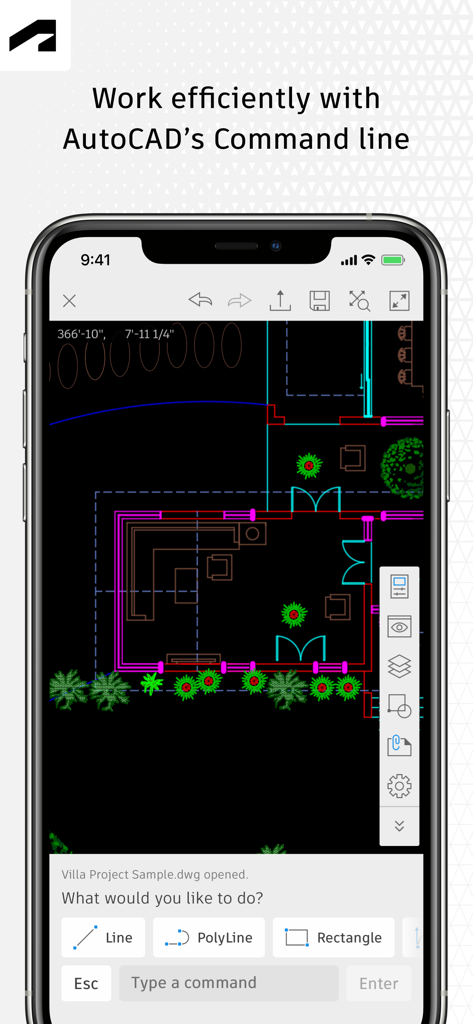
Architectural floor plan and command line tools in AutoCAD mobile app
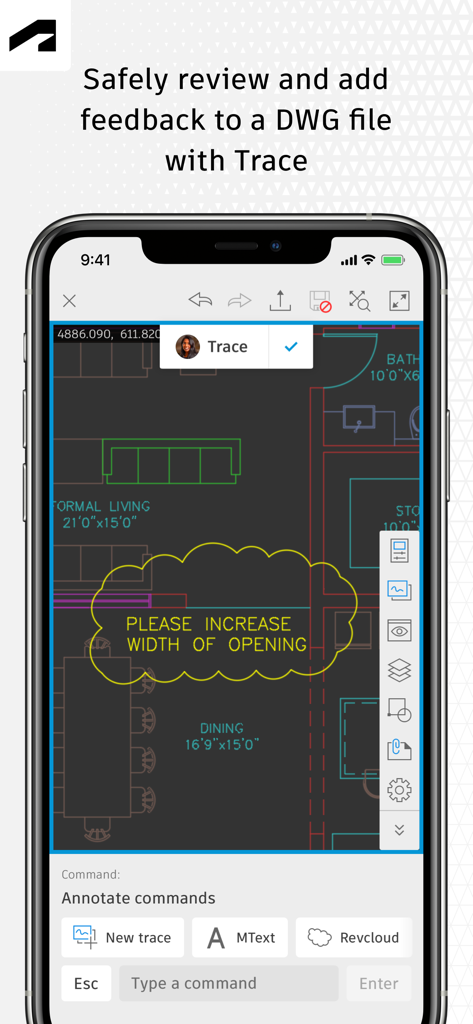
AutoCAD mobile app Trace feature for reviewing and marking up DWG drawings
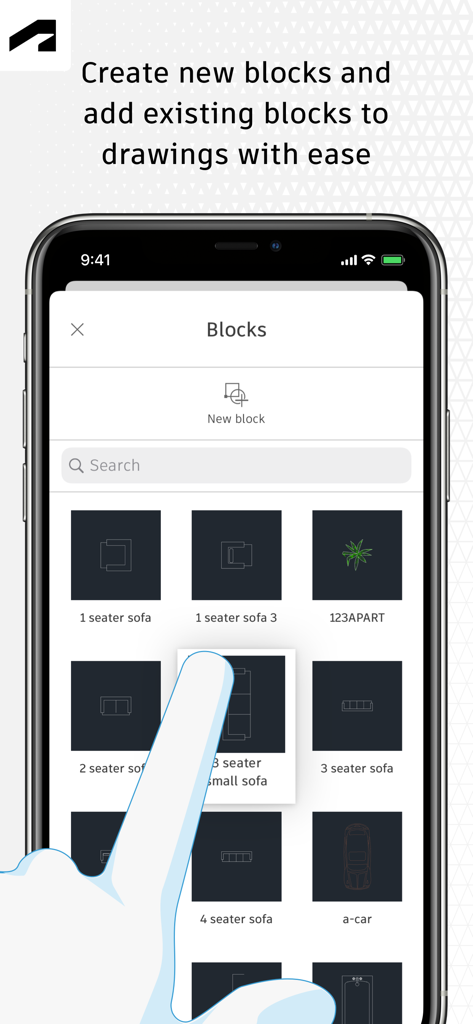
AutoCAD mobile app interface showing a blocks library with furniture and car icons
Description
Download
More Like This
Apps with similar features and user experience

Shapr 3D CAD modeling
Shapr 3D Zartkoruen Mukodo Reszvenytarsasag

CAD快速看图-dwg手机快速看图,设计图纸工程建筑
Shanghai Tantian Network Technology Co.,Ltd.

DWG FastView-CAD Viewer&Editor
Gstarsoft Co., Ltd

CAD快速看图-CAD手机看图软件
存旺 姜

ZWCAD Mobile - Mobile CAD
ZWCAD Software Co.,Ltd.

CAD快速看图- 手机快速查看cad图纸
嘉欣 朱

Draft Paper
Giles Goddard

CAD FastView King: DWG Viewer
镇源 余

CAD Reader-View & Measure DWG
Beijing Honghu Yuntu Technology Co., Ltd.
This page is not an official page of the app or its developer, but an independent editorial publication created for informational and commentary purposes. Unless expressly stated otherwise, neither the app nor its developer is affiliated with, endorsed by, sponsored by, authorized by, or otherwise officially connected with MWM, Apple, Google Play, the app publisher, or the app's developer, and nothing on this page implies that the app was developed using MWM's services. Any trademarks, logos, screenshots, and other content remain the property of their respective owners.