
This page is not an official page of the app or its developer, but an independent editorial publication created for informational and commentary purposes. Unless expressly stated otherwise, neither the app nor its developer is affiliated with, endorsed by, sponsored by, authorized by, or otherwise officially connected with MWM, Apple, Google Play, the app publisher, or the app's developer, and nothing on this page implies that the app was developed using MWM's services. Any trademarks, logos, screenshots, and other content remain the property of their respective owners.

Call Recorder for iPhone Calls
The ultimate productivity tool for professionals. Securely capture every conversation and transform your calls into accurate transcripts and actionable AI summaries instantly.
Downloads
4M+User Rating
Total Ratings
63K+Publisher
Category
BusinessLocales
32Latest Version
3.7.5Size
176.0 MBFirst Released
Jan 16, 2020Master Your Conversations with AI-Powered Insights
Stop losing details in transit. Our suite of professional tools records, transcribes, and summarizes your calls so you can focus on the conversation, not the notes.
High-Fidelity Call Recording
Crystal-clear capture of both incoming and outgoing calls, ensuring every detail of your business negotiations is documented.
AI-Powered Smart Summaries
Instantly transform hour-long discussions into concise action items and key takeaways, perfect for fast-paced professional workflows.
Frequently Asked Questions
Everything you need to know about Call Recorder for iPhone Calls
Does Call Recorder for iPhone record phone calls?
Yes, Call Recorder for iPhone reliably captures both incoming and outgoing phone calls with high quality. It ensures stable recording for important conversations.
Can Call Recorder for iPhone transcribe calls?
Yes, Call Recorder for iPhone automatically converts recorded calls into accurate text. It offers smart transcription across more than 100 languages for global communication.
Does Call Recorder for iPhone provide AI summaries of calls?
Yes, Call Recorder for iPhone generates instant AI voice summaries. These include brief summaries, key takeaways, action items, meeting minutes, and interview notes with 99% accuracy.
How many languages does Call Recorder for iPhone support for transcription?
Call Recorder for iPhone supports call transcription in over 100 languages. This feature is perfect for remote work, global communication, and multilingual users.
Who can benefit from using Call Recorder for iPhone?
Professionals, businesses, legal users, journalists, and productivity-focused individuals benefit. It helps track client conversations, maintain legal records, conduct interviews, and capture personal ideas.
Are Call Recorder for iPhone recordings secure?
Yes, recordings and transcripts are stored securely. Call Recorder for iPhone allows users to protect their records securely using Face ID for enhanced privacy and access control.
Can I share recordings from Call Recorder for iPhone?
Yes, Call Recorder for iPhone allows users to download and share recordings. Sharing options include email, AirDrop, and integrations with apps like Slack, WhatsApp, and Notion.
What are the subscription options for Call Recorder for iPhone?
Call Recorder for iPhone offers various UNLIMITED ACCESS MEMBERSHIP SUBSCRIPTION options. These include annual, monthly, and weekly renewals, with some subscription options offering a 3-day free trial.
Does Call Recorder for iPhone offer a free trial?
Yes, Call Recorder for iPhone offers a 3-day free trial with its weekly renewal subscription option. Any unused portion of a free-trial period is forfeited when a user subscribes.
How can I cancel my Call Recorder for iPhone subscription?
You can cancel your Call Recorder for iPhone subscription at any moment in your iTunes account settings. Refunds are not provided for any unused portion of the terms.
Does Call Recorder for iPhone have improved performance?
Yes, Call Recorder for iPhone is optimized for smoother recording, faster processing, and dependable performance. This ensures that users' workflows remain uninterrupted.
What organization tools does Call Recorder for iPhone provide?
Call Recorder for iPhone provides advanced organization tools. Users can tag, sort, and search recordings and transcripts to quickly find specific conversations, insights, and notes.
The following screenshots and description are sourced directly from the app's official store listing and are the property of the app developer.
App Store
Screenshots
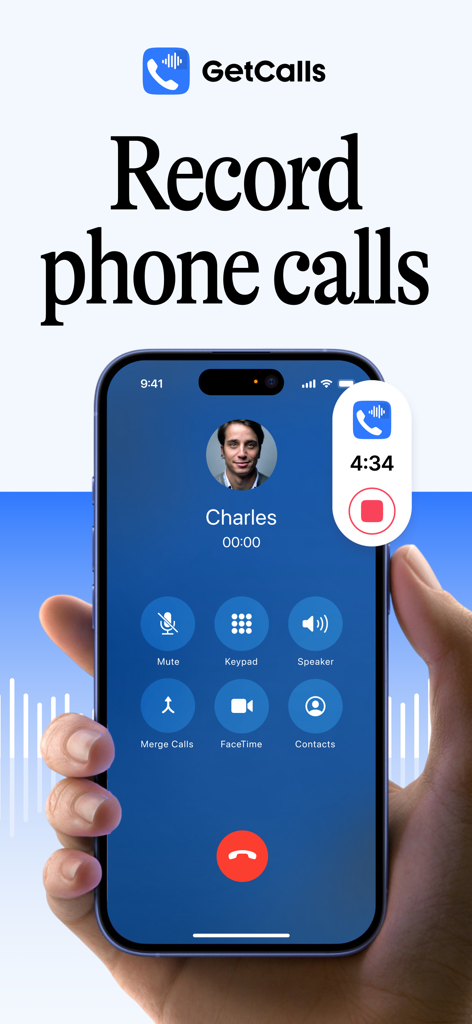
An iPhone displaying the GetCalls app recording a phone call with a contact named Charles
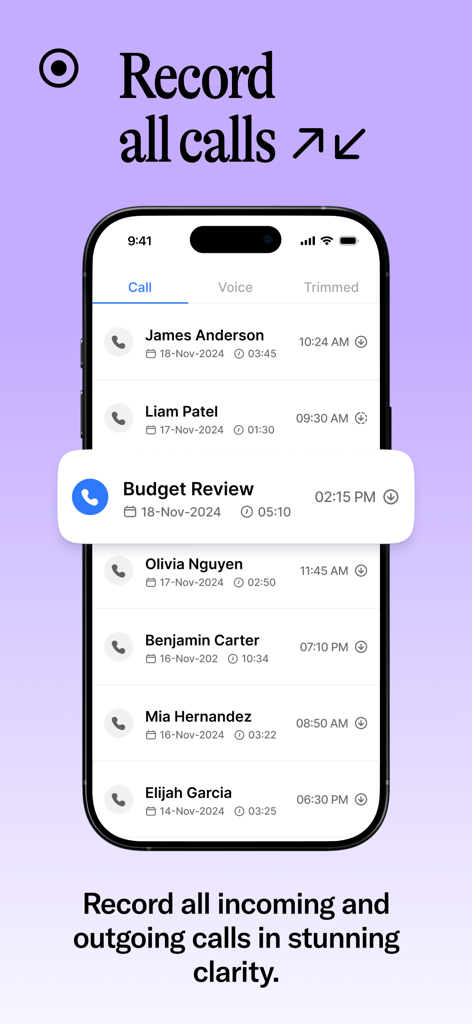
Interface of Call Recorder for iPhone displaying a list of recorded incoming and outgoing calls including names, dates, and durations.
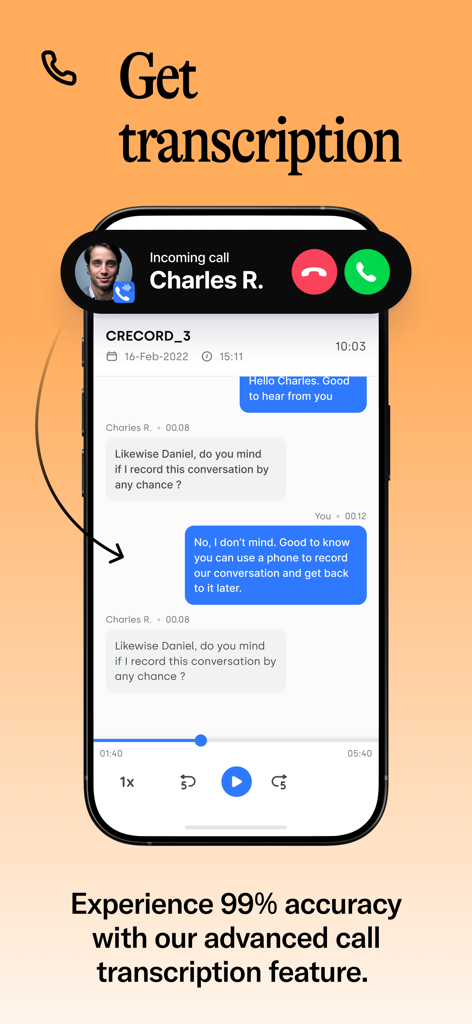
Interface showing an accurate text transcription of a recorded phone call on an iPhone
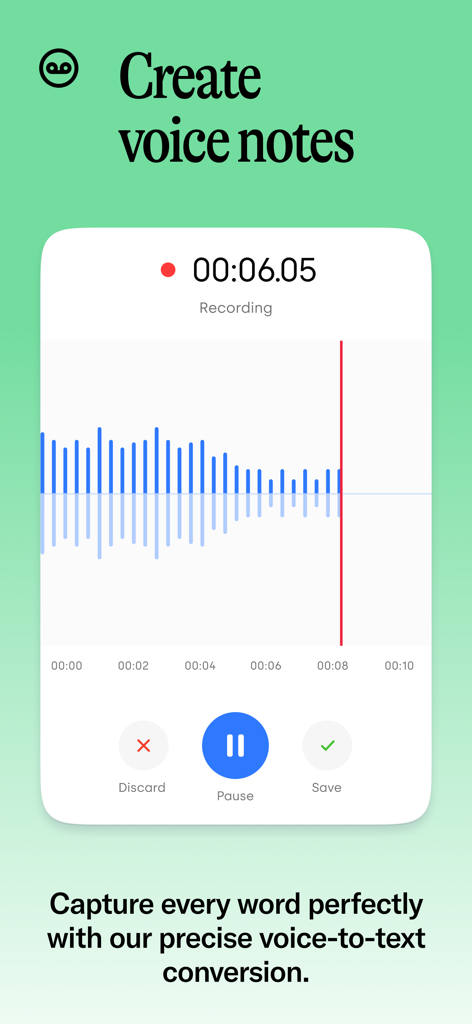
The recording interface of the Call Recorder for iPhone app showing a sound waveform and buttons to discard, pause, or save a voice note.
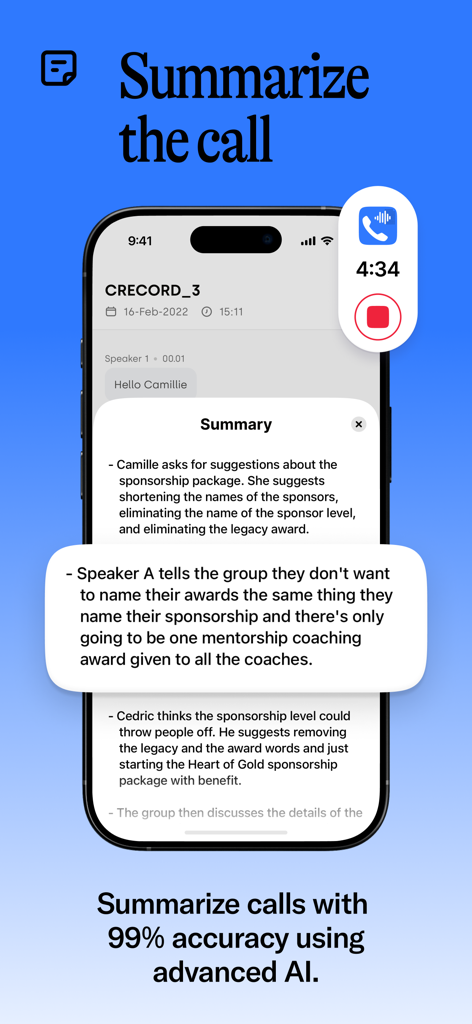
AI generated summary of a recorded phone call on an iPhone screen
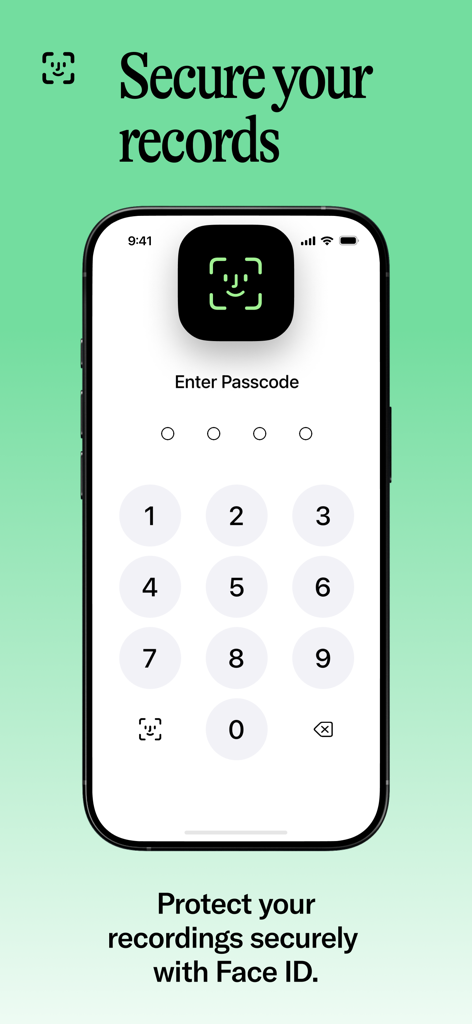
iPhone screen showing call recording security features with Face ID and passcode protection.
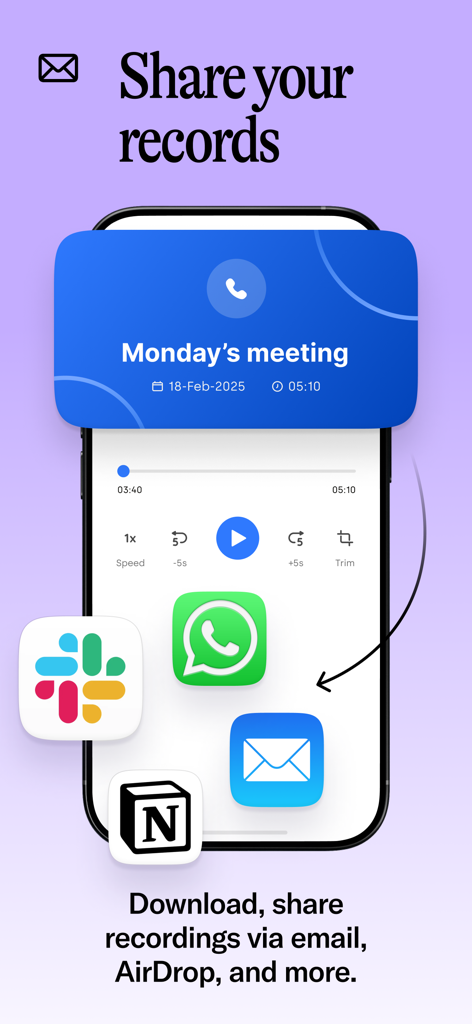
An iPhone screen displaying call recording sharing options with icons for Slack, WhatsApp, Email, and Notion under a Monday meeting recording.
Description
Download
More Like This
Apps with similar features and user experience

Beside (M1): AI Receptionist
Interface, Inc.
Call Recorder for iPhone.
JatApp LLC

Voice Recorder & Audio Editor
TapMedia Ltd

Call Recorder App ◉ACR MyCalls
AppAmore Limited

Switch - Call recording app
Atlas Guide, Inc.

Call Recorder App-Voice Record
WindTalking LLC

TeleMe – Record on 2nd Number
Gelenk Networks Inc.

Call Recorder: Record All
Henrieta Jaworski

Record Phone Calls App - Auto
Henning Christensen Bonde Søgaard
This page is not an official page of the app or its developer, but an independent editorial publication created for informational and commentary purposes. Unless expressly stated otherwise, neither the app nor its developer is affiliated with, endorsed by, sponsored by, authorized by, or otherwise officially connected with MWM, Apple, Google Play, the app publisher, or the app's developer, and nothing on this page implies that the app was developed using MWM's services. Any trademarks, logos, screenshots, and other content remain the property of their respective owners.