Canvas: LiDAR 3D Measurements

Canvas: LiDAR 3D Measurements


Download on App Store
Logo of Canvas: LiDAR 3D Measurements

Canvas: LiDAR 3D Measurements — Your Scan-to-CAD Power Tool

Stop wasting hours with a tape measure. Capture accurate 3D as-builts in minutes and get professional Revit, SketchUp, or AutoCAD models delivered in as little as one day.

Publisher

Occipital, Inc.

Category

Utilities

Downloads

131K+

User Rating

4.6/5

Total Ratings

1K+

Locales

1

Precision in Every Pixel

Discover the interface used by 131K+ users.
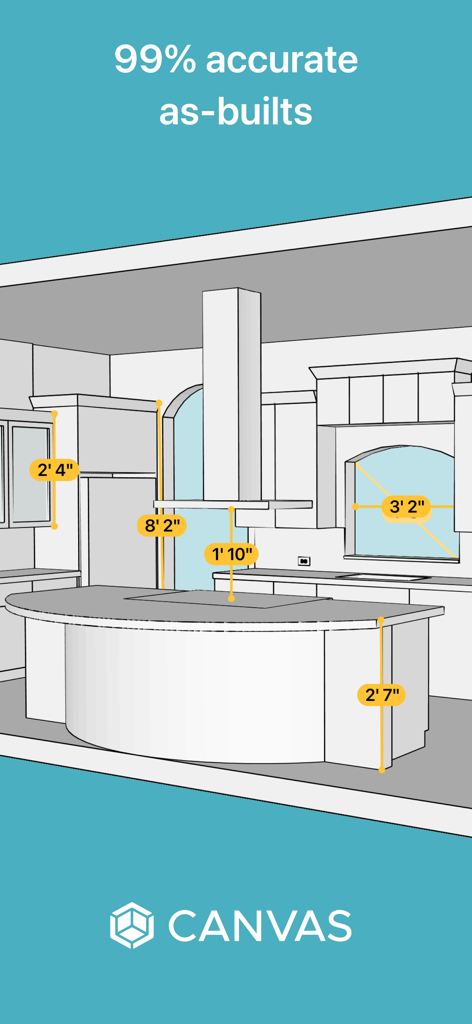
A 3D architectural model of a kitchen showing precise measurements for cabinets and countertops

A 3D architectural model of a kitchen showing precise measurements for cabinets and countertops

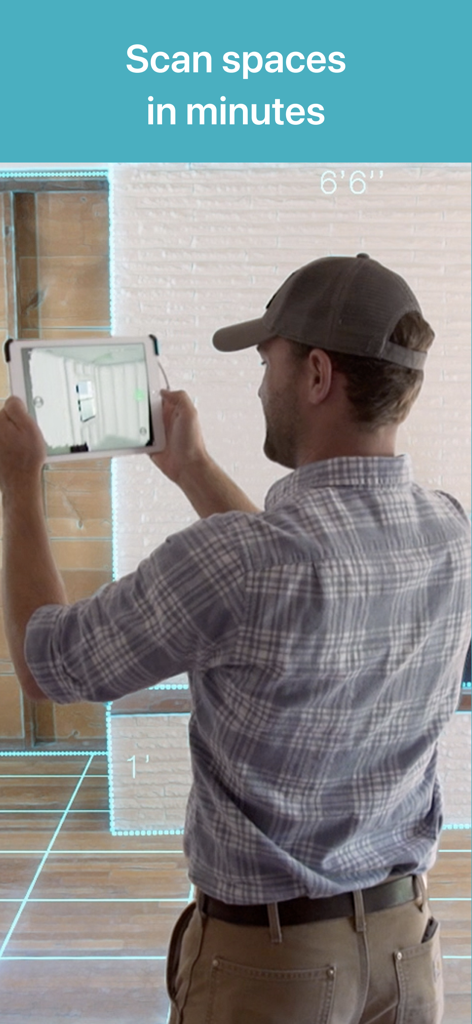
A professional using an iPad to scan a room with the Canvas LiDAR 3D Measurements app

A professional using an iPad to scan a room with the Canvas LiDAR 3D Measurements app

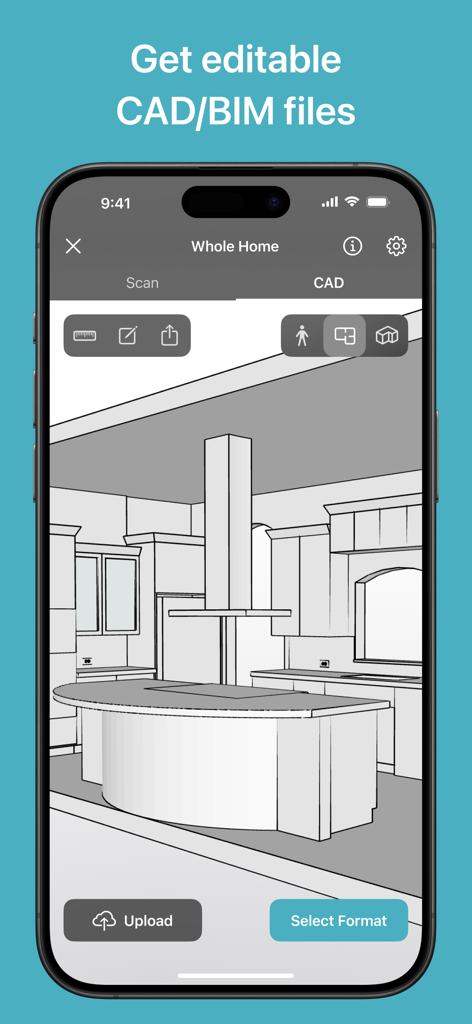
A smartphone showing an editable 3D CAD model of a kitchen created with Canvas LiDAR

A smartphone showing an editable 3D CAD model of a kitchen created with Canvas LiDAR

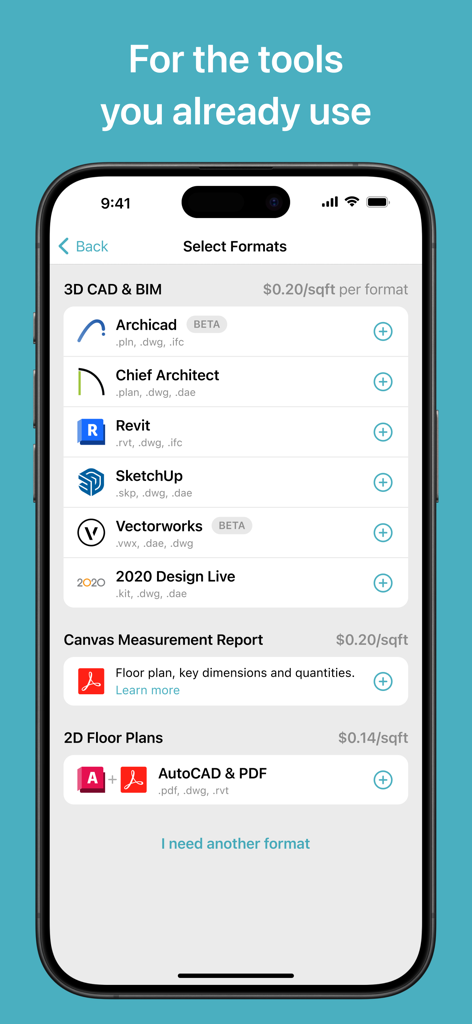
Interface of the Canvas app displaying various 3D CAD and 2D floor plan export formats like Revit and SketchUp.

Interface of the Canvas app displaying various 3D CAD and 2D floor plan export formats like Revit and SketchUp.

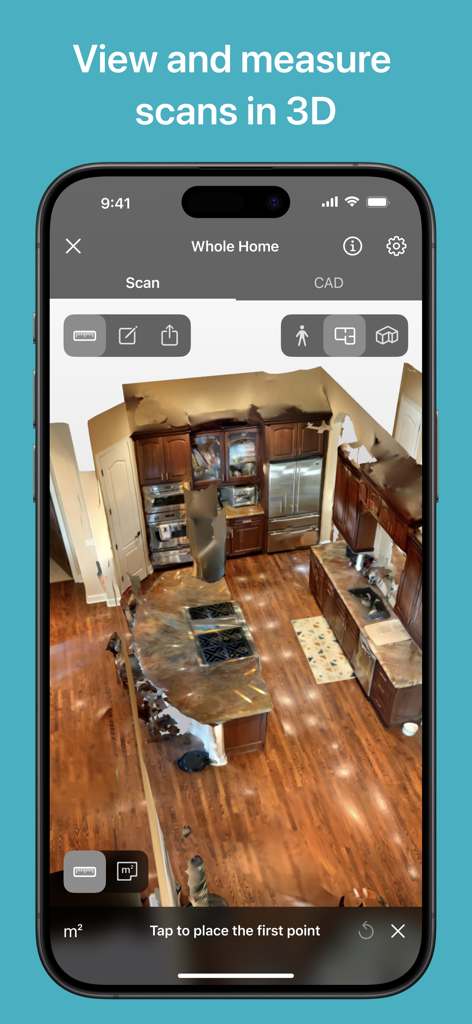
3D LiDAR scan of a kitchen interior on the Canvas app

3D LiDAR scan of a kitchen interior on the Canvas app

Streamline Your Workflow from Site to Studio

The tools that make this app stand out, trusted by 131K+ users.

Lightning-Fast Capture

Scan entire rooms in seconds and whole homes in minutes. Simply walk through the space to create an accurate 3D digital twin without ever touching a tape measure.

📐

Professional CAD Exports

Receive editable, industry-standard files for Revit, SketchUp, Chief Architect, and more. Stop drafting from scratch and start designing immediately.

🎯

Eliminate Costly Errors

Ensure accuracy and professional-grade results on every project. Save thousands in labor costs while impressing clients with tech-forward 'as-built' documentation.

About the app

Everything you need to know about Canvas: LiDAR 3D Measurements.

Description

Canvas empowers remodelers, architects, interior designers, and other professionals to 3D scan spaces in minutes and get accurate as-built CAD models, measurement reports, and floor plans. Save hours by replacing tedious measuring with 3D scanning, which is easy to learn via our video tutorials. Save even more time by having Canvas transform your scans into editable, professional-grade 3D CAD/BIM files and 2D drawings in as little as one day. Canvas is trusted by thousands of design-build firms, kitchen and bath remodelers, general contractors, architects, interior designers, and more. Canvas creates 3D CAD/BIM as-builts in industry-standard formats like Revit, SketchUp, Chief Architect, Archicad, Vectorworks, and 2020 Design Live, as well as detailed measurement reports and 2D floor plans in AutoCAD and PDF. Open the as-built in your program of choice and jump right into design, quoting, and planning. 2D as-builts are only 14 cents per square foot, while 3D as-builts are only 20 cents per square foot. Canvas requires a LiDAR-equipped Pro iOS device: an iPhone 12 Pro / Pro Max or newer or an iPad Pro from 2020 or newer. Download Canvas to turn your iPad Pro or iPhone Pro into a power tool. 3D capture is easy: simply walk around rooms as if you’re taking a video. Canvas uses computer vision and AI to create accurate 3D digital twins. Scan rooms in seconds and entire homes in minutes. Turning your scans into a measurement report or editable CAD model is even easier. Our editable models feature standardized, design-ready groups and tags so that you can get straight to design in your program of choice. Canvas saves our customers hours and thousands of dollars. Don’t take our word for it, here's what Canvas customers say: “Using Canvas saves my clients approximately $1,500 on measuring and modeling their home, and they get me out of their house in 15% of the time.” – Walter Faustlin, Lotus Construction Group "I have reduced the time to measure a 2,500 square foot building from 2 hours of measuring and 1.5 hours of data input to 30 minutes of scanning and sending the scans to be converted to a Revit model." – Thomas Reynolds, Green Stories Architecture "It allows me to take on more clients than I would otherwise be able to." – Noz Nozawa, Noz Design

Latest Version

3.94

Size

758.3 MB

First Released

Nov 10, 2016

Stop Measuring. Start Designing.

Join thousands of architects and contractors saving hours on every project. Turn your iPhone or iPad Pro into a powerful 3D scanning tool today.

Download on App Store

App information, icons, screenshots, and descriptions displayed on this page are sourced from the Apple App Store and are the property of their respective developers. Download estimates and rankings are based on MWM's proprietary models and may not reflect actual figures. This page is provided for informational and analytical purposes only.

Believe this page infringes your intellectual property? File a dispute