Captions AI: Video Subtitles
Download on App Store

This page is not an official page of the app or its developer, but an independent editorial publication created for informational and commentary purposes. Unless expressly stated otherwise, neither the app nor its developer is affiliated with, endorsed by, sponsored by, authorized by, or otherwise officially connected with MWM, Apple, Google Play, the app publisher, or the app's developer, and nothing on this page implies that the app was developed using MWM's services. Any trademarks, logos, screenshots, and other content remain the property of their respective owners.


Logo of Captions AI: Video Subtitles
Download on App Store

Captions AI: Video Subtitles

Transform your raw footage into high-retention masterpieces in seconds. Auto-transcribe, customize your style, and reach the 80% of viewers watching with sound off.

Key Figures

Downloads

0

User Rating

4.4/5

Total Ratings

0

Publisher

MEHMET KERIM

Category

Photo & Video

Locales

1

Latest Version

2.8

Size

81.1 MB

First Released

Nov 23, 2023
Features

Stop the Scroll with Professional AI Captions

Everything you need to make your videos accessible, engaging, and viral-ready in seconds.

Lightning-Fast AI Transcription

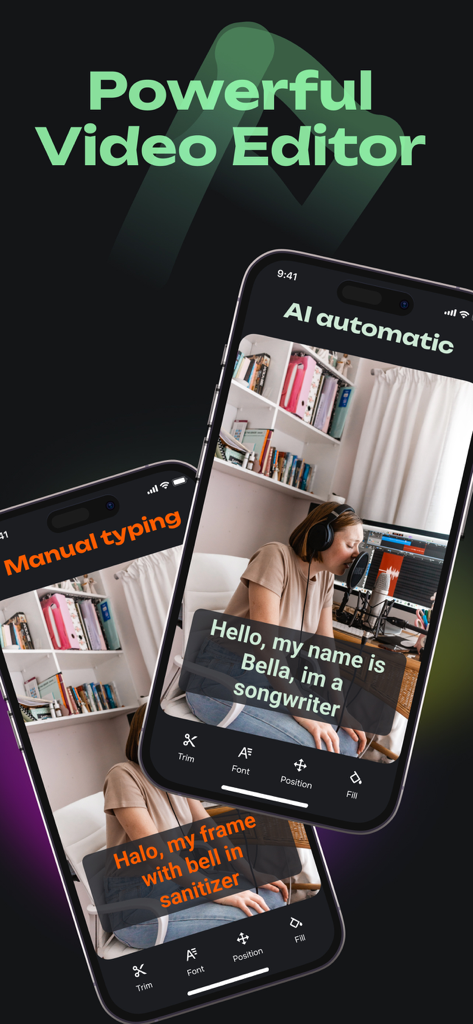
Skip the tedious manual typing. Our AI instantly turns your speech into accurate subtitles so you can focus on creating, not editing.

Fully Customizable Aesthetics

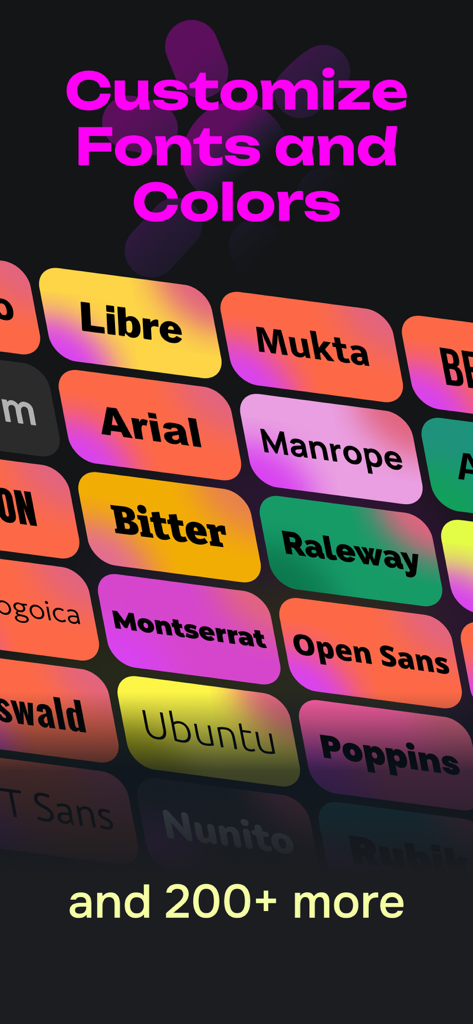
Build your personal brand with dynamic styles. Customize fonts, colors, and backgrounds to mimic the high-retention look of top creators.

The following screenshots and description are sourced directly from the app's official store listing and are the property of the app developer.

App Store

Screenshots
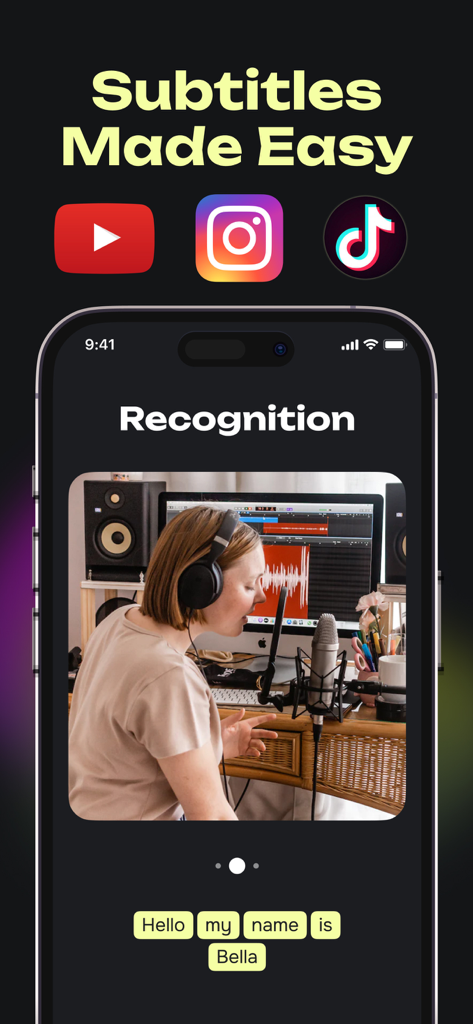
Captions AI: Video Subtitles - Mobile app interface for Captions AI showing automatic video subtitle recognition for social media content creators
Mobile app interface for Captions AI showing automatic video subtitle recognition for social media content creators

Captions AI: Video Subtitles - A display of various font styles and colorful background options for video subtitles
A display of various font styles and colorful background options for video subtitles

Captions AI: Video Subtitles - Captions AI app interface showing AI automatic versus manual typing for video subtitles on a mobile phone
Captions AI app interface showing AI automatic versus manual typing for video subtitles on a mobile phone

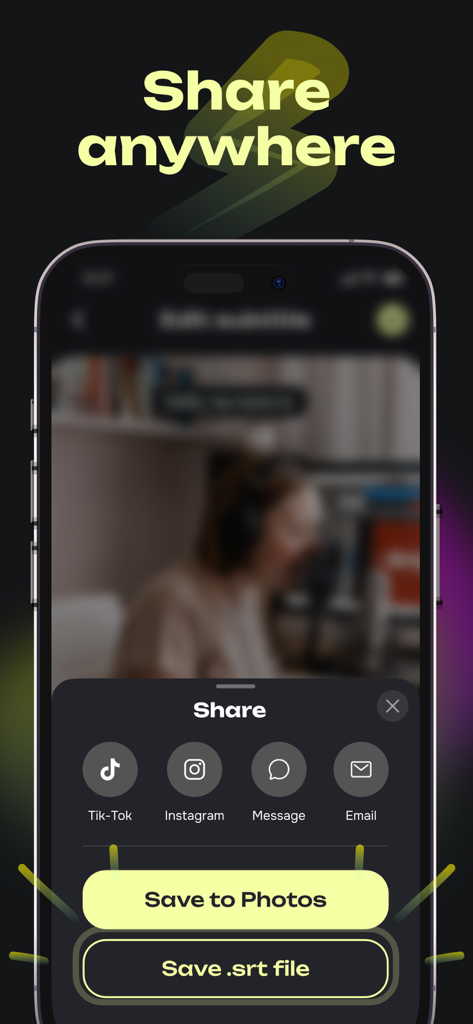
Captions AI: Video Subtitles - Captions AI app share interface with export options for TikTok Instagram and SRT files

Captions AI app share interface with export options for TikTok Instagram and SRT files

Description

Subtitles: Captions For Video - the easiest and quickest tool for adding captions. With just a few taps, you can have a video with custom subtitles. Subtitles: Captions For Video allows you to customize captions to your liking. Choose fonts, colors, corner radius, background, padding, and more. Merge captions based on word count. Why are video subtitles so important? Video captions display the text spoken in the video. Open and closed captions or subtitles are intended for audiences who cannot hear the audio due to hearing loss or because the viewer cannot play sound. For this reason, captions complement the speech with additional information relevant to the story or important for it. It can include non-verbal sounds and, for example, help differentiate different dynamics. Closed captions can be turned on or off, while open captions cannot. Subtitles in videos on social media are typically accessible captions to make the content as inclusive as possible. With fast and accurate transcriptions, Subtitles: Captions For Video saves time by eliminating the need to transcribe and upload captions manually. Ready-made captions from Subtitles: Captions For Video can be edited, adjusted, or combined, speeding up post-production and reducing costs. Subscriptions We currently offer the following auto-renewing subscription options for the Premium version: - $9.99/month - $39.99/year Purchased through the application subscription "Subtitles: Captions For Video" is updated every month. To ensure that the subscription is not renewed, you need to disable automatic updating at least 24 hours before the end of the current subscription. Auto-update can be turned off at any time in your iTunes account settings. Subscription is automatically renewed if auto-renewal is not disabled no later than 24 hours before the end of the current period. Subscription will be renewed automatically within 24 hours before the end of the current period for a period similar to the previous one. You can manage your subscriptions after purchase and disable auto-renewal in your account settings. Subscription is paid from your iTunes account. We value your privacy and adhere to the highest standards of data protection. Please review our Terms of Use and Privacy Policy for more information: Privacy Policy: https://subtitles.gg/privacy.html Terms of Use: https://subtitles.gg/terms.html We are constantly striving to improve our service. If you have any suggestions or feedback, we would love to hear from you. Together, let's take your videos to the next level!

Download

Download on App Store

This page is not an official page of the app or its developer, but an independent editorial publication created for informational and commentary purposes. Unless expressly stated otherwise, neither the app nor its developer is affiliated with, endorsed by, sponsored by, authorized by, or otherwise officially connected with MWM, Apple, Google Play, the app publisher, or the app's developer, and nothing on this page implies that the app was developed using MWM's services. Any trademarks, logos, screenshots, and other content remain the property of their respective owners.