Capture 365 Journal
Capture 365 Journal
Download on App Store

This page is not an official page of the app or its developer, but an independent editorial publication created for informational and commentary purposes. Unless expressly stated otherwise, neither the app nor its developer is affiliated with, endorsed by, sponsored by, authorized by, or otherwise officially connected with MWM, Apple, Google Play, the app publisher, or the app's developer, and nothing on this page implies that the app was developed using MWM's services. Any trademarks, logos, screenshots, and other content remain the property of their respective owners.


Logo of Capture 365 Journal
Download on App Store

Capture 365 Journal

Seamlessly document your world with professional-grade automation, multi-device sync, and secure encryption. From social media feeds to private reflections, preserve every milestone on your iPhone, iPad, and Mac.

Key Figures

Downloads

212K+

User Rating

4.0/5

Total Ratings

300

Publisher

Sockii Pty Ltd

Category

Lifestyle

Locales

2

Latest Version

3.7.10

Size

78.0 MB

First Released

Sep 23, 2015
Features

Capture Your Life’s Journey, Effortlessly

The all-in-one digital archive designed for the Apple ecosystem. Securely sync your thoughts, media, and milestones across all your devices while automation handles the details.

Smart Automation

Eliminate the 'blank page' problem by automatically importing social media posts, calendar events, and locations directly into your private timeline.

Seamless Apple Ecosystem

Designed for power users. Start an entry on your iPhone, add photos from your Apple Watch, and finish your thoughts on your Mac with instant iCloud syncing.

The following screenshots and description are sourced directly from the app's official store listing and are the property of the app developer.

App Store

Screenshots
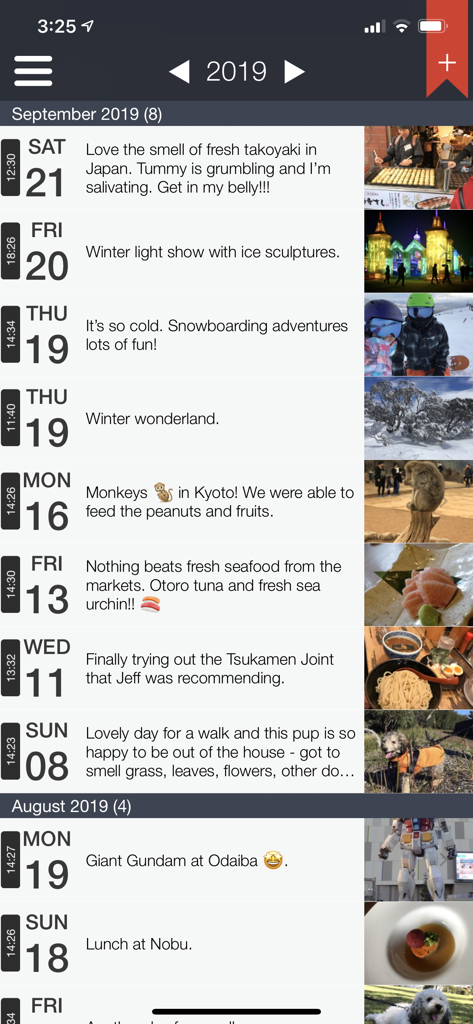
Capture 365 Journal - Timeline view of Capture 365 Journal entries showing travel memories and photos
Timeline view of Capture 365 Journal entries showing travel memories and photos

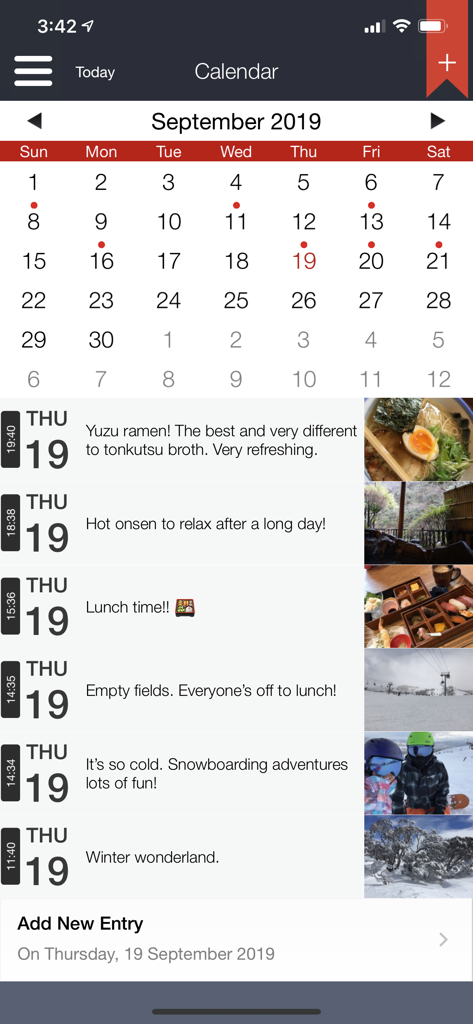
Capture 365 Journal - Capture 365 Journal app showing a calendar view and a daily timeline of entries with photos and descriptions.
Capture 365 Journal app showing a calendar view and a daily timeline of entries with photos and descriptions.

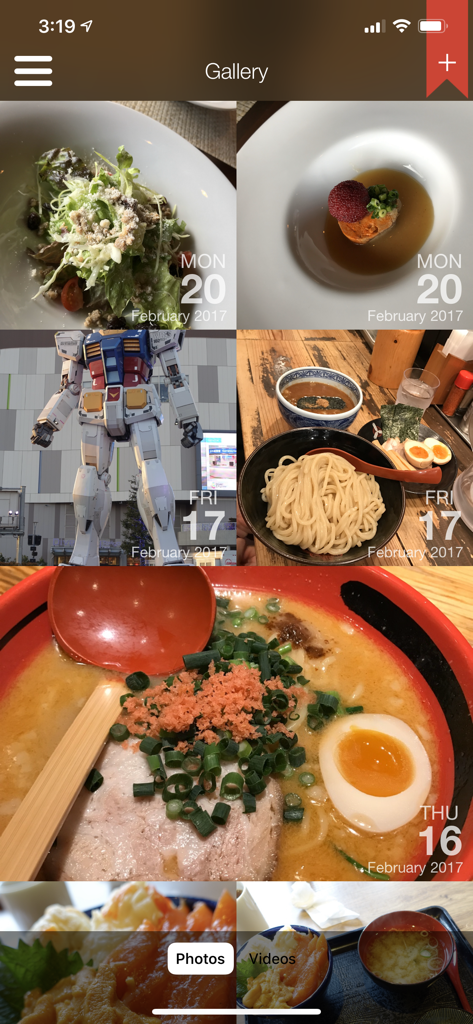
Capture 365 Journal - A photo gallery view in the Capture 365 Journal app showing a grid of memories with dates
A photo gallery view in the Capture 365 Journal app showing a grid of memories with dates

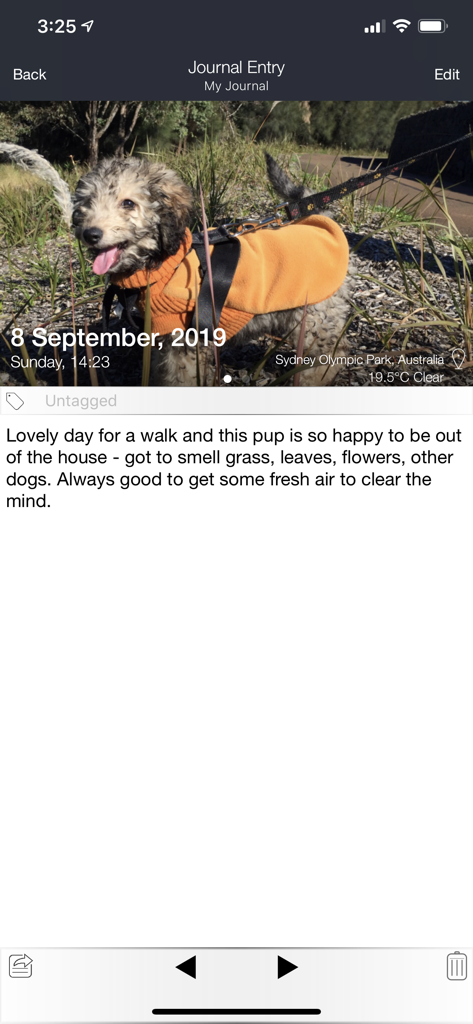
Capture 365 Journal - Mobile view of Capture 365 Journal showing a photo entry with automated weather and location tagging

Mobile view of Capture 365 Journal showing a photo entry with automated weather and location tagging

Capture 365 Journal - Capture 365 Journal map view displaying a travel journal entry with a photo pinned in Tokyo Japan

Capture 365 Journal map view displaying a travel journal entry with a photo pinned in Tokyo Japan

Description

Capture 365 Journal is a beautiful and easy to use diary/journal. You will have complete access to your journals all the time, allowing you capture your thoughts and special moments throughout the day. KEY FEATURES - Sync with iCloud, Dropbox or 365 Direct Sync. - Sync with Capture 365 Journal Mac. - Shared Syncing with other people.* - Cloud Sync service data encryption. - Location and Weather. - Multiple photos and videos. - Add multiple journal entries each day - Multiple journal tags per entry. - Automatically import events and social media posts* to your journals. - Passcode & Touch ID protection. - Automated backups. - Export your journals as email, PDF or RTF by dates and tags. - Custom font style and sizing. - Search and view your journals by tags and locations. - Reminders. - Supports right to left writing direction. - User customisable templates. - Rich text support. - Multiple journal support. - 365+ Automation (Automatic Journaling)* Sync Support Sync and store your data on cloud services such as iCloud or Dropbox. Alternatively, sync using 365 Direct Sync. 365 Direct Sync will transmit directly to your other devices over your local network. Keep your journals in sync - no matter if you're on the Mac, iPad or iPhone. Shared Syncing* Create, edit, view and sync your journal entries with your family and friends. Multiple Photos and Videos Attach multiple photos and videos to each of your journal entries. Location and Weather Add a location to your journal entry, so you will always remember where the event took place. Records weather conditions for the location as well. 365+ Automation (Automatic Journaling)* Automatically create entries based on places you have visited throughout your day. Photos taken will be imported into corresponding entries. Feed Support Automatically import Calendar events and posts from Facebook*, Twitter*, Flickr* and Instagram* into your journal. *feature requires in-app purchase Exporting Export journals - filtered by date and tags - as a beautifully generated PDF or RTF document, which can be emailed out. Backups Automated system that handles the data backups for you, which can be stored on iCloud. SUPPORT Please write to us instead of submitting bugs or questions in an App Store review. Visit us at www.sockii.com Contact us at support@sockii.com *The 365+ Automation feature includes access to all Feeds and shared syncing. This feature is subscription based. The duration of this subscription is for 1 year (US$4.49). Payment will be charged to iTunes Account at confirmation of purchase. Subscription automatically renews unless auto-renew is turned off at least 24-hours before the end of the current period. Account will be charged for renewal within 24-hours prior to the end of the current period, and identify the cost of the renewal. Subscriptions may be managed by the user and auto-renewal may be turned off by going to the user's Account Settings after purchase. No cancellation of the current subscription is allowed during active subscription period. Privacy Policy: http://capture365journal.com/privacy.html Terms of Use: http://capture365journal.com/terms.html

Download

Download on App Store

This page is not an official page of the app or its developer, but an independent editorial publication created for informational and commentary purposes. Unless expressly stated otherwise, neither the app nor its developer is affiliated with, endorsed by, sponsored by, authorized by, or otherwise officially connected with MWM, Apple, Google Play, the app publisher, or the app's developer, and nothing on this page implies that the app was developed using MWM's services. Any trademarks, logos, screenshots, and other content remain the property of their respective owners.








