
This page is not an official page of the app or its developer, but an independent editorial publication created for informational and commentary purposes. Unless expressly stated otherwise, neither the app nor its developer is affiliated with, endorsed by, sponsored by, authorized by, or otherwise officially connected with MWM, Apple, Google Play, the app publisher, or the app's developer, and nothing on this page implies that the app was developed using MWM's services. Any trademarks, logos, screenshots, and other content remain the property of their respective owners.

CASIO WATCHES
Seamlessly sync your time, track your daily activity, and explore exclusive G-SHOCK heritage. The official companion for every collector, adventurer, and trendsetter.
Downloads
2M+User Rating
Total Ratings
91K+Publisher
Category
LifestyleLocales
11Latest Version
4.3.0Size
283.3 MBFirst Released
Oct 10, 2021Your Watch, Reimagined
Unleash the full potential of your timepiece with seamless Bluetooth integration, advanced activity insights, and exclusive collector access.
Intuitive Sync & Setup
Ditch the manual. Effortlessly adjust world time, set alarms, and sync precise timekeeping via a streamlined smartphone interface.
Rugged Lifestyle Tracking
Monitor your steps, heart rate, and activity logs on a watch built to survive the elements, from urban commutes to mountain trails.
Frequently Asked Questions
Everything you need to know about CASIO WATCHES
What is the CASIO WATCHES app?
The CASIO WATCHES app is the official comprehensive application that connects to CASIO watches via Bluetooth. It enables time adjustment, world time settings, and provides access to G-SHOCK brand information and exclusive content.
How do I connect my CASIO watch to the CASIO WATCHES app?
Yes, the CASIO WATCHES app uses Bluetooth® technology to link to your CASIO watch. This allows you to access various convenient functions and settings directly from your smartphone.
Does the CASIO WATCHES app support G-SHOCK watch models?
Yes, the CASIO WATCHES app supports various G-SHOCK models, including DW-H5600, GBD-H2000, and GMW-B5000. It also offers exclusive G-SHOCK content and brand information.
Can I track my daily activities with the CASIO WATCHES app?
Yes, the CASIO WATCHES app allows you to monitor daily activities through the 'My Page' feature. It tracks data including calories burned, step counts, heart rate, and logs your activity.
What operating systems are compatible with the CASIO WATCHES app?
The CASIO WATCHES app is compatible with iOS 13.0 or later. Devices must also support Bluetooth 4.0 for full functionality and connection with your CASIO watch.
Does CASIO WATCHES offer rewards for activity tracking?
Yes, the CASIO WATCHES app features 'BADGE COLLECTIONS.' Users can receive CASIO original badges as rewards for hitting specific step count marks when linking with step tracker-equipped models.
Can I customize a G-SHOCK watch through the CASIO WATCHES app?
Yes, the CASIO WATCHES app offers a 'MY G-SHOCK' feature. This allows users to customize and order their very own unique G-SHOCK watches directly through the application.
Does the CASIO WATCHES app provide watch manuals?
Yes, the CASIO WATCHES app allows users to easily check the manual for their registered watch. This feature is available within the 'My Watch' section of the app.
Is a CASIO ID required to use the CASIO WATCHES app?
Yes, a CASIO ID is required to use the CASIO WATCHES app. This information is clearly stated within the notes section of the app description.
Can I get exclusive G-SHOCK content in the CASIO WATCHES app?
Yes, the CASIO WATCHES app provides exclusive content for G-SHOCK fans through its 'Discover G-SHOCK' feature. This includes brand history and details on over 4,000 G-SHOCK models.
The following screenshots and description are sourced directly from the app's official store listing and are the property of the app developer.
App Store
Screenshots
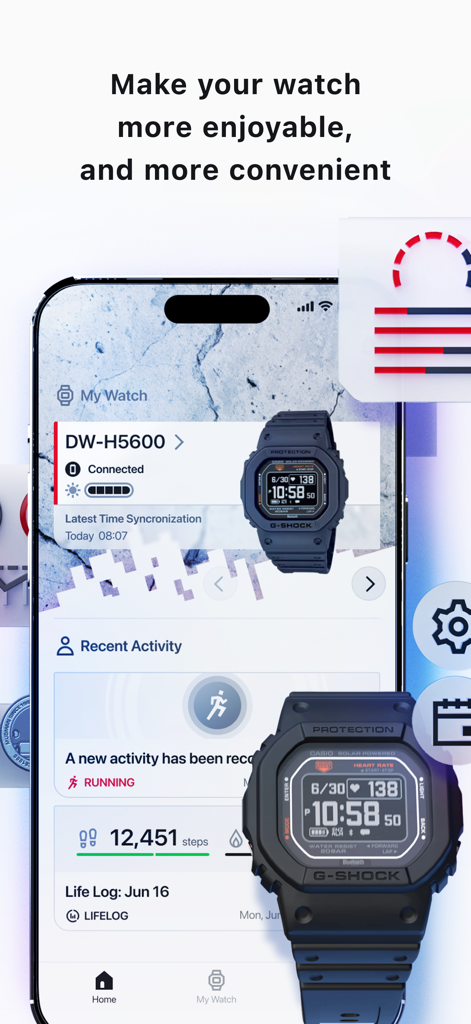
CASIO WATCHES app dashboard displaying a connected G-SHOCK watch with daily activity tracking and step counts
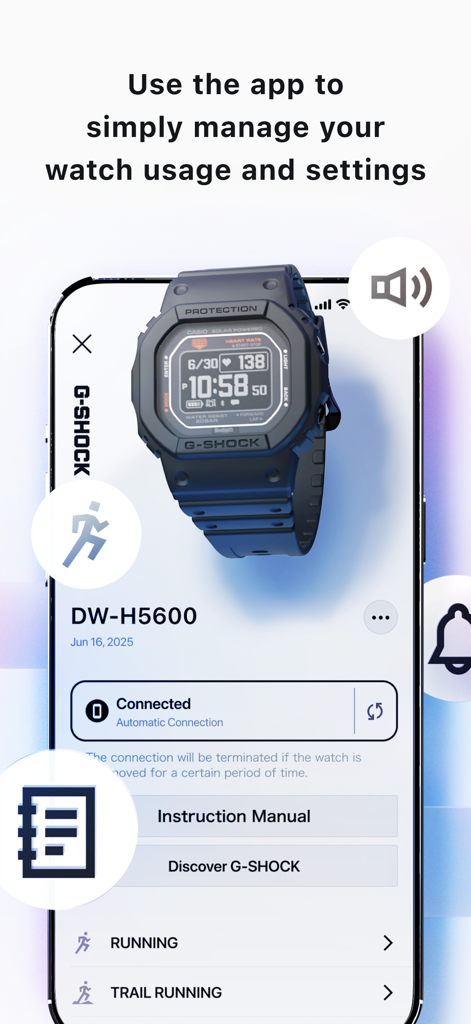
Smartphone showing the CASIO WATCHES app interface for managing G-SHOCK watch settings and activity tracking
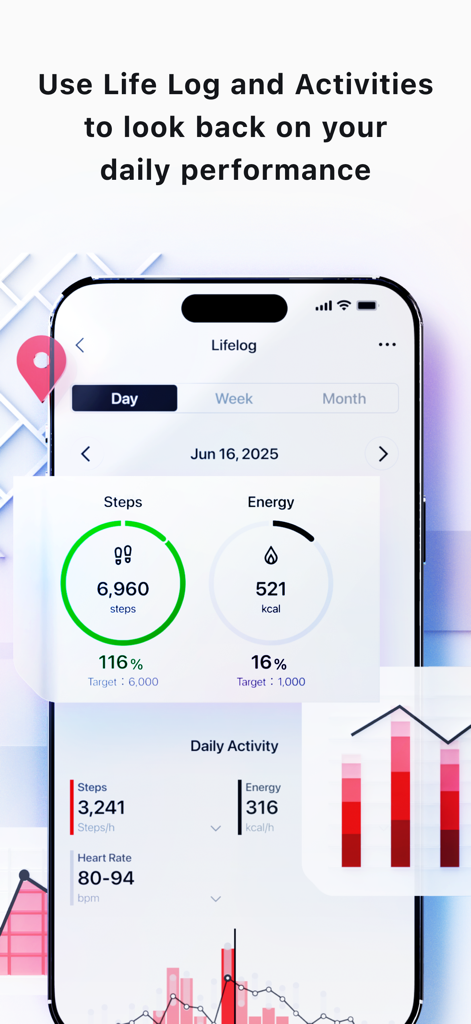
Smartphone screen of the Casio Watches app displaying the Lifelog feature with step counts and energy consumption data
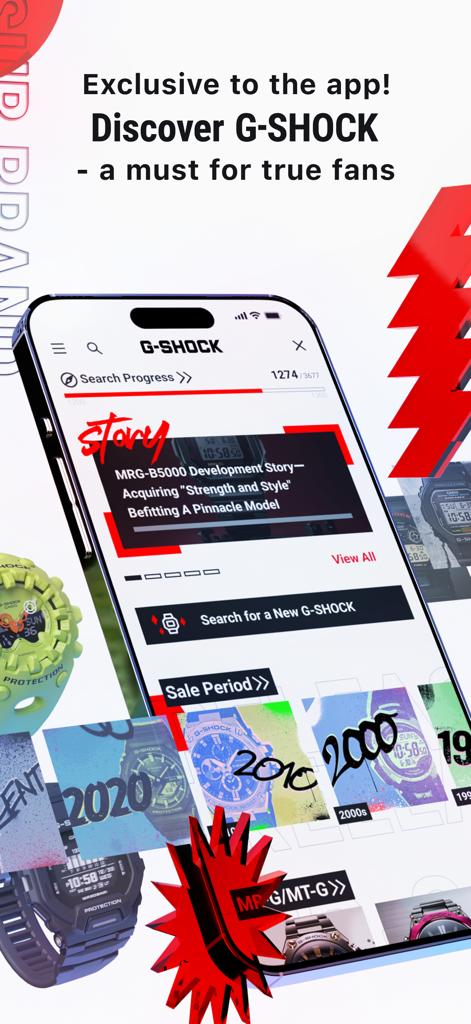
Smartphone screen showing the Discover G-SHOCK feature in the CASIO WATCHES app with watch history and development stories
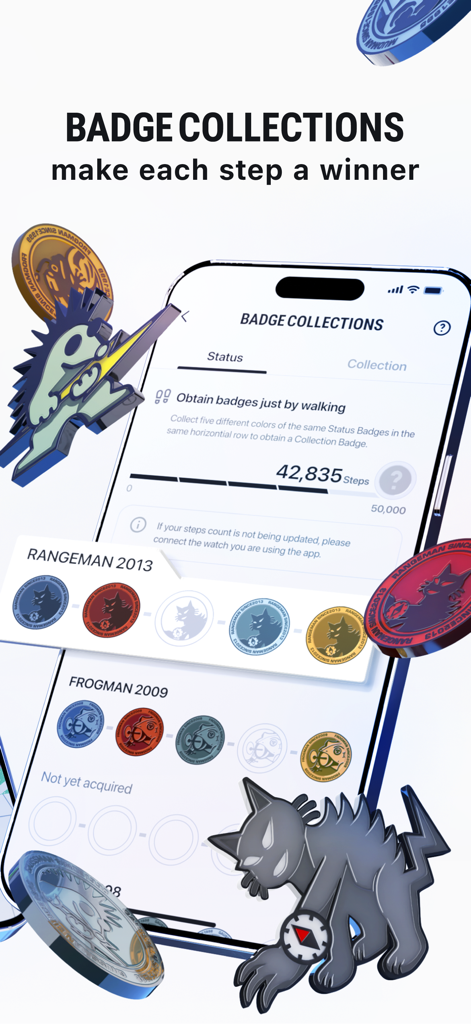
Smartphone screen displaying the Casio Watches app badge collections feature which rewards steps with digital badges
Description
Download
More Like This
Apps with similar features and user experience

Mi Fitness (Xiaomi Wear Lite)
Beijing Xiaomi Co., Ltd

HUAWEI Health
Huawei Software Technologies Co., Ltd.

Oura
Oura Health Oy

iHealth MyVitals
iHealth Labs Inc.

Da Fit
MO YOUNG LIMITED

Zepp
Zepp Inc.

OMRON connect US/CAN/EMEA
Omron Healthcare, Inc.

NoiseFit: Health & Fitness
NEXXBASE MARKETING PRIVATE LIMITED

Polar Flow
Polar Electro Oy
This page is not an official page of the app or its developer, but an independent editorial publication created for informational and commentary purposes. Unless expressly stated otherwise, neither the app nor its developer is affiliated with, endorsed by, sponsored by, authorized by, or otherwise officially connected with MWM, Apple, Google Play, the app publisher, or the app's developer, and nothing on this page implies that the app was developed using MWM's services. Any trademarks, logos, screenshots, and other content remain the property of their respective owners.