
This page is not an official page of the app or its developer, but an independent editorial publication created for informational and commentary purposes. Unless expressly stated otherwise, neither the app nor its developer is affiliated with, endorsed by, sponsored by, authorized by, or otherwise officially connected with MWM, Apple, Google Play, the app publisher, or the app's developer, and nothing on this page implies that the app was developed using MWM's services. Any trademarks, logos, screenshots, and other content remain the property of their respective owners.


iHealth MyVitals
Seamlessly sync your blood pressure, oxygen levels, and weight from your iHealth devices. View easy-to-read trends, store data securely, and instantly share reports with your care team for complete peace of mind.
Downloads
1M+User Rating
Total Ratings
116K+Publisher
Category
Health & FitnessLocales
8Latest Version
4.13.1Size
124.0 MBFirst Released
Oct 19, 2020Take Control of Your Health Journey
From blood pressure to oxygen levels, iHealth MyVitals transforms your biometric data into actionable insights, keeping you and your healthcare providers connected.
Visual Progress Tracking
Move beyond paper logs. Use easy-to-read, color-coded graphs to see how your vitals trend over time and stay proactive about your long-term wellness.
Collaborative Care
Keep your doctors and family informed. Securely share your measurement history and reports directly from the app to ensure your care team has the full picture.
Frequently Asked Questions
Everything you need to know about iHealth MyVitals
What health devices does the iHealth MyVitals app support?
The iHealth MyVitals app supports iHealth blood pressure monitors, pulse oximeters, touchless forehead thermometers, weighing scales, and activity trackers.
Can I track my blood pressure using the iHealth MyVitals app?
Yes, the iHealth MyVitals app connects to iHealth blood pressure monitors to record and display your measurements, including systolic, diastolic, and pulse readings.
Does the iHealth MyVitals app provide health data trends?
Yes, the iHealth MyVitals app displays easy-to-read graphs and charts to view changes and trends for various health data over time, including blood pressure and pulse.
How can I share my health data from the iHealth MyVitals app?
You can share your health data from the iHealth MyVitals app in CSV, XLS, or PDF formats. The app also supports authorization for third-party apps like Apple Health, Fitbit, and Epic.
What types of body metrics does the iHealth MyVitals app track from weighing scales?
The iHealth MyVitals app tracks weight, BMI, body fat, muscle mass, body water, lean body mass, bone mass, protein, visceral fat, BMR, and metabolic age from connected weighing scales.
Can the iHealth MyVitals app sync with Apple Healthkit?
Yes, the iHealth MyVitals app supports Healthkit. After authorization, you can sync your measurement data to Healthkit for comprehensive health data monitoring and management.
How do I contact support for the iHealth MyVitals app?
You can contact support for the iHealth MyVitals app by messaging the care team directly or filling out the feedback form found within the settings section of the app.
Does the iHealth MyVitals app store my health data in the cloud?
Yes, by creating an iHealth account and connecting your devices, the iHealth MyVitals app securely stores your health data in the cloud, allowing access at any time.
The following screenshots and description are sourced directly from the app's official store listing and are the property of the app developer.
App Store
Screenshots
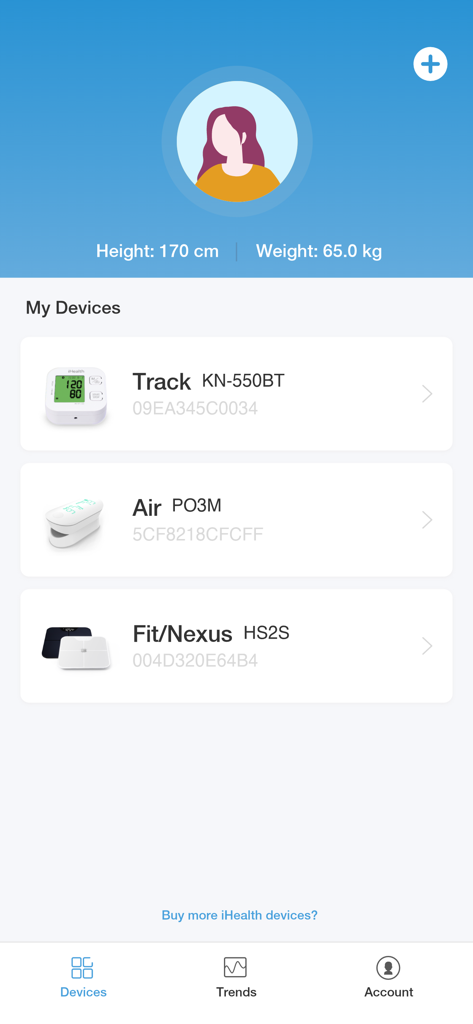
The devices tab of the iHealth MyVitals app displaying a user profile and several connected medical monitors
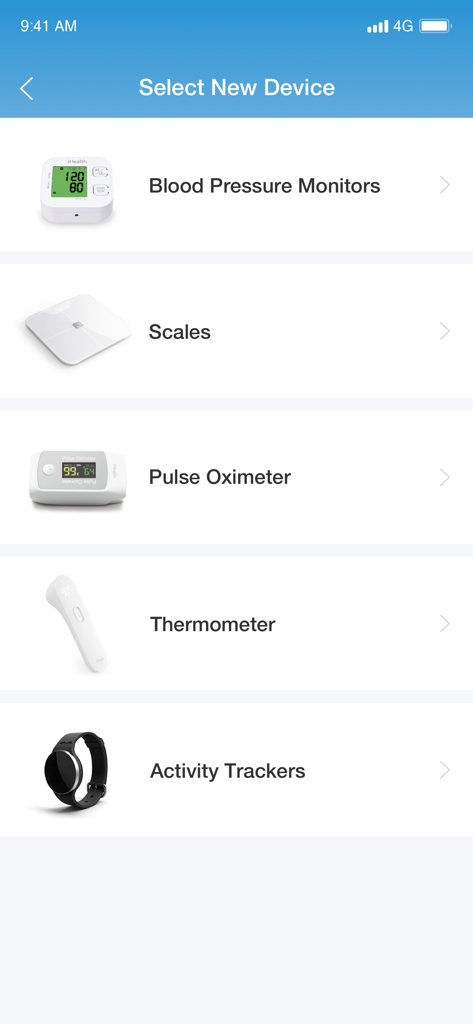
The iHealth MyVitals app screen for selecting new health devices like blood pressure monitors and scales
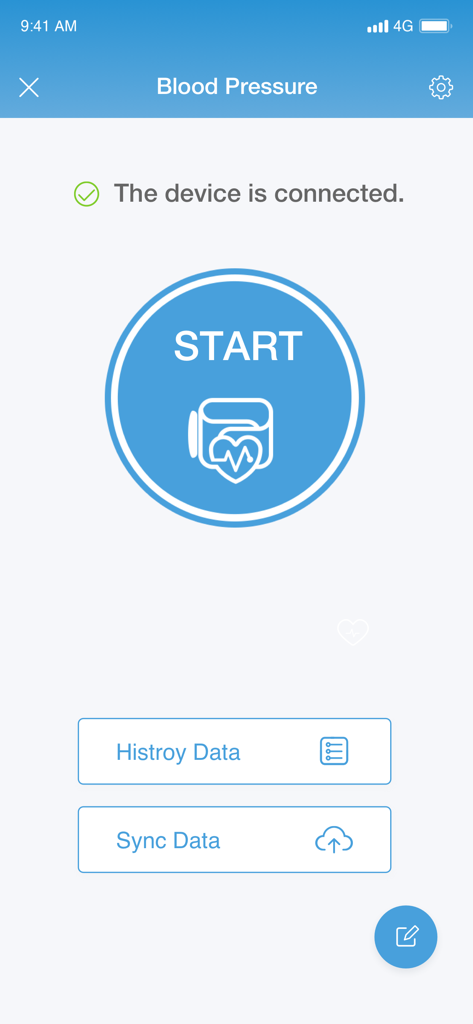
Blood pressure measurement start screen in the iHealth MyVitals app showing a connected device and a start button.
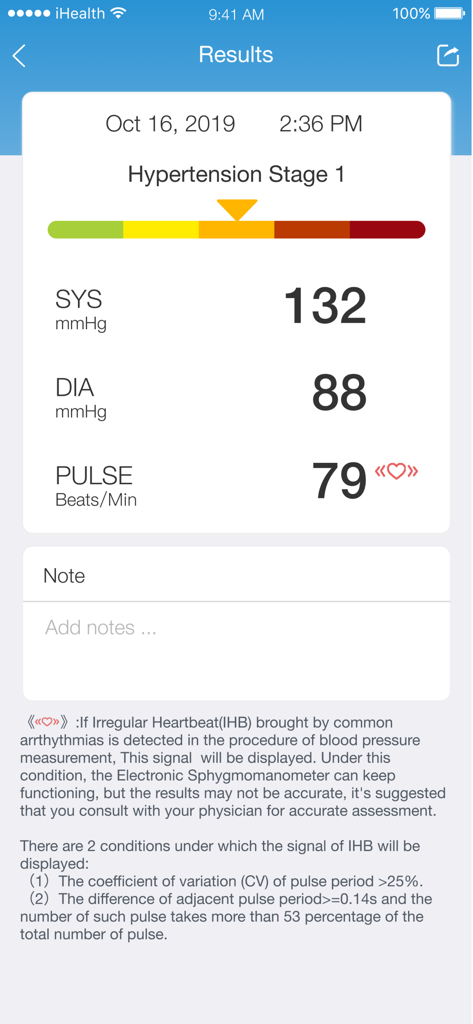
iHealth MyVitals app screen showing a blood pressure reading and heart rate with a hypertension stage one indicator.
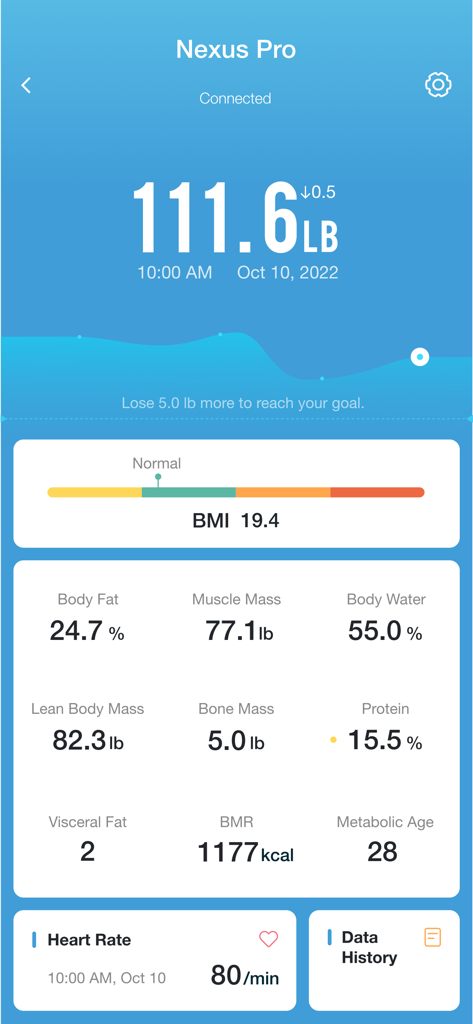
iHealth MyVitals app displaying weight and body composition metrics from a Nexus Pro scale
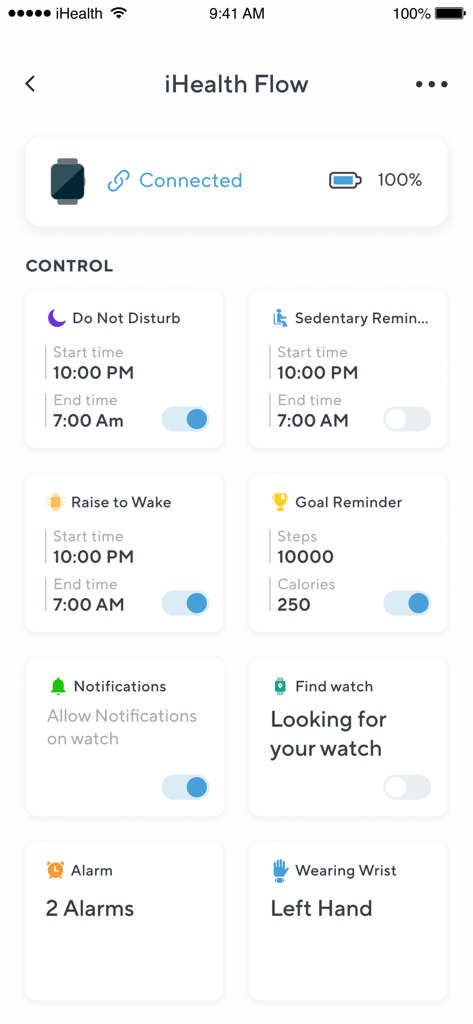
Smartwatch settings menu in iHealth MyVitals app showing controls for sedentary reminders goal tracking and device notifications
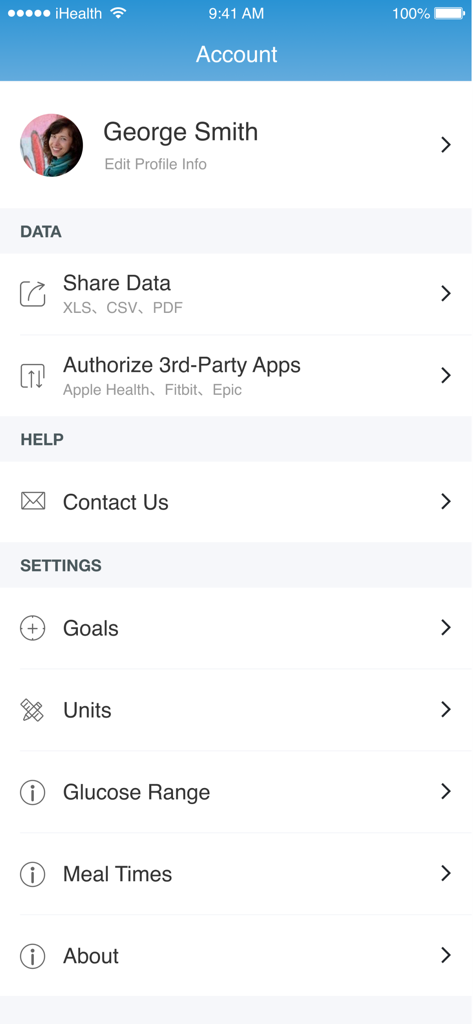
iHealth MyVitals account settings page showing user profile and data sharing options
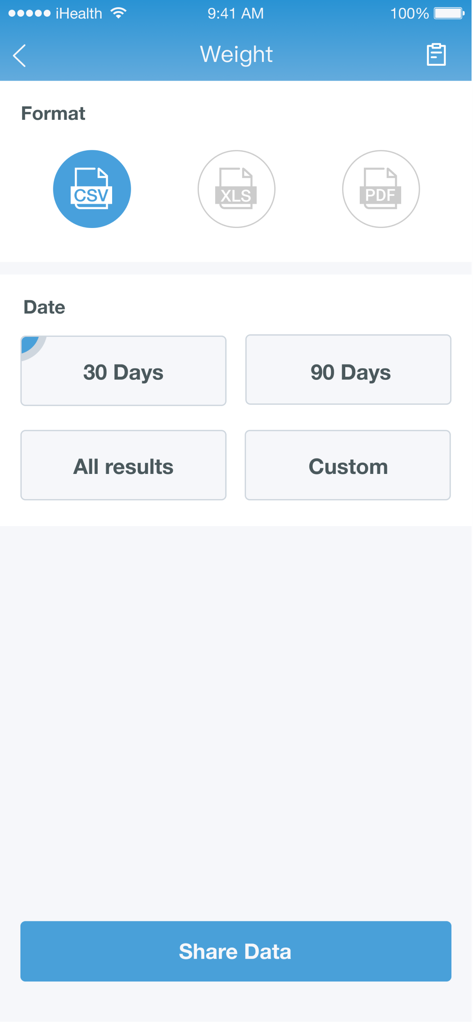
iHealth MyVitals app screen showing options to share weight data in CSV, XLS, or PDF formats for different time periods
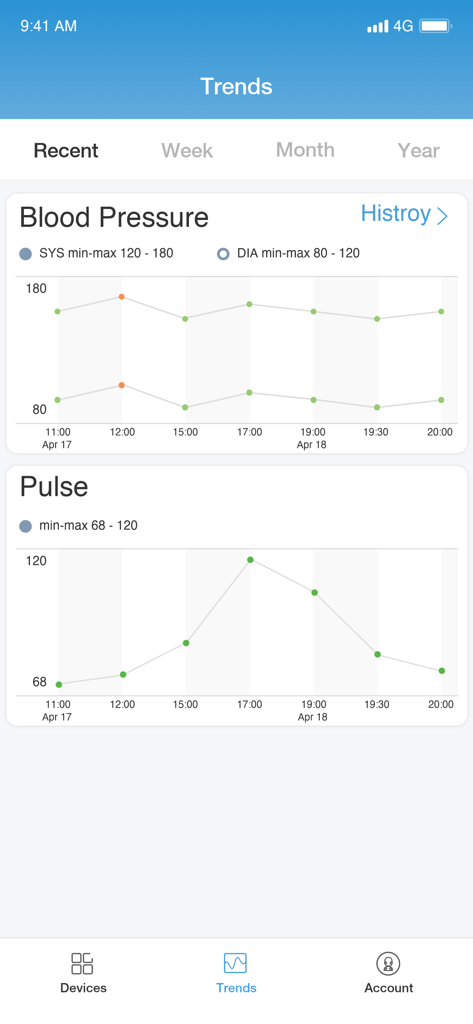
iHealth MyVitals app trends screen showing graphs for blood pressure and pulse measurements over time
Description
Download
More Like This
Apps with similar features and user experience

Mi Fitness (Xiaomi Wear Lite)
Beijing Xiaomi Co., Ltd

HUAWEI Health
Huawei Software Technologies Co., Ltd.

Oura
Oura Health Oy

Da Fit
MO YOUNG LIMITED

Zepp
Zepp Inc.

OMRON connect US/CAN/EMEA
Omron Healthcare, Inc.
CASIO WATCHES
CASIO COMPUTER CO., LTD.

NoiseFit: Health & Fitness
NEXXBASE MARKETING PRIVATE LIMITED

Polar Flow
Polar Electro Oy
This page is not an official page of the app or its developer, but an independent editorial publication created for informational and commentary purposes. Unless expressly stated otherwise, neither the app nor its developer is affiliated with, endorsed by, sponsored by, authorized by, or otherwise officially connected with MWM, Apple, Google Play, the app publisher, or the app's developer, and nothing on this page implies that the app was developed using MWM's services. Any trademarks, logos, screenshots, and other content remain the property of their respective owners.