Stop guessing your signal quality and start analyzing. Access raw data on LTE bands, carrier feature support, and network infrastructure designed for the tech-savvy professional who demands transparency from their mobile connection.
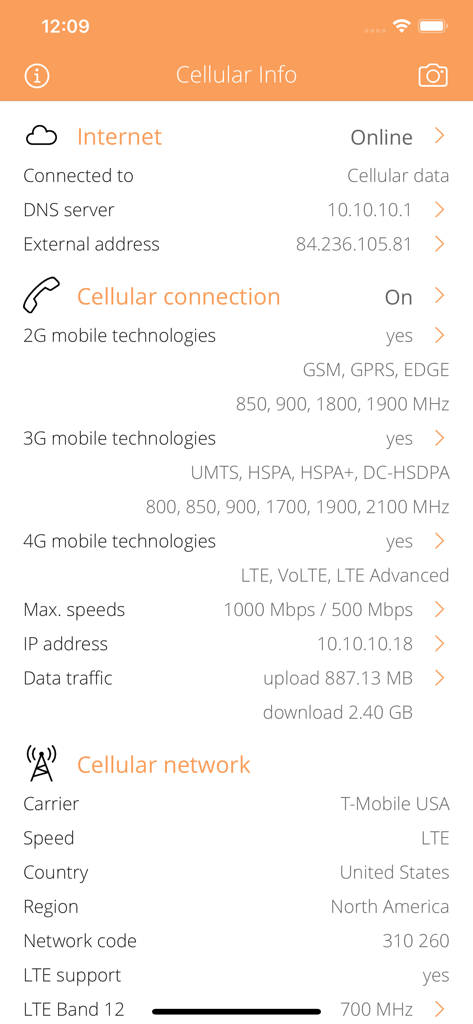
Technical network information dashboard showing carrier data and cellular connection details.
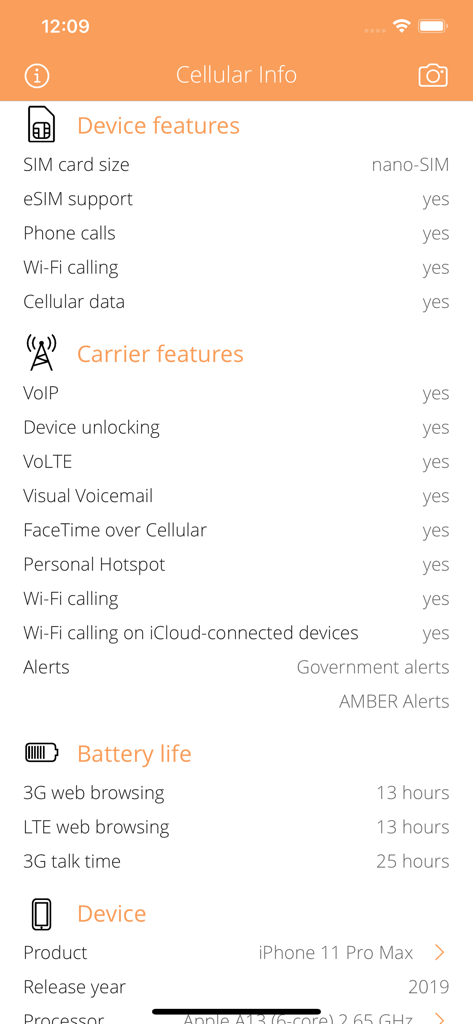
Technical details including device features and carrier capabilities in the Cellular Info app
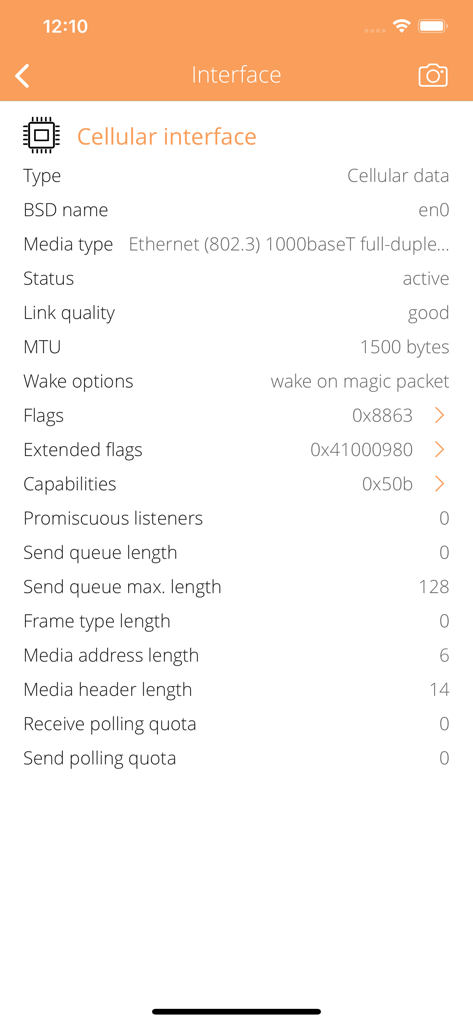
Detailed view of technical cellular interface parameters including link quality and MTU in the Cellular Info app
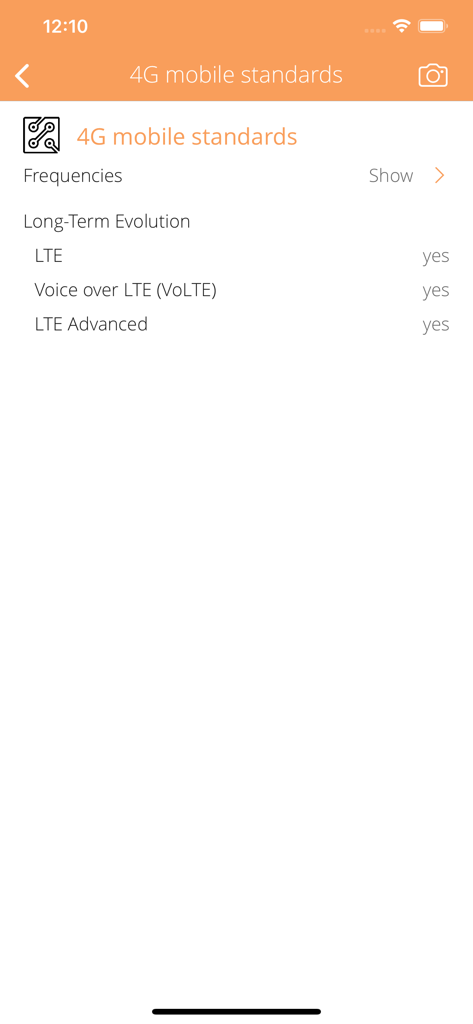
Screenshot of Cellular Info app showing 4G mobile standards support for LTE, VoLTE, and LTE Advanced.
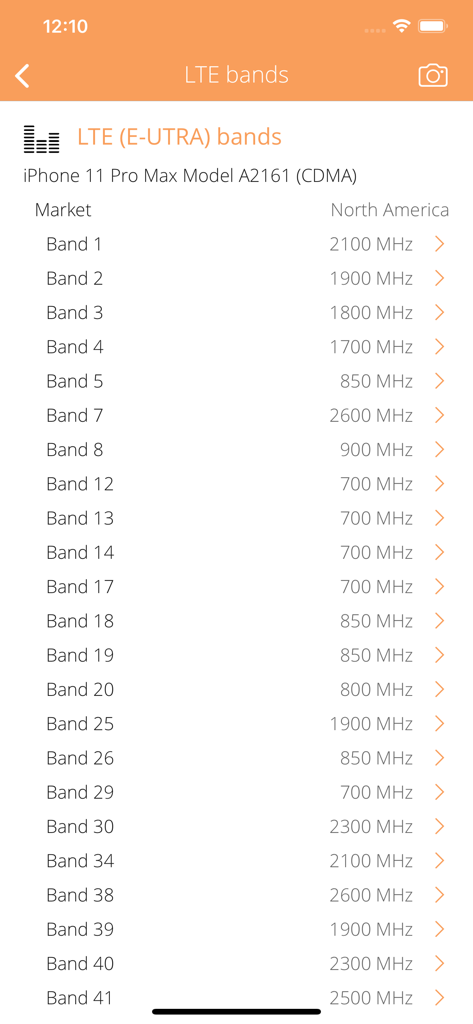
A detailed list of supported LTE bands and their frequencies for iPhone 11 Pro Max within the Cellular Info app.
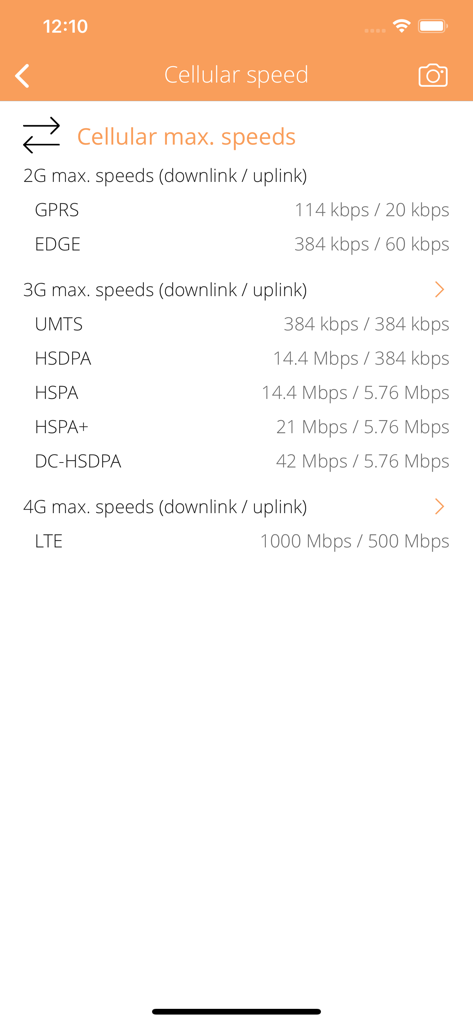
Table of maximum downlink and uplink speeds for 2G 3G and 4G cellular network technologies
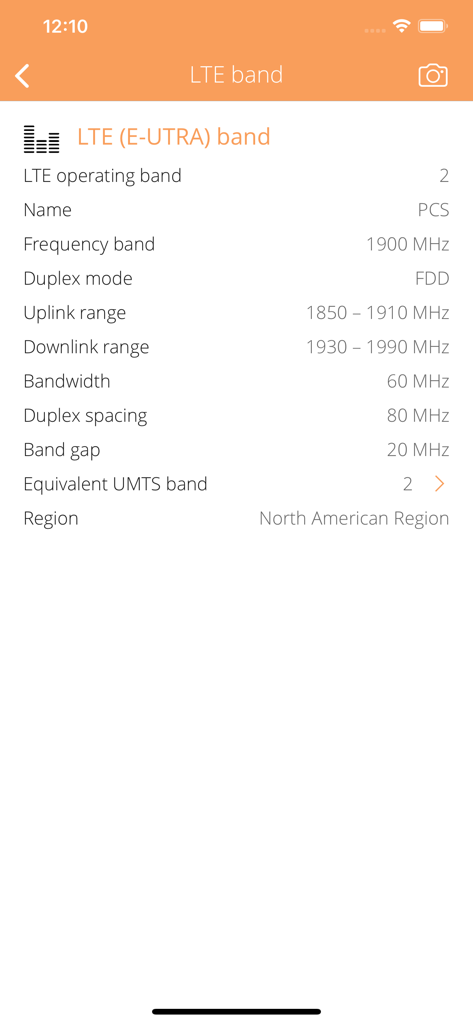
Technical details of LTE operating band 2 including frequency band and region in Cellular Info app
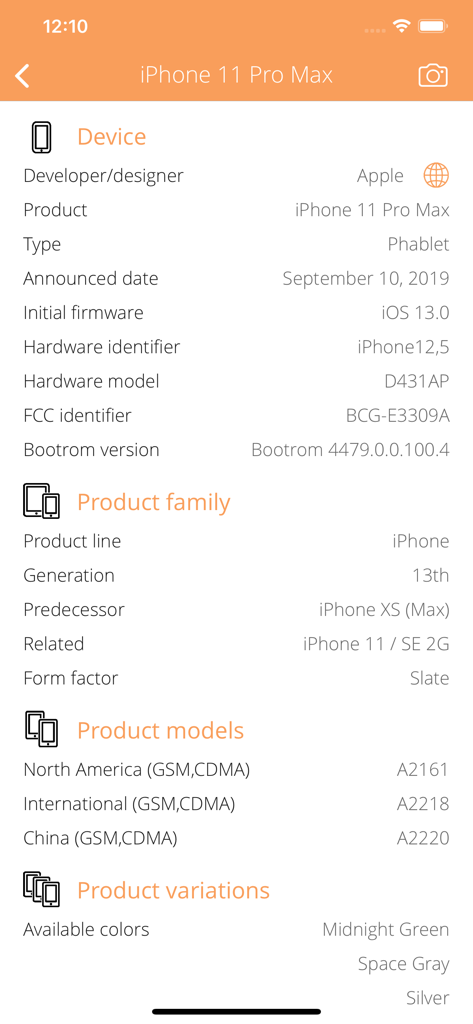
Detailed hardware and model specifications for an iPhone 11 Pro Max shown in the Cellular Info app.
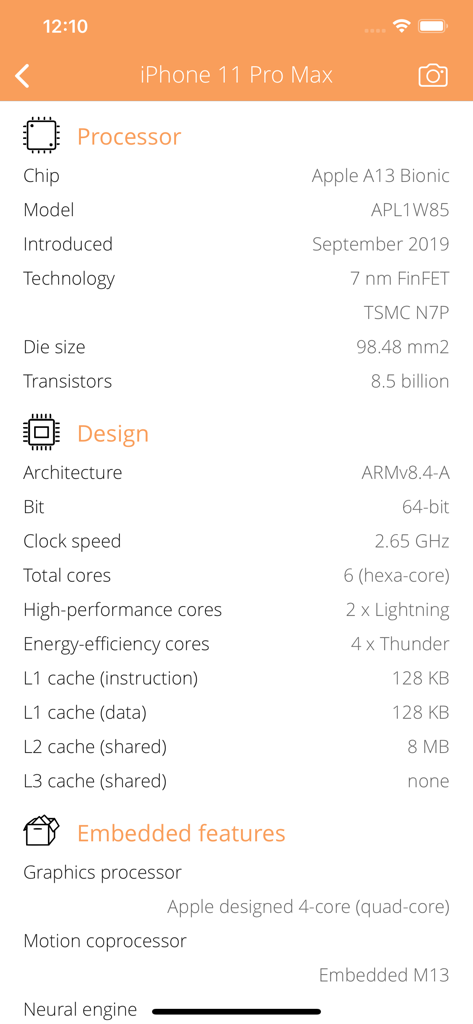
Detailed processor and hardware specifications for an iPhone 11 Pro Max.
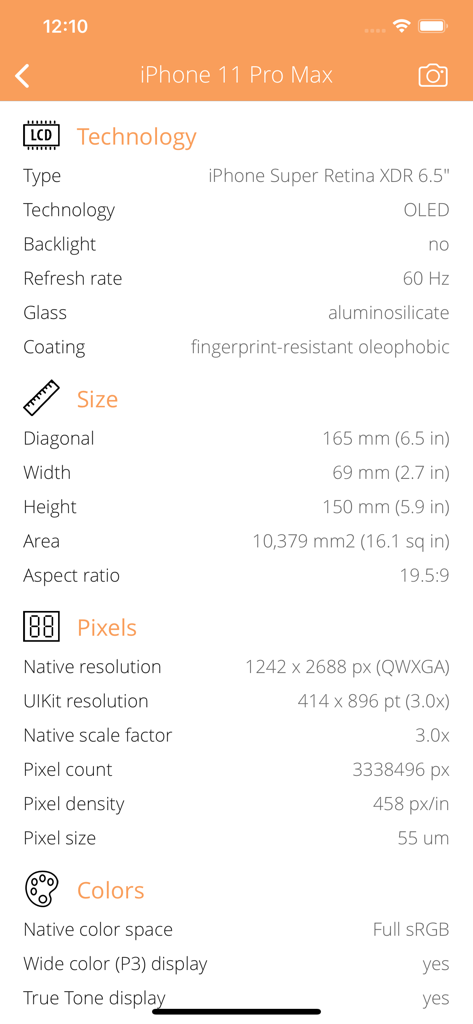
Technical display specifications including resolution and pixel density in the Cellular Info mobile app
Master Your Cellular Network
The tools that make this app stand out, trusted by 41K+ users.
📡
Deep Carrier Transparency
Access the raw data your iPhone hides. Identify specific LTE bands, MCC/MNC codes, and verify active features like VoLTE, Wi-Fi calling, and hotspot provisioning.
⚡
Advanced Network Diagnostics
Troubleshoot like a pro. Monitor physical cellular speeds, analyze DNS configurations, and view low-level interface parameters to optimize your connection.
🛡️
Hardware & Safety Intelligence
Verify device hardware specs and monitor RF exposure with built-in SAR limit values (US/EU), ensuring you remain informed about your device's environmental impact.
About the app
Everything you need to know about Cellular Info.
Description
Everything you want to know about your CELLULAR CONNECTION but were afraid to ask. Cellular Info is a small and useful utility that lets you see detailed information about current Cellular connection from carrier information to cellular features and more.
CARRIER INFO
• Detect current connected mobile network operator name, country, region.
• Show the carrier identification MCC and MNC codes.
• Detect current cellular connection mode (GPRS, EDGE, UMTS, HSPA, LTE),
• Detect LTE operation bands supported by your carrier.
• Detect carrier features available in your country:
• Voice over IP (VoIP) support.
• Device unlocking (carrier-free) support.
• Voice over LTE (VoLTE) support.
• Visual Voicemail support.
• FaceTime (audio or video) over cellular connection.
• Personal Hotspot support.
• Wi-Fi calling (using the carrier Wi-Fi network).
• Personal Hotspot support.
• Government and AMBER (America's Missing: Broadcast Emergency Response) alerts.
• Disaster type (tsunami, earthquake, flood, godzilla) alerts.
• Full offline carrier database contains 500+ mobile networks from 150+ countries.
CELLULAR CONNECTION INFO
• Detect mobile generations and standards supported by your device (2G, 3G, 4G, GPRS, EDGE, UMTS, HSPA, LTE, VOLTE).
• Detect device supported GSM, UMTS and LTE operation frequencies and channels with detailed band information.
• Show cellular data and visual voice mail traffic counters: upload, download, errors, quality of service (QoS) categories.
• Detect max. physical cellular speeds in the supported mobile technologies.
• Show cellular network interface IP address, ISP name, autonomous system name, whois, ping, regional internet registry info.
• Low-level information about the cellular interface, technical parameters, flags.
• Detect cellular features of your device: SIM card size, phone and Wi-Fi calling, cellular data transfer capabilities.
ENVIRONMENTAL INFORMATION
• Show RF exposure Specific Absorption Rate (SAR) limit values (US, EU).
INTERNET INFO
• Show default gateways, IP addresses, networks.
• Show DNS servers, search domain names, local MAC addresses, host name resolve.
• Depth external address analysis: ISP name, autonomous system name, whois, ping, regional internet registry info.
• Full offline MAC vendor database.
DEVICE INFO
• Detect device type and model.
• Detect processor type.
• Detect memory size.
• Detect storage size.
• Detect firmware name, version.
• Detect last reboot time.
REACH UI FEATURES
• Info menu with feedback and privacy settings
• Use the camera icon (upper-right corner) to create and print/send/share a screenshot from the entire page.
• Pull down with your finger to refresh the information.
• Long press on a cell to copy/print/send/open as/share the cell value.
• Shake your device to refresh the information.
Latest Version
1.19
Size
5.0 MB
First Released
Jan 29, 2015
Master Your Cellular Network Data
Stop guessing. Get the raw technical insights your carrier hides. Join 41,000+ power users and download the ultimate diagnostic tool for iOS today.
App information, icons, screenshots, and descriptions displayed on this page are sourced from the Apple App Store and are the property of their respective developers. Download estimates and rankings are based on MWM's proprietary models and may not reflect actual figures. This page is provided for informational and analytical purposes only.
Believe this page infringes your intellectual property? File a dispute