CEPOWER JKBMS Monitor

CEPOWER JKBMS Monitor


Download on App Store
Logo of CEPOWER JKBMS Monitor

CEPOWER JKBMS Monitor: Precision Real-Time Battery Intelligence

Take total control of your JK BMS with high-precision data for DIY solar, RVs, and off-grid systems. Get instant, login-free access to cell voltages and system health from anywhere.

Download on App Store

Publisher

Elie Harfouche

Category

Utilities

Downloads

100

User Rating

1.0/5

Total Ratings

0

Locales

1

Precision at a Glance

Discover the interface used by 100 users.
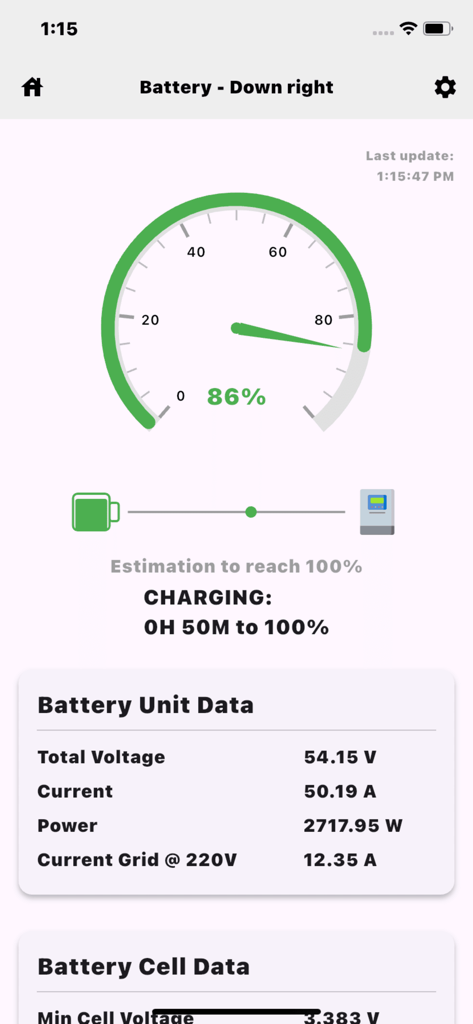
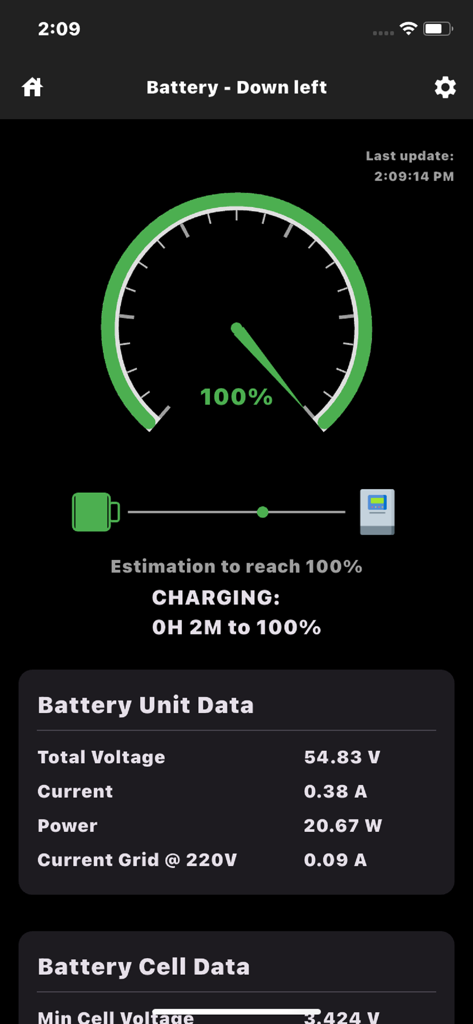
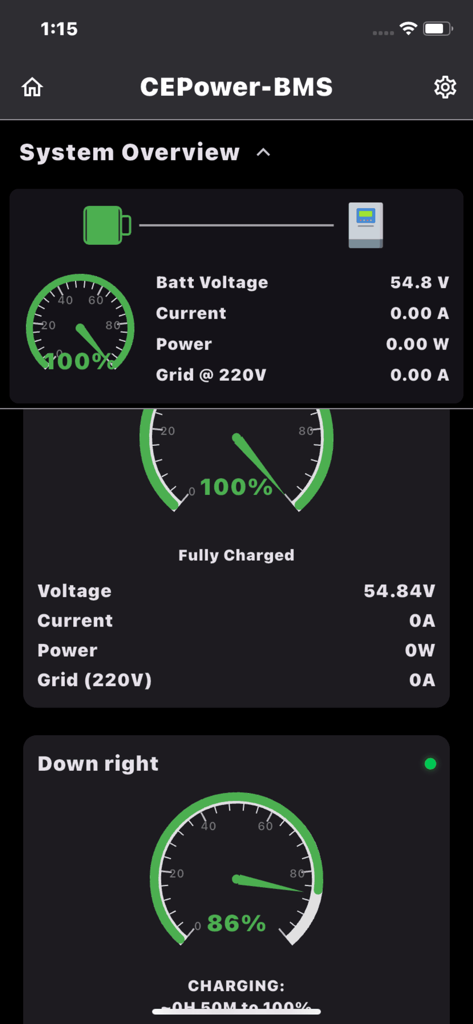
CEPOWER JKBMS Monitor dashboard showing battery charging status at 86 percent with voltage and current data

CEPOWER JKBMS Monitor dashboard showing battery charging status at 86 percent with voltage and current data

Mobile interface showing real-time battery charge percentage and voltage data

Mobile interface showing real-time battery charge percentage and voltage data

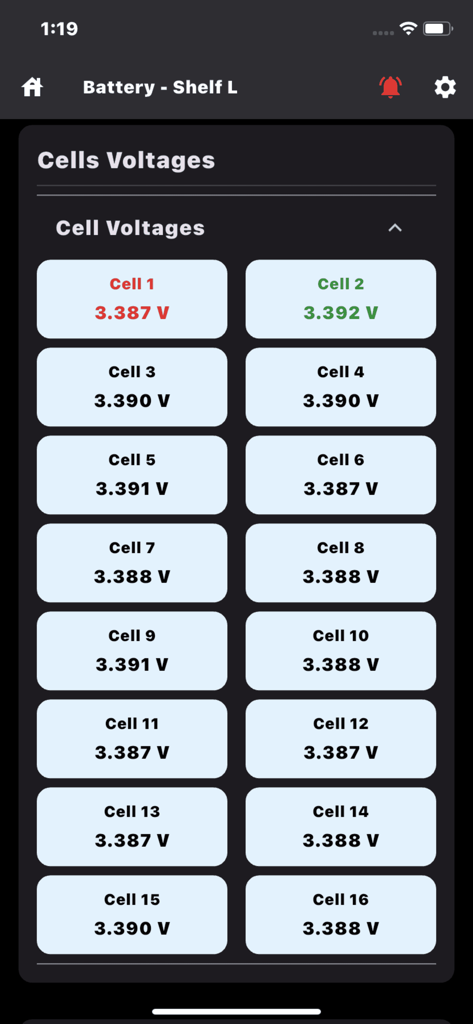
Real-time monitoring of individual battery cell voltages in the CEPOWER JKBMS app.

Real-time monitoring of individual battery cell voltages in the CEPOWER JKBMS app.

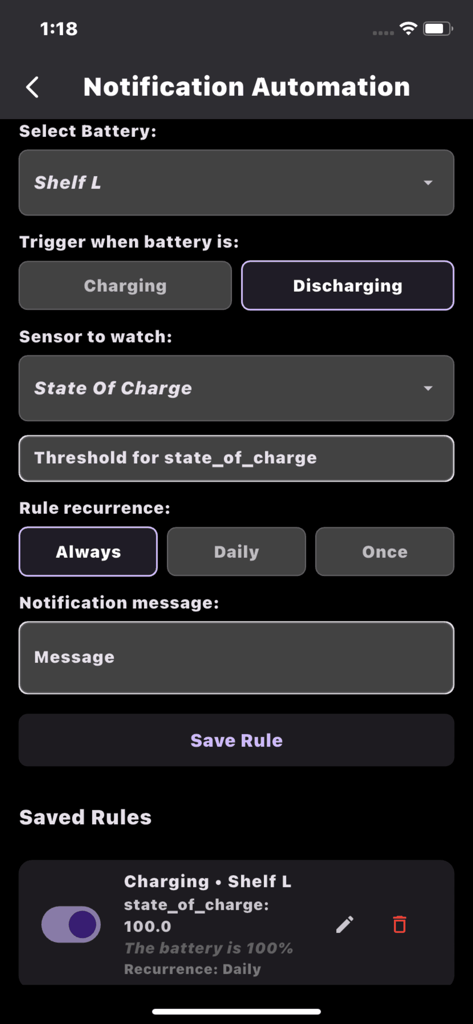
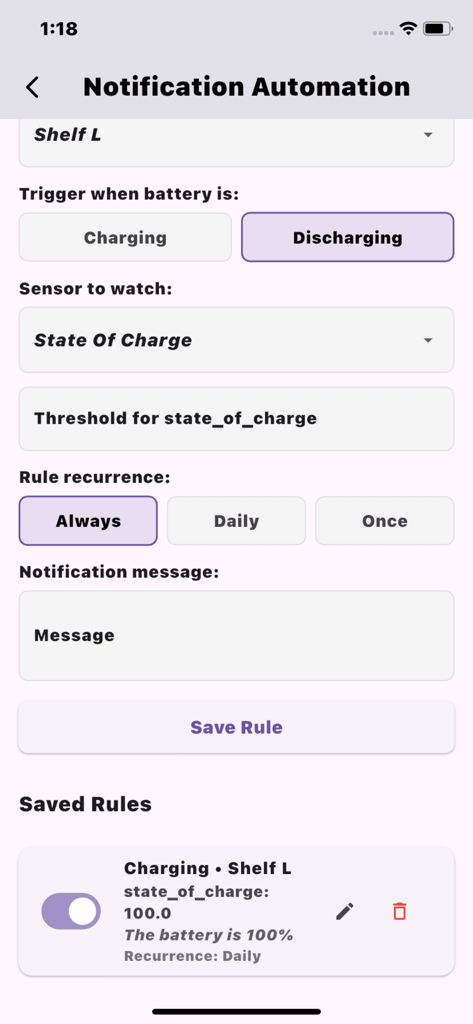
Notification automation screen for setting custom battery alerts and state of charge thresholds in the CEPOWER JKBMS Monitor app

Notification automation screen for setting custom battery alerts and state of charge thresholds in the CEPOWER JKBMS Monitor app

Notification automation screen for setting custom battery alerts in the CEPOWER JKBMS Monitor app

Notification automation screen for setting custom battery alerts in the CEPOWER JKBMS Monitor app

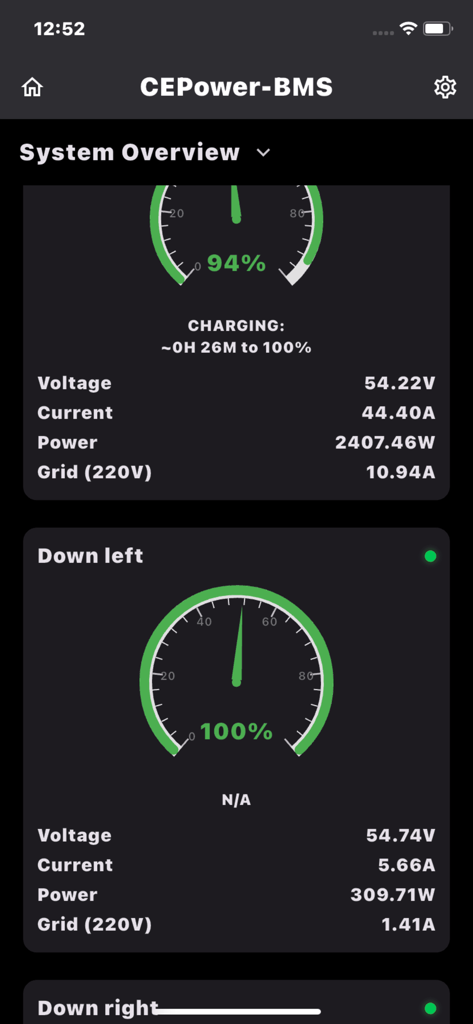
CEPOWER JKBMS Monitor system dashboard showing battery charge percentage and real-time voltage metrics

CEPOWER JKBMS Monitor system dashboard showing battery charge percentage and real-time voltage metrics

Dashboard of the CEPOWER JKBMS Monitor app showing real-time battery voltage, current, and state of charge gauges for off-grid energy systems.

Dashboard of the CEPOWER JKBMS Monitor app showing real-time battery voltage, current, and state of charge gauges for off-grid energy systems.

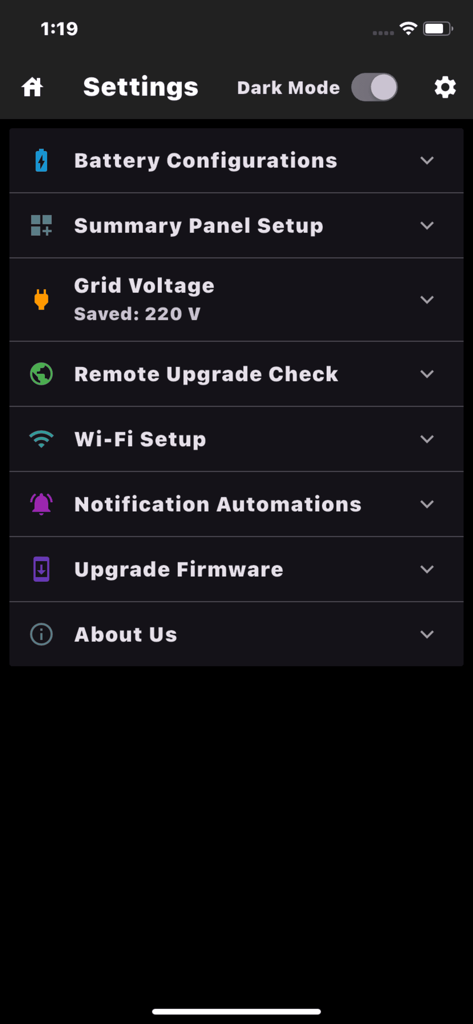
Settings menu of the CEPOWER JKBMS Monitor app showing options for battery configuration and firmware updates.

Settings menu of the CEPOWER JKBMS Monitor app showing options for battery configuration and firmware updates.

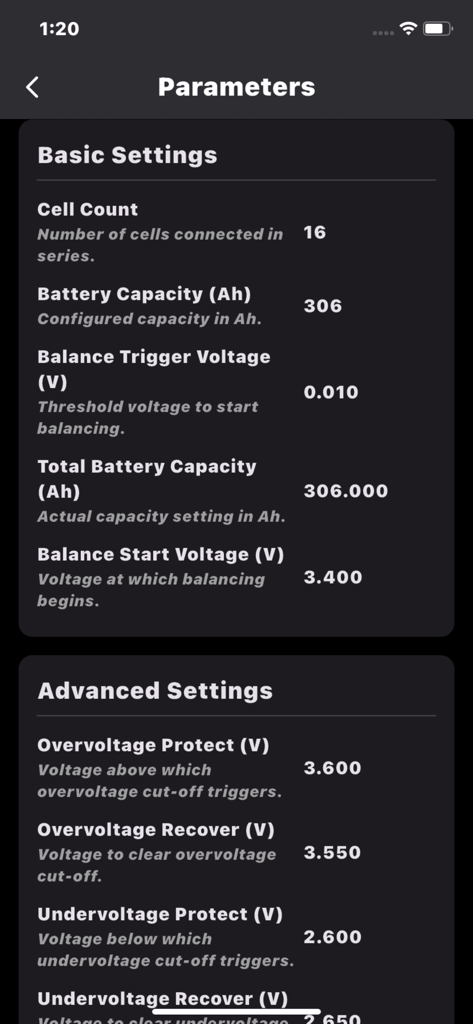
Screenshot of technical battery parameters including capacity and voltage protection settings in the CEPOWER JKBMS Monitor app.

Screenshot of technical battery parameters including capacity and voltage protection settings in the CEPOWER JKBMS Monitor app.

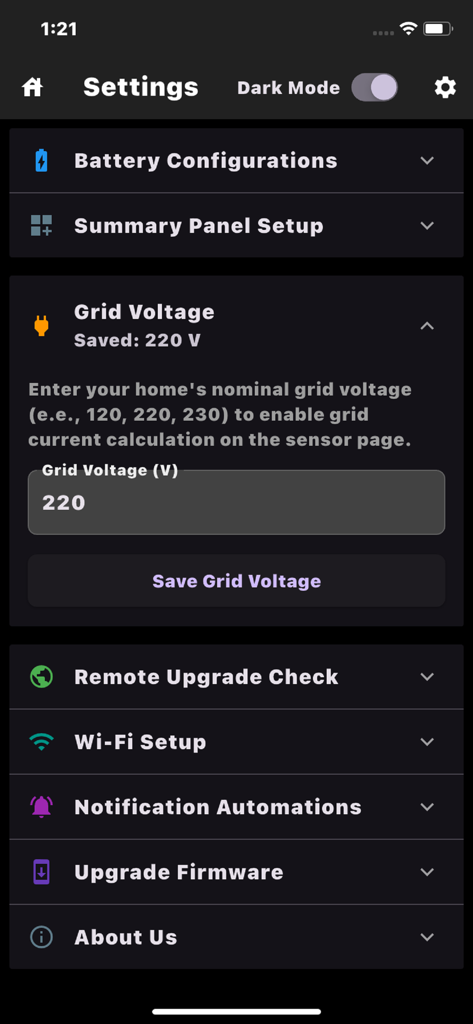
Settings menu of the CEPOWER JKBMS Monitor app showing grid voltage configuration and system options

Settings menu of the CEPOWER JKBMS Monitor app showing grid voltage configuration and system options

Power Management Simplified

The tools that make this app stand out, trusted by 100 users.

Granular Cell Analysis

View real-time voltages for every cell and track internal resistance to ensure your battery bank stays perfectly balanced and healthy.

🔒

Zero-Friction Connectivity

No registration or passwords required. Access your battery data instantly using only your unique Device ID for total privacy and ease of use.

📈

Advanced History & Alerts

Review 15 days of detailed performance logs and set custom notification rules to protect your hardware even when the app is closed.

About the app

Everything you need to know about CEPOWER JKBMS Monitor.

Description

CEPOWER JKBMS Monitor – Real-time battery monitoring made simple. Monitor one or multiple batteries in real time using a unique Device ID. No registration, no passwords, no hassle. Just connect and instantly view live battery data from anywhere. Track charge level, voltage, current, cell voltages, temperature, runtime, and more. CEPOWER JKBMS Monitor is designed specifically for JK BMS systems to provide a clear, reliable, and accurate overview of battery performance. Access your batteries from iPhone, iPad, or any web browser. Key Features: Monitor one or multiple batteries simultaneously Combine multiple batteries to view total consumption and charge View all sensors on a single screen, including cell-by-cell voltages with automatic highest and lowest detection View all parameters on one page, including internal resistance value Rename each battery for easy identification and organization Accurate consumption tracking based on grid voltage Create custom notification rules for voltage, current, or individual cells and receive alerts even when the app is closed Review up to 15 days of history logs for troubleshooting and performance analysis Installers and administrators can monitor multiple clients remotely Each battery uses a unique Device ID for easy access across users and locations Upgrade battery firmware directly from the app Built for ESP32-based modules with full JK BMS integration No login required. Just your Device ID, and you’re ready to go. For inquiries or to obtain a Device ID, contact support@cepower.org or visit https://www.cepower.org

Latest Version

2.3.4

Size

33.8 MB

First Released

Jul 2, 2025

Ready to Master Your Energy Setup?

Get instant, professional-grade JK BMS insights with zero registration. No passwords, no hassle—just high-precision battery data at your fingertips.

Download on App Store

App information, icons, screenshots, and descriptions displayed on this page are sourced from the Apple App Store and are the property of their respective developers. Download estimates and rankings are based on MWM's proprietary models and may not reflect actual figures. This page is provided for informational and analytical purposes only.

Believe this page infringes your intellectual property? File a dispute