Change Video Speed for Safari

Change Video Speed for Safari


Download on App Store
Logo of Change Video Speed for Safari

Change Video Speed for Safari: Master Your Time and Playback Speed

Take full control of HTML5 videos across the web. From 0.1x to 16x speed, enjoy precision controls and custom shortcuts designed for high-efficiency power users on iPhone, iPad, and Mac.

Publisher

Yoshiko Sato

Category

Utilities

Downloads

18K+

User Rating

4.3/5

Total Ratings

0

Locales

25

Master Your Playback

Discover the interface used by 18K+ users.
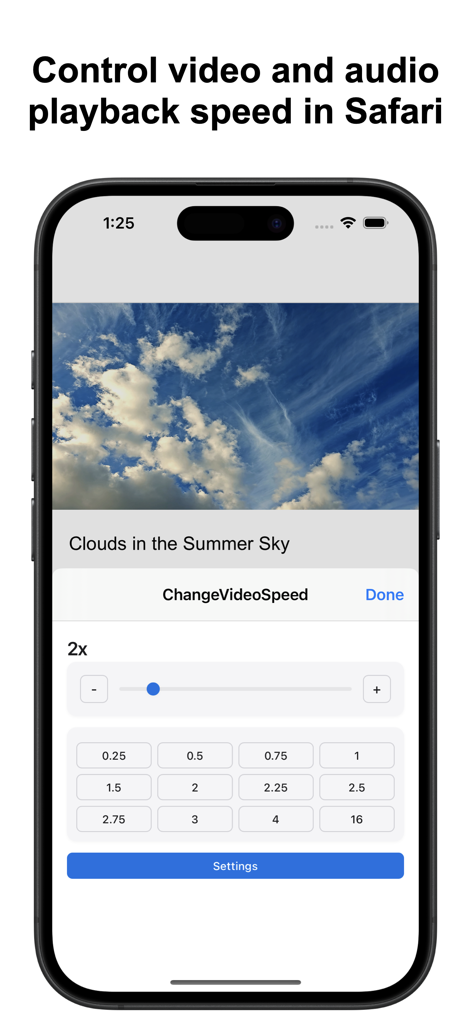
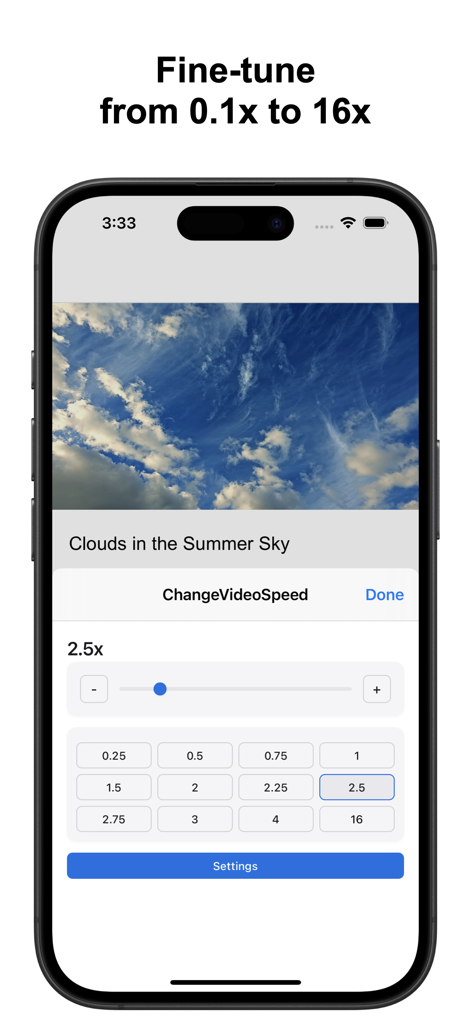
iPhone interface of Change Video Speed for Safari extension showing playback speed presets and slider.

iPhone interface of Change Video Speed for Safari extension showing playback speed presets and slider.

iPhone screenshot showing the Safari video speed extension interface with a slider and preset speed buttons ranging from 0.1x to 16x.

iPhone screenshot showing the Safari video speed extension interface with a slider and preset speed buttons ranging from 0.1x to 16x.

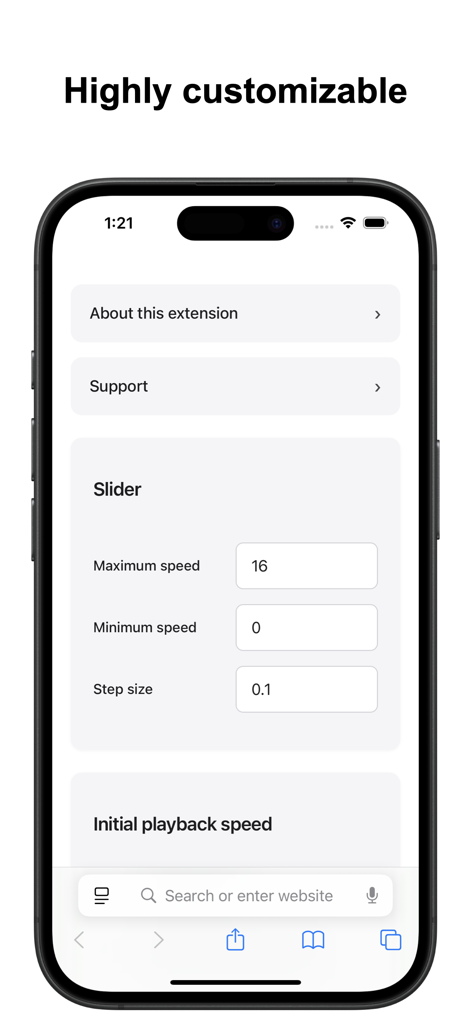
Settings screen of the Safari video speed extension showing options to customize maximum speed minimum speed and step size

Settings screen of the Safari video speed extension showing options to customize maximum speed minimum speed and step size

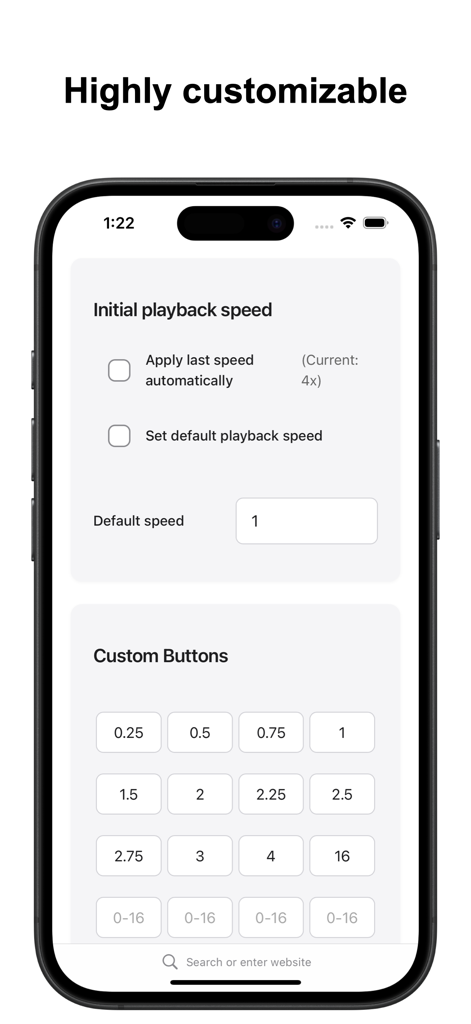
Interface showing custom speed buttons and initial playback settings for the Safari video speed extension.

Interface showing custom speed buttons and initial playback settings for the Safari video speed extension.

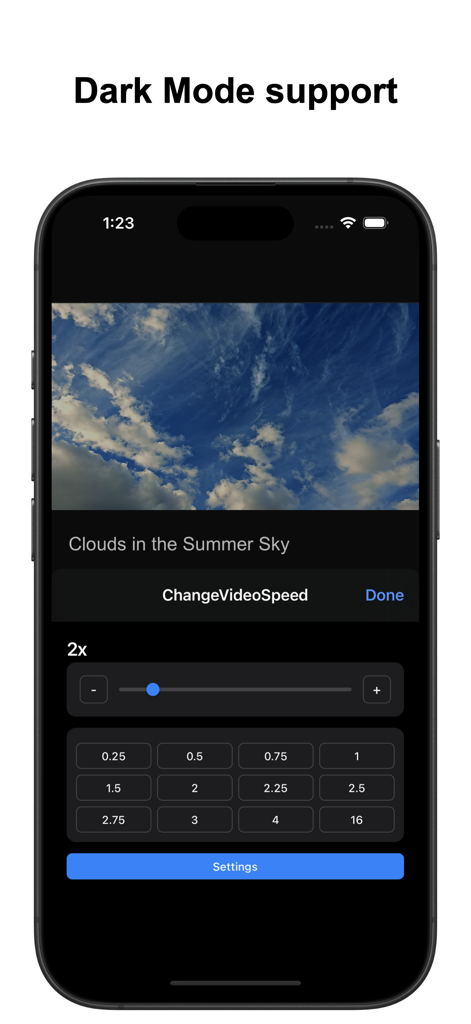
Change Video Speed for Safari app interface in dark mode showing speed slider and preset buttons on iPhone

Change Video Speed for Safari app interface in dark mode showing speed slider and preset buttons on iPhone

Supercharge Your Viewing Productivity

The tools that make this app stand out, trusted by 18K+ users.

🎯

Precision Speed Control

Break free from limited native presets. Use the precision slider to find your perfect pace with 0.1x increments—ranging from 0.1x to 16x speed.

Instant Auto-Speed

Save time on every new tab. Configure your 'Initial Speed' to automatically apply your favorite playback rate as soon as a video starts.

⌨️

Power-User Shortcuts

Master your workflow with customizable macOS hotkeys. Speed up through fluff and slow down for complex tutorials without ever touching your mouse.

About the app

Everything you need to know about Change Video Speed for Safari.

Description

Easily control the playback speed of HTML5 videos and audio across websites in Safari. This Safari extension offers quick controls, rich customization options, and convenient keyboard shortcuts. Key Features: • Quick Popup Controls – Adjust speed instantly with a slider, plus +/- buttons and customizable preset buttons. • Precision Slider – Define your own minimum, maximum, and step values for fine-tuned control (0.1x–16x). • Initial Speed Options – Choose to automatically apply the last used speed, a custom default speed, or start at normal speed. • Keyboard Shortcuts (macOS only) – Assign custom keys to increase or decrease speed by a chosen amount, or jump directly to a specific speed. Both the speed values and key bindings are fully customizable. Limitations: • Works only with HTML5 media. • Some websites may block speed control or restrict playback speeds (e.g., limit to 2x). • Embedded videos may require opening the original source page. • Due to the wide variety of websites, compatibility with every site cannot be guaranteed. If needed, you can contact us to check whether this extension works on a specific site before installing. For feature requests, questions, or bug reports, please visit our support page: https://www.wide-apps.com

Latest Version

4.0.1

Size

1.0 MB

First Released

May 4, 2022

Ready to Master Your Viewing Speed?

Join 18,000+ high-efficiency Apple users and take total control of your time. Download the ultimate Safari extension for iPhone, iPad, and Mac today.

Download on App Store

App information, icons, screenshots, and descriptions displayed on this page are sourced from the Apple App Store and are the property of their respective developers. Download estimates and rankings are based on MWM's proprietary models and may not reflect actual figures. This page is provided for informational and analytical purposes only.

Believe this page infringes your intellectual property? File a dispute