
This page is not an official page of the app or its developer, but an independent editorial publication created for informational and commentary purposes. Unless expressly stated otherwise, neither the app nor its developer is affiliated with, endorsed by, sponsored by, authorized by, or otherwise officially connected with MWM, Apple, Google Play, the app publisher, or the app's developer, and nothing on this page implies that the app was developed using MWM's services. Any trademarks, logos, screenshots, and other content remain the property of their respective owners.


ChatPDF Ai
Transform AI chats, photos, and web pages into professional PDFs in seconds. The all-in-one tool built for students, freelancers, and modern professionals to scan, merge, and create on the go.
Downloads
44K+User Rating
Total Ratings
100Publisher
Category
Graphics & DesignLocales
8Latest Version
1.0.5Size
33.2 MBFirst Released
Aug 27, 2025Master Your Workflow with AI-Powered Tools
Ditch the bulky desktop software. ChatPDF Ai brings professional document management and smart AI conversion directly to your pocket.
AI-to-PDF Export
Transform your AI conversations into polished, shareable documents instantly. Skip the copy-pasting and go straight to professional results.
Visual Document Scanner
Convert physical receipts, study notes, or webpages into high-quality PDFs. Perfect for freelancers and students needing high-fidelity digital files.
Frequently Asked Questions
Everything you need to know about ChatPDF Ai
What is ChatPDF Ai?
ChatPDF Ai is an all-in-one AI-powered PDF assistant. It provides comprehensive solutions for creating, converting, scanning, and merging PDF documents with a fast and intuitive design.
What features does ChatPDF Ai offer?
ChatPDF Ai offers AI Chat to PDF, Create PDF, Photo to PDF, Text to PDF, Webpage to PDF, Merge PDF, and QR Scan. These tools make PDF management simple and fast.
Can ChatPDF Ai convert photos to PDF?
Yes, ChatPDF Ai converts photos to high-quality PDF documents. Users simply snap a picture using the app's dedicated "Photo to PDF" function.
Does ChatPDF Ai merge PDF files?
Yes, ChatPDF Ai merges multiple PDF files into one seamless document. This feature allows for combining various PDFs efficiently within the application.
Can I save webpages as PDF with ChatPDF Ai?
Yes, ChatPDF Ai saves entire web pages as PDF documents for offline access. The app provides a dedicated "Webpage to PDF" feature for this conversion.
Is ChatPDF Ai an AI-powered application?
Yes, ChatPDF Ai is an AI-powered PDF solution. It leverages AI to enhance its features, including turning AI conversations into shareable PDF documents.
The following screenshots and description are sourced directly from the app's official store listing and are the property of the app developer.
App Store
Screenshots
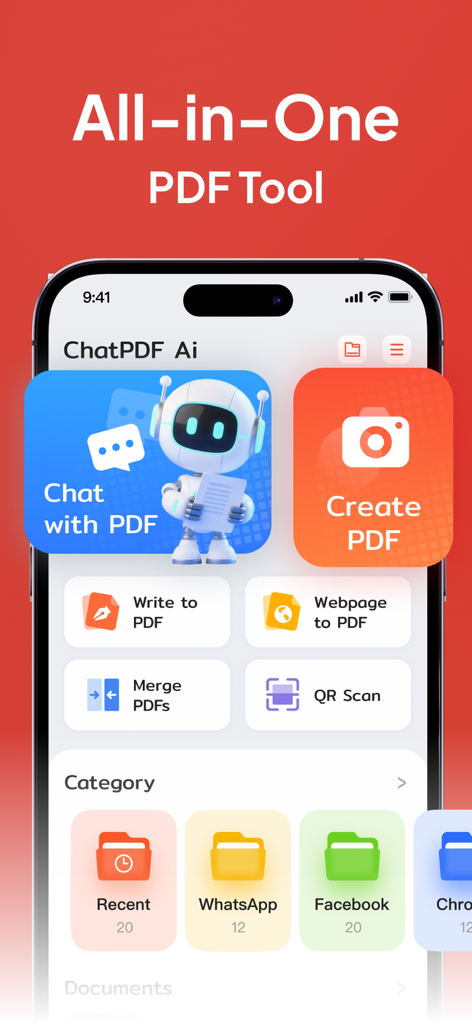
ChatPDF Ai dashboard featuring AI chat and document management tools on an iPhone
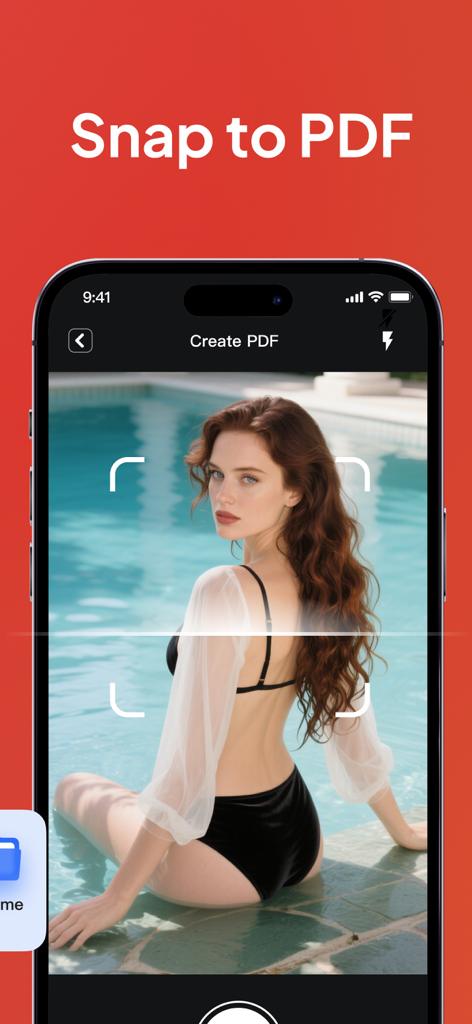
iPhone displaying the Snap to PDF feature of ChatPDF Ai app.
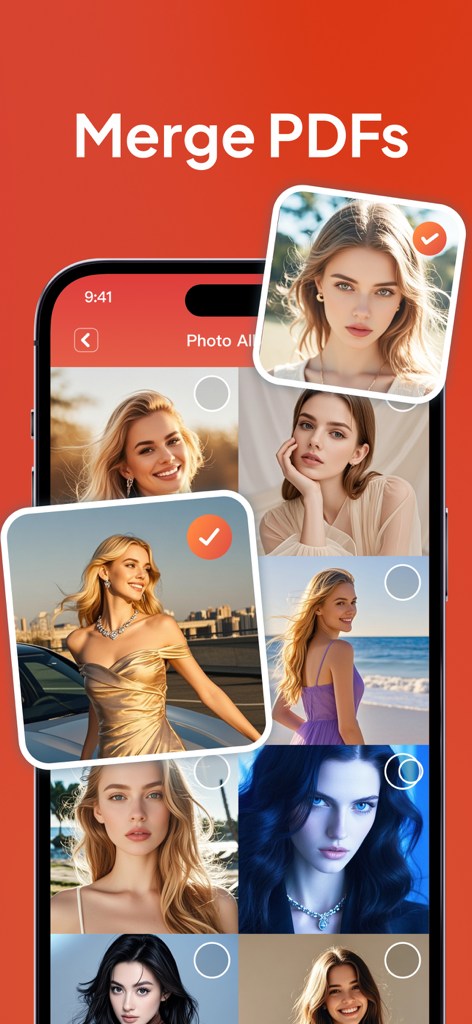
Interface of the ChatPDF Ai app showing the Merge PDFs feature with a selection of photos from a gallery.
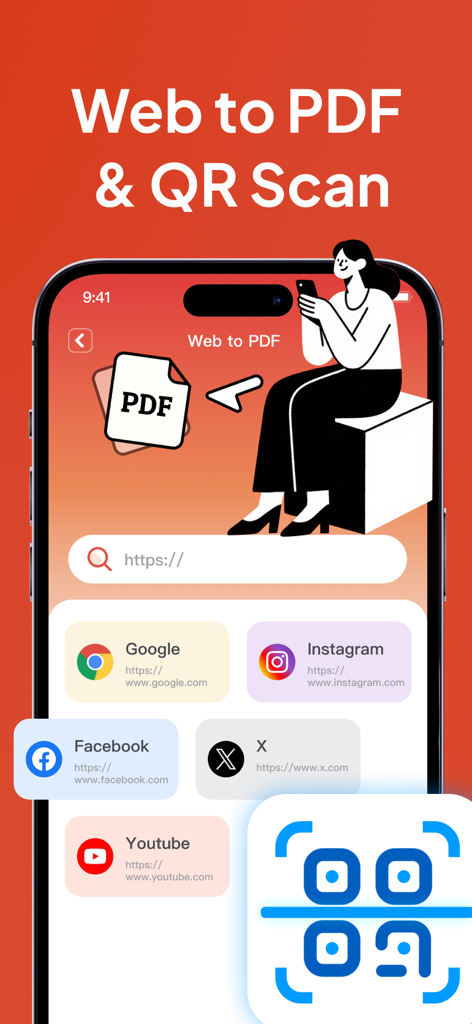
ChatPDF Ai app screen showing web to PDF converter and QR scanner.
Description
Download
More Like This
Apps with similar features and user experience

Photo to PDF Converter Scanner
Hendrik Folkerts
PDFMaker: JPG to PDF converter
Arthur Eduardo Skaetta Alvarez Desenvolvimento de Software LTDA.

Convert Image To PDF tools
Abdullah Albalawi

PDF Converter -
晓珍 胡

Lexy PDF Viewer-Maker,Builder
MONSTER SHOW NETWORK TECHNOLOGY LIMITED

PDF Photos
Sarrada Software Inc

Image to PDF - Convert to PDF
WEBDIA INC.

Image to PDF Converter +
Jatin Maniya

Photo to PDF Converter Tool
Douglas (Hangzhou) Technology Co., LTD
This page is not an official page of the app or its developer, but an independent editorial publication created for informational and commentary purposes. Unless expressly stated otherwise, neither the app nor its developer is affiliated with, endorsed by, sponsored by, authorized by, or otherwise officially connected with MWM, Apple, Google Play, the app publisher, or the app's developer, and nothing on this page implies that the app was developed using MWM's services. Any trademarks, logos, screenshots, and other content remain the property of their respective owners.