Cinema P3 Pro Camera
Download on App Store

This page is not an official page of the app or its developer, but an independent editorial publication created for informational and commentary purposes. Unless expressly stated otherwise, neither the app nor its developer is affiliated with, endorsed by, sponsored by, authorized by, or otherwise officially connected with MWM, Apple, Google Play, the app publisher, or the app's developer, and nothing on this page implies that the app was developed using MWM's services. Any trademarks, logos, screenshots, and other content remain the property of their respective owners.

Logo of Cinema P3 Pro Camera
Download on App Store

Cinema P3 Pro Camera

Take total control of your creative vision with 10-bit Apple Log, ProRes, and advanced real-time scopes. Professional tools for filmmakers who refuse to settle for 'Auto'.

Key Figures

Downloads

126K+

User Rating

4.7/5

Total Ratings

900

Publisher

Thomas Blackburn

Category

Photo & Video

Locales

4

Latest Version

2.1.7

Size

72.5 MB

First Released

Aug 27, 2020
Features

Professional-Grade Tools for Modern Cinematographers

Take complete command of your iPhone sensor with advanced manual controls, professional monitoring scopes, and industry-standard 10-bit Log recording.

Cinematic Log & 10-Bit Recording

Capture maximum dynamic range with 10-bit Apple Log and ProRes, providing the flexibility needed for professional color grading in DaVinci Resolve.

Total Manual Authority

Break free from restrictive auto-exposure. Precisely dial in shutter angle, ISO, and white balance for consistent, cinematic results every time.

The following screenshots and description are sourced directly from the app's official store listing and are the property of the app developer.

App Store

Screenshots
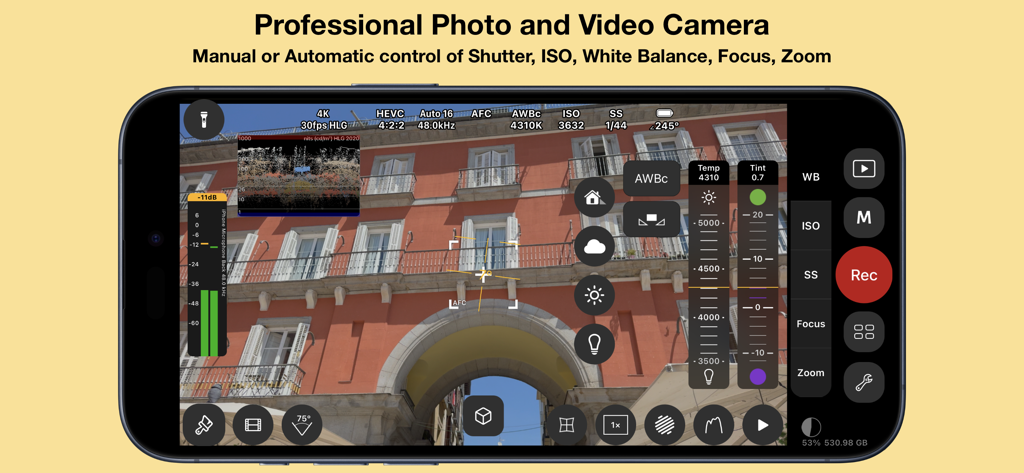
Cinema P3 Pro Camera - Smartphone screen displaying the Cinema P3 Pro Camera app interface with manual settings for ISO shutter speed and white balance
Smartphone screen displaying the Cinema P3 Pro Camera app interface with manual settings for ISO shutter speed and white balance

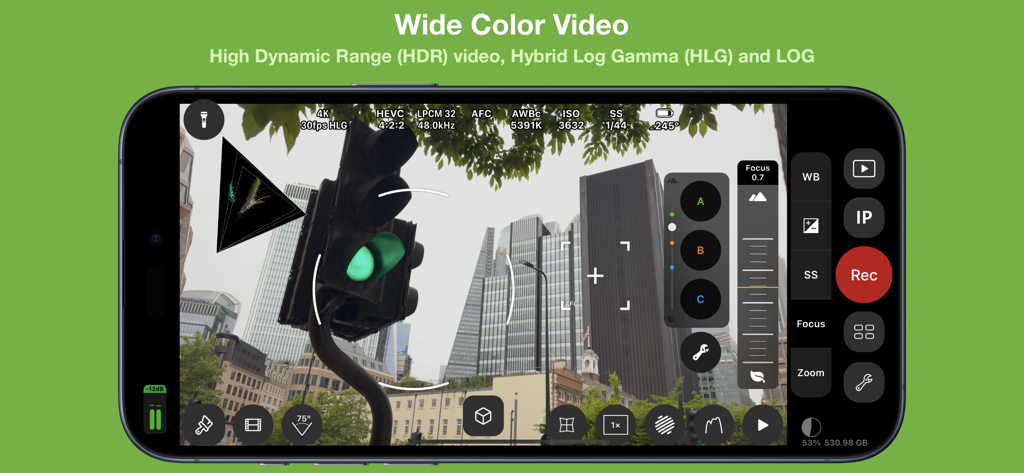
Cinema P3 Pro Camera - Cinema P3 Pro Camera professional video recording interface with HDR and LOG settings
Cinema P3 Pro Camera professional video recording interface with HDR and LOG settings

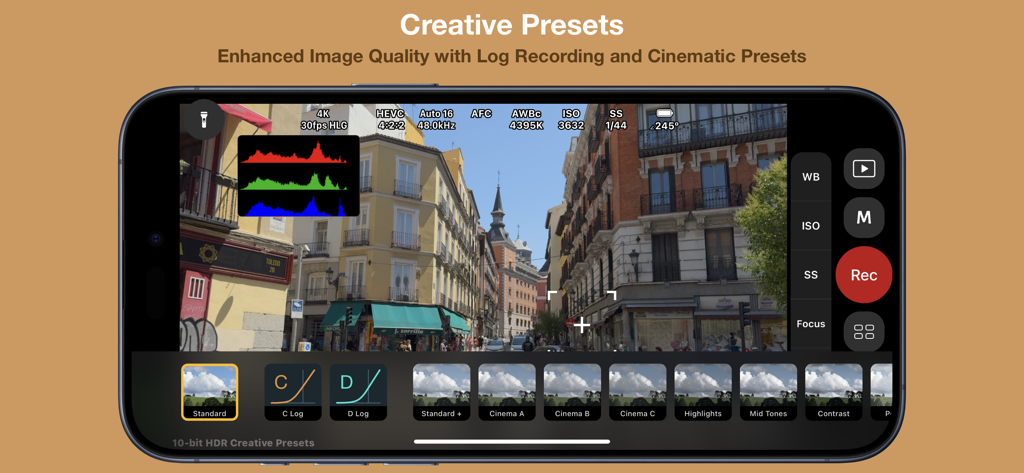
Cinema P3 Pro Camera - Professional video recording interface of Cinema P3 Pro Camera showing cinematic presets and log options.
Professional video recording interface of Cinema P3 Pro Camera showing cinematic presets and log options.

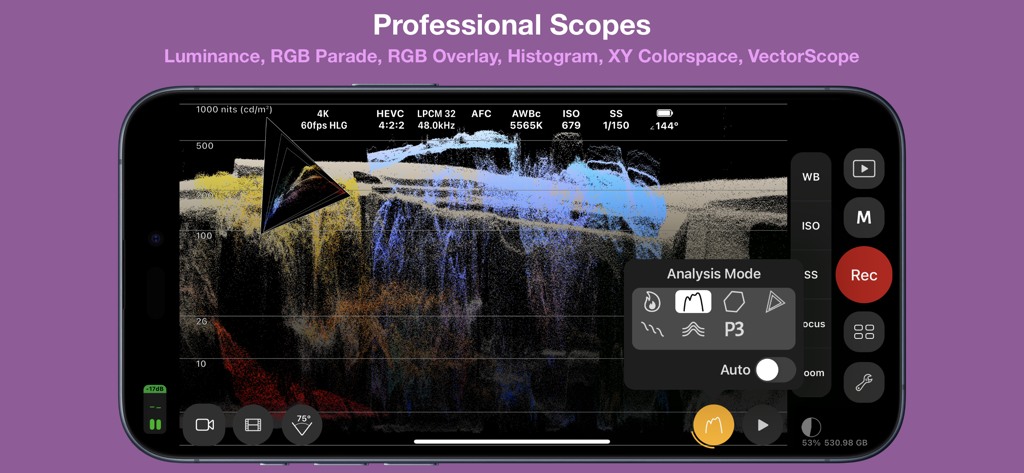
Cinema P3 Pro Camera - Cinema P3 Pro Camera app interface showing professional video analysis scopes on an iPhone
Cinema P3 Pro Camera app interface showing professional video analysis scopes on an iPhone

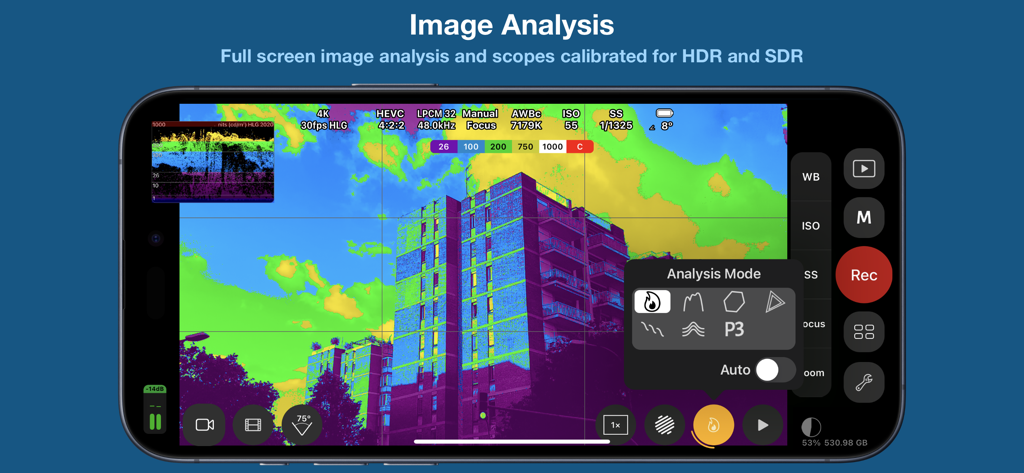
Cinema P3 Pro Camera - Cinema P3 Pro Camera app displaying false color image analysis and technical scopes on an iPhone screen
Cinema P3 Pro Camera app displaying false color image analysis and technical scopes on an iPhone screen

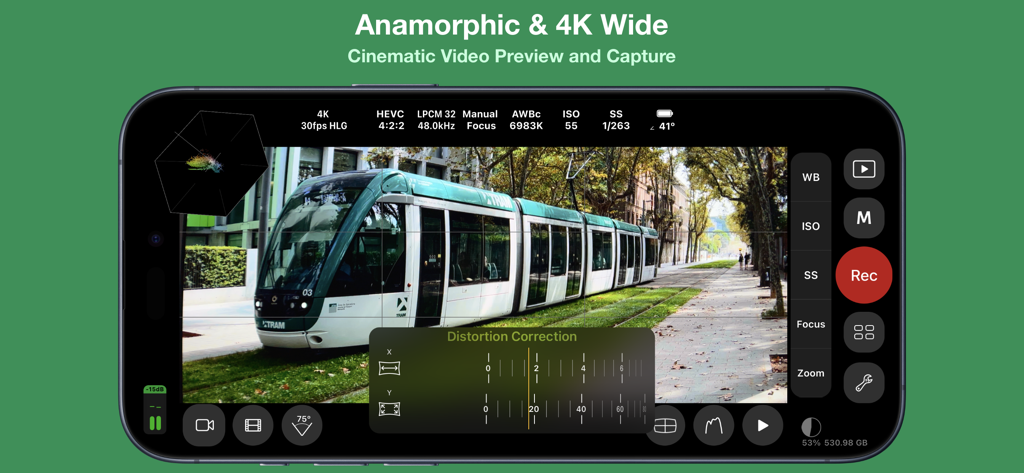
Cinema P3 Pro Camera - Cinema P3 Pro Camera app interface showing anamorphic 4K wide video preview and distortion correction settings.
Cinema P3 Pro Camera app interface showing anamorphic 4K wide video preview and distortion correction settings.

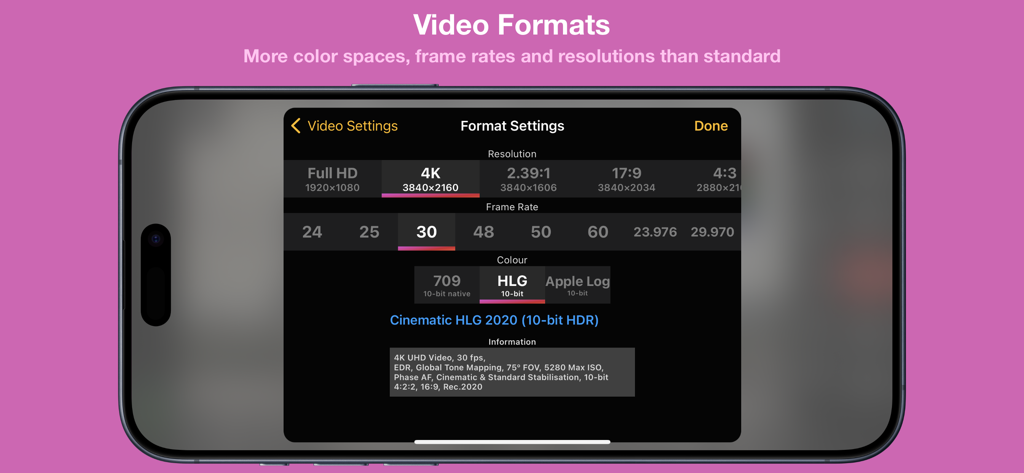
Cinema P3 Pro Camera - Interface of Cinema P3 Pro Camera showing 4K resolution and 10-bit HDR video format settings on an iPhone.
Interface of Cinema P3 Pro Camera showing 4K resolution and 10-bit HDR video format settings on an iPhone.

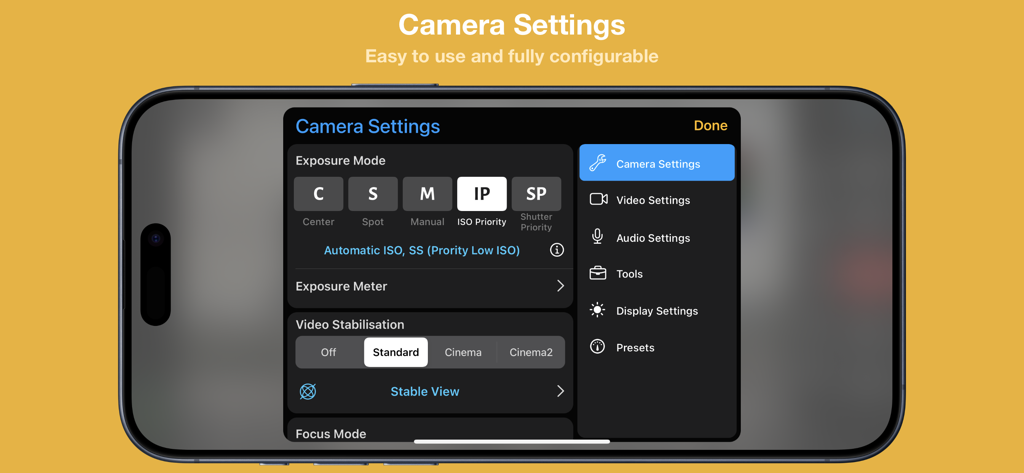
Cinema P3 Pro Camera - Interface of the Cinema P3 Pro Camera app showing manual exposure and video stabilization settings on an iPhone
Interface of the Cinema P3 Pro Camera app showing manual exposure and video stabilization settings on an iPhone

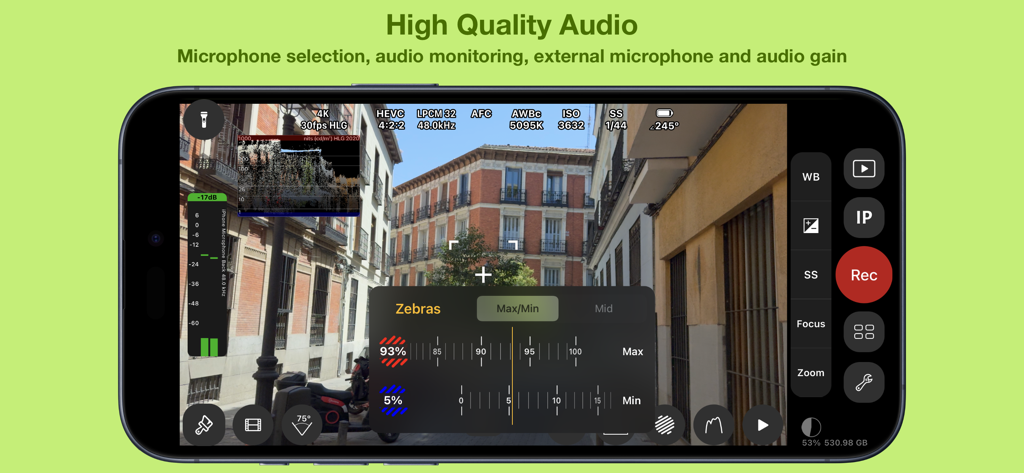
Cinema P3 Pro Camera - Cinema P3 Pro Camera interface featuring audio monitoring levels and zebra exposure tools
Cinema P3 Pro Camera interface featuring audio monitoring levels and zebra exposure tools

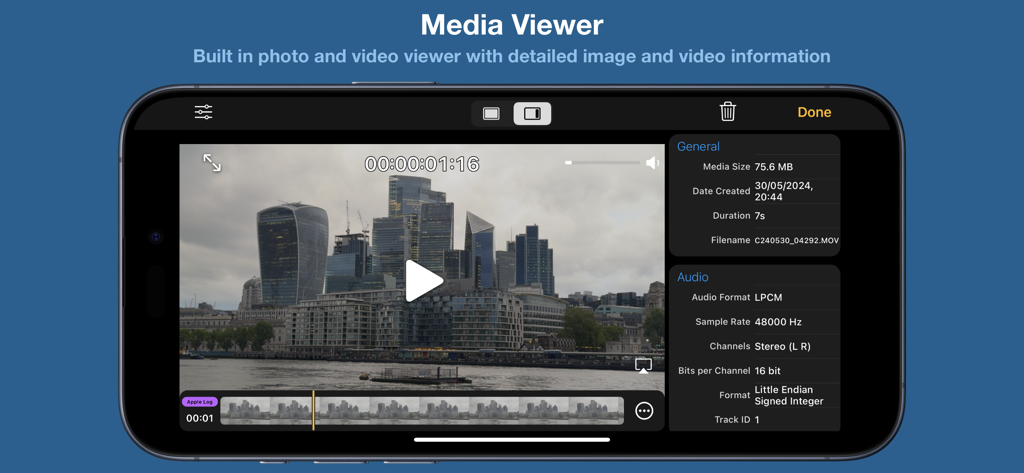
Cinema P3 Pro Camera - Cinema P3 Pro Camera app media viewer displaying technical video and audio metadata on an iPhone.

Cinema P3 Pro Camera app media viewer displaying technical video and audio metadata on an iPhone.

Description

Cinema P3 Pro Camera unlocks the full capability of your device’s cameras. — Intuitive easy to use controls make taking photos and video a pleasure. — Advanced professional tools allow you to capture the highest quality image every time. FULL CONTROL — Automatic and Manual controls White balance, temperature and tint, exposure, ISO, shutter speed, shutter angle and focus — ISO Priority and Shutter Priority with Spot, Matrix and Center Weight Metering — Manual and Automatic White Balance (AWBc) with Temperature and Tint controls Automatic White Balance calibration using a grey card — Manual Zoom control with adjustable zoom speed for smooth transitions Zoom with a two finger pinch gesture — High Dynamic Range (HDR) Video Capture — Capture 10-bit video with Apple Log*. — Capture 10-bit BT.2020 color (Dolby Vision)*. — Capture HDR video with Hybrid Log Gamma (HLG). — Capture HDR video with C-Log and D-Log. — Capture and playback video with P3 wide color. — Presets to store custom camera settings such as Exposure Mode, White Balance, Video Format and Anamorphic Lens Distortion, Restore a preset with a single tap. ADVANCED TOOLS ● Multiple video recording formats: — 10-bit Apple Log* — 10-bit HLG (Dolby Vision)* — 10-bit 709* — 8-bit P3 HLG — 8-bit P3 — 8-bit 709 ● Full control over video format settings: — Use all Frame Rate, Resolution and Color Spaces supported by your device. — H.265 HEVC, H.264, H.265 4:2:2, ProRes* — Bit Rate, Pixel Aspect Ratio and Key Frame Interval — Time Code Track — 4K Wide Recording Mode ● Powerful full screen and mini scopes, with advanced image processing tools provide real time image analysis. — Luma/Luminance Scope — RGB Parade — RGB Overlay — Histogram. — XY Colorspace — VectorScope — Luma Histogram — (False) Color Analysis ● Tools — Anamorphic Desqueeze with Distortion Correction — Aspect Ratio Guides and Grids assist scene composition. — P3 Button highlights parts of an image that use P3 color. — Anamorphic De-squeeze for 1.3x, 1.55x and custom lenses. — Preserve Camera Settings when changing camera modes — Lock White Balance on Record — Camera Quick Select — Torch — Tilt Sensor — Rotation Lock — Zebras ● Creative Video Mode to optimise and enhance the image in camera: — A-Log & B-Log (SDR) — C-Log & D-Log (HDR) — 33 and 65 point LUT export to convert Log footage to 709, 2020 PQ & 2020 HLG color spaces. — Creative presets with saturation adjustment — .cube LUT support with “LUT Tools Upgrade” In-App Purchase. ● Focus Controls — Continuous Automatic Focus, Manual and Automatic Focus — Face and Animal Detection focus modes. — Focus Target for automatic focus and Focus Lock function — Focus Assist Tool for precise manual focus — Manual focus control with Focus Loupe — Focus peaking ● Audio — Audio level meter — Audio monitoring with headphones — Stereo audio recording on compatible devices — Audio Format selection AAC/LPCM — Manual or automatic microphone selection — Microphone gain control for compatible microphones ● Media Player/Viewer — Photo Viewer with image info display (EXIF, TIFF) — Video Player with track info display (audio, video, timecode) PHOTOGRAPHY ● Full Manual Control for Photos — White Balance, Color Temperature and Tint, Exposure, Shutter Speed, Stabilisation, Flash, Focus, HDR and Red Eye Reduction ● Multiple image formats — Capture photos in HEIC or JPG formats, with optional Live Photo — Custom Aspect Ratio for JPG photos 4:3, 3:2, 5:4, 7:5, 1:1, 16:9, 2.39:1 — RAW, ProRAW* capture — RAW with Bracket capture ● User customisable EXIF Data ● Photo Timer NOTE: *Not all functionality is available on all iOS devices In-App purchase is required to enable some functionality Feature availability is dependent upon model of iPhone/iPad used

Download

Download on App Store

This page is not an official page of the app or its developer, but an independent editorial publication created for informational and commentary purposes. Unless expressly stated otherwise, neither the app nor its developer is affiliated with, endorsed by, sponsored by, authorized by, or otherwise officially connected with MWM, Apple, Google Play, the app publisher, or the app's developer, and nothing on this page implies that the app was developed using MWM's services. Any trademarks, logos, screenshots, and other content remain the property of their respective owners.








