CineMon
CineMon
Download on App Store

This page is not an official page of the app or its developer, but an independent editorial publication created for informational and commentary purposes. Unless expressly stated otherwise, neither the app nor its developer is affiliated with, endorsed by, sponsored by, authorized by, or otherwise officially connected with MWM, Apple, Google Play, the app publisher, or the app's developer, and nothing on this page implies that the app was developed using MWM's services. Any trademarks, logos, screenshots, and other content remain the property of their respective owners.

Logo of CineMon
Download on App Store

CineMon

Empower your production workflow with best-in-class scopes, precision exposure tools, and custom LUTs. Leverage the power of your device’s high-fidelity display for a studio-grade monitoring experience designed for filmmakers and DITs.

Key Figures

Downloads

600

User Rating

1.0/5

Total Ratings

0

Publisher

CineSpices LLC

Category

Photo & Video

Locales

1

Latest Version

1.7.1

Size

6.7 MB

First Released

Mar 12, 2025
Features

Professional Monitoring Redefined

Transform your iPad or Mac into a studio-grade field monitor with the industry's most advanced video assist tools and ultra-low latency.

Precision Exposure Control

Achieve perfect exposure with customizable False Color, Zebra patterns, and advanced image-based Spot Metering tailored for high-end HDR workflows.

Best-in-Class Pro Scopes

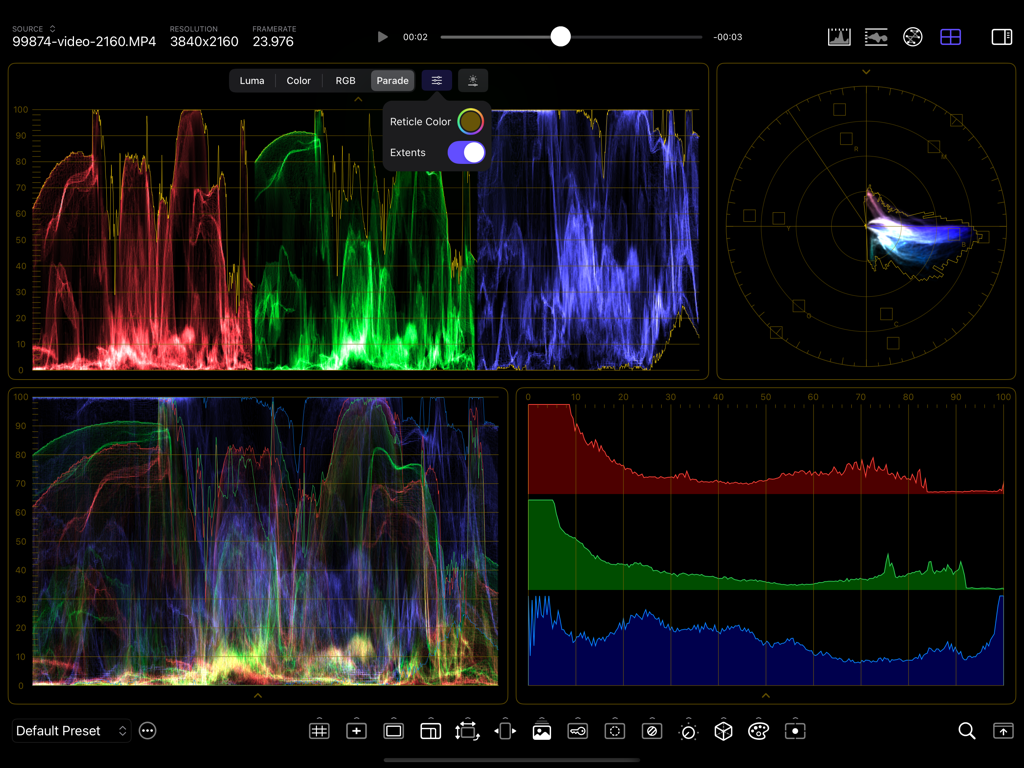
Monitor your signal in real-time with professional Waveforms, Vectorscopes, and Histograms, all powered by Apple's GPU-accelerated Metal architecture.

The following screenshots and description are sourced directly from the app's official store listing and are the property of the app developer.

App Store

Screenshots
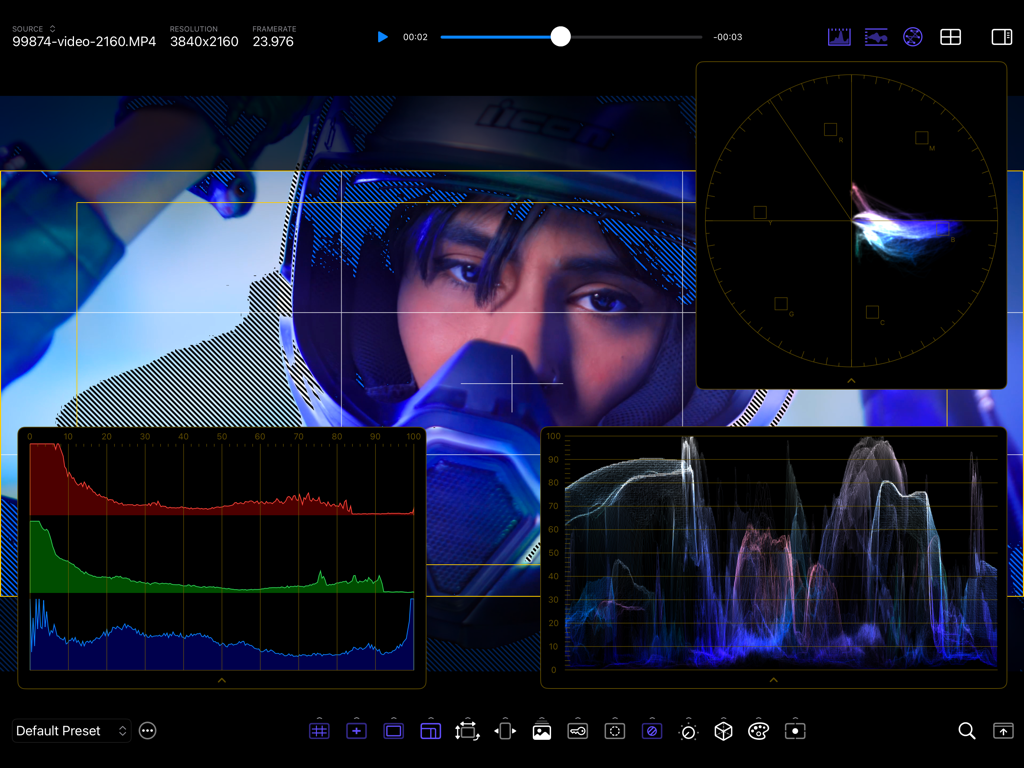
CineMon - CineMon professional video monitor app interface with advanced waveforms vectorscope and focus assist tools
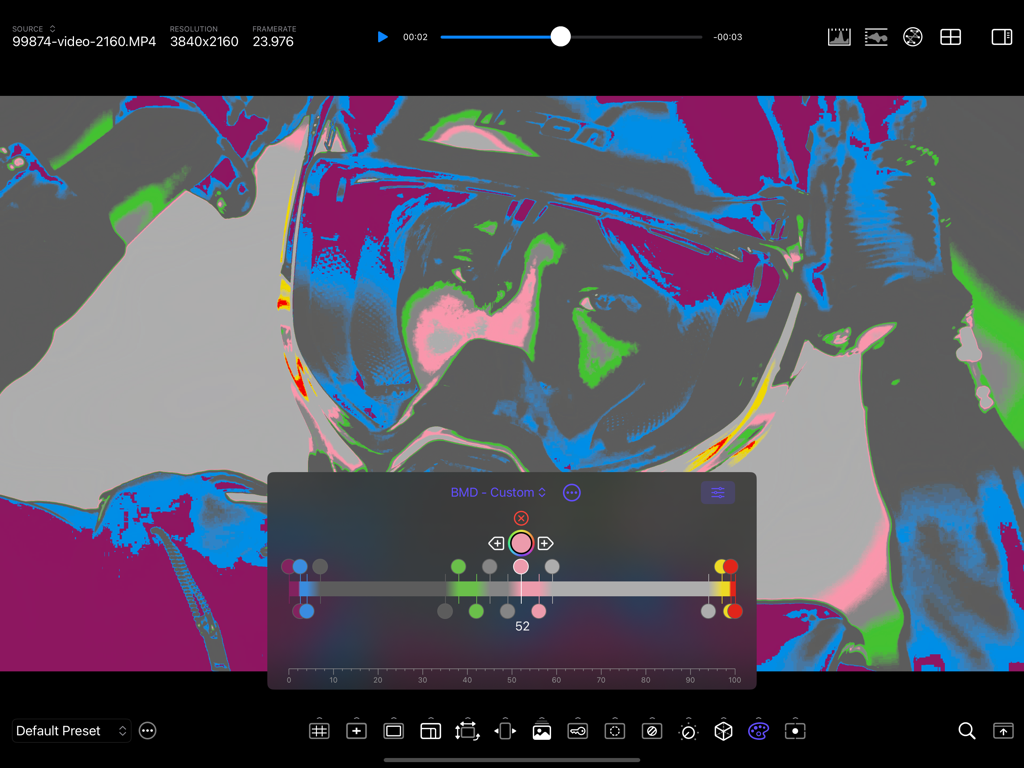
CineMon professional video monitor app interface with advanced waveforms vectorscope and focus assist tools

CineMon - CineMon professional video monitor interface showing the advanced false color exposure monitoring tool.
CineMon professional video monitor interface showing the advanced false color exposure monitoring tool.

CineMon - CineMon app interface showing professional video monitoring scopes including RGB parade and vectorscope
CineMon app interface showing professional video monitoring scopes including RGB parade and vectorscope

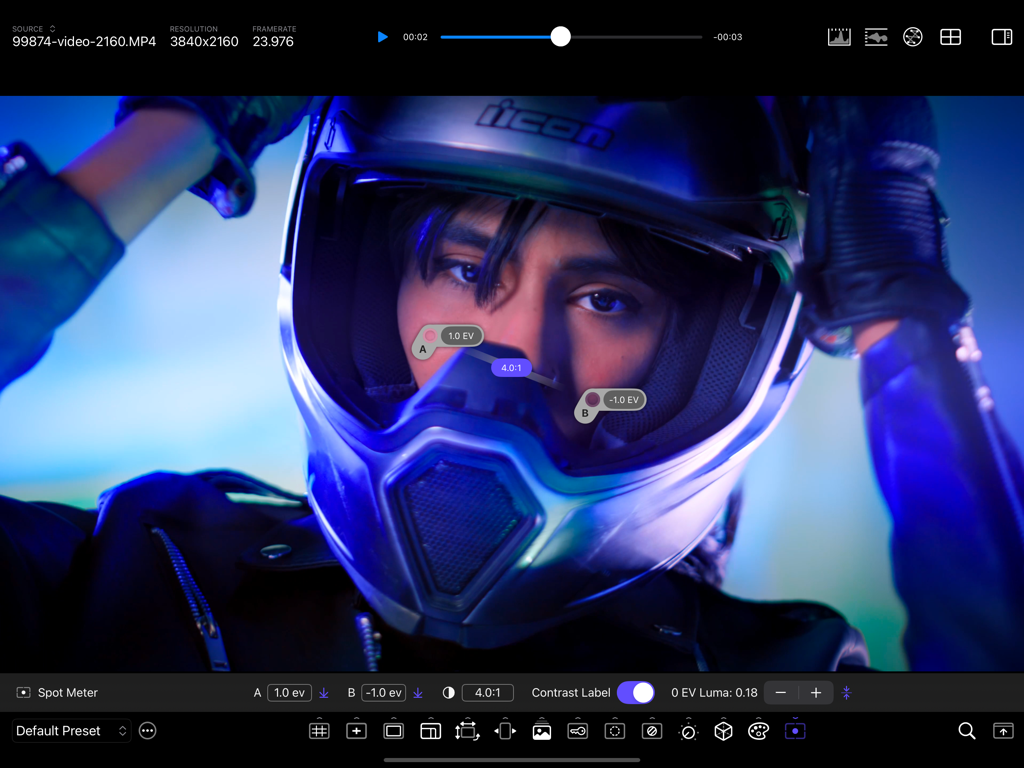
CineMon - CineMon app interface showing professional spot meter probes and contrast ratio monitoring on a high resolution video frame
CineMon app interface showing professional spot meter probes and contrast ratio monitoring on a high resolution video frame

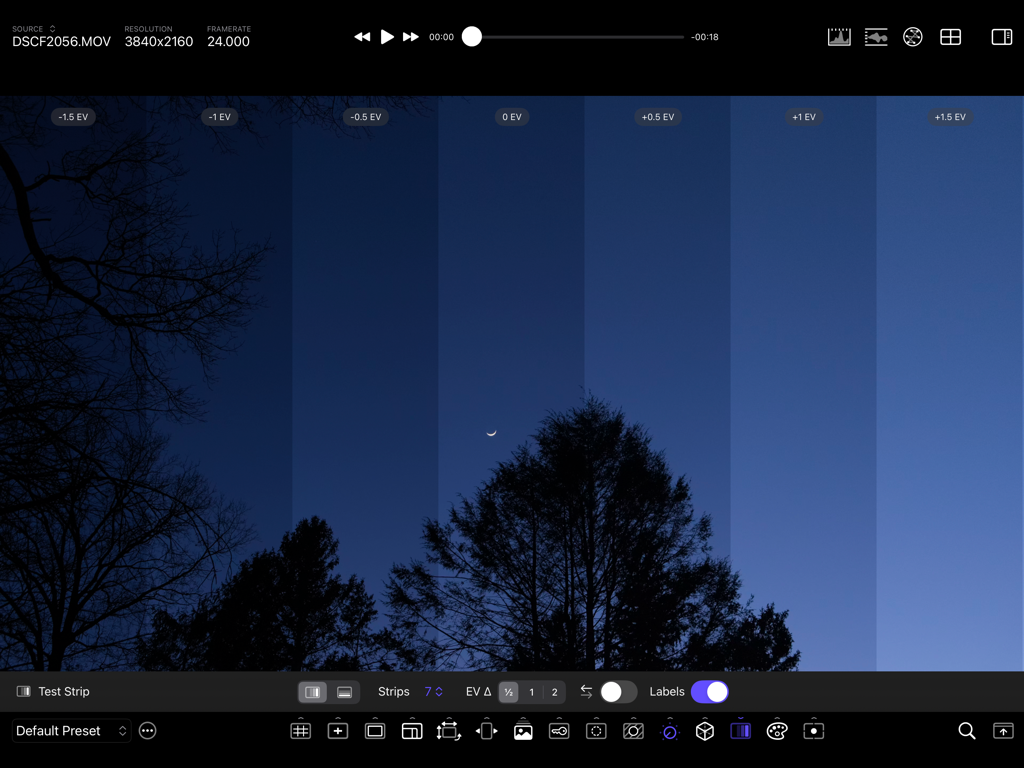
CineMon - CineMon app interface showing the Test Strip feature for evaluating exposure variances across different EV levels on a night scene
CineMon app interface showing the Test Strip feature for evaluating exposure variances across different EV levels on a night scene

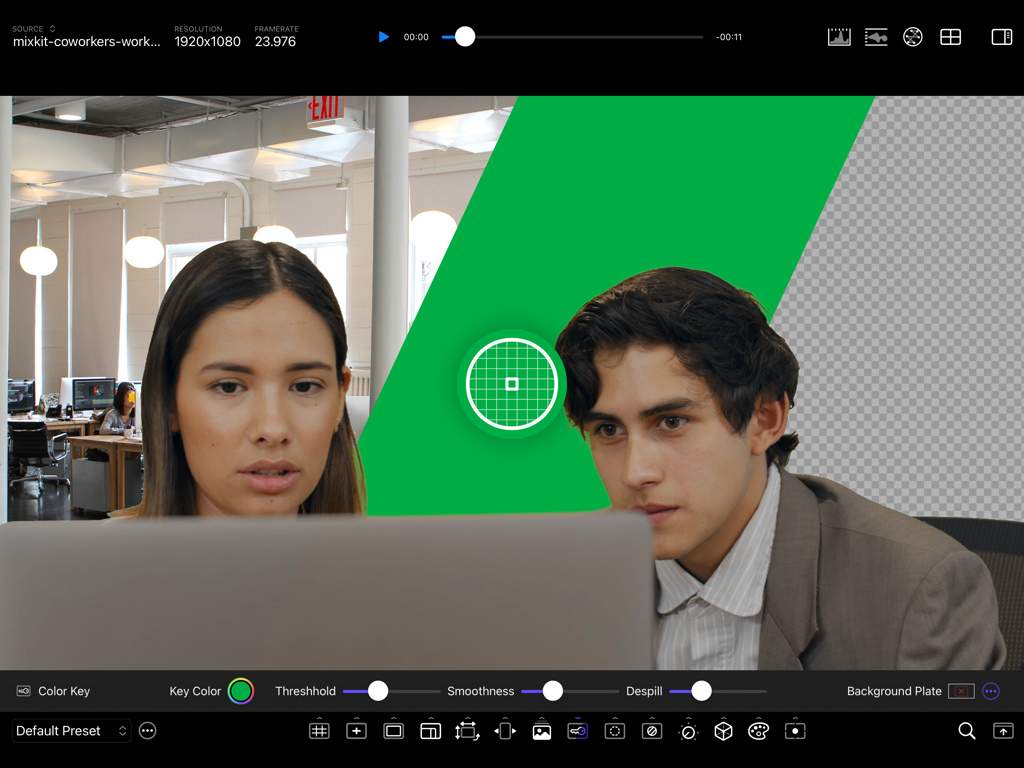
CineMon - CineMon app interface showcasing professional chroma key and color key tools for real-time video monitoring
CineMon app interface showcasing professional chroma key and color key tools for real-time video monitoring

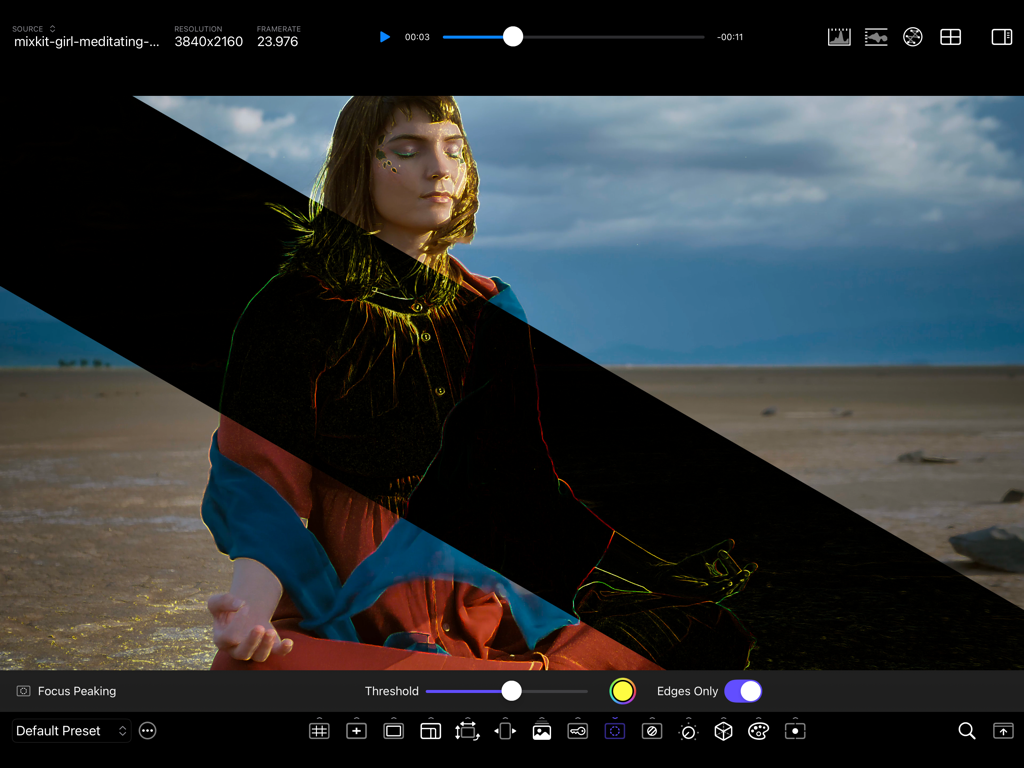
CineMon - CineMon app interface demonstrating focus peaking with edges only mode on 4K video
CineMon app interface demonstrating focus peaking with edges only mode on 4K video

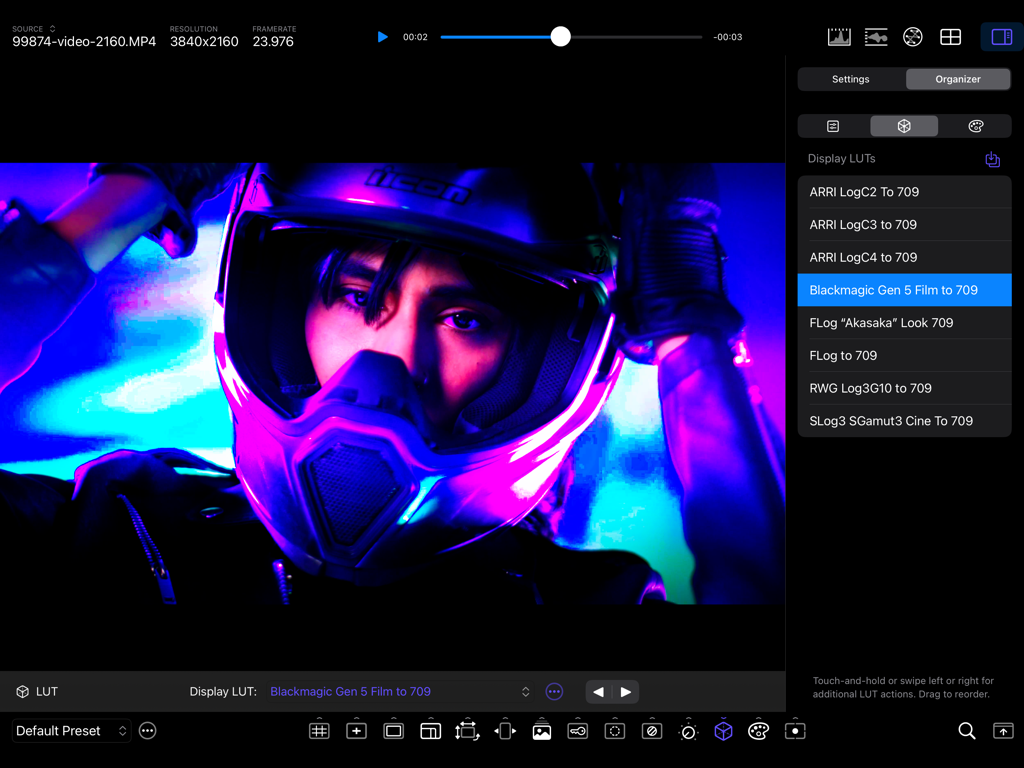
CineMon - Professional video monitoring interface in CineMon app showing LUT selection for a video feed of a motorcyclist in neon light
Professional video monitoring interface in CineMon app showing LUT selection for a video feed of a motorcyclist in neon light

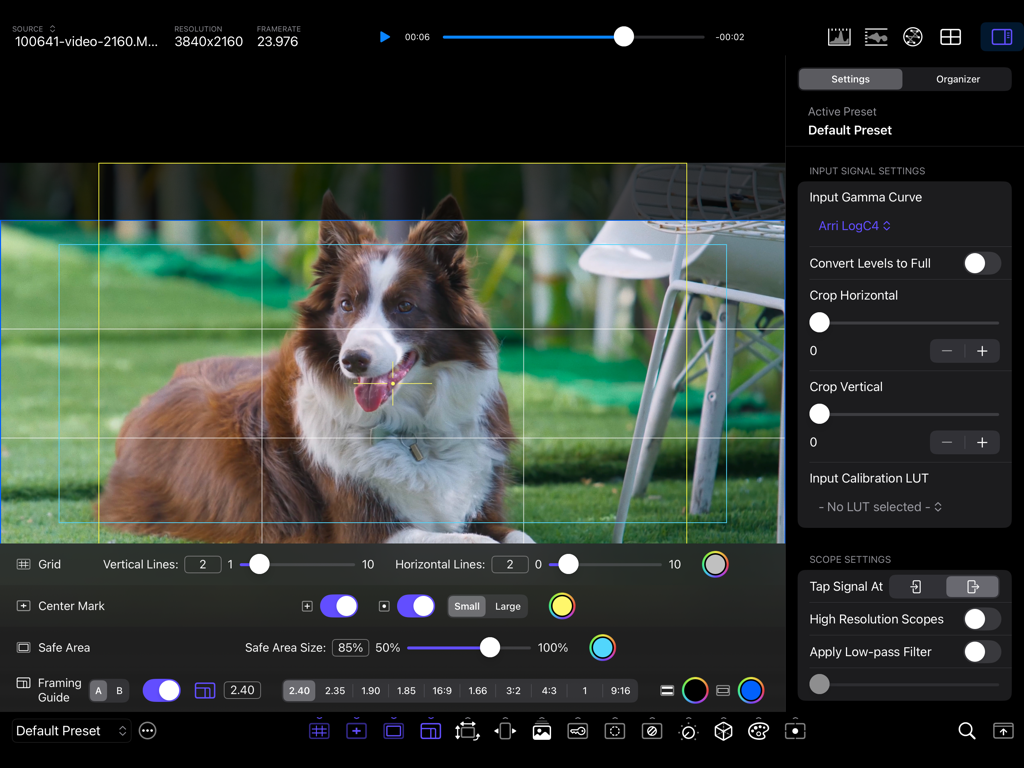
CineMon - CineMon app interface displaying professional video monitoring tools and framing guides

CineMon app interface displaying professional video monitoring tools and framing guides

Description

CineMon transforms your Mac or iOS device into the ultimate professional video monitor. Built for Filmmakers, Cinematographers, Camera Operators, Digital Imaging Technicians, and Content Creators, it reimagines essential video assist tools and introduces innovative new ones to elevate your workflow, spark creativity, and simplify on-set monitoring and quality control. With a beautifully intuitive interface, best-in-class scopes, and advanced exposure tools, CineMon empowers you to craft your best images with confidence. — V I D E O H A R D W A R E S U P P O R T — CineMon works seamlessly with a variety of video input hardware that delivers UVC video over USB, such as HDMI- or SDI‑to‑USB capture adapters, wireless video receivers, and many modern cameras, enabling filmmakers to access industry-grade workflows across various budget tiers. In addition to UVC‑compliant devices, CineMon also collaborates with leading hardware and software partners to support a broader range of video input formats and form factors. (*Note: this is not the same as a USB to HDMI cable!*). *** UVC external camera support is ONLY available on iPads with a USB-C port and iPad OS 18+ *** CineMon is also a highly advanced video player! — O P T I M I Z E D F O R S P E E D & E F F I C I E N C Y — CineMon downloads fast, starts fast and runs fast! With a download size of less than 5MB, every aspect of the app has been meticulously tuned for speed, accuracy, and ease of use. All image processing functions are GPU-accelerated using Apple’s latest Metal architecture, to minimize processor utilization and prolong battery life. — F E A T U R E S — (STANDARD) Frame & Composition Guides • Grid, center mark, title-safe, and adjustable aspect ratio framing masks (PRO) Advanced Image-based Spot Metering • Customizable middle gray, metering probes, contrast ratios (PRO) Image Transforms • Flip, flop, anamorphic lens de-squeeze (PRO) Image Overlay Tools • Blend and wipe controls, difference mode (PRO) Simple Color Key Preview & Composite • Matte controls, background reference plates (PRO) Focus Assist Tool • Customizable color and intensity, edges-only mode (PRO) Zebras • Highlight and shadow thresholds, IRE Band/Range mode (PRO) Exposure & Color Adjustments • Photometric exposure, contrast, saturation, temp, tint, and hue adjustments (PRO) Unlimited Display LUTs • Rapid cycling and easy organization (PRO) Test Strip • Evaluate exposure variances at-a-glance (PRO) Advanced False Color Monitoring • Unlimited, customizable False Color schemes (PRO) Precision Video Scopes • (STANDARD) Luma/RGB Histograms (Overlay/Stacked) • (PRO) Waveform Monitors (Luma, Colorized, RGB Overlay, and Parade) • (PRO) Vectorscope (Luma and Colorized) (PRO) Configuration Presets - Streamline Your Workflow Customize, save, and quickly recall monitoring setups tailored specifically for your projects. Sync settings seamlessly across multiple devices, for consistent results on-set and in post-production. — C I N E M O N P R O — Features marked with (PRO) can be unlocked by purchasing CineMon PRO bundles or with a paid subscription to the CineMon PRO Pass, which unlocks all PRO features in all current and future bundles, while the subscription is active. The CineMon PRO Passes include a Free Trial. — H E L P / S U P P O R T / P R I V A C Y — If you have any questions, issues or suggestions you can reach us by email at support@cinemon.app. CineMon does not collect any personal information, track you, or display any ads. Privacy Policy: https://www.cinemon.app/app/privacy.html Terms of Service: https://www.apple.com/legal/internet-services/itunes/dev/stdeula/

Download

Download on App Store

This page is not an official page of the app or its developer, but an independent editorial publication created for informational and commentary purposes. Unless expressly stated otherwise, neither the app nor its developer is affiliated with, endorsed by, sponsored by, authorized by, or otherwise officially connected with MWM, Apple, Google Play, the app publisher, or the app's developer, and nothing on this page implies that the app was developed using MWM's services. Any trademarks, logos, screenshots, and other content remain the property of their respective owners.








