ClinoScope

ClinoScope

Download on App Store
Logo of ClinoScope

ClinoScope: Professional 3D Inclinometer for Precision Leveling

Transform your iPhone into a high-accuracy tool for construction, audio calibration, and sports. Track pitch, roll, and yaw with real-time graphs and capture proof of work with timestamped snapshots.

Download on App Store

Publisher

TOON,LLC

Category

Utilities

Downloads

2K+

User Rating

1.0/5

Total Ratings

0

Locales

1

Precision Visualized

Discover the interface used by 2K+ users.
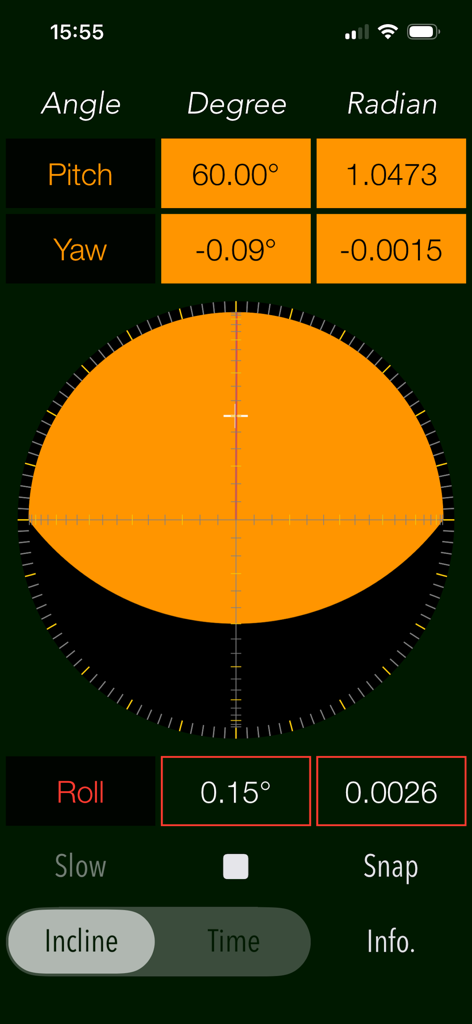
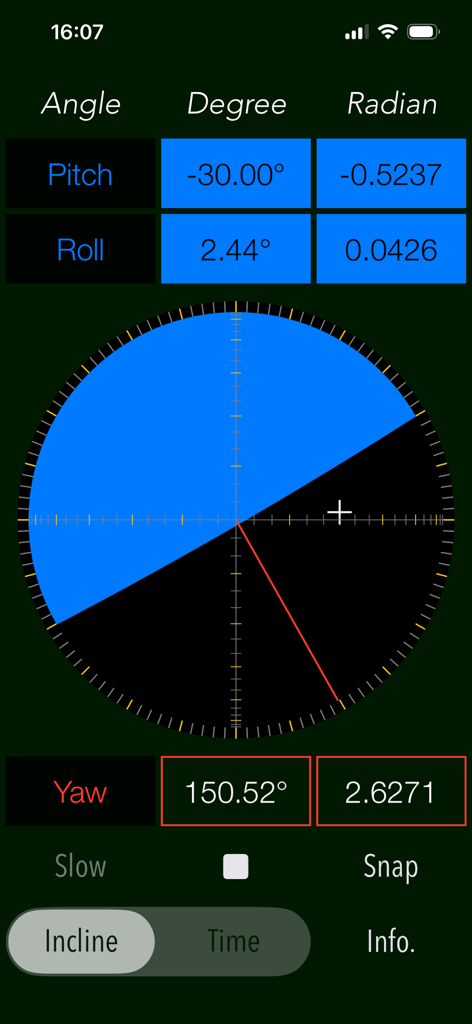
ClinoScope 3D inclinometer interface showing real time pitch yaw and roll measurements

ClinoScope 3D inclinometer interface showing real time pitch yaw and roll measurements

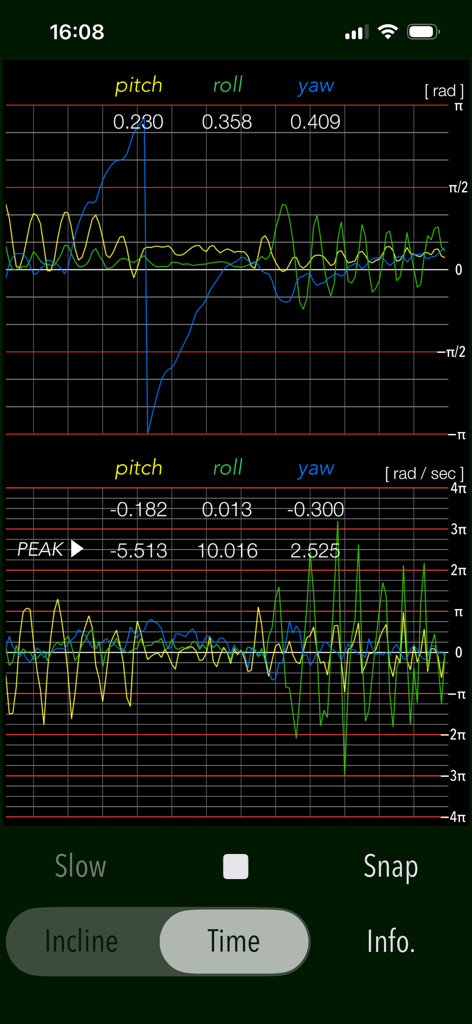
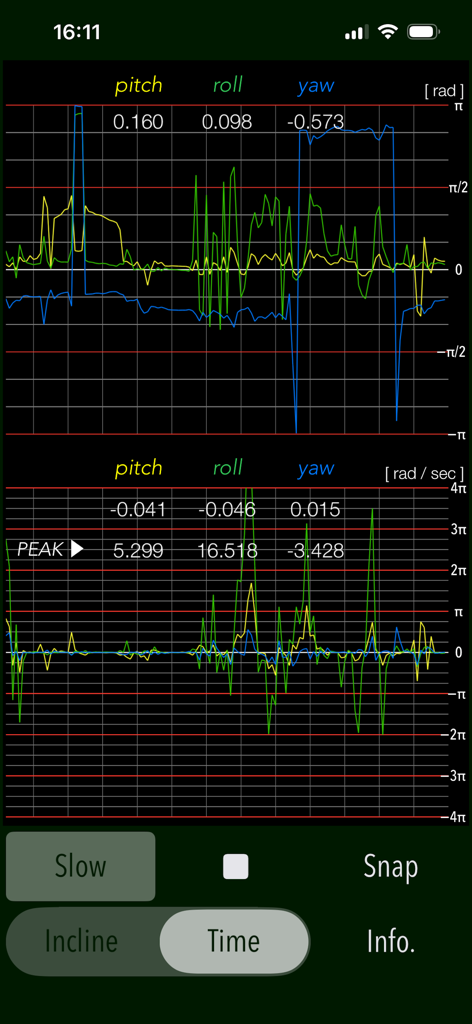
Real time graph of pitch roll and yaw sensors in ClinoScope app

Real time graph of pitch roll and yaw sensors in ClinoScope app

Interface of the ClinoScope app showing 3D inclination with pitch roll and yaw measurements

Interface of the ClinoScope app showing 3D inclination with pitch roll and yaw measurements

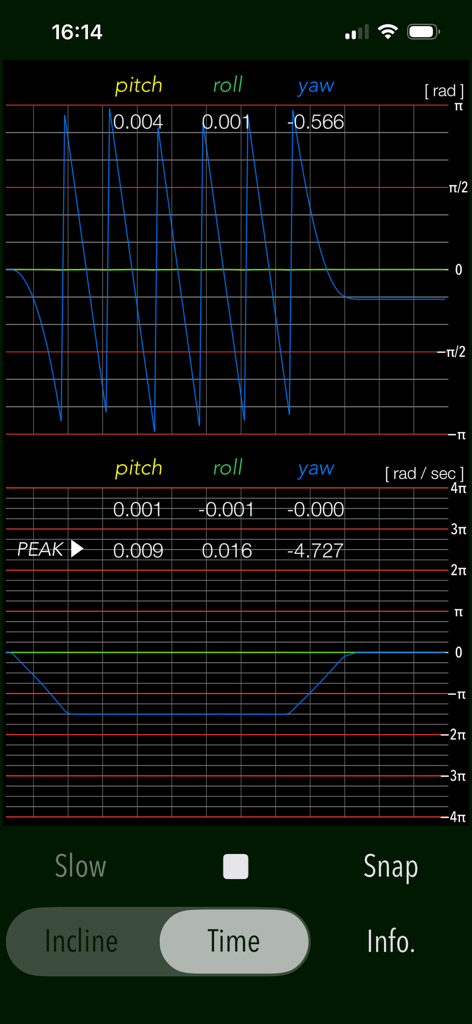
Real-time pitch roll and yaw measurement graphs in the ClinoScope app TIME mode

Real-time pitch roll and yaw measurement graphs in the ClinoScope app TIME mode

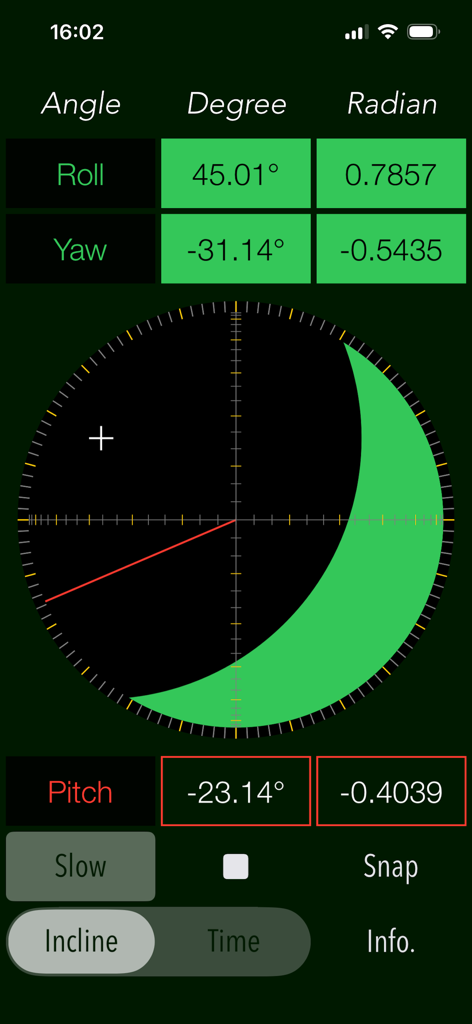
ClinoScope app interface showing three dimensional inclinometer measurements for roll yaw and pitch in degrees and radians

ClinoScope app interface showing three dimensional inclinometer measurements for roll yaw and pitch in degrees and radians

Real-time graphs of pitch roll and yaw angles and angular velocity in the ClinoScope app

Real-time graphs of pitch roll and yaw angles and angular velocity in the ClinoScope app

Master Every Angle with Professional Precision

The tools that make this app stand out, trusted by 2K+ users.

🎯

High-Accuracy 3-Axis Sensing

Leverage your iPhone's internal sensors for clinical-grade inclination data across pitch, roll, and yaw with real-time visual feedback.

📊

Real-Time Motion Tracking

Use TIME mode to graph angular velocity and stability, providing the scientific insights required for delicate equipment calibration.

Documented Proof of Work

Instantly capture and save measurements with timestamps and orientation data to verify leveling accuracy for clients or project records.

About the app

Everything you need to know about ClinoScope.

Description

"ClinoScope" is a handy incline analysis tool that measures tilt angles and the three-dimensional inclination of objects relative to gravity, using your iPhone’s accelerometer and gyro sensors. You can quickly check slopes in various places, like uneven floors, leaning buildings, or leveling equipment. It can display the current terminal posture in real time by two measurement modes: INCLINE mode for inclinometer readings and TIME mode for a gyro-positioning time graph. Features: - Optimized for iPhone, Compact code size. - Measurement of three-dimensional angles of elevation, slope or inclination. - Inclination measurement function (INCLINE) - Gyro-positioning time graph function (TIME) - Switching function of sensor sampling period (SLOW): fast 10Hz / slow 1Hz - Snapshot (SNAP): Capture the measurement results to Photos. Applications: - Measurement of tilt states, such as furniture and floors. - Adjustment of the horizontal reference level when installing the equipment. - Measuring angle on moving vehicles. - Setting adjustment, such as audio equipment. - Use in various Sports, for example, measurement of the green inclination angle of the golf. Functions: 1) INCLINE (3-dimensional inclinometer) INCLINE mode utilizes the information of the acceleration sensor and operates as the three-dimensional inclinometer. It displays the angle and gradient in visually in accordance with the spatial attitude of the iPhone devices. The measurement display is slightly different by the terminal posture state (FaceUp, Portrait, Landscape) as follows: - FaceUP (Terminal horizontal, Flat): FaceUP is the state that the terminal has become horizontal to the ground plane. In this case, it appears the angle of pitch and roll in the arc, and the angle of yaw in the circle needle. It also displays the cross mark (+) on the position of the zenith (or the nadir), such as seeing the terminal from directly above. - Portrait (Vertical possession): Portrait is a state that you have hold the terminal to the vertical. The lower side of the Home button is standard. In this case, it appears the angle of pitch and yaw in the arc, and the angle of the roll in a circle needle. - Landscape (Horizontal possession): Landscape is the state that you have got sideways a terminal, the home button right side will be the standard. In this case, it appears the angle of roll and yaw in the arc, and the angle of the pitch in the circle needle. 2) TIME (time graph) TIME mode is used to see in real time the data of the 3-axis (pitch / yaw / roll) angle and the angular velocity output from the gyro sensor to display the graph. Please use this mode in the state of FaceUP. - Angle display: pitch: -π/2 - π/2 [rad] (-90° - +90°) yaw: -π - π [rad] (-180° - +180°) roll: -π - π [rad] (-180°- +180°) - Acceleration: pitch/yaw/roll: -4π(-12.56) - +4π(12.56) [rad/sec] 3) Snapshot Measurement results can be saved as a picture image in the Photo Library. Time stamp and device orientation information will also be displayed. # Display of device orientation: - Flat: indicates terminal horizontal and is synonymous with FaceUP. - Portrait: indicates Vertical possession. - Landscape: indicates Horizontal possession. Note: - Avoid using the device with excessive acceleration as it may cause device malfunction. - To ensure accurate posture measurement, turn off “Portrait Orientation Lock” in the iPhone's Control Center. Please visit our iOS app support page for more information on this app.

Latest Version

7.0

Size

0.4 MB

First Released

Apr 26, 2016

Precision in Your Pocket. Results You Can Trust.

Whether you’re leveling a professional job site, calibrating high-end audio, or reading the green, get the data-driven accuracy you need. Download ClinoScope and transform your iPhone into a pro-grade 3D inclinometer today.

Download on App Store

App information, icons, screenshots, and descriptions displayed on this page are sourced from the Apple App Store and are the property of their respective developers. Download estimates and rankings are based on MWM's proprietary models and may not reflect actual figures. This page is provided for informational and analytical purposes only.

Believe this page infringes your intellectual property? File a dispute