
This page is not an official page of the app or its developer, but an independent editorial publication created for informational and commentary purposes. Unless expressly stated otherwise, neither the app nor its developer is affiliated with, endorsed by, sponsored by, authorized by, or otherwise officially connected with MWM, Apple, Google Play, the app publisher, or the app's developer, and nothing on this page implies that the app was developed using MWM's services. Any trademarks, logos, screenshots, and other content remain the property of their respective owners.


Code App
Unlock your iPad's full potential with the power of VS Code's Monaco engine. Run Node.js, Python, and C++ locally, manage projects with Git, and ship code from anywhere with a high-performance, mobile-first workflow.
Downloads
218K+User Rating
Total Ratings
2K+Publisher
Category
Developer ToolsLocales
6Latest Version
1.10.4Size
952.1 MBFirst Released
May 28, 2020Professional Coding, iPad Portability
The only IDE you will ever need on iPadOS. Build, run, and manage projects with built-in runtimes, a full terminal, and the editor you already love.
Desktop-Class Monaco Editor
Experience the industry-standard Monaco Editor from VS Code. Get full autocomplete, static analysis, and desktop-class performance in a sleek mobile interface.
Local Runtimes & Terminal
Break free from the sandbox. Run Python, Node.js, C++, and Java locally on your iPad with an emulated terminal including pip and npm package support.
Frequently Asked Questions
Everything you need to know about Code App
What programming languages are supported by Code App?
Code App supports Node.js, Python, C, C++, PHP, and Java. It includes built-in runtimes and offers autocomplete with static code analysis for Python and Java.
Does Code App use the Visual Studio Code text editor?
Yes, Code App integrates the Monaco Editor, which is the robust, high-performance text editor used in Visual Studio Code, providing a familiar coding environment.
Can Code App run code on iPadOS?
Yes, Code App features built-in runtimes for Node.js, Python, C, C++, PHP, and Java, enabling direct compilation and execution of code on iPadOS.
Does Code App support Git version control?
Yes, Code App includes integrated Git Version Control. Users can manage their code repositories directly within the application, facilitating collaborative development.
Which package managers does Code App support?
Code App supports popular package managers such as pip for Python and npm for Node.js. This functionality assists in managing project dependencies efficiently.
Does Code App allow remote file access?
Yes, Code App offers SSH and FTP remote connection support. This feature enables users to access and manage files and terminals on remote servers from their device.
Where can I find the privacy policy for Code App?
The official privacy policy for Code App is available at thebaselab.com/privacypolicies. This document outlines how the application handles user data.
Can I search for text within my files in Code App?
Yes, Code App provides a dedicated search function to locate specific text strings across multiple files within your projects, as shown in the interface.
The following screenshots and description are sourced directly from the app's official store listing and are the property of the app developer.
App Store
Screenshots
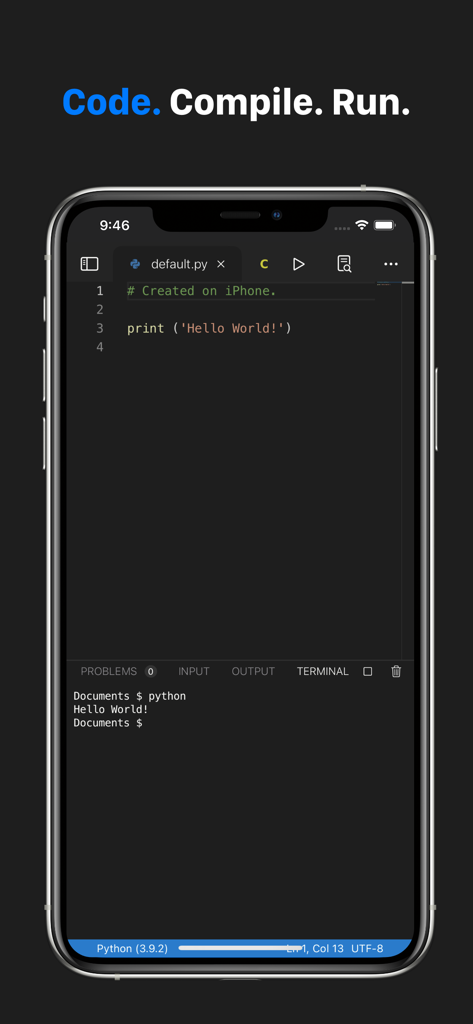
A smartphone displaying Code App with a Python script and terminal output showing Hello World.
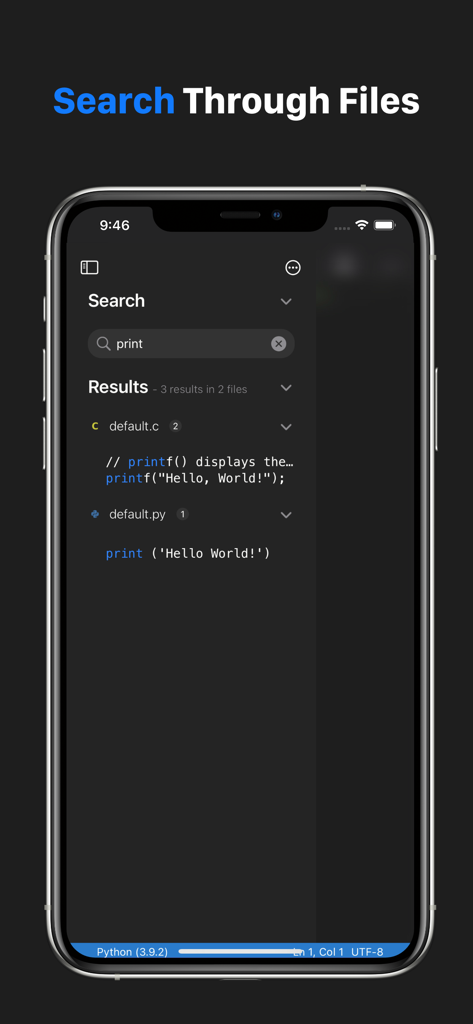
A mobile phone screen showing the search feature in Code App with results for the term 'print' in C and Python source code files.
Description
Download
More Like This
Apps with similar features and user experience

Python Coding
婉媚 邵

Scriptable
Simon Stovring

Koder Code Editor
Reny Mustika

Textastic Code Editor
Alexander Blach

Carnets - Jupyter
Nicolas Holzschuch

Juno – Python and Jupyter
Rational Matter Ltd

C/C++-programming language
小文 黄

Love2D Studio
淑敏 孙

C Compiler IDE
Changsha Chunjue Information Technology Co., Ltd.
This page is not an official page of the app or its developer, but an independent editorial publication created for informational and commentary purposes. Unless expressly stated otherwise, neither the app nor its developer is affiliated with, endorsed by, sponsored by, authorized by, or otherwise officially connected with MWM, Apple, Google Play, the app publisher, or the app's developer, and nothing on this page implies that the app was developed using MWM's services. Any trademarks, logos, screenshots, and other content remain the property of their respective owners.