Koder Code Editor
Koder Code Editor
Download on App Store

This page is not an official page of the app or its developer, but an independent editorial publication created for informational and commentary purposes. Unless expressly stated otherwise, neither the app nor its developer is affiliated with, endorsed by, sponsored by, authorized by, or otherwise officially connected with MWM, Apple, Google Play, the app publisher, or the app's developer, and nothing on this page implies that the app was developed using MWM's services. Any trademarks, logos, screenshots, and other content remain the property of their respective owners.


Logo of Koder Code Editor
Download on App Store

Koder Code Editor

Transform your mobile device into a desktop-class workstation with support for 80+ languages, built-in SSH terminal, and seamless SFTP integration for developers on the move.

Key Figures

Downloads

991K+

User Rating

4.6/5

Total Ratings

37K+

Publisher

Reny Mustika

Category

Developer Tools

Locales

1

Latest Version

4.2.2

Size

34.8 MB

First Released

Dec 23, 2018
Features

Professional Coding, Anywhere You Go

Koder turns your iPad and iPhone into a powerful, portable workstation with desktop-class features and support for over 80 programming languages.

Desktop-Class Code Editing

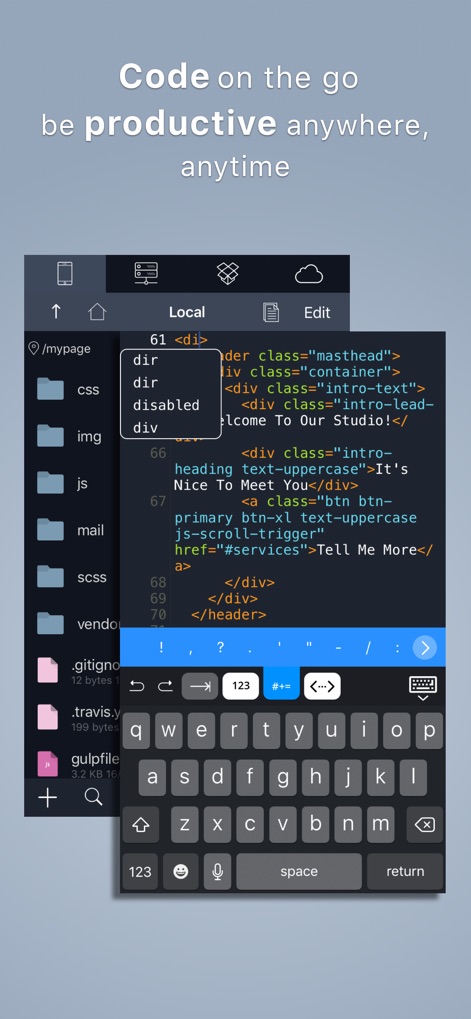
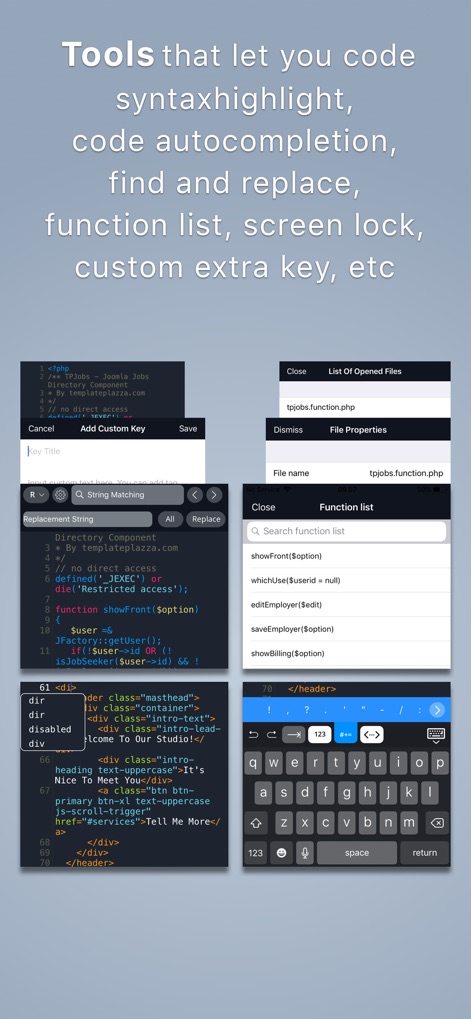
Code faster with smart autocomplete and syntax highlighting for 80+ languages, providing a full IDE experience on a sleek, mobile device.

Direct Remote Connections

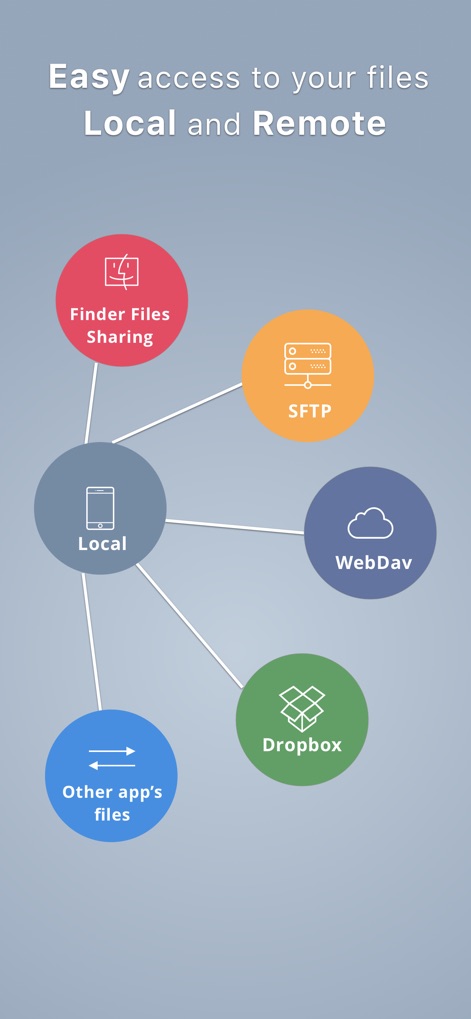
Seamlessly manage files via (S)FTP, Dropbox, or WebDAV and handle server tasks directly through the built-in SSH terminal for total control.

The following screenshots and description are sourced directly from the app's official store listing and are the property of the app developer.

App Store

Screenshots
Koder Code Editor -

Koder Code Editor -

Koder Code Editor -

Koder Code Editor -

Description

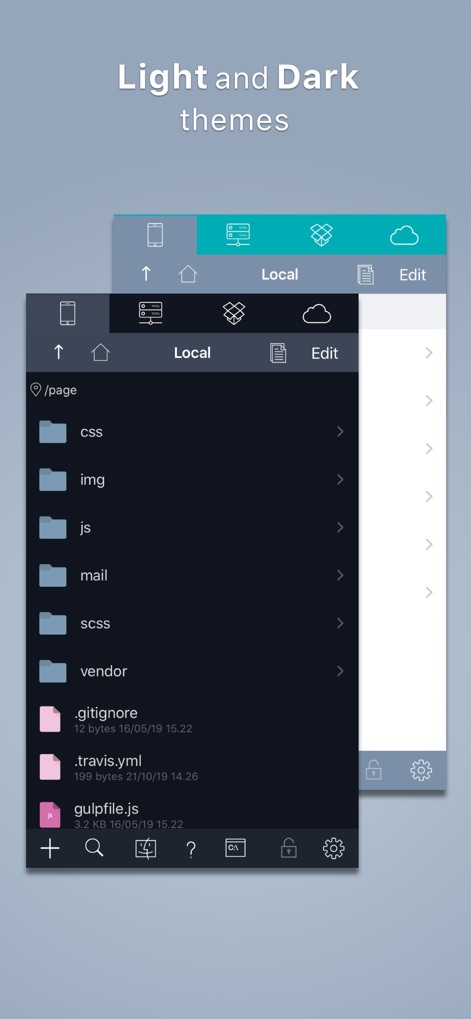
"Koder for iPad: Nerds Rejoice! You Can Code on Your iPad" -- GIZMODO / App of the day -- "Koder’s simple yet efficient interface is designed for touch editing. At just $5.99, you get an editor with a well-designed interface at a great price. If you want to code with your trusty iPad, then Koder is for you." -- AppAdvice -- "An accomplished code editor for many programming languages" -- 148Apps -- "Editing code on your iPad should never be that difficult again" --KillerStartups-- "The developers at iCodeLabs have done a great job optimizing the iPad’s real estate for code editing" --theiphoneappreview-- "The app for instant project creation and code editing, perfect for developers and programmers on the go." --tipsfortablets-- -- Koder was listed on the App Store as a 'Staff Favorites' in 82 countries -- Koder is a code editor for iPad and iPhone. It does have many features including syntax highlighting, snippet manager, tabbed editing, find and replace code, editor theme, remote and local files connections, and many more. With Koder you can code anytime and anywhere, no matter if you're at your desk or while on the go Features: - Syntax Highlighting ( Supports more than 80 languages : actionscript, actionscript3, active4d, ada, ampl, apache, applescript, asm-mips, asm-x86, asp-js, asp-vb, aspdotnet-cs, aspdotnet-vb, awk, batch, c, cobol, coffeescript, coldfusion, cpp, csharp, csound, css, d, dylan, eiffel, erl, eztpl, elixir, fortran, freefem, gedcom, gnuassembler, haskell, header, html, idl, java, javafx, javascript, jsp, latex, less, lilypond, lisp, logtalk, lsl, lua, markdown, matlab, mel, metapost, metaslang, mysql, nemerle, none, nrnhoc, objectivec, objectivecaml, ox, pascal, pdf, perl, php, plist, postscript, powershell, prolog, python, r, rhtml, ruby, sass, scala, sgml, shell, sml, sql, standard, stata, supercollider, tcltk, torquescript, udo, vb, verilog, vhdl, xml ) - Code Autocomplete - Code Function list - Access and Manage your Dropbox, (S)FTP, webdav and local files easily - Built In Terminal (SSH Client) - Tabbed editing - Extra Keyboard with Custom Key (Snippet) - Document Picker Support to open/import/export other app files from/to Koder - Find and replace code - Previewer Browser with View Source function - Editor theme with Custom Theme Editor - Extra Key / Additional Keys on Virtual Keyboard with open+close brackets keys - Screen-Lock, Manual and Auto Lock - Extracting Zip File on Local project - Sophisticated File Browser - iOS "Open In" support, from Koder to other app - vice versa - Change file/folder permission (CHMOD) on FTP/SFTP projects - Folder Synchronization between Local Project and FTP Project - Uploading files from desktop from browser or iTunes sharing - Expandable editing space - Bluetooth Keyboard Support - and many more … - Support multitasking for iPad - Support editing files from Working Copy using drag and drop NEWEST - Support Dark Theme - Compatibility with iOS 13 BUG REPORT/ PROBLEMS/ IDEAS : If you have any problems when using Koder, or you have ideas for Koder improvement, please mention us or message us directly at twiter @koderapp

Download

Download on App Store

This page is not an official page of the app or its developer, but an independent editorial publication created for informational and commentary purposes. Unless expressly stated otherwise, neither the app nor its developer is affiliated with, endorsed by, sponsored by, authorized by, or otherwise officially connected with MWM, Apple, Google Play, the app publisher, or the app's developer, and nothing on this page implies that the app was developed using MWM's services. Any trademarks, logos, screenshots, and other content remain the property of their respective owners.