
This page is not an official page of the app or its developer, but an independent editorial publication created for informational and commentary purposes. Unless expressly stated otherwise, neither the app nor its developer is affiliated with, endorsed by, sponsored by, authorized by, or otherwise officially connected with MWM, Apple, Google Play, the app publisher, or the app's developer, and nothing on this page implies that the app was developed using MWM's services. Any trademarks, logos, screenshots, and other content remain the property of their respective owners.


Textastic Code Editor
The powerful, professional-grade IDE built for your mobile workflow. Support for 80+ languages, built-in SFTP/SSH terminal, and seamless Git integration for developers who don't compromise.
Downloads
416K+User Rating
Total Ratings
1K+Publisher
Category
Developer ToolsLocales
2Latest Version
10.8.7Size
24.0 MBFirst Released
Mar 12, 2016Desktop-Class Coding in Your Pocket
Transform your iPad or iPhone into a high-performance development workstation with syntax highlighting for 80+ languages, full SSH support, and professional Git integration.
Seamless Remote Access
Connect to your servers via SFTP, FTP, or WebDAV and manage files directly. Includes a built-in SSH terminal for full control on the go.
Pro Syntax Highlighting
Supports over 80 programming and markup languages. Compatible with Sublime Text and TextMate themes for a familiar development environment.
Frequently Asked Questions
Everything you need to know about Textastic Code Editor
What is Textastic Code Editor?
Textastic Code Editor is a comprehensive and versatile text and code editor for iPad and iPhone. It supports syntax highlighting for over 80 programming and markup languages, remote connections, and an SSH terminal.
Does Textastic Code Editor support syntax highlighting?
Yes, Textastic Code Editor supports syntax highlighting for more than 80 programming and markup languages, including HTML, JavaScript, CSS, Swift, Python, Ruby, and many others.
Can Textastic Code Editor connect to remote servers?
Yes, Textastic Code Editor connects to SFTP, FTP, FTPS, and WebDAV servers. It also integrates with Dropbox for file access and supports SSH terminal connections.
Does Textastic Code Editor have an SSH terminal?
Yes, Textastic Code Editor includes a built-in SSH terminal. This allows users to work directly on their server from their iPad or iPhone.
What programming languages does Textastic support for syntax highlighting?
Textastic supports syntax highlighting for over 80 languages like HTML, JavaScript, CSS, C++, Swift, Objective-C, Rust, XML, Markdown, PHP, Perl, Python, Ruby, Lua, YAML, JSON, SQL, and shell scripts.
Does Textastic Code Editor offer code completion?
Yes, Textastic Code Editor provides code completion. This feature is available for HTML, CSS, JavaScript, C, Objective-C, and PHP.
Is Textastic Code Editor compatible with external keyboards and mice?
Yes, Textastic Code Editor offers full support for external keyboards, trackpads, and mice. Users can also configure keyboard shortcuts.
What are the pricing options for Textastic Code Editor?
Textastic Code Editor offers a monthly or yearly subscription, or a one-time purchase option. Each subscription includes a 7-day free trial.
Does Textastic Code Editor offer a free trial?
Yes, Textastic Code Editor provides a 7-day free trial. This trial offers full access to all features of the application.
Can Textastic Code Editor preview web pages?
Yes, Textastic Code Editor provides local and remote web previews for HTML and Markdown files. This allows users to see their changes instantly.
Does Textastic Code Editor support Dark Mode?
Yes, Textastic Code Editor supports Dark Mode. Users can also select separate themes and keyboard appearances for Dark Mode within the settings.
Where can I find the privacy policy for Textastic Code Editor?
The privacy policy for Textastic Code Editor is available at the following URL: https://www.textasticapp.com/privacy.html.
Does Textastic Code Editor allow finding and replacing text using regular expressions?
Yes, Textastic Code Editor supports finding and replacing text, including the use of regular expressions. It also allows searching across multiple files.
Can Textastic Code Editor open Git repositories?
Yes, Textastic Code Editor integrates with the Git client app Working Copy. Users can open Git repositories from Working Copy as external folders within Textastic.
The following screenshots and description are sourced directly from the app's official store listing and are the property of the app developer.
App Store
Screenshots
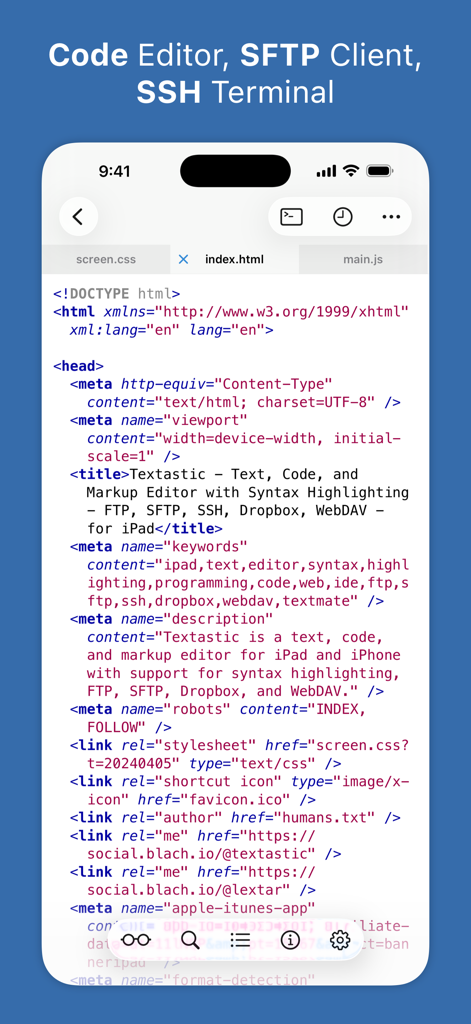
Textastic code editor app showing HTML code with syntax highlighting on iPhone
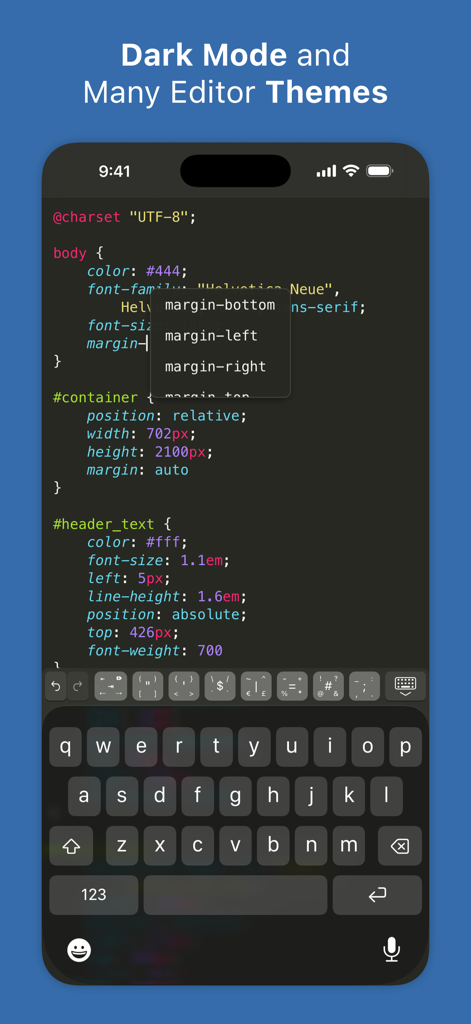
Textastic Code Editor interface on iPhone showing CSS code and autocomplete in dark mode
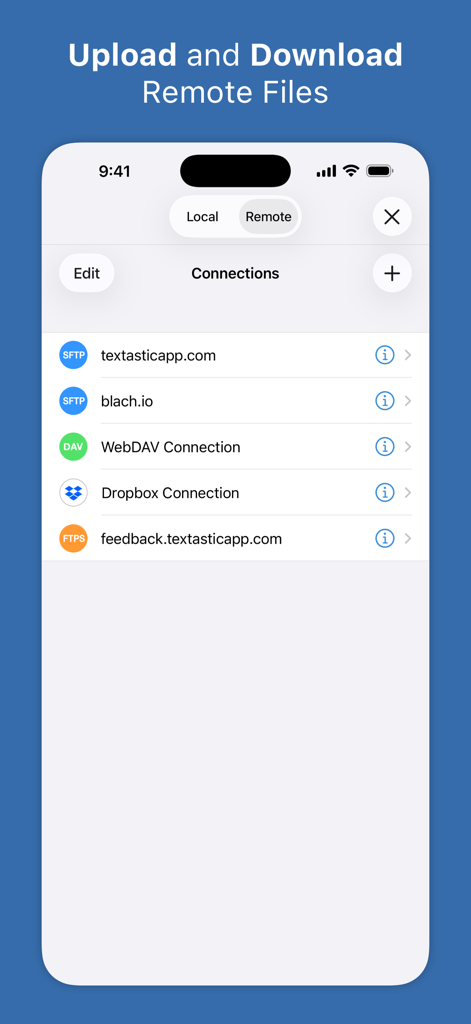
Textastic app screen showing remote server connections for SFTP WebDAV and Dropbox
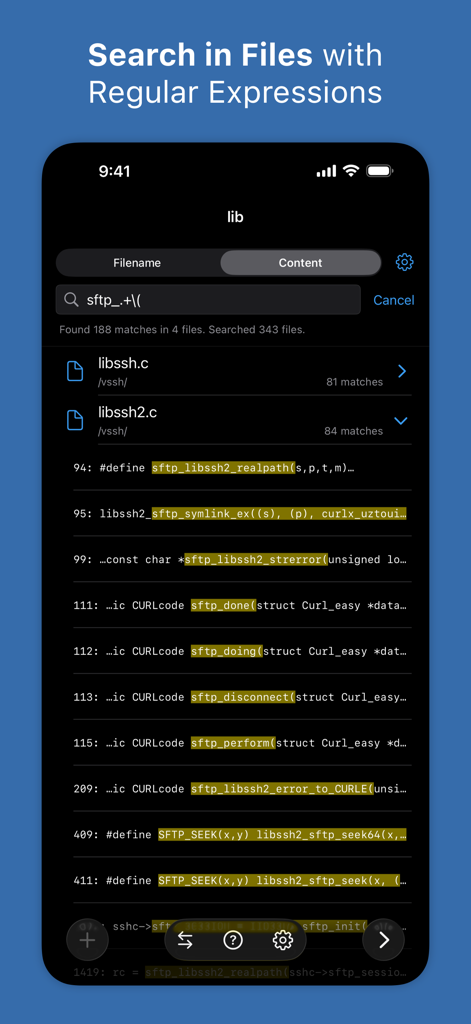
A screenshot of Textastic app showing code search results using regular expressions on an iPhone
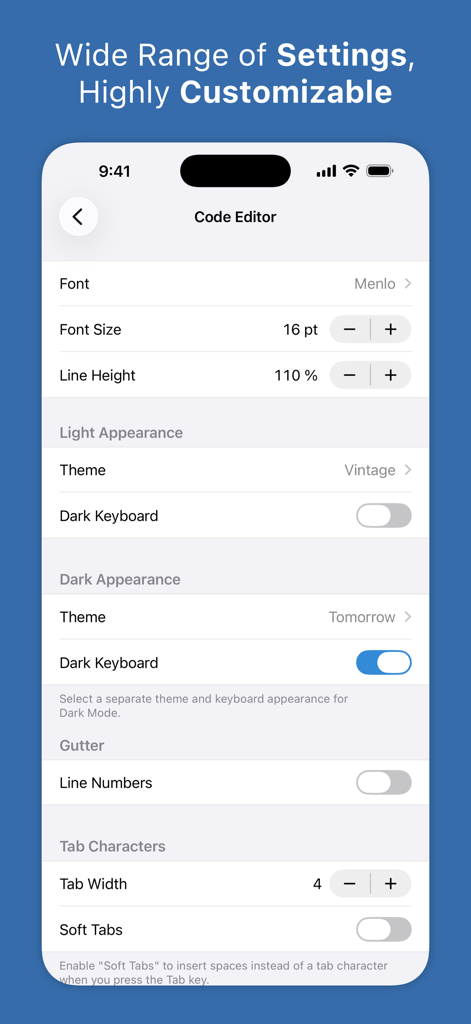
Textastic code editor settings screen showing font and theme customization options for light and dark modes
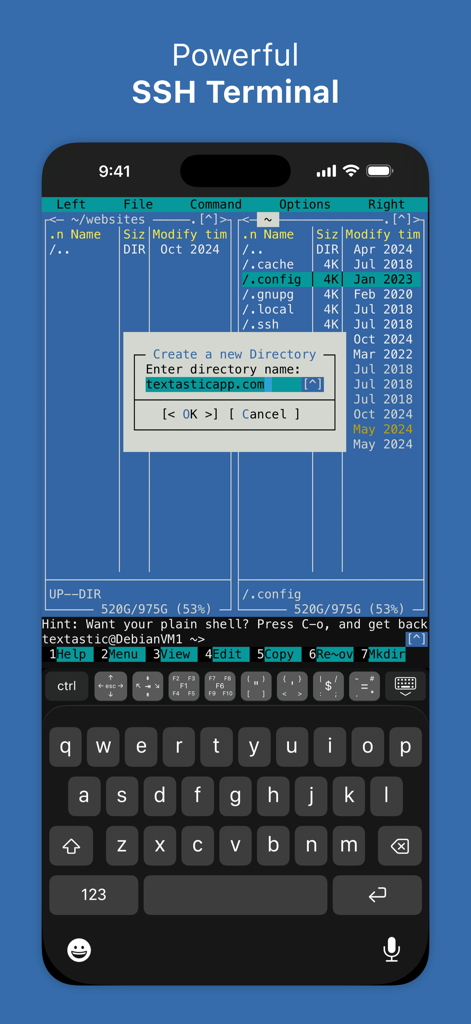
Textastic Code Editor SSH terminal on iPhone showing a command line interface with directory management
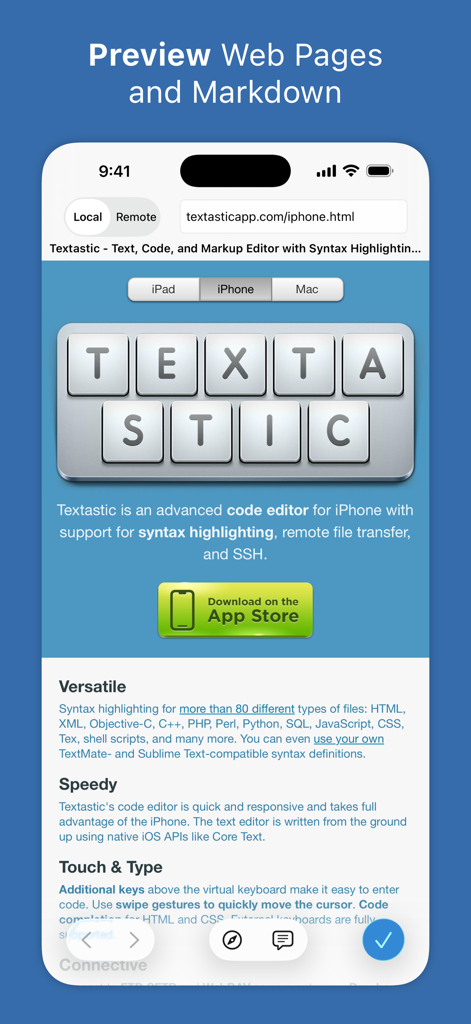
Textastic app interface showing web pages and markdown preview on an iPhone
Description
Download
More Like This
Apps with similar features and user experience

Python Coding
婉媚 邵

Scriptable
Simon Stovring

Koder Code Editor
Reny Mustika

Carnets - Jupyter
Nicolas Holzschuch

Juno – Python and Jupyter
Rational Matter Ltd

C/C++-programming language
小文 黄

Love2D Studio
淑敏 孙

C Compiler IDE
Changsha Chunjue Information Technology Co., Ltd.

delta executor
Amina Sioui
This page is not an official page of the app or its developer, but an independent editorial publication created for informational and commentary purposes. Unless expressly stated otherwise, neither the app nor its developer is affiliated with, endorsed by, sponsored by, authorized by, or otherwise officially connected with MWM, Apple, Google Play, the app publisher, or the app's developer, and nothing on this page implies that the app was developed using MWM's services. Any trademarks, logos, screenshots, and other content remain the property of their respective owners.