Collage Maker - LiveCollage

Collage Maker - LiveCollage


Download on App Store
Logo of Collage Maker - LiveCollage

Collage Maker - LiveCollage: Your All-In-One AI Photo & Video Studio

Join 100M+ creators and elevate your social feed with 20,000+ trendy layouts, seamless Instagram carousels, and powerful AI tools designed to turn every memory into a masterpiece.

Publisher

VIDEO EDITOR PTE. LTD.

Category

Photo & Video

Downloads

31M+

User Rating

4.7/5

Total Ratings

641K+

Locales

13

Your Creative Canvas

Discover the interface used by 31M+ users.
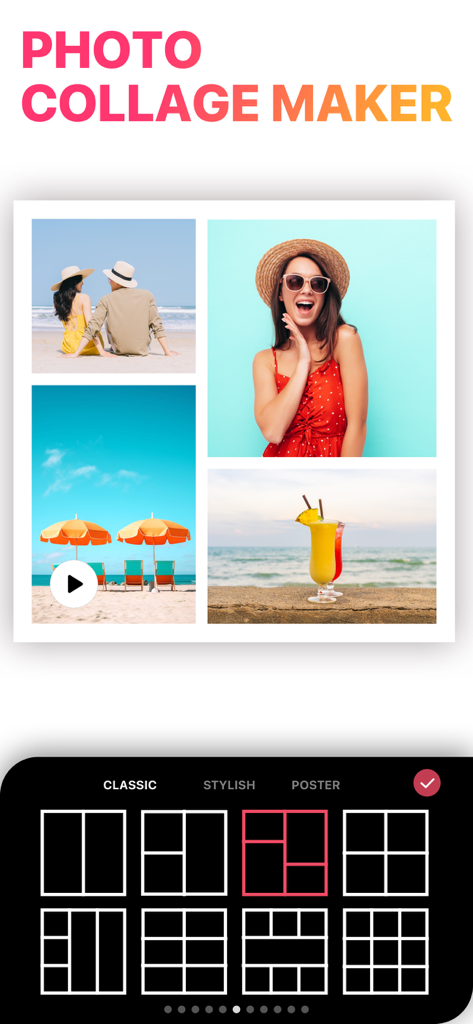
Photo collage maker app interface showing classic grid layouts and a summer vacation photo collage

Photo collage maker app interface showing classic grid layouts and a summer vacation photo collage

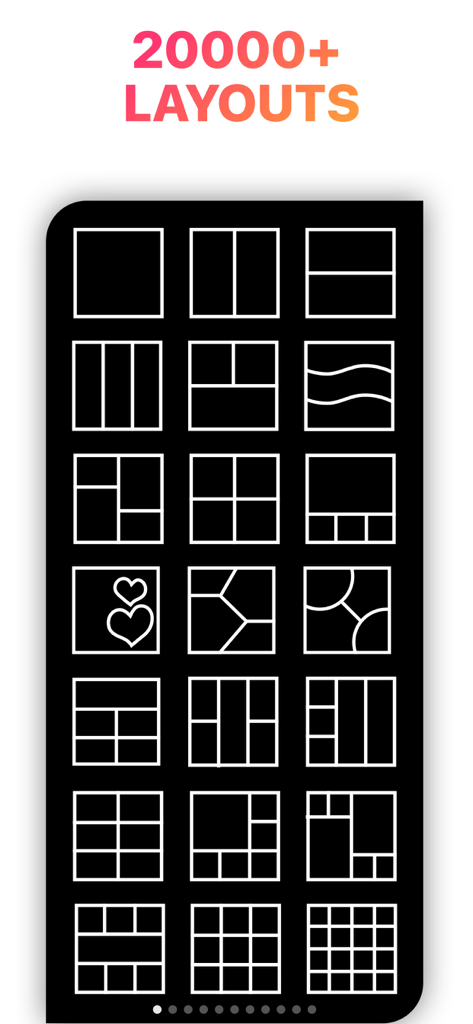
A collection of various photo collage grid layouts and templates in the LiveCollage app

A collection of various photo collage grid layouts and templates in the LiveCollage app

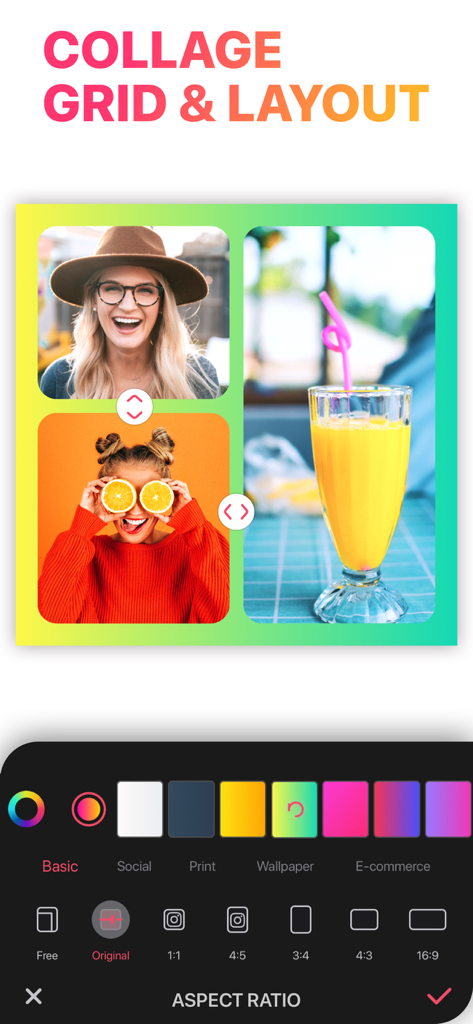
Mobile app interface for Collage Maker LiveCollage showing grid layout and aspect ratio settings

Mobile app interface for Collage Maker LiveCollage showing grid layout and aspect ratio settings

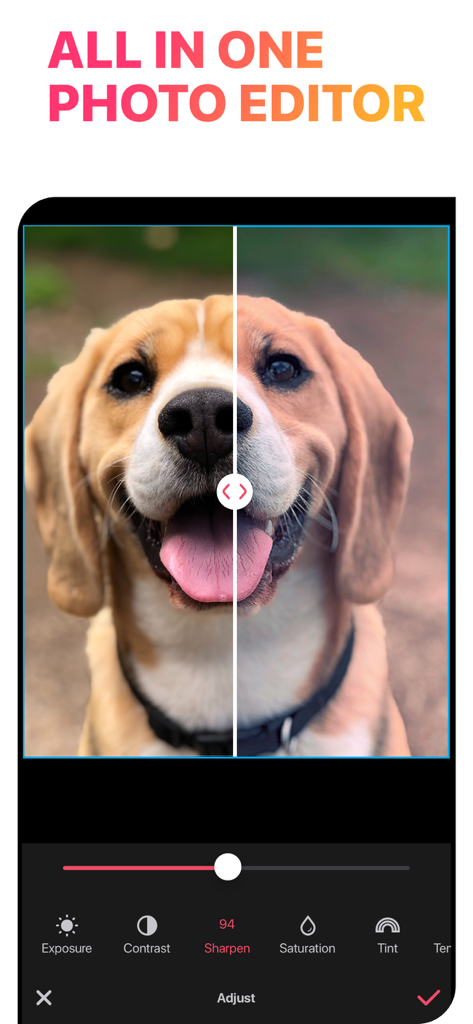
Screenshot of Collage Maker app showing the all-in-one photo editor interface with a split-screen before and after comparison of a dog photo being sharpened.

Screenshot of Collage Maker app showing the all-in-one photo editor interface with a split-screen before and after comparison of a dog photo being sharpened.

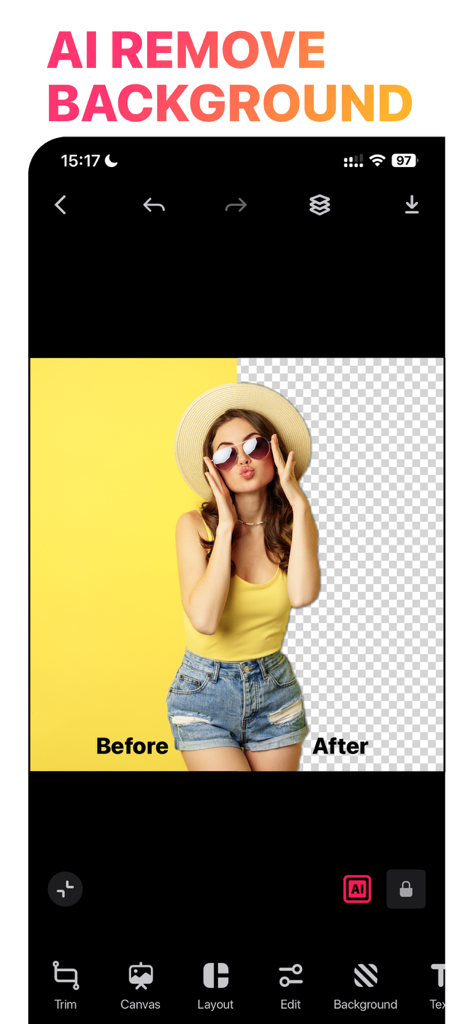
AI background removal feature showing a before and after comparison of a woman in a yellow top

AI background removal feature showing a before and after comparison of a woman in a yellow top

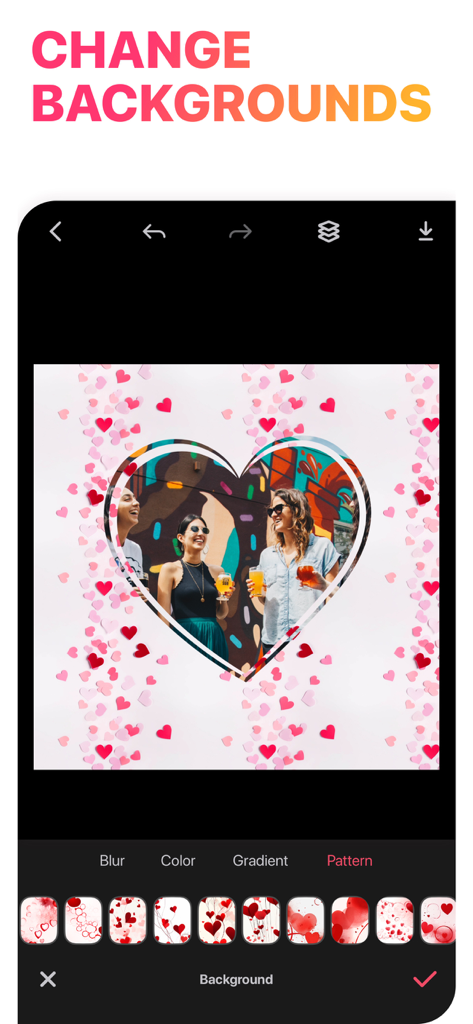
Collage Maker app screen showing a heart shaped photo frame with a pink heart pattern background selection

Collage Maker app screen showing a heart shaped photo frame with a pink heart pattern background selection

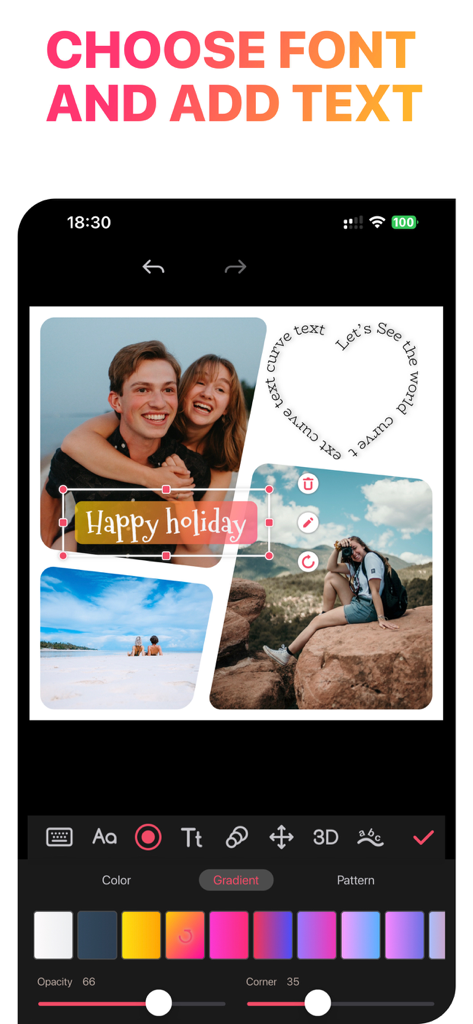
Mobile app interface for adding and styling text on photo collages with curved paths and gradients

Mobile app interface for adding and styling text on photo collages with curved paths and gradients

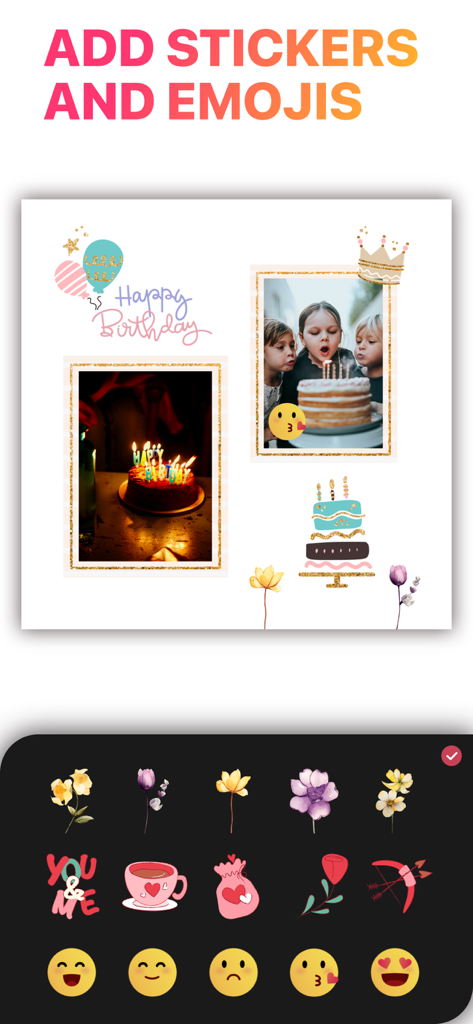
A birthday photo collage being decorated with festive stickers and fun emojis

A birthday photo collage being decorated with festive stickers and fun emojis

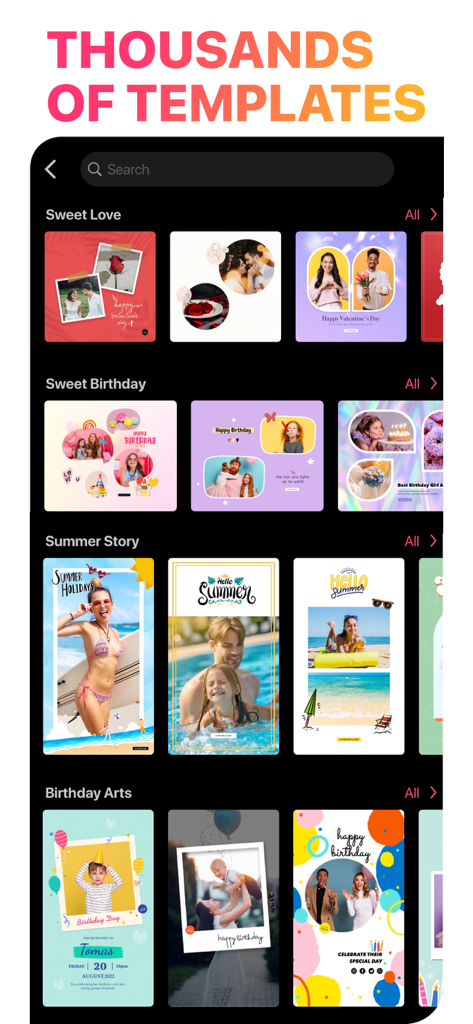
A wide selection of themed photo collage and poster templates within the app library

A wide selection of themed photo collage and poster templates within the app library

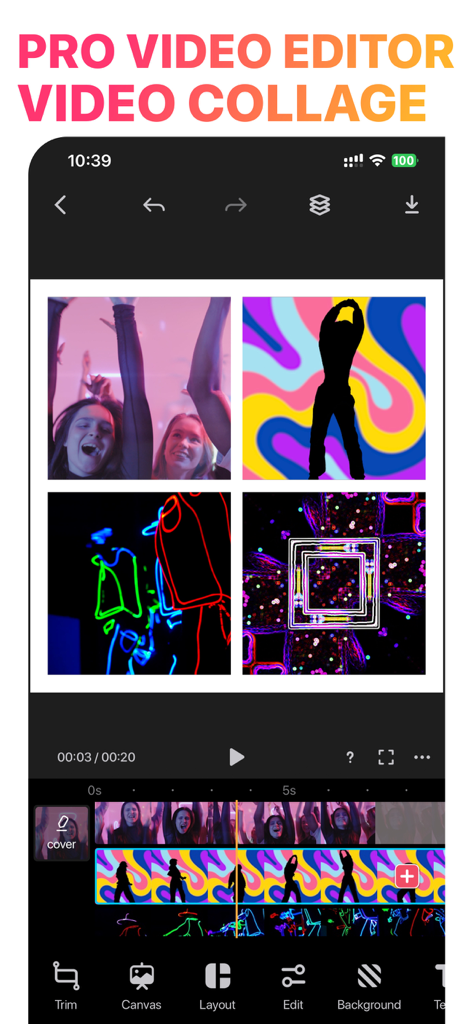
The interface of the LiveCollage app showing a four panel video collage being edited with a professional timeline and toolbar.

The interface of the LiveCollage app showing a four panel video collage being edited with a professional timeline and toolbar.

Craft the Perfect Aesthetic

The tools that make this app stand out, trusted by 31M+ users.

AI-Powered Creativity

Effortlessly remove backgrounds, enhance blurry shots, or turn photos into digital art with one-tap AI magic.

📱

Seamless Social Layouts

Design stunning Instagram carousels and choose from 20,000+ trendy grids to make your feed perfectly aesthetic.

🎬

All-in-One Pro Editor

Create viral video collages, retouch portraits with pro tools, and add 3D text without switching between apps.

About the app

Everything you need to know about Collage Maker - LiveCollage.

Description

#1 All-In-1 pic collage maker, photo editor, collage maker, photo collage, carousel collage, video collage and AI Tools for your best moments & memories! Make perfect collages, videos with 20000+ layouts, effects, stickers & tools. 100 million+ installs, Collage Maker - LiveCollage is the #1 photo collage maker & photo editor app. Download the best, the easiest app for editing photos and videos, making perfect free cards, slideshows and creative carousel collage for Instgram. Choose from trendy grid layouts, collage styles and sizes, awesome effects, exclusive stickers, background patterns, gradients and doodle on collages to TELL YOUR STORY with one framed picture, video! And edit & touch up your pics, videos with powerful editing tools, filters, beauty retouch essentials. Awesome Features - 20000+ STYLISH and FREE Layouts in different shapes, sizes, styles! Mix-match your photos, crop, rotate, move and set them up as you like - All in 1 AI tools: AI Remove background, AI Image Edit, AI Art Generator, AI Cartoon yourself, AI Remove Objects, and AI Enhance. - Carousel Collage: Create unique and creative photo collages by layer photos and videos across multiple frames for a seamless Instagram layout. - Powerful & Easy to use Video Editor, Video Collage, SLIDESHOW Maker. Including Trim,Crop,Reverse,Split,Adjust video speed, volume, Add animations, Music tools. - Make animated collages with one tap - Stunning AI ARTISTIC FILTERS turn photos into artworks in styles of famous artists: Picasso, Van Gogh, etc - AI Background Eraser change photo background with one tap in seconds - Thousands of EXCLUSIVE and FREE stickers, backgrounds, patterns, frames to beautify your photos & stories - Use FREESTYLE to make a SCRAPBOOK of special moments & memories - DOODLE and write on your photos in your own unique handwriting - CUTOUT photos by tracing shapes with your finger - Beautify your portrait with PRO Selfie Editor! It include a collection of the best pro retouching tools - Typographic text design: Create beautiful text visuals - 3D & Curve Text: Create 3D effect & CURVE text to make fantastic artwork Features: - 20000+ STYLISH Layouts Choose from a wide variety of layouts, preset templates or use freestyle mode to create a photo collage in your own UNIQUE STYLE - Adjustable Layout Fully ADJUSTABLE basic layout by adjusting the FRAME,COLORS and PATTERNS. - Remix more than 64 Shots Combine 2 ~ 64+ photos into a single awesome pic and video - Stitches Combine more than 16 photos into a long story picture - Stickers & Decorations Decorate your photos with tons of exclusive and TRENDY stickers! Personalize your collages and add extra fun in your own style - Cards & Posters Choose from 5000+ preset layouts for every occasion such as Christmas, birthday, holidays, newborn babies, weddings, anniversaries and graduation - Backgrounds Choose & change any color, opacity, beautiful gradients and patterns - 100+ Fonts Add colorful TEXT & next trending MEME with funky FONTS to make them even more expressive! - Photo Frames Beautify your photos into framed artwork with CREATIVE photo borders - Effects Create a whole different photo mood with TRENDY filters - Blur Blur background to make STYLISH photo - Aspect Ratios for fb cover/post, twitter post, iPhone wallpaper - Photo Editor Trendy filters, touch-up tools(CROP, DRAW, REDEYE, BLEMISH...) and more - Selfie Editor Smooth out skin, reshape face, whiten teeth, remove blemishes & pimples and more - Video Editor Create MUSIC VIDEO, Add text on Videos and make photos into stunning SLIDESHOW with free musics. Trim, speed, crop, rotate, move, flip, apply filter, add COOL effect VIP LiveCollage VIP is a subscription that provides access to all templates, layouts, effects, backgrounds and more! And to access our exclusive set of Features. With the 3-day trial, you can try it for free! Terms & Privacy: https://bit.ly/term_privacy EULA: https://bit.ly/appleeula

Latest Version

16.4.19

Size

252.2 MB

First Released

Jun 15, 2012

Join 100 Million+ Creators and Start Designing Today

From viral Instagram carousels to cherished family scrapbooks, unlock the AI tools and 20,000+ layouts you need to make every moment unforgettable. Download LiveCollage for free on the App Store.

Download on App Store
FAQ

Frequently Asked Questions

Everything you need to know about Collage Maker - LiveCollage

What is Collage Maker - LiveCollage and what are its main functions?

Collage Maker - LiveCollage is an all-in-one app for creating photo and video collages, editing photos, and utilizing AI tools. It offers 20000+ layouts, effects, stickers, and advanced editing features for various creative projects.

How many layouts are available in Collage Maker - LiveCollage?

Yes, Collage Maker - LiveCollage offers over 20,000 stylish and free layouts. These layouts are available in different shapes, sizes, and styles, providing extensive options for photo and video collages.

Does Collage Maker - LiveCollage offer AI editing features?

Yes, Collage Maker - LiveCollage includes various AI tools. These features include AI Remove Background, AI Image Edit, AI Art Generator, AI Cartoon Yourself, AI Remove Objects, and AI Enhance for advanced photo manipulation.

Can I edit videos using Collage Maker - LiveCollage?

Yes, Collage Maker - LiveCollage features a powerful video editor. It allows users to trim, crop, reverse, split, adjust speed, volume, add animations, music, create video collages, and slideshows.

Is there a free trial for Collage Maker - LiveCollage VIP subscription?

Yes, Collage Maker - LiveCollage offers a 3-day free trial for its VIP subscription. The VIP membership provides access to all templates, layouts, effects, backgrounds, and exclusive features.

Can users add custom text and choose different fonts in Collage Maker - LiveCollage?

Yes, Collage Maker - LiveCollage supports custom text and fonts. It provides over 100 fonts, typographic text design, and options for creating 3D and curve text effects to enhance your artwork.

How does Collage Maker - LiveCollage remove backgrounds from photos?

Collage Maker - LiveCollage features an AI Background Eraser that removes photo backgrounds with one tap in seconds. This allows users to easily change and customize new backgrounds for their images.

Does Collage Maker - LiveCollage include free stickers and backgrounds?

Collage Maker - LiveCollage provides thousands of exclusive and free stickers, backgrounds, patterns, and frames. These elements help users beautify their photos and stories, adding extra fun and personalization.

App information, icons, screenshots, and descriptions displayed on this page are sourced from the Apple App Store and are the property of their respective developers. Download estimates and rankings are based on MWM's proprietary models and may not reflect actual figures. This page is provided for informational and analytical purposes only.

Believe this page infringes your intellectual property? File a dispute