
This page is not an official page of the app or its developer, but an independent editorial publication created for informational and commentary purposes. Unless expressly stated otherwise, neither the app nor its developer is affiliated with, endorsed by, sponsored by, authorized by, or otherwise officially connected with MWM, Apple, Google Play, the app publisher, or the app's developer, and nothing on this page implies that the app was developed using MWM's services. Any trademarks, logos, screenshots, and other content remain the property of their respective owners.


Photo Collage Maker & Creator
Join 3 million users who turn up to 20 photos into stunning high-resolution grids. With 1000+ free layouts and professional tools, it's the all-in-one choice for capturing family milestones or showcasing your business products.
Downloads
7M+User Rating
Total Ratings
184K+Publisher
Category
Photo & VideoLocales
15Latest Version
1.72.0Size
69.9 MBFirst Released
Dec 16, 2013Tell Your Whole Story in a Single Frame
From family milestones to professional product grids, join 3 million users transforming their photos into stunning visual narratives with 1000+ free layouts.
Room for Every Memory
Why choose just one? Combine up to 20 photos in a single collage to capture the full vibe of your weekend, event, or product line effortlessly.
Full Creative Control—For Free
Access over 1000 layouts and 80+ fonts. Customize borders, shadows, and filters to match your unique aesthetic without needing a graphic designer.
Frequently Asked Questions
Everything you need to know about Photo Collage Maker & Creator
How many photos can I combine in Photo Collage Maker & Creator?
Photo Collage Maker & Creator allows users to combine up to 20 photos into a single collage. This feature enables creation of detailed photo series or product displays.
Does Photo Collage Maker & Creator offer free layouts?
Yes, Photo Collage Maker & Creator provides over 1000 collage layouts for free. Users have access to a wide variety of regular and irregular designs without additional cost.
What sharing options are available in Photo Collage Maker & Creator?
Photo Collage Maker & Creator allows users to save collages to their Camera Roll. Users can also share masterpieces directly to Facebook, Instagram, Twitter, Dropbox, Evernote, or any application accepting JPEG images.
Does Photo Collage Maker & Creator support text editing features?
Yes, Photo Collage Maker & Creator supports extensive text editing. Users can choose from over 80 fonts, use a full spectrum color picker, and easily move, resize, rotate, and snap text to 90 degrees.
Is there a premium subscription for Photo Collage Maker & Creator?
Yes, Photo Collage Maker & Creator offers a PREMIUM subscription for unlimited access to premium content. This includes all stickers, pro patterns, pro fonts, custom photo backgrounds, and an ad-free experience.
How does the free trial work for Photo Collage Maker & Creator's premium features?
The Photo Collage Maker & Creator premium subscription includes a 3-day free trial. After the trial, the subscription automatically charges yearly to the user's iTunes Account unless auto-renewal is turned off.
Can I create custom stickers in Photo Collage Maker & Creator?
Yes, Photo Collage Maker & Creator allows users to clip and create custom stickers. This feature provides creative flexibility for personalizing collages with unique elements.
What resolution does Photo Collage Maker & Creator support for exports?
Photo Collage Maker & Creator supports high-resolution exports. For newer devices, users can export collages up to 3264 x 3264 pixels, ensuring high-quality images.
Does Photo Collage Maker & Creator provide photo filters?
Yes, Photo Collage Maker & Creator provides various photo filters. Users can apply amazing photo effects and filters to individual photos within their collages.
Can I use Photo Collage Maker & Creator for commercial purposes like product display?
Yes, Photo Collage Maker & Creator is useful for online businesses to display products. It enables the creation of multi-photo arrangements perfect for showcasing items effectively.
The following screenshots and description are sourced directly from the app's official store listing and are the property of the app developer.
App Store
Screenshots
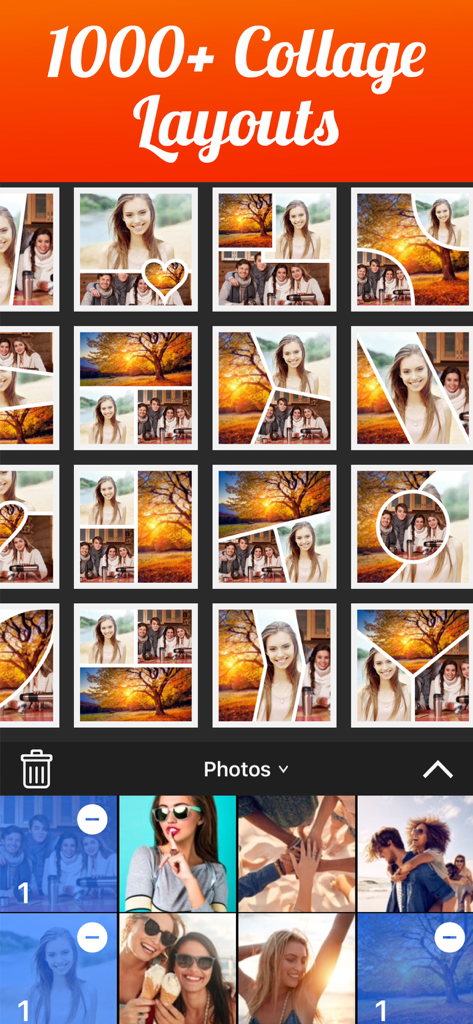
Mobile app interface showing various collage layout options and a photo gallery selection area
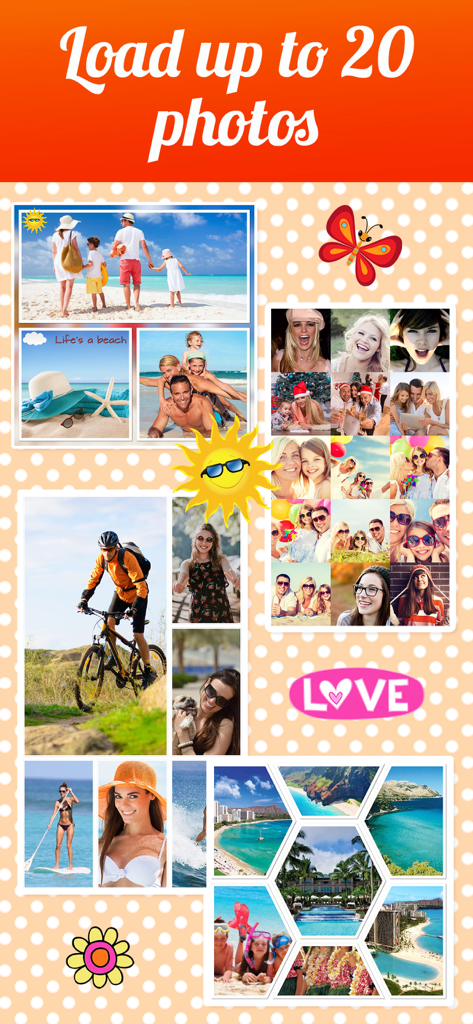
A collection of various photo collage styles and stickers including travel, family, and adventure themes.
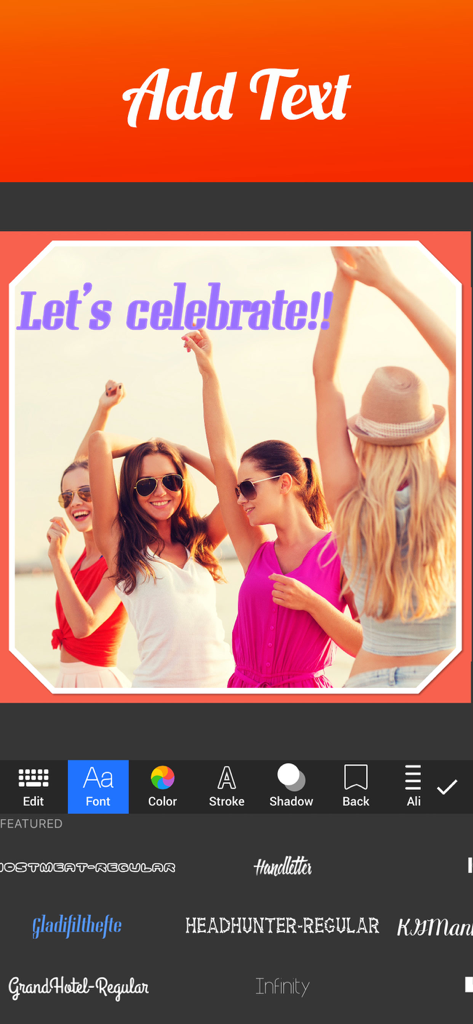
A mobile app screen showing how to add text and choose fonts for a photo collage
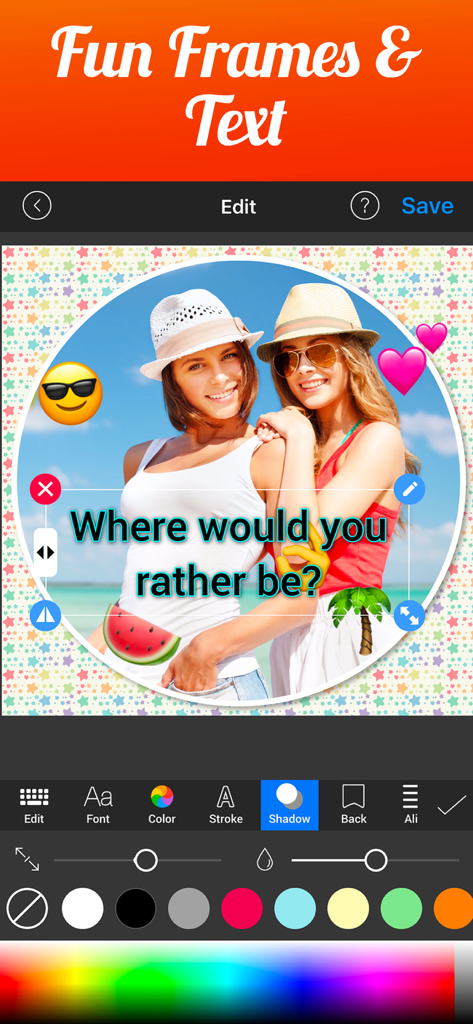
A mobile interface for Photo Collage Maker & Creator showing a beach photo with custom text, heart stickers, and circle frames.
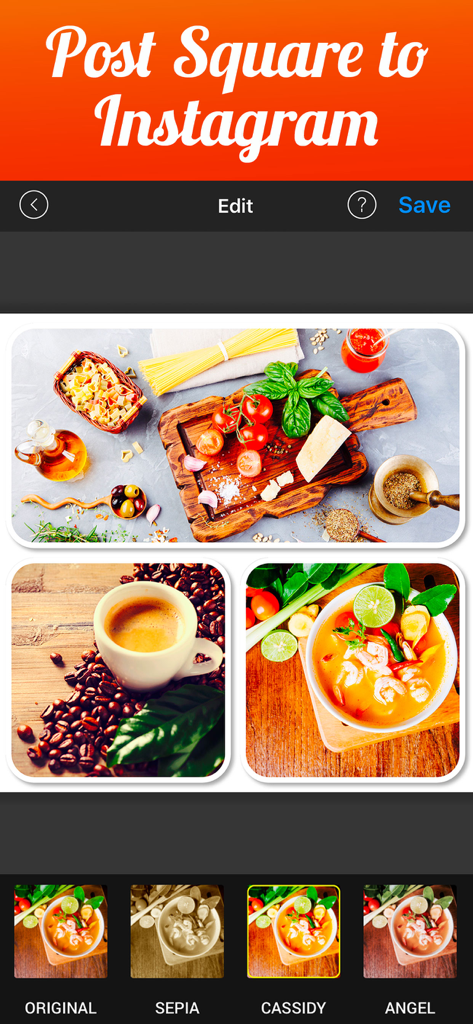
Mobile app interface showing a food-themed photo collage formatted for an Instagram square post with filter options.
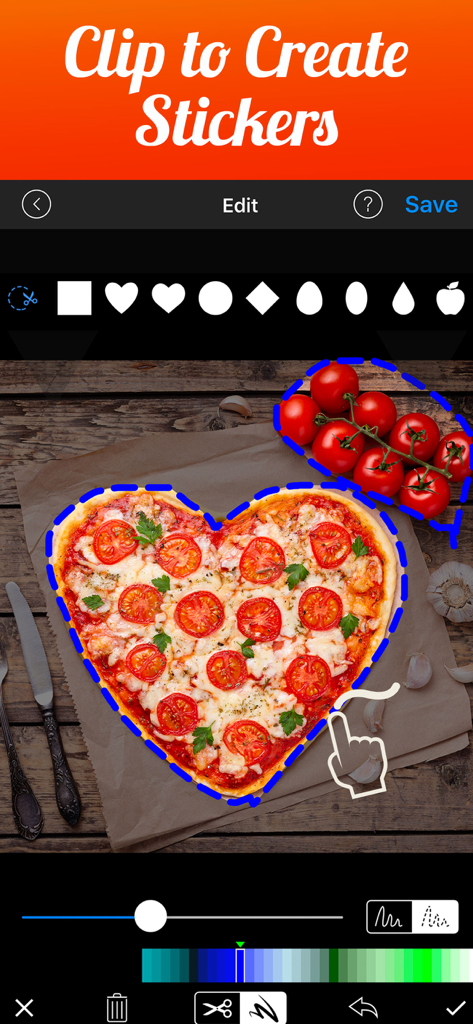
Interface of Photo Collage Maker showing the clip to create stickers feature with a heart shaped pizza
Description
Download
More Like This
Apps with similar features and user experience

SCRL: Photo Collage Maker
Appostrophe AB

PhotoGrid: Video Collage Maker
JUPITER PALACE PTE. LTD.

Layout for Instagram: Collage
Shamble, Inc.

Photo Collage Maker: InCollage
SHANTANU PTE. LTD.

TicPic
Zhuhai Kuxiong Network Technology Co., Ltd.

Collage Maker: CollagePlus
Shamble, Inc.

Photo Collage Montage Maker
Honk Honk Punch Pty Ltd

Photo Collage Montage & Layout
Honk Honk Punch Pty Ltd

Jane - Art Collage & Video
Shanghai Ruishixinyan Information Technology Co., Ltd
This page is not an official page of the app or its developer, but an independent editorial publication created for informational and commentary purposes. Unless expressly stated otherwise, neither the app nor its developer is affiliated with, endorsed by, sponsored by, authorized by, or otherwise officially connected with MWM, Apple, Google Play, the app publisher, or the app's developer, and nothing on this page implies that the app was developed using MWM's services. Any trademarks, logos, screenshots, and other content remain the property of their respective owners.